Yes—the original announcement was genuine, but it is historical. Microsoft announced on March 18, 2015, that PayPal Here could be downloaded free from the Windows Store for Windows PCs, laptops, and tablets. It was a U.S.-focused point-of-sale app designed to work with a PayPal Here card reader and a compatible Windows device, especially Windows 8.1-era Surface hardware.
PayPal Here is no longer a supported payment solution. PayPal discontinued the service, and an old Microsoft Store listing does not mean the app or its card readers can process transactions. PayPal’s current replacement is PayPal Point of Sale, formerly PayPal Zettle, but PayPal’s current documentation lists iOS and Android—not Windows—as its supported mobile platforms.
What PayPal Here was
PayPal Here was a mobile point-of-sale system for small businesses. The Windows version combined three elements:
- The PayPal Here Windows app, used to ring up sales and manage transactions;
- A PayPal Here card reader, used to accept physical card payments; and
- A compatible device, such as a Windows tablet, laptop, PC, or Microsoft Surface device.
The original Microsoft announcement described the app as a way for merchants to accept payments and manage a business while away from a traditional checkout. The launch coverage is available in Microsoft’s March 18, 2015 announcement.
What’s actually slowing this PC down?
Pick the symptom - the matching free tool is one click away.
#1 Best Overall

- MSR90 is a USB emulation keyboard interface that not need any driver or software,USB simply plug and play
- Reads up to 3 tracks of information,can reads ISO7811, AAMVA, CA DMV and most other card data formats
- Threaded inserts for mounting. LED indicator, green light is on when connecting,green light blinks when cards swiped
- Bi-directional swipe reading, superior reading of high jitter, scratched, and worn magstripe cards, reliable for over 1,000,000 card swipes
- Configuration software makes configuration changes easy,works with: Windows OS and Mac OS
Merchants still needed a qualifying PayPal account, approval for PayPal Here, and generally a compatible card reader to accept in-person card payments. Downloading the software did not by itself turn a Windows computer into a functioning payment terminal.
What the 2015 Windows app could do
Historical PayPal Here marketing described a broader set of small-business tools than simply taking card payments. Depending on the account, market, and version, the service included:
- Point-of-sale checkout functions;
- Acceptance of credit cards, debit cards, and PayPal payments;
- Recording cash and check payments;
- Sending invoices;
- Daily, weekly, monthly, and custom sales reports;
- Back-office sales management;
- Support for multiple business locations;
- Staff subaccounts; and
- Access to funds subject to PayPal’s normal policies and holds.
Microsoft and contemporary coverage also promoted live customer support, no monthly service fee, and no long-term commitment. Those were launch-era service claims—not a promise that payment acceptance was free. The feature and pricing details reported at the time are preserved in contemporary Windows coverage.
What “free” meant
The phrase “available to download for free” referred to the app’s download price. It did not mean that a merchant could accept unlimited card payments without fees or equipment costs.
Crashes, No Sound, or Screen Glitches?
Random freezes, missing sound and display glitches usually trace back to one bad driver. Find and replace yours safely.Free scan · under a minuteWindows Errors? Fix Them Before They Spread
Repair common Windows errors and clear accumulated junk for a smoother, more stable PC - no reinstall needed.Free scan · no reinstall| Historical item | What it meant |
|---|---|
| Windows app | Free to download from the Windows Store during the 2015 launch period. |
| Card processing | The advertised standard swipe rate was 2.7% per transaction. |
| Launch promotion | Eligible U.S. swipe transactions could receive a promotional 1.9% rate through June 15, 2015. |
| Card reader | Contemporary coverage reported a $15 reader price through the Microsoft Store. |
| Windows hardware | A Surface, laptop, tablet, or other compatible device was a separate cost. |
The 1.9% rate was temporary, and the 2.7% rate was historical. Neither should be used as a current PayPal pricing quote. The original promotion and reader-price details appeared in Microsoft’s Surface and PayPal Here coverage and the period reporting linked above.
Manual card entry was also discussed as a possible payment method, but keyed transactions were not the same as reader-based, card-present transactions and could have different fees and risk treatment. A 2016 PayPal community discussion described a user entering card numbers after having trouble getting plug-in and Bluetooth readers recognized on a Windows 10 laptop. That is anecdotal user evidence, not an official compatibility guarantee.
Which Windows devices and versions were supported?
The launch was centered on Windows 8.1, particularly Windows tablets and Surface devices. Microsoft described the app as a Windows 8.1 application designed for Surface, and the original announcement referred more generally to Windows PCs, laptops, and tablets.
Microsoft’s examples included a Surface Pro 3 paired with a PayPal Here reader. Separate coverage showed a reader being used with a Surface Pro 3 or Lumia smartphone to swipe credit and debit cards. See Microsoft’s April 2015 Windows coverage.
Rank #2

- USB interface, keyboard emulation, no need to install software to read, configuration software for changing settings available.
- Read data from all 3 tracks, high and low coercivity cards, ISO7811, AAMVA, CA DMV and most magnetic card data formats.
- Work on Windows, Mac and other USB capable systems. Work with TXT, notepad, Word, Excel, POS systems and son on.
- Compact size, with 145cm USB cord, two 3mm-diameter screw holes for fixing at the bottom, a LED indicator light
- Perfect for POS, Banking, Loyalty, Access Control, ID verification and other applications.
That history does not establish broad official support for every later Windows release:
- Windows 8.1: This was the main launch-era Windows context.
- Windows 10: Some users discussed installing or launching the app, but reports included problems recognizing plug-in and Bluetooth readers. The available evidence does not support a blanket claim of officially verified Windows 10 compatibility.
- Windows 11: There is no basis in the available documentation for claiming support.
A Windows tablet that can technically run an old Store application is not necessarily able to connect to the required reader or complete a payment. Payment compatibility involves the app, reader, drivers or connection method, account, and PayPal’s live processing service.
Was PayPal Here available on Windows Phone?
Windows Phone was related to, but separate from, the Windows PC and tablet rollout. In January 2015, Microsoft said a PayPal Here Windows Phone app was planned for later that year. An April article discussed PayPal Here on both Windows tablets and Windows Phone.
It is therefore inaccurate to treat “Windows Store,” “Windows 8.1,” and “Windows Phone” as interchangeable descriptions. The March 18 announcement primarily concerned the PC, laptop, tablet, and Surface point-of-sale configuration. Microsoft’s January rollout information is available here.
Do these 3 things before closing this tab:
1Fix the driver behind crashes, sound loss and screen glitches2Repair Windows errors before they cause bigger problems3Scan for outdated or missing drivers - takes under a minuteWhere was the Windows version available?
The launch was not a worldwide Windows Store release. Microsoft’s follow-up coverage said PayPal Here for Windows was available only in the United States at that time. The March 2015 Surface announcement also described the offering for U.S.-based small-business retailers.
A Windows Store page in another country—or a search result that displays the old download language—does not prove that the service was available there. PayPal payment products, pricing, merchant eligibility, and discontinuation dates have varied by country.
How the historical installation was supposed to work
The following is a reconstruction of the intended 2015 setup process. It is not a current installation guide:
- Use a compatible Windows 8.1 PC, laptop, tablet, or Surface device.
- Open the Windows Store and search for PayPal Here.
- Install the free PayPal Here app.
- Sign in with, or create, a qualifying PayPal business account.
- Sign up for PayPal Here and request or purchase the mobile card reader.
- Connect the reader to the Windows device using the supported connection method.
- Configure card, PayPal, cash, check, invoice, and reporting options.
- Process sales and review reports through the app.
The Microsoft launch announcement specifically described downloading the app and signing up to request the reader. The setup depended on merchant approval and compatible hardware; it was not simply a free Windows checkout program that worked with any computer.
The Tool Desk
Outbyte PC Repair FREEClear out junk files and repair common Windows errorsFree Scan →Outbyte Driver Updater FREEFix the driver behind crashes, sound loss and screen glitchesFind Drivers →Rank #3

- MSR605X Reader Writer Encoder All 1/2/3 Tracks
- Work USE USB Power Supply
- Functions: Read,Write, Copy, Erase, Edit.
- Free 20pcs Blank Cards
Why the old Microsoft Store link may still appear
The historical PayPal Here Microsoft Store URL still resolves to a Microsoft Apps page. However, the continued existence of a URL is not evidence that the application is installable, supported, or connected to PayPal’s payment systems. The page may be a residual listing or an inactive Store route.
Microsoft notes that Store apps can be hidden because of country or region, device compatibility, removal from the Store, or account and device issues in its general troubleshooting guidance. Those are ordinary explanations for a missing Store app. In PayPal Here’s case, though, the decisive problem is not a normal Store-discovery error: the payment service itself has been discontinued.
When PayPal Here stopped working
There is no single date that should be presented as a universal worldwide shutdown date. PayPal’s formal policy records and operational notices use different dates and differ by market.
| Market or date | What the record says |
|---|---|
| Australia | PayPal Here was no longer offered from June 30, 2021, according to PayPal’s Australian terms. |
| United States: reported operational date | Contemporary reporting quoted a PayPal notice saying the U.S. app, devices, and SDK would stop working after April 3, 2023. |
| United States: formal policy date | PayPal’s U.S. policy archive lists formal discontinuation effective September 30, 2023. |
| United Kingdom | PayPal’s policy archive lists September 30, 2023. |
| Canada | PayPal’s policy archive also lists September 30, 2023. |
The U.S. April 3 and September 30 dates are best understood as different kinds of dates: the former is the reported point at which the app, devices, and SDK would stop operating, while the latter is PayPal’s formal legal or policy discontinuation date. The dates should not be merged into an unexplained claim that PayPal Here ended everywhere on April 3, 2023.
Free tools Windows power users keep installed
One-click scans. No signup required.
PayPal’s U.S. policy archive and 2023 U.S. agreement provide the formal documentation. The reported operational notice is described by TechRadar.
Can an old installed app or reader still be used?
No—not as a reliable payment system. An old app might open, and an old reader might still power on or pair over Bluetooth. Neither result proves that a transaction can be authorized, settled, or supported by PayPal.
Do not rely on an old PayPal Here installation for live sales, and do not sideload an old application package or buy used PayPal Here hardware for new transactions. The service, app ecosystem, devices, and SDK were discontinued. Even if a screen appears functional, the underlying payment authorization depends on a discontinued service.
What replaced PayPal Here?
PayPal’s current U.S. successor is PayPal Point of Sale, formerly PayPal Zettle. It is a separate product rather than a modern Windows Store edition of PayPal Here.
Rank #4

- USB interface, keyboard emulation, no need to install software to read, configuration software for changing settings available.
- Read data from all 3 tracks, high and low coercivity cards, ISO7811, AAMVA, CA DMV and most magnetic card data formats.
- Work on Windows, Mac and other USB capable systems. Work with TXT, notepad, Word, Excel, POS systems and son on.
- LED indicator: Red light is on when connecting, Red light blinks when cards swiped.
- Perfect for POS, Banking, Loyalty, Access Control, ID verification and other applications.
PayPal’s current U.S. POS offering includes:
- A free mobile point-of-sale app;
- Inventory and sales management;
- Reports and business metrics;
- Tap to Pay on supported iPhones and Android phones;
- A Bluetooth card reader; and
- An all-in-one payment terminal.
PayPal’s current software documentation identifies iOS and Android support. It does not list Windows as a supported platform. Tap to Pay may reduce the need for separate card-reader hardware on an eligible phone, but it does not add Windows support. See PayPal’s current POS software page and POS overview.
Current U.S. pricing snapshot
The following figures are U.S. prices and rates checked on August 10, 2026. Payment pricing, promotions, and hardware costs can change, so verify the current terms before signing up:
| Item | U.S. figure in the current pricing information |
|---|---|
| POS app | Free to download; PayPal advertises no monthly or setup fee. |
| First card reader | $29 promotional price. |
| Additional card readers | $79 each. |
| All-in-one terminal | $199, or $239 with a built-in barcode scanner. |
| Card-present payments | 2.29% + $0.09 per transaction. |
| Manual entry | 3.49% + $0.09 per transaction. |
| QR-code payments | 2.29% + $0.09 per transaction. |
These current figures come from PayPal’s U.S. POS pricing page. They describe the current Point of Sale product, not the discontinued PayPal Here service, and may not apply outside the United States.
Independent reader supportYour contribution helps us test, update, and keep practical guides available for everyone.If you specifically need a Windows checkout system
PayPal Point of Sale is not a direct answer for a business that requires a Windows PC or Windows tablet at the register. Before choosing another provider, verify all of the following for your country and exact Windows version:
Quick wins for a faster PC:
Clear out junk files and repair common Windows errorsFree Scan →Fix the driver behind crashes, sound loss and screen glitchesFind Drivers →- Whether the provider officially supports your Windows edition and version;
- Whether the card reader connects by USB, Bluetooth, or another supported method;
- EMV chip and contactless/NFC support;
- Whether payments can be taken offline and how offline transactions are handled;
- Compatibility with receipt printers, barcode scanners, cash drawers, and other accessories;
- Inventory, accounting, ecommerce, and tax integrations;
- Merchant-country and business-type eligibility;
- Card-present, manual-entry, recurring, and other transaction fees; and
- What happens if the provider ends the app or changes its hardware support.
A browser-based PayPal product such as Virtual Terminal may be relevant for some eligible merchants, but it should not automatically be treated as a replacement for the old Here app. A browser tool, a Windows POS application, and a mobile card-reader system can have different hardware, security, workflow, and fee requirements.
Common misunderstandings
“The Store page is still there, so PayPal Here must work.”
Not necessarily. A surviving Store URL is only a listing or route. It does not establish current installation, reader compatibility, payment authorization, or customer support. PayPal’s discontinuation records take precedence over stale launch language.
“The app was free, so taking cards was free.”
No. The app download was free, while card transactions had processing fees. Hardware, such as the reader and Windows device, was also separate.
“If it ran on Windows 10, it should run on Windows 11.”
That is an unsupported inference. User reports about Windows 10 included reader-recognition problems, and the available evidence does not establish Windows 11 support. In any event, PayPal Here is discontinued.
Recommended Free Tools
Best Value
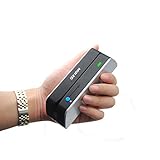
- 1/2/3 Tracks Read/Write/Copy/ Erase Hico/Loco (300~4000 oe)Mag Card
- Bluetooth and USB interface works with Computers and mobile/Tablet
- Free Software For Windows 98/2000/XP/Vista/7/8/10 (32&64), MAC OS
- APP Download "EasyMSR" from "Google Play" or "App Store" for Android Mobile/Tablet or iPhone,iPad Using
- Smallest Size: 5.4*1.4*1.4 Inch
“PayPal Here and PayPal Point of Sale are the same app.”
They are not. PayPal Point of Sale is the current successor product in the PayPal Zettle lineage, with its own app, hardware, supported platforms, and pricing.
Bottom line for someone following the old headline
The headline was accurate in its original context: on March 18, 2015, PayPal Here was promoted as a free Windows Store download for a U.S. Windows-based mobile POS setup. It was mainly a Windows 8.1-era product, required a PayPal account and compatible payment hardware for normal card acceptance, and charged transaction fees despite the free download.
That product is now discontinued. Do not install, sideload, or purchase used PayPal Here equipment for new transactions. If you want PayPal’s current POS offering, investigate PayPal Point of Sale on a supported iOS or Android device. If Windows is mandatory, choose a currently supported Windows-compatible payment provider instead.
Frequently Asked Questions
Is PayPal Here still available for Windows?
No. PayPal Here has been discontinued and is not a supported Windows payment solution. The old Microsoft Store URL may still appear, but its existence does not prove that the app or service can be used.
Was PayPal Here really free?
The Windows app was free to download in 2015. Payment processing was not free: the historical standard swipe rate was advertised as 2.7%, with a temporary 1.9% promotional rate for eligible U.S. swipe transactions through June 15, 2015. A card reader and compatible Windows hardware also cost extra.
Did PayPal Here work with Windows 10 or Windows 11?
The launch centered on Windows 8.1 and Surface devices. Some users reported installing the app on Windows 10, but also experienced card-reader recognition problems. There is no evidence establishing supported Windows 11 operation, and the service has since been discontinued.
What replaced PayPal Here?
PayPal Point of Sale, formerly PayPal Zettle, is PayPal’s current successor product. Its current U.S. documentation lists iOS and Android support, not Windows, so it is not a current Windows Store version of PayPal Here.
Can an old PayPal Here card reader still process payments?
It should not be relied upon. A reader may power on or connect to an old app, but PayPal Here’s payment service and related device ecosystem were discontinued. A working light or Bluetooth connection does not prove that transactions can be authorized and settled.
The Bottom Line
Bottom line: PayPal Here really was a free-to-download Windows Store app launched in the United States on March 18, 2015, but it was never free payment processing. The Windows 8.1-era app, reader, and service have been discontinued, so the old download link should not be used for current sales. PayPal Point of Sale is the current successor, but it supports iOS and Android rather than Windows.
Quick Recap
Product prices and availability are accurate as of the date/time indicated and are subject to change. Any price and availability information displayed on Amazon at the time of purchase will apply.




