
The Finance Base / Retirement planning tools / Retireator
retireator.org
Retireator
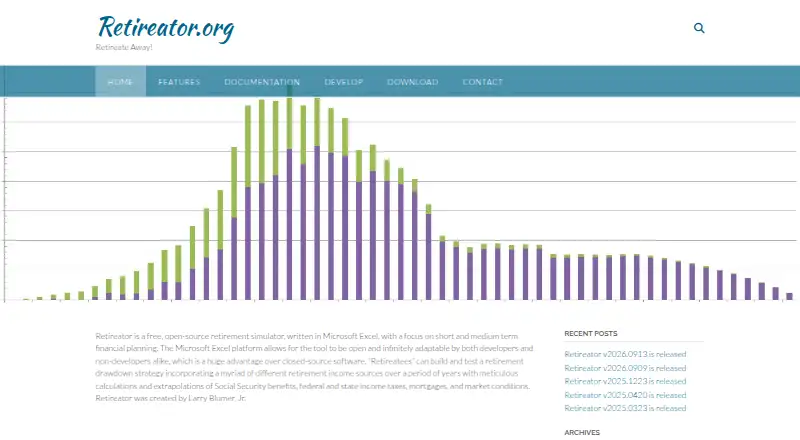
Retireator is a free, open-source retirement simulator built in Microsoft Excel. It models income, investments, taxes, Social Security, housing, expenses and annuities across multi-year scenarios. The workbook runs on Windows with desktop Excel and offers limited Excel Online support. It is…
Visit retireator.org ↗ What it costs
- 7.9 No. 4on Retirement planning tools
- Free planprice, as published
- Oct 20, 2026read on
What Retireator costs
- Free Free
The Free plan costs nothing. No trial or additional fee schedule is published.
As retireator.org publishes them, read Oct 20, 2026. Fees, tax and exchange rates can differ when you pay; check the provider's own page first.
Its statement
- Free plan
- Yes
- Free trial
- No
- Runs on
- iPhone Android Web Windows
- Facts on record
- 47
Strengths and limits
Strengths
- Free, open-source Excel workbook
- Models taxes, Social Security, inflation and markets
- Supports many retirement accounts and annuity inputs
- Compares successive simulation runs
- Includes mortgage and one-time expense tools
Limits
- Requires Windows and compatible desktop Excel
- Macros are required for initial setup
- Excel Online has limited functionality
- No account synchronization is listed
- No iPhone or Android app is listed
What Retireator does
Retireator is a retirement simulator for testing short- and medium-term financial plans. It runs multi-year drawdown scenarios using several income sources, portfolio accounts and expense schedules.
The workbook models Social Security, federal and state taxes, inflation, market conditions, debt, pensions, annuities and net worth. Its dashboard shows results, supports setting or solving for a retirement date, and records comparisons between runs.
Fees and plans
Retireator is free software. The published plan is a Free plan with no charge, and the facts list no free trial because the software is already free.
Where it runs
Retireator is delivered as a Microsoft Excel workbook for Windows. The download page lists Excel 2007–2019 or Excel 365, in 32-bit or 64-bit versions, with macros enabled.
Excel Online is supported with limited functionality. The listed platforms are web and Windows; no iPhone or Android app is listed.
Protection and rules, as published
Retireator is open source. The download page says it is distributed under the GNU Affero General Public License version 3 or later, and the public repository identifies AGPL-3.0 licensing.
Support is offered through a contact form that asks for a name and email address.
Strengths
The simulator covers many retirement inputs, including employer, self-employment and passive income, defined-benefit pensions, debt and net worth.
It includes detailed Social Security rules, multiple account types, target-date fund strategies, cost-basis tracking, annuity parameters, mortgage calculations and scheduled one-time expenses.
Users can compare successive simulation runs and calculate a savings goal using projected withdrawals, taxes, inflation and portfolio returns.
Catches to check
The downloadable workbook requires Windows, a compatible Excel version and macros. Excel Online has limited functionality, and no mobile app is listed.
Retireator is a simulator rather than a synchronized account service; the facts list no account synchronization. Results depend on the setup parameters, including economy, tax, income, portfolio, annuity, debt and Social Security inputs.
The current download is identified as a 1.31 MB XLSM file. Initial setup offers Basic or Advanced modes when the workbook opens with macros enabled.
Who may want another tool
Retireator may not fit someone who needs an iPhone or Android app, automatic account connections or a fully featured browser experience.
Verdict
Retireator suits readers who want a no-cost, open-source Excel model with extensive retirement, tax, Social Security, housing and annuity settings. Its Windows workbook format and detailed parameter controls favor people comfortable working in spreadsheets.
It is a weaker match for mobile users, people wanting automatic account data, or anyone relying on Excel Online's limited feature set. The published details describe planning simulations.
Who it suits
Pick it if
- Windows Excel users building detailed retirement scenarios
- Short- and medium-term drawdown planning
- People wanting an open-source simulator
Skip it if
- You need mobile apps or automatic account connections
- You rely on Excel Online for full functionality
- You prefer a browser-first retirement planner
Facts we read
- AnnuitiesAnnuity modeling covers life, period-certain, immediate, deferred, fixed, variable, indexed, inflation-adjusted, and joint-survivor arrangements. · retireator.org, Oct 20, 2026
- Annuity parametersAdvanced annuity inputs include participation rates, rate ceilings and floors, fees, guaranteed terms, survivor benefits, and cost basis. · retireator.org, Oct 20, 2026
- CreatorThe project credits Larry Blumer, Jr. as its creator. · retireator.org, Oct 20, 2026
- Current downloadThe download page identifies Retireator v2026.0909 as a 1.31 MB XLSM file and reports 12 downloads. · retireator.org, Oct 20, 2026
- DashboardThe dashboard displays simulation results, lets users set or solve for a retirement date, and records comparisons between successive runs. · retireator.org, Oct 20, 2026
- Developer adaptabilityThe README says the Excel format is intended to remain open and adaptable for developers and non-developers. · github.com, Oct 20, 2026
- DocumentationThe documentation section provides a User’s Guide and a Simulation Parameter Reference. · retireator.org, Oct 20, 2026
- Drawdown planningUsers can construct and test multi-year retirement drawdown strategies using multiple income sources. · retireator.org, Oct 20, 2026
- EconomyListed economic features include wage and consumer price inflation, stocks and bonds, and past and future market conditions. · retireator.org, Sep 30, 2026
- Economy inputsThe simulator models wage inflation, consumer-price inflation, stocks, bonds, and historical or future market conditions. · retireator.org, Oct 20, 2026
- Excel OnlineExcel Online is supported with limited functionality. · retireator.org, Oct 20, 2026
- Expense schedulingUsers can schedule lump-sum and other one-time expenses in the simulation. · retireator.org, Oct 20, 2026
- FormatThe simulator is written in Microsoft Excel and is open source. · retireator.org, Sep 30, 2026
- GitHub license metadataThe repository page identifies the project as AGPL-3.0 licensed. · github.com, Oct 20, 2026
On these lists
Use instead
- 1

ProjectionLab
Free plan · paid from $129/yr · 7-day trial
8.7 Visit ↗ - 2

Boldin
Free plan · paid from $144/yr · 14-day trial
8.7 Visit ↗ - 3

MaxiFi
From $109/yr
8.0 Visit ↗ - 4
driftcurve
Free plan
7.8 Visit ↗ - 5

Flexible Retirement Planner
Free plan
7.7 Visit ↗ - 6

Retirement Budget Calculator
Free plan · paid from $9.95/mo
7.6 Visit ↗
Questions
Is Retireator free?
Yes. The published plan is free software, with no separate trial period listed.
What devices run Retireator?
It runs as a Windows Excel workbook. Excel Online is supported with limited functionality. No iPhone or Android app is listed.
Which Excel versions are required?
The download requires Excel 2007–2019 or Excel 365 on Windows, in 32-bit or 64-bit versions, with macros.
Can it model Social Security and taxes?
Yes. It includes Social Security calculations and federal, state, payroll, self-employment, capital-gains, annuity and Social Security taxes.
Does Retireator connect to financial accounts?
No account synchronization is listed in the supplied details.
What does the simulator cover?
It can model income, portfolios, annuities, debt, mortgages, expenses, inflation, market conditions, retirement dates and savings goals.
What license does Retireator use?
The download page states GNU Affero General Public License version 3 or later. The public repository identifies AGPL-3.0 licensing.
Is Retireator yours?
Claim it for free to correct a fact, and see the places you can buy on The Finance Base.