Free tools Windows power users keep installed
One-click scans. No signup required.
Teradata completed its acquisition of privately held RainStor on December 17, 2014. The deal brought RainStor’s assets, intellectual property and most of its employees into Teradata, expanding the company’s enterprise data-archiving capabilities. Teradata did not disclose the financial terms.
When did Teradata buy RainStor?
Teradata announced that it had completed the acquisition on December 17, 2014—not merely proposed or agreed to a future deal. RainStor was a privately held company specializing in online big-data archiving on Hadoop. Teradata said it would integrate RainStor into its operations and that customers joining Teradata would receive support. Teradata’s acquisition announcement said most RainStor employees would remain in San Francisco and Gloucester, UK.
What were the terms of the deal?
The announced scope included RainStor’s assets and intellectual property, as well as most of its employees. Teradata said the transaction built on an existing partnership. It did not disclose a purchase price, describing the terms as not material to Teradata. No deal value can be established from the announcement.
Why did Teradata acquire RainStor?
Teradata presented the acquisition as a way to add enterprise archiving capabilities using Hadoop. The goal was to let customers keep data from operational transaction systems, data warehouses and applications in an archival store. Teradata Labs president Scott Gnau said the capability would help customers address archiving requirements “using Hadoop.” The rationale was about retaining and accessing historical enterprise data; the announcement did not report customer savings or other measured financial outcomes.
#1 Best Overall
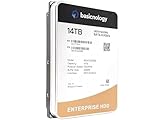
- [ Massive 14TB Capacity ] Ample storage space for handling vast amounts of data, ideal for cloud storage, archiving, and large databases.
- [ Enterprise-Grade Durability ] Built to withstand intensive workloads of 14TB Capacity per year, ensuring dependable performance in 24/7 operational environments.
- [ Advanced Data Protection ] Features error correction, secure encryption, and enhanced vibration protection to ensure data integrity and security.
- [ Energy-Efficient Operation ] Low power consumption reduces operational costs and heat, ideal for large-scale deployments and energy-conscious data centers.
- [ Optimized for Datacenter Workloads ] Designed for seamless integration into enterprise systems, supporting RAID configurations and multi-drive environments for superior scalability and performance.
What did RainStor do?
In a June 8, 2015 announcement about RainStor 7, Teradata described the product as an online, SQL-based archive for structured and semi-structured information from data warehouses, machines and relational databases. The company said it ran natively on Hadoop Distributed File System (HDFS) and was also available on non-Hadoop platforms. These are Teradata’s descriptions of the product at that time, not confirmation of present-day availability.
Archive configurations and access
Teradata described three configurations: system, online and regulatory archives. Its announcement associated greater query access with the online and regulatory options. The intended distinction was between storing data for retention and keeping historical information accessible for analysis or compliance needs. The release did not provide a complete configuration-by-configuration specification.
Rank #2

- Massive capacity storage with auto and system backup
- RAID-0 ready out of the box
- USB 3.1 Gen 1-ready, USB 3.0 compatibility
- 2x USB 3.0 hub ports
- 256-bit AES hardware encryption and password protection
Data sources, queries and movement
Teradata listed Teradata Database, Oracle, SQL Server, Sybase IQ and IBM Netezza as potential data sources. It said QueryGrid could let users query archived RainStor data from Teradata queries. FastConnect and FastForward were described as tools for moving data among Teradata systems, RainStor and tape.
Compression claim
Teradata said RainStor’s compression ranged from 10 to 40 times, depending on data type. This was a vendor-stated range in its 2015 announcement, not an independently verified benchmark or a guarantee of storage savings for a particular organization.
Rank #3

- Easy-to-use desktop hard drive—simply plug in the power adapter and USB cable
- Fast file transfers with USB 3.3
- Drag-and-drop file saving right out of the box
- Automatic recognition of Windows and Mac computers for simple setup (Reformatting required for use with Time Machine)
- Enjoy peace of mind with the included limited warranty and Rescue Data Recovery Services
What the announcements establish—and what they do not
The 2014 announcement establishes that the acquisition was completed, identifies its disclosed scope and strategic rationale, and confirms that the financial terms were not disclosed. Teradata’s 2015 release supplies historical context about RainStor 7 and its intended archive use cases. Neither announcement establishes whether RainStor is sold or supported today, nor does either provide independent product testing or measured customer results.
Quick Recap
Best Value

- Universal HDD/SSD Reader for All Users: This FEMORO SATA IDE to USB adapter fits home users, IT enthusiasts, office workers and data recovery pros. It supports 2.5"/3.5" SATA HDD/SSD, IDE drives, and SATA/IDE Blu-ray drives, compatible with all USB/USB-C laptops and desktops.
- Ideal for Data Recovery, Transfer & Backup: Perfect for retrieving files from old hard drives, large data transfer, system backup, office archiving, Blu-ray media reading, and storage expansion during computer upgrades.
- Fixes Drive Incompatibility & Data Loss Risks: This IDE to USB adapter solves unreadable old IDE/SATA drives, 3.5" HDD power shortage, and Type-C port mismatch. Its on/off power switch protects drives from electrical damage and data loss during transfer.
- Stable High-Speed Performance: Our reader has 3 key upgrades: extended body for easier 3.5" IDE port use, softer 4-pin cable, flexible USB 3.0 cable. It delivers fast USB 3.0 transfer (backward USB 2.0 compatible), stable 12V/2A power, and LED status indicator.
- Plug-and-Play with Full After-Sales Support: No extra drivers needed for instant use. The kit includes USB 3.0 cable, USB-C adapter, 12V/2A power supply, 4-pin cable and manual. We offer 12-month after-sales, professional tech support, and clear safety operation guidance.
Rank #4

- Available in capacities ranging from 1-14TB with support for up to 8 bays.Data Transfer Rate:6Gbps.Specific uses: Business
- Supports up to 180 TB/yr workload rate | Workload Rate is defined as the amount of user data transferred to or from the hard drive. Workload Rate is annualized (TB transferred ✕ (8760 / recorded power-on hours)). Workload Rate will vary depending on your hardware and software components and configurations.
- NASware firmware for compatibility
- Small or medium business NAS systems in a 24x7 environment, Compatibility: Unlike desktop drives, these drives are specifically tested for compatibility with NAS systems for optimum performance.
- 3-year limited warranty
Product prices and availability are accurate as of the date/time indicated and are subject to change. Any price and availability information displayed on Amazon at the time of purchase will apply.




