The BETT 2025 Lenovo Chromebook was not the powerful MediaTek Chromebook Plus 14 many headlines imply. Lenovo announced the Chromebook Plus 2-in-1 (14″, 10) on January 16, 2025, ahead of its planned presentation at Bett in London on January 22–24. The more ambitious, fanless Lenovo Chromebook Plus 14 (14″, 10), with a Kompanio Ultra 910 processor and 50-TOPS neural-processing unit (NPU), was announced separately on June 23, 2025.
That distinction matters if you are comparing specifications, checking an education-fleet proposal, or deciding whether a premium Chromebook is worth Windows-laptop money.
What Lenovo actually announced for BETT 2025
Lenovo’s January education announcement covered the Chromebook Plus 2-in-1 (14″, 10). Lenovo said it would show the convertible at Bett 2025, the education technology event held in London from January 22 to 24. The announcement targeted educators, staff, students and centrally managed school deployments rather than presenting a new high-end consumer flagship.
Calling it a “quiet release” overstates the chronology: Lenovo made a formal public announcement on January 16. The product was scheduled for first-quarter 2025 availability, with a stated starting price of $749. Actual configurations and education-channel pricing can differ by country and reseller.
Do these 3 things before closing this tab:
1Clear out junk files and repair common Windows errors2Scan for outdated or missing drivers - takes under a minute3Repair Windows errors before they cause bigger problems#1 Best Overall

- THE BETTER WAY TO LAPTOP – Imagine a Chromebook that’s as flexible as your day: thin and lightweight with built-in Google apps and stress-free security.
- TAKE HITS KEEP MOVING – Sleek, light, and built to last- the Chromebook Plus 2-in-1 14" is just 0.69” thick and 3.3lbs. Enjoy long-lasting battery life, fast charging, and military-grade durability for nonstop productivity wherever life takes you.
- PERFORMANCE THAT MATCHES YOUR HUSTLE – Fuel your ideas with an Intel Core processor and 8GB memory. Boot up in under 10 seconds to start the day powerfully efficient.
- FLEX YOUR CREATIVITY ANYWHERE, ANYTIME – Create, work, or unwind your way with a versatile 2-in-1 design. Flip easily between laptop, tent, and tablet modes with a responsive touchscreen built for flexibility.
- BRILLIANT VIEWS AND IMMERSIVE AUDIO – See, hear, and create with awesome clarity. The WUXGA display brings rich detail to your work and play, while audio tuned by Waves MaxxAudio provides immersive, balanced sound.
Chromebook Plus 2-in-1 (14″, 10): announced specifications
| Feature | Lenovo-announced detail |
|---|---|
| Processor | Intel Core 5; Core 5/Core 7 SIPP options |
| Display | 14-inch, 1920×1200 IPS touchscreen |
| Brightness | 300 nits |
| Memory | Up to 16GB LPDDR5X |
| Storage | Up to 512GB SSD |
| Ports | Two USB-C, two USB-A and HDMI |
| Wireless | Wi-Fi 7 and Bluetooth 5.3 |
| Weight and thickness | 1.5kg; 17.5mm |
| Battery claim | Up to 11 hours |
| Security and management | Fingerprint unlock, verified boot, automatic updates and centralized administration |
| Announced price and timing | From $749; first-quarter 2025 availability |
These are maximum or headline specifications from Lenovo, not a guarantee that every retail unit includes 16GB of memory, 512GB of storage, a fingerprint reader or the same display configuration. Confirm the exact SKU before ordering.
The Chromebook Plus 14 arrived months later
On June 23, 2025, Lenovo announced the standard Chromebook Plus 14 (14″, 10), while Google described it as its most advanced Chromebook Plus at that time in a separate announcement. This is the model most likely to be meant by descriptions such as “powerful new Chromebook Plus,” but it was not a BETT launch.
| Feature | Chromebook Plus 14 (June 2025) |
|---|---|
| Processor and AI hardware | MediaTek Kompanio Ultra 910 with an NPU rated up to 50 TOPS |
| Memory and storage | Up to 16GB LPDDR5 and 256GB internal storage |
| Display | 14-inch 1920×1200 OLED; 400-nit rating and 100% DCI-P3 claim; touchscreen optional |
| Connectivity | Wi-Fi 7, Bluetooth 5.4, two USB-C, one USB-A and headset jack |
| Camera and security | 5MP webcam with physical shutter; fingerprint reader optional |
| Audio and design | Four speakers with Dolby Atmos; fanless chassis |
| Battery | 60Wh; Lenovo claim of up to 17 hours |
| Announced starting price | $649 |
Lenovo’s U.S. product page is the appropriate place to check the current configuration and regional offer: Chromebook Plus Gen 10 14-inch MediaTek. Lenovo notes that price, colors, specifications and on-shelf dates vary by market.
Rank #2

- THE BETTER WAY TO LAPTOP – Imagine a Chromebook that’s as flexible as your day: thin and lightweight with built-in Google apps and stress-free security.
- TAKE HITS KEEP MOVING – Sleek, light, and built to last- the Chromebook 2-in-1 is just 0.69” thick and 3.3lbs. Enjoy long-lasting battery life, fast charging, and military-grade durability for nonstop productivity wherever life takes you.
- PERFORMANCE THAT MATCHES YOUR HUSTLE – Fuel your ideas with an Intel Core processor and 128GB storage. Boot up in under 10 seconds to start the day powerfully efficient.
- FLEX YOUR CREATIVITY ANYWHERE, ANYTIME – Create, work, or unwind your way with a versatile 2-in-1 design. Flip easily between laptop, tent, and tablet modes with a responsive touchscreen built for flexibility.
- BRILLIANT VIEWS AND IMMERSIVE AUDIO – See, hear, and create with awesome clarity. The WUXGA display brings rich detail to your work and play, while audio tuned by Waves MaxxAudio provides immersive, balanced sound.
Why the later model was considered powerful
AI throughput is not the same as CPU speed
The Kompanio Ultra 910 was presented as the strongest ARM chip used in a Chromebook at launch, and its dedicated NPU was rated at up to 50 TOPS. TOPS describes AI-oriented throughput; it is not a conventional CPU benchmark and does not mean every application runs 50 times faster.
Free tools Windows power users keep installed
One-click scans. No signup required.
Generous memory for ChromeOS multitasking
Up to 16GB of RAM gives heavy browser users more headroom for many tabs, Android applications, Linux tools and productivity workloads. The benefit depends on the particular memory and storage configuration you buy.
Premium screen, speakers and acoustics
The OLED panel, wide-colour-gamut claim, four-speaker system and Dolby Atmos support put this Chromebook above typical school-focused models. Its fanless design also avoids active-fan noise.
Rank #3
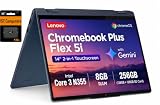
- PORTABLE & DURABLE DESIGN - The Lenovo Chromebook Plus features a slim, lightweight build with MIL-STD 810H durability, engineered to handle everyday use. Experience ultimate flexibility with its 360° hinge, allowing you to seamlessly switch between laptop, tent, stand, and tablet modes—ideal for note-taking, presentations, and entertainment
- GOOGLE AI BUILT IN, WITH GEMINI - Supercharge your daily tasks with Gemini. Brainstorm fresh ideas, quickly understand any content, and insert AI-generated content into any field, wherever your cursor takes you. With the Google One AI Premium Plan, you get Gemini Advanced, 2TB of cloud storage, and Gemini in Gmail, Docs, and more
- POWERFUL PERFORMANCE - Equipped with Intel Core 3 N355 (8 cores, up to 3.9GHz) and integrated Intel Graphics; paired with 8GB DDR5 memory and 256GB Storage(128GB UFS+ 128GB SD Card) — perfect for large or growing collections of videos, music and school documents
- IMMERSIVE DISPLAY - Features a 14" WUXGA (1920x1200) IPS glossy panel with 300 nits brightness and touch capability, providing vibrant and responsive visuals for work and creativity. Plus, you can expand your workspace by connecting to 3 external monitors via USB-C Ports and HDMI 1.4b. The 5MP camera with Privacy Shutter ensures crisp video calls and secure facial recognition login
- ADVANCED CONNECTIVITY - With USB-C, USB-A, HDMI 1.4b, microSD card reader, and Global Headset Jack, you can easily connect external displays, storage devices and essential peripherals. Stay fast and reliable on the go with Wi-Fi 6E and Bluetooth 5.3, perfect for video calls, cloud work, and wireless devices without lag. Plus, the backlit keyboard enables precise typing in low-light environments
Google’s AI features
- Smart grouping for organizing open tabs and documents around a task.
- Gallery image editing, including background removal and sticker creation.
- Select to search with Lens and text capture from images.
- Quick Insert for generated images, photos and emojis.
- Help me read for simplifying text and asking follow-up questions.
- Gemini and NotebookLM integration.
Google also advertised a 12-month Google AI Pro offer and three months of Luminar with Chromebook Plus purchases in its June announcement. Promotional eligibility and duration can change. Some features require an internet connection, and availability depends on country, language, device and ChromeOS version; “on-device AI” does not make every Gemini or Lens function offline.
What independent testing found
Review results support the idea that the Chromebook Plus 14 is fast, but they should not be read as a single universal score. Test methods, firmware and review-unit configurations differ.
The Tool Desk
Outbyte PC Repair FREERepair Windows errors before they cause bigger problemsFix Now →Outbyte Driver Updater FREEFix the driver behind crashes, sound loss and screen glitchesFind Drivers →| Publication and unit | Reported results |
|---|---|
| TechRadar (16GB/256GB) | 14 hours 4 minutes in its movie-playback test; JetStream2 288.364; Kraken 398.8ms; Speedometer 3.1 26.6. It reported strong productivity, 4K streaming and selected Android-game performance. |
| Tom’s Guide | Geekbench 6: 2,461 single-core and 7,628 multi-core; 13 hours 19 minutes of battery life; strong sustained, fanless performance. |
Those battery figures are roughly 13–14 hours in independent testing, below Lenovo’s “up to 17 hours” claim. Real endurance varies with brightness, workload, wireless use, applications and configuration.
Rank #4

- 【Processor】Intel Core 3 N355 (8C / 8T, Max Turbo up to 3.9GHz, 6MB Intel Smart Cache), Integrated Intel Graphics.
- 【Display】14" WUXGA (1920x1200) IPS 300nits Glossy / Anti-fingerprint, 45% NTSC, 60Hz, TÜV Low Blue Light, Corning Gorilla Glass, Touch.
- 【Memory & Storage】 8GB Soldered LPDDR5-4800, 128GB UFS 2.2 on systemboard.
- 【Tech Specs】 2x USB-A (USB 5Gbps); 2x USB-C (USB 10Gbps), with USB PD 45-65W and DisplayPort 1.4; 1x HDMI 1.4b; 1x Headphone / microphone combo jack (3.5mm); 1x microSD card reader;
- 【Operating System】Chrome OS, Fingerprint Reader, Backlit Keyboard, Wi-Fi 6E + Bluetooth 5.3, Built-in HD webcam with microphone, EAT 128GB SD Card.
Where the Chromebook Plus 14 gives up ground
Price approaches Windows territory
Lenovo announced the Chromebook Plus 14 from $649, while TechRadar reviewed a $749.99 configuration. At those prices, a Windows laptop may offer broader desktop-software compatibility and more flexibility. The Chromebook makes the strongest value case for people who specifically prefer ChromeOS and its low-maintenance workflow.
Few built-in ports
The standard model lists two USB-C ports, one USB-A port and a headset jack. Lenovo does not list HDMI or an SD-card reader. Connecting an HDMI monitor, Ethernet, SD card or several peripherals may therefore require a USB-C hub or dock.
ChromeOS and ARM compatibility
Web apps, Google Workspace and compatible Android applications are natural fits. Windows desktop installers, specialist peripherals, extensive local development stacks and many PC games are not. ARM-based Linux software can also require compatibility checks. If Adobe desktop applications or other Windows-only tools are essential, compare Windows laptops before buying.
Best Value

- BUILT FOR EVERYDAY USE — The IdeaPad Flex 5i Chromebook Plus features a x360 degree hinge, allows Flex 'Laptop' mode for everyday computing, 'Yoga' mode for sharing things, 'Flip' convertible mode for binge-watching, or 'Tablet' mode Spin for more intuitive interaction. With up to 10-hr battery life, it will last full-day use.
- GOOGLE AI BUILT IN, WITH GEMINI — Supercharge your daily tasks with Gemini. Brainstorm fresh ideas, quickly understand any content, and insert AI-generated content into any field, wherever your cursor takes you. With the Google One AI Premium Plan, you get Gemini Advanced, 2TB of cloud storage, and Gemini in Gmail, Docs, and more.
- THOUGHTFUL DESIGN — Equipped with Intel Core i3-1315U (6 cores, 8 threads, up to 4.5GHz) and Intel UHD Graphics; paired with 8GB DDR4 memory and 256GB SSD — perfect for large or growing collections of videos, music and school documents.
- EXCELLENT VISUA — Features a 14" WUXGA (1920x1200) IPS glossy panel with 300 nits brightness and touch capability, providing vibrant and responsive visuals for work and creativity. Plus, you can expand your workspace by connecting to 2 external monitors via USB-C Ports. Maximum supported resolution of 4k (3840x2160) @60Hz
- CONNECTIVITY FOR PRODUCTIVITY — The Flex5i Chromebook plus has 2 USB Type-C ports, one full-function and one with charging and fast data transfer support, along with USB Type-A ports and microSD card reader. Full connectivity allows you to get things done more efficiently. Enjoy blazing-fast wireless speeds with Intel Wi-Fi 6E and seamless device pairing via Bluetooth 5.3. And Backlit keyboard for easy typing in dim or dark locations.
Marketing labels need context
Lenovo’s release uses “2K OLED” language while its specification table lists 1920×1200, which is not 2560×1600. Touch is optional, and weight, memory, storage and pricing vary by SKU.
Which Lenovo should you choose?
Choose the Chromebook Plus 2-in-1 for classrooms and flexibility
- You need a convertible hinge and touchscreen.
- HDMI and two USB-A ports simplify classroom equipment.
- An Intel platform or up to 512GB SSD matters more than OLED and Dolby Atmos.
- You are evaluating a managed education deployment.
Schools considering fleet administration should review Chrome Education Upgrade requirements and licensing rather than assuming consumer Chromebook management features are included.
Choose the Chromebook Plus 14 for premium ChromeOS use
- You value a quiet, fanless computer, OLED quality and strong speakers.
- Your work is mainly browser, Android and Google Workspace based.
- You want generous RAM and local AI-oriented hardware.
- You can buy it at a meaningful discount or place a high value on ChromeOS simplicity.
Before purchase, verify RAM, storage, touchscreen status, warranty region, current price and any AI-service promotion. A 12-month Google AI Pro bundle described in 2025 should not be treated as a guaranteed offer in 2026; check Google’s current plan page and the retailer’s terms.
Choose Windows instead when software breadth is the priority
At roughly $650–$750, Windows alternatives are often better for Adobe desktop applications, specialist software, broad peripheral support, local gaming and conventional Linux or developer tooling. A Chromebook is not automatically the better deal simply because its battery claim is higher.
Accessories and ownership costs to plan for
Because of the Chromebook Plus 14’s port selection, budget for categories rather than a specific unverified product: a USB-C hub with HDMI, a dock for multiple displays, a USB-C Ethernet adapter, a card reader or external storage, and—if needed—a monitor, mouse and protective sleeve. Check that any hub supports the display resolution and charging arrangement you require.
The bottom line on the BETT headline
Lenovo’s BETT-related announcement was real, but it concerned the Intel-powered Chromebook Plus 2-in-1 (14″, 10), not the later Kompanio Ultra 910 Chromebook Plus 14. The latter is the more powerful Chromebook by AI hardware, OLED display, audio and tested multitasking performance, yet it launched on June 23, 2025 and carries Windows-laptop pricing with fewer ports and ChromeOS software limits. Match the model to your workflow, then check the exact regional SKU before treating any price, battery figure or subscription bundle as current.
Quick Recap
Product prices and availability are accurate as of the date/time indicated and are subject to change. Any price and availability information displayed on Amazon at the time of purchase will apply.




