Verdict: A PCWorld Shop listing checked for this article shows Degoo Premium Mega Backup’s 15TB lifetime license at $149.99. It is worth considering as a low-cost second copy for photos, video and other large archives—not as the only home for irreplaceable files. Confirm the capacity, lifetime term, final checkout total and redemption rules before paying, because this is a marketplace promotion rather than a 15TB lifetime plan shown on Degoo’s ordinary pricing page.
What the $149.99 offer actually is
The PCWorld Shop listing currently displays a 15TB Degoo Premium Mega Backup license for $149.99, with larger tiers also shown. The listing says updates are included. It is a third-party marketplace sale; Degoo’s current standard page instead lists monthly plans, including Pro at 500GB for $2.99 per month and Ultimate at 5,000GB for $9.99 per month (Degoo features).
| Option | Capacity and term | Price shown | What is established |
|---|---|---|---|
| PCWorld Shop Degoo license | 15TB, lifetime wording | $149.99 | Marketplace listing; verify at checkout |
| PCWorld Shop larger tier | 25TB, lifetime wording | $199.99 | Same listing |
| Degoo Pro | 500GB, monthly | $2.99/month | Degoo’s current features page |
| Degoo Ultimate | 5,000GB, monthly | $9.99/month | Degoo’s current features page |
Prices, taxes, coupons, regional eligibility and inventory can change after the listing was checked. Older Degoo promotions also differ: an official page presents 5,000GB as a one-time offer (degoo.com/2020lifetimeoffer), while a partner page describes 5,000GB for two years (degoo.com/techradar). Do not assume that a similar-looking page has the same term.
What “for life” means here
In a lifetime license, “lifetime” normally means one payment for access while the account and service remain available. It does not promise that Degoo will operate forever, keep today’s apps and features, or preserve every file indefinitely.
#1 Best Overall

- NO WALL WARTS: Work freely with its BUS-POWERED USB-C. No wall outlet required. 15 watt USB powered output required from connected device.
- Big on space: High-capacity storage to store all your files in one place.
- Reliable backup: Safeguard assignments, projects, or sensitive files with trusted performance.
- Fuss-free, clutter-free: One port, one cord, quick connect.
- Peace-of-mind: Comes with two-year limited warranty and Rescue Data Recovery Services.
Degoo’s Terms of Service say the service is provided “as is” and “as available,” do not guarantee uninterrupted or error-free operation, allow service changes, and limit liability for indirect losses including lost data. Accounts can be terminated for violations, and access can be disabled when Degoo suspects unauthorized access or tampering. A lifetime purchase does not override those provisions.
Is Degoo suitable for your files?
Strong use cases
- Large photo, video and family-media archives.
- A low-cost off-site copy alongside local drives or another provider.
- Phone-photo uploads and occasional web access or sharing.
Degoo advertises Android, iPhone/iOS and web access, automatic photo upload, unlimited file size, file sharing without requiring recipients to open Degoo accounts, and encrypted communications (features; home page). Those are general service claims, not proof that every entitlement on the marketplace’s 15TB license matches the current Ultimate plan.
Questions the listing does not answer
Before relying on the deal, verify whether this exact license includes desktop uploading, automatic synchronization, version history, granular restore, full computer or disk-image backup, and the device-upload limits you need. Degoo says users may install the app on all their devices and view or download files, while only a specified number may upload; the current page lists 10 upload devices for Pro and unlimited devices for Ultimate. Do not automatically apply Ultimate’s limits to the 15TB marketplace code.
Rank #2

- High-capacity add-on storage.Specific uses: Personal
- Fast data transfers
- Plug-and-play ready for Windows PCs
- WD quality inside and out
Security and privacy
Degoo advertises encrypted communications and a zero-knowledge “Top Secret” folder. It says the folder’s passphrase is known only to you and is not stored by Degoo. Losing that passphrase can therefore make protected files unrecoverable; keep it in a reputable password manager and an offline emergency record.
Free tools Windows power users keep installed
One-click scans. No signup required.
These statements describe Degoo’s product claims, not an independent security audit. Encryption in transit, provider-side encryption and a user-controlled vault are different things, and none guarantees that an account cannot be compromised or files cannot be lost.
Under its Privacy Policy (effective March 24, 2025), Degoo says it collects account details, IP address, device and operating-system information, browser data, approximate location, purchase information, usage settings and diagnostics. It names Google Cloud, Amazon Web Services, Cloudflare and Wasabi among infrastructure providers. Review those disclosures if data residency or telemetry matters to you.
Rank #3
- High-capacity add-on storage.Compatibility : Windows 10 plus, Reformatting required for use with MacOS.
- Fast data transfers
- Plug-and-play ready for Windows PCs
- WD quality inside and out
Inactivity, termination and service changes
Inactivity
Degoo’s public plan page shows a 90-day inactivity rule for the free plan. Its terms allow deletion of an inactive account and uploaded content after the period stated on the platform, with notice beforehand. The public material does not establish that the same 90-day rule applies identically to a paid 15TB lifetime license. Check the purchased plan’s terms, then log in or use the service periodically and keep recovery details current.
Acceptable use
Copyrighted or prohibited material, attempts to bypass technical controls, deliberate data destruction and other term violations can put an account at risk. Review what automatic camera uploads are sending and retain local copies before moving irreplaceable data.
Future changes
Degoo’s terms permit modifications or reductions to parts of the service and amendments to the terms with notice. The fixed price therefore buys today’s license, not a guarantee of unchanged storage, applications, infrastructure or policies decades from now.
Rank #4
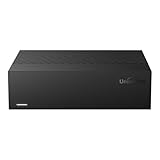
- Large Capacity: This 3.5-inch horizontal desktop external hard drive is an ideal storage solution for users who need a lot of storage space.The maximum capacity is up to 18TB, freeing you from storage limitations
- High-Speed Transfer: With USB3.0 MicroB 5G high-speed transmission solution, the theoretical read/write speeds of up to 130-270MB/s. Supports large file storage over 4GB to meet your PC office and image storage, TV recording, 4K video storage and gaming needs
- Wide Compatibility: The hard drive adopt ASM chip solution, which has better compatibility. Compatible with Windows/Mac/Linux/Android/TV/DVD/Xbox
- Reliable Storage Solution: 12V/3A strong power supply ensures safer and more stable data transmission. Anti-vibration silicone is used inside for lower noise
- Standard Capacity: Please Note, Actual Capacity May be Different Due to Use of a Different Measurement Standard. (8TB≈7.3TB,10TB≈9.3TB,12TB≈10.9TB,14TB≈12.7TB,16TB≈14.5TB,18TB≈16.3TB)
What the capacity is worth
At $149.99, the simple arithmetic is about $12.50 per year over 12 years, $6.25 per year over 24 years, or $0.83 per month over 15 years. These are illustrations, not promises that the service will last that long. Comparing the one-time price with Degoo Ultimate’s $9.99 monthly 5TB plan is also imperfect because capacity, contract terms and features differ.
Fifteen terabytes is excessive for most documents. It becomes plausible for raw video, high-resolution photo libraries, multiple household devices and a second off-site archive. The real question is whether your data volume justifies accepting this provider and marketplace risk.
Independent reader supportYour contribution helps us test, update, and keep practical guides available for everyone.How long uploading 15TB can take
Theoretical minimums for a continuous, sustained upstream connection are:
What’s actually slowing this PC down?
Pick the symptom - the matching free tool is one click away.
Best Value

- No wall warts: Work freely with its bus-powered USB-C. No wall outlet required.
- Big on space: High-capacity storage to store all your files in one place.
- Reliable backup: Safeguard assignments, projects, or sensitive files with trusted performance.
- Fuss-free, clutter-free: One port, one cord, quick connect.
- Peace-of-mind: Comes with two-year limited warranty and Rescue Data Recovery Services.
| Upload rate | Approximate time for 15TB |
|---|---|
| 20 Mbps | About 69 days |
| 100 Mbps | About 14 days |
| 1 Gbps | About 1.4 days |
Real transfers take longer because of protocol overhead, throttling, interruptions, competing traffic and millions of small files. Test a representative batch before committing to a full migration.
Buying and redeeming safely
- Open the current marketplace listing and confirm the product title says 15TB.
- Confirm the term says lifetime, not two years or monthly access.
- Check the seller, redemption method, country eligibility and whether a coupon is required.
- Use the final cart total, including taxes and regional fees, rather than the headline price.
- Read the return terms: the listing says unredeemed licenses may be returned for store credit within 30 days, while redeemed licenses are final sale.
- Create or sign in to the intended Degoo account before redeeming; avoid attaching the code to the wrong account.
- Save the order confirmation and code, then verify that the dashboard shows 15TB.
- Upload a test batch, download it again and check sharing and restore behavior before moving the archive.
- Keep an independent copy using the practical 3-2-1 approach: at least three copies, on two kinds of media, with one off-site.
When another option is safer
Choose a mainstream subscription when you need mature account recovery, collaboration, document editing or a large support ecosystem. Google One (plans) and Microsoft OneDrive (plans and pricing) emphasize ecosystem and productivity rather than a giant one-time media vault.
Choose a dedicated backup service when scheduled computer backup, retention and straightforward restores matter more than terabytes per dollar. IDrive (idrive.com) and Backblaze Personal Backup (Backblaze) use recurring plans but are built around backup workflows. pCloud (pCloud) is another lifetime-storage category to investigate; verify its current capacity and price separately. A NAS or external-drive backup with off-site replication provides the most control, but requires hardware, maintenance and a second location.
Who should buy it?
Buy only if you want inexpensive additional capacity, mostly store media, accept the possibility of service and policy changes, and will maintain another copy. Skip it if this would be your sole archive, if you need guaranteed business continuity or compliance controls, or if you require a clearly documented synchronization, version-history and restore system for every device.
Quick Recap
Product prices and availability are accurate as of the date/time indicated and are subject to change. Any price and availability information displayed on Amazon at the time of purchase will apply.




