
For most buyers, the best new laptop under $200 in this January 2026 shopping snapshot is the Acer Chromebook 315—provided you get the 15.6-inch Full HD configuration with an Intel Celeron N4500, 4GB of RAM, and 64GB of storage. Source-observed prices ranged from about $159 to $199.
If you need Windows desktop software, choose a carefully inspected refurbished business laptop instead. A new Windows laptop at this price often saves money by using 4GB of RAM, slow eMMC storage, and an older processor.
As an Amazon Associate I earn from qualifying purchases.
Prices and stock below are historical observations from the cited pages, not guaranteed current availability. The $200 limit is treated as a pre-tax product price; a $199.99 laptop may exceed $200 at checkout after sales tax.
The Tool Desk
Outbyte Driver Updater FREEFix the driver behind crashes, sound loss and screen glitchesFind Drivers →Outbyte PC Repair FREEClear out junk files and repair common Windows errorsFree Scan →Quick comparison
| Model or category | Price observed in source | Configuration | Best for | Main drawback |
|---|---|---|---|---|
| Acer Chromebook 315 | About $159–$199 | 15.6-inch 1080p, Celeron N4500, 4GB RAM, 64GB eMMC | Best overall new Chromebook | Limited RAM and storage |
| ASUS Chromebook CX15 | About $199 | 15.6-inch 1080p, Intel N50, 4GB RAM, 128GB storage | Buyers who need more local storage | Still limited to 4GB RAM |
| Lenovo IdeaPad 3i Chromebook | About $179–$199 | 15.6-inch 1080p, Celeron, 4GB RAM, 64GB or 128GB | Large-screen basic computing | Processor and configuration vary |
| HP Chromebook 14 | About $199.99 | 14-inch, Celeron N4500, 4GB RAM, 128GB | Smaller screen and more storage | Resolution must be verified |
| Refurbished Dell Latitude, Lenovo ThinkPad, or HP EliteBook | Listing-dependent | Target 8GB RAM, 256GB SSD, Windows 11-compatible processor | Windows applications | Battery, seller, and warranty risk |
Retailer pages can group several configurations under one family name. Confirm the exact processor, RAM, storage, screen resolution, operating system, condition, seller, and warranty before paying.
#1 Best Overall

- US Proudly Assembled in Florida, USA: Each Lapbook S15 N6 pc laptop is meticulously assembled in Pasco County, Florida, ensuring American-level quality, faster logistics, and confidence in every unit. A premium windows laptop built with care, setting a new standard for traditional laptop computers.
- Stunning Full HD Display: Experience brilliance right out of the box. This versatile notebook computer features a captivating 15.6-inch Full HD IPS display with a razor-sharp 1920 x 1080 resolution, backed by reliable Intel HD Graphics 600. Stop settling for dull screens! Whether you are streaming the latest movies, need a reliable work laptop, or want the perfect student laptop, the immersive and crisp visuals deliver a vibrant, true-to-life experience.
- Say Goodbye to Lag: Enjoy lightning-fast responsiveness on this Windows 11 laptop computer. It is built to handle your busy day with an Intel N150 processor (speeds up to 3.6 GHz), 8GB of RAM (easily upgradeable to 16GB), and a quick 128GB M.2 SATA SSD. Need more space down the road? It features an additional M.2 SATA slot for up to 2TB of storage expansion! Work, stream, and run applications without frustrating slowdowns.
- Connect to Everything You Need: Don't limit your setup. In the world of computers, laptops often compromise on connectivity, but we maximize your workflow with fast Wi-Fi 5, Bluetooth 5.0, and a comprehensive range of ports: 1x USB 3.0, 1x USB 2.0, a Mini HDMI port, a Micro SD/TF card slot (supports up to 512GB), a 3.5mm headphone jack, and a flexible USB Type-C port that supports both charging and data transfer.
- Secure & Clear Communication: Join your virtual meetings with confidence. The integrated HD camera ensures you look your best, while the built-in privacy cover gives you ultimate peace of mind when the camera is not in use. Easily participate in video conferences or stay connected with friends and family—the clarity and security you need are built right in.
Best overall: Acer Chromebook 315
The Acer Chromebook 315 is the safest general recommendation when the exact configuration is at or below $200. Its 15.6-inch 1920×1080 display provides more comfortable workspace than the low-resolution 11.6-inch panels common in older budget Chromebooks. The observed configuration uses an Intel Celeron N4500, 4GB of RAM, and 64GB of eMMC storage. Google lists the model from $179 MSRP and advertises battery life of up to 10 hours, although that is a controlled manufacturer estimate rather than an independent test; actual results vary with settings, applications, network conditions, and usage. Google’s Chromebook shop
It is suitable for web browsing, email, streaming, school portals, Google Docs, Sheets and Slides, Microsoft 365 online, light writing, research, and video calls. The two compromises are significant but manageable: 4GB RAM is a floor for light use, and 64GB fills quickly if you download videos, store photos locally, install Android apps, or create multiple user profiles.
Before buying, compare the retailer’s listing with the configuration above. “Acer Chromebook 315” is a family name, not a guarantee of a particular screen, processor, or storage capacity.
Recommended Free Tools
Best for storage: ASUS Chromebook CX15
The ASUS Chromebook CX15 is the better choice when the listing genuinely includes a 15.6-inch Full HD display, Intel Processor N50, 4GB of RAM, and 128GB of storage. Walmart showed one such configuration at about $199. The additional local storage is useful for offline documents, photos, downloads, and applications, and gives the ASUS a meaningful advantage over 64GB models. Walmart Chromebook listings
However, storage does not solve the CX15’s main multitasking constraint. Four gigabytes of RAM may be adequate for a document, email, and a few browser tabs, but it is not ideal for many tabs, simultaneous video meetings, large spreadsheets, or demanding Android applications.
Best smaller option: HP Chromebook 14
An HP Chromebook 14 with a Celeron N4500, 4GB of RAM, and 128GB of storage can make sense for buyers who want more storage without a 15.6-inch chassis. The observed price was $199.99. Verify whether the particular listing has an HD or Full HD panel, because the screen resolution can differ between otherwise similar models.
Rank #2

- Effortlessly chic. Always efficient. Finish your to-do list in no time with the Dell 15, built for everyday computing with Intel Core 3 processor.
- Designed for easy learning: Energy-efficient batteries and Express Charge support extend your focus and productivity.
- Stay connected to what you love: Spend more screen time on the things you enjoy with Dell ComfortView software that helps reduce harmful blue light emissions to keep your eyes comfortable over extended viewing times.
- Type with ease: Write and calculate quickly with roomy keypads, separate numeric keypad and calculator hotkey.
- Ergonomic support: Keep your wrists comfortable with lifted hinges that provide an ergonomic typing angle.
Other Chromebook alternatives
Best Buy listings included Lenovo IdeaPad 3i Chromebook, Acer Chromebook 315, and HP Chromebook 14 configurations below or at $200. Walmart listings also included ASUS Chromebook CX1, Acer Chromebook 315, HP models using an N200 processor, and refurbished Chromebook inventory. These pages are useful starting points, but their stock, sellers, and configurations change. Best Buy Chromebook listings
Very cheap refurbished Chromebooks may cost roughly $50–$75, but a low price can hide an expired or soon-to-expire automatic-update date. Do not buy one without checking support status.
Best Windows strategy: buy refurbished business hardware
If you require the traditional Windows versions of Office, specialized school software, desktop accounting tools, engineering programs, professional Adobe applications, Windows utilities, or certain peripherals, a Chromebook may be the wrong purchase regardless of price.
Instead of choosing a new sub-$200 Windows laptop automatically, look for a refurbished Dell Latitude, Lenovo ThinkPad, or HP EliteBook with:
- A Windows 11-compatible processor; an 8th-generation Intel Core i5 or newer is a useful target, but verify compatibility for the exact CPU.
- At least 8GB of RAM.
- A 256GB SATA or NVMe SSD.
- A 1080p display if available.
- Disclosed battery health or a return policy that protects you from a worn battery.
- A working charger, clear Windows activation, and at least a short warranty.
This is a buying strategy, not a verified single product recommendation. A “refurbished ThinkPad” listing is incomplete unless it identifies the processor generation, RAM, SSD, screen, condition grade, seller, warranty, and return window.
Microsoft ended Windows 10 support on October 14, 2025, so a Windows 10-only machine is a poor recommendation for a January 2026 purchase unless you deliberately plan to install another supported operating system. Microsoft’s Windows end-of-support information
Rank #3

- Intel Pentium Processor Up to 3.68GHz, 4GB DDR4, 128GB SSD
- 15" Micro-Edge HD(1366x768) IPS Display, Intel UHD Graphics
- 1x USB Type C, 2x USB Type A, 1x HDMI, 1x Headphone/Microphone Combo Jack
- Super-Fast WiFi and Bluetooth Combo, Integrated Webcam
- Windows 11 OS, AC Charger Included, Dale Blue
Refurbished business laptops can offer better keyboards, ports, upgradeability, and desktop-app compatibility than new consumer laptops. They can also arrive with a weak battery, cosmetic wear, a non-original charger, inaccurate specifications, an enterprise-management lock, or Windows activation problems. Buy from a seller with a meaningful return policy, not from a listing that only uses the word “renewed” without details.
Chromebook versus Windows
| If you mainly need… | Choose |
|---|---|
| Web, email, school portals, Google Docs, streaming | New Chromebook |
| Full desktop Office or Windows-only applications | Windows laptop |
| The strongest hardware value | Refurbished business laptop |
| Simple setup and low maintenance | Chromebook |
| Offline-heavy work | Windows, or a Chromebook configured and tested for offline use |
ChromeOS is designed around browser-based work, cloud storage, built-in Google services, and multiple security layers. That makes a Chromebook unusually practical at this price. It does not make every Chromebook application equivalent to a Windows desktop program, and Android compatibility does not guarantee good performance. Google Chromebook Help
Chromebooks can use Microsoft 365 online, including Word, Excel, PowerPoint, OneNote, OneDrive, and Outlook. This is not the same as running the full traditional Windows desktop editions locally. Google’s Chromebook FAQ
Crashes, No Sound, or Screen Glitches?
Random freezes, missing sound and display glitches usually trace back to one bad driver. Find and replace yours safely.Free scan · under a minuteWindows Errors? Fix Them Before They Spread
Repair common Windows errors and clear accumulated junk for a smoother, more stable PC - no reinstall needed.Free scan · no reinstallWhat a $200 laptop can realistically do
Expect competent basic computing rather than desktop-class performance. A suitable machine can handle browsing, email, Google Workspace, Microsoft 365 online, streaming video, schoolwork, video meetings, light writing, research, and cloud applications.
For offline Chromebook work, enable offline access before you need it. Google identifies offline-ready versions of Docs, Sheets, and Slides, but files and applications must be configured in advance. Test by disconnecting from Wi-Fi before relying on the laptop for travel, school, or unreliable internet. Google’s offline Chromebook guidance
Most laptops under $200 are unsuitable for modern AAA PC gaming. A Chromebook may handle browser games, some Android games, or cloud gaming, but compatibility and performance vary.
Rank #4
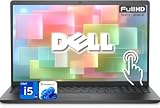
- 【Powerful & Efficient for Business】Powered by a 13th Gen Intel Core i5 and Intel UHD Graphics with shared memory, this laptop handles multitasking, spreadsheets, video calls, and everyday office tasks with smooth, reliable performance.
- Immersive Touch Display in a Slim Design — 15.6" Full HD (1920 x 1080) touchscreen with anti-glare LED backlight and narrow bezels delivers clear visuals, all in a lightweight 3.59 lb chassis for easy portability.
- Advanced DDR5 Memory & PCIe Storage — 8GB DDR5 RAM for multitasking and professional workflows, 256GB PCIe NVMe SSD for ultra-fast boot and load times.
- 【Versatile Connectivity】Stay connected with multiple ports including USB 3.0 Type-C, USB 3.0 Type-A, HDMI, and a headphone/mic combo jack, along with Wi-Fi 6 and Bluetooth 5 for seamless wireless networking.
- Use Microsoft 365 online — no subscription needed. Just sign in at Office.com
Specifications that matter most
Evaluate candidates in this order:
- Whether the operating system supports your required software.
- Processor generation and model.
- RAM.
- Storage type and capacity.
- Display resolution.
- Battery condition.
- Return policy.
- Ports and keyboard condition.
Minimum sensible targets
- New Chromebook: 4GB RAM minimum, preferably 8GB; 64GB storage minimum, preferably 128GB; 1080p display; a newer Intel N-series, Celeron N4500-class, MediaTek Kompanio, or comparable entry-level processor; and a verified future Auto Update Expiration date.
- Refurbished Windows: Windows 11-compatible CPU, 8GB RAM, 256GB SSD, preferably a 1080p screen, disclosed battery condition, and a short warranty.
A new Windows laptop with 4GB RAM and eMMC storage should not automatically outrank a refurbished business laptop with 8GB RAM and an SSD. That is a hardware trade-off, not a verified benchmark claim.
Is 4GB of RAM enough?
Conditionally. It can handle one or two ordinary browser tasks, documents, email, and streaming. It is a poor fit for many tabs, video meetings while multitasking, large spreadsheets, photo editing, or demanding Android applications. Treat 4GB as the minimum, not a feature; choose 8GB when the price difference is modest.
Is 64GB enough?
It can work on ChromeOS if most files remain in the cloud. It is restrictive for downloaded movies, large Android apps, local photos and videos, offline school files, Linux development environments, and multiple profiles. Cloud storage is not a substitute for local storage, and eMMC or UFS should not be casually described as an NVMe or SATA SSD.
Independent reader supportYour contribution helps us test, update, and keep practical guides available for everyone.Check Chromebook support before buying
Support life depends on the exact model, not merely its processor or purchase date. Google says devices released in 2021 or later receive 10 years of updates, but the exact automatic-update expiration date remains model-specific.
- Select the time in the lower-right corner.
- Open Settings.
- Select About ChromeOS.
- Select Additional details.
- Under Update schedule, find the date after “This device will get automatic updates until.”
Use Google’s support page to verify the date for a particular model. Google’s Chromebook update-support instructions
Quick wins for a faster PC:
Fix the driver behind crashes, sound loss and screen glitchesFind Drivers →Clear out junk files and repair common Windows errorsFree Scan →Scan for outdated or missing drivers - takes under a minuteDriver Scan →What not to buy
- A Chromebook with 16GB or 32GB of storage unless the price is exceptionally low and your work is almost entirely online.
- A Windows laptop with 4GB of RAM and no SSD.
- A Windows 10-only device.
- A Chromebook with an expired or soon-to-expire update-support date.
- A listing that hides the exact processor, screen resolution, RAM, storage, condition, or operating system.
- A marketplace listing with no identifiable seller, return window, charger information, or warranty.
- An old model recommended solely because it appeared on a popular list. For example, TechRadar’s coverage includes an HP Chromebook 11 with a Celeron N3060, 4GB RAM, and 16GB storage; that is historical context, not an automatic January 2026 recommendation. TechRadar’s under-$200 laptop coverage
How to inspect the laptop after delivery
- Confirm the exact processor, RAM, storage, resolution, touchscreen status, and operating system against the order.
- Check the Chromebook’s automatic-update date using the Settings path above.
- Test Wi-Fi, webcam, speakers, keyboard, touchpad, USB ports, charging, sleep, and wake.
- Check battery behavior rather than relying on the advertised maximum.
- Confirm that the device is not enterprise-managed or locked to an organization.
- For Windows, verify activation, Windows 11 eligibility, storage health if tools are available, and the seller’s stated return conditions.
Also budget for sales tax, a charger if one is missing, a mouse, a protective case, external storage, internet access, and possibly Microsoft 365. Do not add antivirus automatically: Google describes ChromeOS as having built-in protection, but that is not an unconditional guarantee that every security problem is impossible. Google’s Chromebook security FAQ
Best Value

- Intel Processor Up to 2.80GHz, 4GB DDR4, 128GB Storage
- 15" FHD IPS Display, Intel UHD Graphics
- 1x USB Type C, 1 x USB Type A, 1x Headphone/Microphone Combo Jack, HDMI
- Super Fast WiFi and Bluetooth, Integrated Webcam
- Chrome OS, AC Charger Included, Pastel Blue
Frequently Asked Questions
What is the best laptop under $200 for a student?
Usually a new Acer Chromebook 315 with a Full HD screen, provided the student’s school tools work in a browser and the model’s update-support date extends through the expected period of use. Choose a Windows 11-compatible refurbished business laptop for Windows-only software.
Can a Chromebook replace a Windows laptop?
For browsing, email, Google Docs, Microsoft 365 online, streaming, and school portals, often yes. It is not a direct replacement for every Windows desktop application, professional Adobe tool, engineering program, or specialized utility.
Should I buy a refurbished laptop under $200?
Often, if you need Windows and can verify an 8GB RAM configuration, 256GB SSD, Windows 11-compatible processor, battery condition, seller, warranty, and return policy. Do not buy based on the model name alone.
Do these 3 things before closing this tab:
1Clear out junk files and repair common Windows errors2Scan for outdated or missing drivers - takes under a minute3Repair Windows errors before they cause bigger problemsWill a $199 laptop stay under a $200 budget?
Not necessarily. A $199.99 product may exceed a strict $200 total after sales tax, shipping, or required accessories.
The Bottom Line
Choose the Acer Chromebook 315 when you want a new, simple laptop for browser-based work and can accept 4GB RAM and 64GB storage. Choose the ASUS Chromebook CX15 when 128GB matters more. Choose a refurbished business laptop only when you need Windows software—and verify the exact hardware, Windows 11 support, battery, seller, warranty, and return policy before ordering.
Quick Recap
Product prices and availability are accurate as of the date/time indicated and are subject to change. Any price and availability information displayed on Amazon at the time of purchase will apply.




