
Windows Errors? Fix Them Before They Spread
Repair common Windows errors and clear accumulated junk for a smoother, more stable PC - no reinstall needed.Free scan · no reinstallOutdated Drivers Are Slowing You Down
One free scan finds every outdated or missing driver and matches the right update for your exact hardware.Free scan · exact hardware matchShort answer: There is a real supply squeeze, but it is concentrated mainly in high-capacity, cloud-oriented nearline hard drives—not every hard drive on store shelves. Reports say Seagate’s nearline capacity was allocated through calendar 2026 and Western Digital was “pretty much sold out” for the year, while some retail prices reportedly rose by as much as roughly 50%. That does not mean every consumer HDD costs 50% more, or that AI companies bought every drive made.
For households, NAS owners and small businesses, the sensible response is to check the exact capacity, model, seller and warranty you need. Buy for a defined requirement, not because a headline suggests that all storage is about to disappear.
As an Amazon Associate I earn from qualifying purchases.
What is actually in short supply?
The reported shortage primarily concerns nearline HDDs: high-capacity 3.5-inch, typically 7,200-RPM drives built for continuous operation in cloud and enterprise storage systems. These drives commonly support large object-storage pools, backups, data lakes and other capacity-oriented workloads.
The Tool Desk
Outbyte Driver Updater FREEFix the driver behind crashes, sound loss and screen glitchesFind Drivers →Outbyte PC Repair FREEClear out junk files and repair common Windows errorsFree Scan →That market is different from the market for:
- Consumer desktop HDDs: Lower-cost drives intended for ordinary PCs and less demanding workloads.
- NAS HDDs: Drives marketed for multi-drive network-attached storage systems, with different workload ratings and compatibility considerations.
- Enterprise SAS drives: Drives requiring compatible servers, controllers and storage arrays. SAS availability does not necessarily track SATA availability.
- Refurbished and recertified drives: Used or previously deployed hardware sold through a separate channel.
- External and portable drives: Products whose prices can be affected by enclosure supply, retailer inventory and promotions as well as the underlying disk.
So “AI data centers bought out the 2026 supply” is best understood as major customers committing much of the relevant nearline production capacity. It is not evidence that every Western Digital, Seagate or Toshiba drive has been purchased, nor that consumers cannot find storage.
#1 Best Overall

- IronWolf internal hard drives are the ideal solution for up to 24-bay, multi-user NAS server environments that demand powerhouse performance.Specific uses: Business,Personal
- Store more and work faster with a NAS hard drive that provides ultra-high capacity 12TB and speeds up to 250MB/s
- Specifically built for less wear and tear, little to no noise/vibration, no lags or down time, increased file-sharing performance, lower power consumption, and extra data protection—even in the event of power loss
- Easily monitor NAS drive health using the integrated IronWolf Health Management system, and enjoy long-term reliability with 1. 2M hours MTBF
- Five-year limited product warranty protection plan and three year Rescue Data Recovery Services included
Reporting based on company earnings-call comments said Seagate’s nearline capacity was fully allocated through calendar 2026, with orders for the first half of calendar 2027 expected to open later. Western Digital’s chief executive was reported as describing the company as “pretty much sold out” for calendar 2026. Other reporting described commercial agreements extending into 2027 and 2028. Those statements concern allocation and customer commitments; they do not mean every unit has already shipped or that retail shelves will remain empty through 2028. Secondary reporting on the manufacturer comments and additional coverage of the reported allocations should be read with those qualifications.
Why AI demand reaches hard drives
AI companies do use large quantities of SSD storage. GPUs and other accelerators need fast storage for active datasets, software, temporary files and frequently accessed model components. But an AI operation generates and retains far more information than the portion being processed at any moment.
Storage may be needed for:
- Original training datasets and cleaned versions.
- Model checkpoints and multiple model versions.
- Evaluation, validation and test sets.
- Synthetic training data generated by other models.
- Inference logs, prompts, outputs and telemetry.
- Embeddings and vector indexes.
- Video, image, robotics, scientific and healthcare data.
- Replicated copies across regions.
- Backup, disaster recovery, compliance and reproducibility retention.
Only the hottest data needs flash-level performance. Large sequential datasets, object-storage repositories, checkpoints and backup copies can often sit on HDD-backed infrastructure. Hard drives generally offer a lower cost per terabyte than SSDs for very large capacity pools, although the exact economics depend on the drive, enclosure, power, cooling, performance requirements and financing costs. An explanation of the AI-related demand pressure and manufacturing constraints is available from this secondary industry report.
Recommended Free Tools
Why manufacturers cannot quickly add supply
HDD production is not a simple commodity assembly line that can be expanded overnight. A modern drive depends on specialized components and processes, including heads, platters, media, motors, controllers, firmware and helium-sealed assemblies. Factory capacity, component supply and testing capacity all have to expand together.
Large cloud customers also require qualification. A new drive platform may need testing for reliability, vibration behavior, firmware compatibility, workload patterns and integration with a particular storage system before it can be deployed at scale. That makes it difficult for manufacturers to redirect new production instantly to whichever buyer is willing to pay the most.
Manufacturers must also be cautious about building too much capacity. If AI infrastructure spending slows, customers defer orders or data-center construction is delayed, excess factory capacity can become expensive. The result is a market where forward commitments provide suppliers with predictable demand while leaving less flexible supply for spot buyers.
How hyperscaler purchasing affects everyone else
Ordinary retail purchasing is mostly a spot market: a distributor orders inventory, a retailer lists it and a buyer purchases a drive. Large cloud providers operate differently. They provide forecasts and may make binding purchase commitments. Manufacturers then reserve production against those agreements.
Rank #2
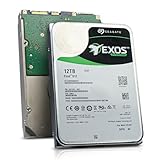
- Model # ST12000NM0127 | 12TB Capacity, Enterprise hard drive, designed for 24/7 operation
- 7200RPM Rotation Speed, 256MB Buffer Size, 3.5in Internal Hard Drive
- Perfect for NAS Network Storage, RAID Storage System, Surveillance System, Servers
- Designed for 24/7, Lower Power Consumption, Heavy Duty & Reliable
This arrangement benefits both sides. The customer gets better supply certainty for a massive storage buildout, while the manufacturer gets predictable demand and more reliable factory utilization. Distributors and retail buyers receive what remains after contracted allocations, existing inventory and enterprise orders are accounted for.
Inventory can still appear unexpectedly. A delayed data-center project, a canceled order, regional redistribution or a marketplace seller’s remaining stock may release drives. But that supply is unpredictable, and a temporary shortage at one retailer does not prove that the entire market is sold out.
Which drives are most exposed?
The greatest pressure is likely to be on:
- 18TB-and-larger nearline HDDs.
- 20TB, 22TB and 24TB models, along with newer high-capacity platforms.
- Cloud-qualified SATA nearline drives.
- Enterprise models with specific firmware or validation requirements.
- Identical-drive purchases for large RAID or erasure-coded arrays.
- Models sold through enterprise distributors rather than ordinary retail channels.
A 4TB portable drive and a 24TB helium enterprise drive do not share the same supply situation. Even two drives with the same nominal capacity may differ in recording technology, warranty, workload rating, interface, firmware and distribution channel.
Are hard-drive prices really up 50%?
Some prices have reportedly risen by as much as roughly 50%, but that is not a verified universal increase across all HDDs. Secondary reports and retail-tracking coverage cite increases approaching 50%. The available evidence does not establish a complete, independently reproducible market average covering every capacity, geography, seller and product type.
What’s actually slowing this PC down?
Pick the symptom - the matching free tool is one click away.
To interpret a figure such as “50%,” a buyer needs to know:
- Whether the comparison covers one model or a basket of models.
- Which country and retailers were included.
- Whether the baseline was September 2025, January 2026 or another date.
- Whether the products were identical new drives.
- Whether sales, bundles, refurbished stock and marketplace sellers were excluded.
- Whether the change was measured per drive or per terabyte.
- Whether currency movements, tariffs, product transitions or channel markups contributed.
A defensible description is: some high-capacity and retail HDD listings have reportedly risen by up to about 50%, depending on the model, seller and comparison period. It is not defensible to tell every consumer that hard-drive prices are 50% higher.
Retail scarcity can exaggerate the apparent increase. If only two marketplace sellers have a model left, their prices may jump even while manufacturer pricing and other channels have moved less. Conversely, a product transition can make an older model look unusually expensive because discounted inventory has disappeared. One retail-tracking report found lower availability for tracked SATA HDDs than for several other categories, but a single tracker is not a complete market census.
Rank #3
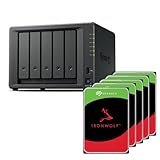
- Flexible 5-bay storage you can grow – Expand capacity with the DX525 expansion unit (sold separately) to build up to 300 TB of raw storage and add SSD caching to accelerate hot data.
- Fast out of the box – Integrated 2.5 GbE delivers excellent network performance immediately; optional 10 GbE networking is supported for higher throughput (sold separately).
- All-in-one data platform with DSM – DiskStation Manager (DSM) provides file sharing, sync, backup, media management, privacy tools, virtualization features, and surveillance in a single, intuitive interface.
- Virtualization-ready – Use as VM storage or as a lightweight VM/container host; certified for VMware vSphere, Microsoft Hyper-V, Citrix XenServer, and OpenStack environments.
What this means for your storage budget
The financial impact depends on whether storage is an immediate necessity or a discretionary purchase.
Quick wins for a faster PC:
Repair Windows errors before they cause bigger problemsFix Now →Scan for outdated or missing drivers - takes under a minuteDriver Scan →Personal backup
Buy only for a known near-term need, such as replacing a failing backup disk or creating the additional copy your data currently lacks. Compare internal, external and NAS drives on cost per terabyte, but do not ignore the warranty. A cheap drive with questionable provenance is a poor bargain if it fails before you can replace it.
Keep at least one additional backup copy. A lower-cost drive does not compensate for having only one copy of irreplaceable photographs, records or documents.
NAS owners
Check the NAS manufacturer’s compatibility list for the exact model. For RAID rebuilds, sustained writes and heavier workloads, buyers commonly prioritize CMR drives over SMR models, but the correct choice depends on the enclosure and workload.
Also compare:
- Usable capacity after RAID overhead.
- Warranty and support terms.
- Noise and vibration characteristics.
- Workload rating.
- Availability of a matching replacement or spare.
- Whether expanding the array now creates an urgent backup requirement.
Do not select a drive solely because it has the highest headline capacity. Compatibility and recoverability can be worth more than a small saving per raw terabyte. Official NAS product information is available from Seagate IronWolf and Western Digital’s NAS range.
Small businesses
Estimate capacity by quarter rather than buying only enough for this month. Ask distributors about lead times and allocation status, and consider dual-sourcing where your hardware and support arrangements permit it.
Evaluate whether a lower-capacity approved drive can meet the requirement, whether SATA is adequate instead of SAS, and how many spares your array design requires. Include the cost of backups, replacement inventory and downtime—not just the purchase price.
Rank #4

- Reliable everyday computing
- Western Digital quality and reliability
- Free Acronis True Image WD Edition cloning software
- Capacities up to 12TB
Enterprise IT and backup operators
Plan capacity requirements early and distinguish firm allocation from an informal availability estimate. Model alternatives such as SSD for hot data, HDD for bulk or warm storage, tape for deep archive and cloud object storage for elastic or off-site capacity.
Do not assume that a long-term customer agreement guarantees immediate physical delivery. It indicates demand visibility and a commercial commitment, not necessarily that all units have been manufactured.
Cloud-storage customers
A hardware squeeze does not automatically mean every cloud-storage price will rise. Providers may have existing inventory, long-term procurement contracts, different hardware mixes or other ways to absorb costs. Recurring cloud fees, retrieval charges, egress fees, minimum-retention rules and provider lock-in matter more to your budget than a single retail HDD headline.
Independent reader supportYour contribution helps us test, update, and keep practical guides available for everyone.Alternatives to buying more HDDs
| Option | Strengths | Trade-offs |
|---|---|---|
| SSD | High performance, low latency and no mechanical parts. | Usually more expensive per terabyte; endurance and capacity economics matter. |
| Tape | Low-cost deep archive and offline protection against ransomware. | Slow access, specialized hardware and greater operational complexity. |
| Cloud object storage | Elastic capacity and geographic redundancy without buying hardware up front. | Recurring fees, retrieval and egress charges, and possible lock-in. |
| Refurbished enterprise HDDs | May be available when new production is constrained and can cost less. | Unknown prior workload, shorter remaining life and inconsistent warranty terms. |
| Storage tiering | Uses SSD for active data, HDD for bulk data and tape or cloud for deep archive. | Requires classification, migration policies and more operational planning. |
Storage tiering is often the practical answer. Replacing every hard drive with flash can solve a performance problem that does not exist while substantially increasing the cost of a large archive.
Should you buy hard drives now?
- Buy now if you have a failing drive, an unprotected backup, a scheduled project or a known capacity gap within the next few months.
- Compare alternatives first if the purchase is for long-term archive, a large array expansion or a business deployment with flexible timing.
- Wait and monitor if you are replacing a healthy drive without a defined need and current pricing appears driven by one seller or a thin marketplace listing.
- Do not compromise reliability by choosing an incompatible, unsuitable or poorly warranted drive merely to avoid a reported price increase.
For refurbished drives, separate their prices from new-with-warranty products. Check health data, seller reputation, return rights, remaining warranty and the cost of screening multiple units. Refurbished enterprise drives can be useful for noncritical or secondary storage, but they are not automatically equivalent to new drives.
What could ease the market?
The squeeze could loosen if new manufacturing capacity comes online, higher-areal-density platforms increase output, consumer demand weakens, AI construction slows or major customers defer and rebalance orders. Greater use of SSDs for some workloads, tape for deep archive or cloud tiering could also reduce incremental HDD demand.
None of those outcomes is guaranteed. Likewise, customer agreements extending into 2027 or 2028 show that manufacturers see strong demand visibility; they do not prove that retail shortages or elevated prices will continue through those years.
The personal-finance takeaway
AI infrastructure is absorbing a growing share of high-capacity nearline HDD production, and that can raise prices or lead times for other buyers. But the market is not uniformly “sold out.” The reported 50% increase applies, at most, to selected products or listings and needs a model-, geography- and timeframe-specific explanation.
Before spending more, identify the exact drive category you need, calculate cost per usable terabyte, verify compatibility and warranty, and price the cost of a second backup copy. Panic-buying several unsuitable drives is more expensive than paying a measured premium for one reliable solution—or choosing a different storage tier.
Quick Recap
Product prices and availability are accurate as of the date/time indicated and are subject to change. Any price and availability information displayed on Amazon at the time of purchase will apply.
Do these 3 things before closing this tab:
1Repair Windows errors before they cause bigger problems2Fix the driver behind crashes, sound loss and screen glitches3Clear out junk files and repair common Windows errors



