
Do these 3 things before closing this tab:
1Clear out junk files and repair common Windows errors2Fix the driver behind crashes, sound loss and screen glitches3Repair Windows errors before they cause bigger problemsAgentic AI is most useful when it can safely complete a bounded, measurable workflow—not when it is given unlimited control. Unlike a conventional chatbot, an AI agent can interpret a goal, plan multiple steps, use approved tools and business systems, respond to changing conditions, and escalate when it reaches a risk or confidence threshold.
That makes agents promising for software development, customer service, cybersecurity, reporting, human resources, business intelligence, and other information-heavy work. It also makes them harder to govern than ordinary automation. The practical question for a business is not whether an agent sounds autonomous, but whether the workflow has reliable data, controlled permissions, clear success metrics, and a safe fallback when the agent is wrong.
As an Amazon Associate I earn from qualifying purchases.
What makes AI “agentic”?
Agentic AI describes a spectrum of systems that pursue an outcome rather than simply generate a response. A business agent may:
Free tools Windows power users keep installed
One-click scans. No signup required.
- Interpret a goal: understand the desired result, not just a request for text.
- Plan: break a larger task into subtasks.
- Use tools: search approved knowledge bases, call APIs, run code, create tickets, update records, or initiate workflows.
- Maintain state: remember relevant details throughout a task and, where permitted, use organizational context.
- Choose conditionally: take different paths depending on what it finds.
- Handle exceptions: adapt to ambiguous or changing inputs better than a fixed script.
- Escalate: pause for approval or hand work to a person when policy, uncertainty, or potential harm crosses a threshold.
- Provide an audit trail: record inputs, sources, tool calls, decisions, and outcomes.
“Agentic” is not a binary product category. A system that drafts a response and waits for approval is less autonomous than one that can update a customer record, but both may be called agents.
#1 Best Overall

- PERSONALIZED BUSINESS CARDS – Customize your business cards with your company logo and text. Perfect for business professionals, salespeople, small businesses, and more.
- EASILY CREATE YOUR OWN – Upload your logo, add custom text, and select a background color. Include important details such as your name, company name, title, address, phone number, or website.
- MULTIPLE QUANTITIES – Available in quantities ranging from 50 to 10,000 business cards. Choose the perfect amount to suit your needs.
- STANDARD SIZE – Each business card measures the standard 2" x 3.5".
- 16PT CARDSTOCK – Crafted from premium 16PT cardstock for a sturdy, professional finish that makes a lasting impact.
| System | Typical behavior | Main limitation |
|---|---|---|
| Chatbot | Answers conversational questions | Usually does not complete multistep actions |
| Copilot | Assists a human inside a workflow | The human remains the primary operator |
| RPA bot | Executes predefined rules | Fragile when inputs or processes change |
| Workflow automation | Moves data through fixed branches | Limited reasoning and exception handling |
| AI agent | Plans and executes tool-using tasks | Greater autonomy creates greater control risk |
The nine promising use cases
1. Software development
A development agent can inspect a repository, reproduce a bug, modify code or build scripts, generate tests, run linting, review a change, update documentation, triage issues, and open a pull request. It can also help modernize legacy applications by attempting to build older code, repairing compatibility problems, and documenting the changes.
The important distinction is not simply that “AI writes code.” The agent can operate across the software-development loop: investigate, change, test, explain, and submit work for review.
Value: faster bug triage, reduced maintenance effort, quicker test and documentation updates, and more developer time for complex work.
Recommended Free Tools
Requirements: version control, automated tests, sandboxed execution, secrets management, branch protections, and clear deployment permissions.
Risks: vulnerable code, incorrect patches, dependency or licensing problems, exposed credentials, and tests that validate the wrong behavior.
Approval boundary: begin by allowing the agent to create pull requests. Require a human to review and merge production-impacting changes. A useful pilot metric is the percentage of agent-created pull requests accepted without substantial rework, alongside security findings and review time.
2. Adaptive process automation: “RPA on steroids”
Traditional robotic process automation remains effective when a process follows stable rules. An agent adds interpretation and exception handling. It can read emails, PDFs, forms, and tickets; extract fields; classify the request; select the appropriate workflow; use an existing RPA bot for deterministic steps; and escalate unusual cases.
What’s actually slowing this PC down?
Pick the symptom - the matching free tool is one click away.
This is not automatically a replacement for RPA. The two technologies can work together: the agent handles messy inputs and judgment-like routing, while RPA or APIs perform predictable actions.
Value: higher automation coverage for high-volume administrative work, fewer manual handoffs, and faster handling of variable requests.
Requirements: historical examples, stable business policies, existing APIs or RPA infrastructure, and a way to compare the agent’s decisions with known outcomes.
Risks: incorrect exception classification, silent policy drift, nondeterministic decisions in financial or compliance processes, and difficult-to-debug chains involving an AI model, RPA bot, and multiple APIs.
Approval boundary: keep payments, compliance attestations, and other consequential actions behind explicit policy checks and human approval until error rates are established.
3. Customer support automation
A modern support agent can answer contextual questions, retrieve order or account information, troubleshoot problems, schedule appointments, process approved changes, route complex cases, summarize interactions, and support voice calls.
That is broader than a narrow FAQ bot. The agent can reason across available actions—for example, checking an account, consulting a policy, taking an approved step, and escalating when the request falls outside policy.
Value: shorter handling times, higher first-contact resolution, better routing, and less repetitive work for support staff.
Rank #2

- Quality Cardstock: Crafted from white cardstock paper for printer, these custom business cards offer professional quality, making your business cards easily customizable and personal
- Sure Feed Technology: Get a reliable output for your blank business cards, Sure Feed Technology technology that reduces tmisalignments and jams so every detail is correctly printed on your custom cards
- Smooth, Clean Edges: With multiple precise cuts, these white cardstock business cards provide clean, smooth edges for easy separation, so your custom business cards maintain a professional appearance
- Customization: Use Avery business cards templates to design and print business cards that can be customized at home using card paper with an inkjet printer
- Crisp, Smudge-Free Printing: Compatible with inkjet printers, the white cardstock paper delivers crisp, smudge-free prints for business cards, allowing you to customize your designs on both sides
Requirements: a current knowledge base, reliable account and order data, identity verification, transaction limits, and a transparent human handoff.
Risks: incorrect account changes, privacy breaches, hallucinated policies, mishandled vulnerable customers, failure to detect fraud or legal complaints, and customer frustration during escalation.
Approval boundary: restrict refunds, cancellations, identity changes, and other sensitive actions by amount, customer status, or policy. Track resolution rate, transfer rate, recontact rate, customer satisfaction, handling time, and errors—not containment alone.
4. Enterprise workflows
Enterprise workflow agents coordinate work across systems such as CRM, ERP, business intelligence, procurement, project management, and collaboration platforms. They might turn meeting notes into project tickets, assign follow-up tasks, reconcile information, coordinate approvals, or trigger a procurement action after checking demand and supply data.
PC Slower Than It Used to Be?
A free scan shows the junk files, broken settings and background clutter dragging Windows down - then fixes them in one click.Free scan · Windows 10 & 11Crashes, No Sound, or Screen Glitches?
Random freezes, missing sound and display glitches usually trace back to one bad driver. Find and replace yours safely.Free scan · under a minuteThe agentic element is the ability to monitor context, select the next action, and adapt when the process changes. The hardest part is often not the model but the organization’s context store: authoritative records, permissions, terminology, policies, and process ownership.
Value: fewer manual transfers between systems, faster cycle times, and reduced duplicate data entry.
Requirements: system-of-record ownership, supported APIs or connectors, role-based permissions, approval gates, and consistent business definitions.
Risks: stale data, duplicate actions, conflicting records, unauthorized writes, cascading errors, and unclear accountability when several departments share a process.
Approval boundary: start with read access, recommendations, and draft records. Require approval before supplier orders, financial commitments, or irreversible updates.
5. Cybersecurity and threat detection
Security agents can triage alerts, correlate events, investigate suspicious activity, enrich indicators with approved intelligence, draft incident reports, identify recurring attack patterns, and recommend or execute selected containment steps.
Autonomous remediation is highly dependent on the environment and the permitted action. A sensible maturity model is:
- Assistive: summarize and prioritize alerts.
- Semi-autonomous: recommend a response and await approval.
- Autonomous: execute narrowly defined, preapproved containment actions.
Most organizations should begin at the first or second level.
The Tool Desk
Outbyte Driver Updater FREEScan for outdated or missing drivers - takes under a minuteDriver Scan →Outbyte PC Repair FREEClear out junk files and repair common Windows errorsFree Scan →Value: faster alert investigation, improved analyst capacity, and more consistent execution of routine playbooks.
Requirements: mature logging and telemetry, SIEM, SOAR, endpoint and identity integrations, and clearly defined response playbooks.
Risks: false-positive lockouts, disruption of critical services, privilege escalation, adversarial prompt injection in malicious artifacts, and attackers manipulating the agent’s context.
Rank #3

- FULLY CUSTOMIZABLE DESIGN: Click 'Customize Now' to choose from available templates or upload your own design, adding logos, text, QR codes, photos, and more to create a truly personalized business card.
- PREMIUM WATERPROOF MATERIAL: Crafted from high-quality 300 GSM copper-coated waterproof paper with a matte finish, each card measures 3.54 x 2.12 inches with neat, precise cuts that resist tearing.
- VIBRANT COLOR PRINTING: Advanced machine printing technology delivers sharp, clear patterns with fade-resistant ink, ensuring your design looks professional and polished every time.
- FLEXIBLE QUANTITY OPTIONS: Available in sets of 100, 200, 500, or 1000 cards; select quantities of 200, 500, or 1000 include a slim card case that holds 10–20 cards for easy portability.
- VERSATILE PROFESSIONAL USE: Ideal for offices, entrepreneurs, clubs, salons, tattoo artists, mechanics, and more; doubles as a thank-you card, gift card, coupon, or promotional card for any industry.
Approval boundary: require security-team approval for destructive actions such as disabling accounts, isolating critical systems, deleting data, or changing production configurations.
6. Productivity assistance
Productivity agents can search internal information, prepare meeting briefs, summarize correspondence, draft documents, extract obligations from contracts, coordinate calendars and tasks, and perform repetitive work across desktop applications.
For example, an agent working within approved document and email permissions might compare prior transactions, prepare a draft, identify missing information, and route the result to a lawyer or operations specialist.
Value: time saved across many small tasks that are difficult to automate with a single application.
Requirements: permission-aware enterprise search, document classification, clear data boundaries, and controls for external communications.
Quick wins for a faster PC:
Scan for outdated or missing drivers - takes under a minuteDriver Scan →Repair Windows errors before they cause bigger problemsFix Now →Risks: overbroad file access, confidential information appearing in an external draft, incorrect interpretation of past work, and a review burden that exceeds the time saved.
Approval boundary: keep external messages, legal conclusions, commitments, and sensitive document sharing under human review. Measure time saved after review, not just draft-generation speed.
7. Report generation and continuous analysis
An agent can gather information from approved sources, compare documents, identify anomalies, draft an evidence-linked report, route it to an expert, and continue monitoring when new information arrives.
Vendor-risk assessment illustrates the difference between ordinary automation and an agentic workflow. Instead of preparing a report once a year, an agent could monitor approved sources, flag changes, update an assessment, and request expert review.
Value: more frequent monitoring, faster research, and earlier visibility into changing risk.
Requirements: traceable sources, stable report templates, evidence standards, source freshness checks, and a subject-matter expert.
Risks: unsupported conclusions, missing information, outdated sources, false precision, and polished reports that appear more authoritative than their evidence.
Approval boundary: require the report to distinguish source evidence from inference and have an expert approve material risk conclusions. Track citation accuracy, missed issues, reviewer time, and update frequency.
Recommended Free Tools
8. HR and employee support
HR agents can answer policy questions, help employees navigate benefits and procedures, support onboarding, create or route requests, organize internal HR knowledge, and provide training or coaching simulations.
This is often a reasonable starting point because much of the work is informational. But HR data is sensitive, and an employee-service agent must not become an unreviewed decision-maker.
Rank #4
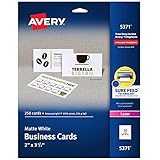
- Easily create custom business cards, calling cards, loyalty cards, RSVP cards and more with free templates and designs on the Avery website
- Each sheet of Avery business card paper features proprietary Sure Feed technology to deliver a more reliable feed through your printer, preventing misalignments and jams
- Multiple precise cuts are used to leave behind a smooth border around each business card
- Cut from premium business card stock paper with a weight of 80lbs / 216gsm
- Get crisp, smudge-free printing on both sides of your DIY business cards with sheets optimized for laser printers
Value: faster answers, fewer routine HR tickets, improved onboarding, and better access to scattered policy information.
Requirements: current policy documents, strict access controls, a clear separation between general guidance and employee-specific information, and a human escalation route.
Risks: inconsistent or discriminatory answers, exposed employee data, incorrect benefits or leave guidance, and unauthorized use in hiring, pay, promotion, discipline, or termination decisions.
Approval boundary: use the agent for navigation and service. Route complaints, accommodations, pay disputes, disciplinary matters, and legal questions to qualified people.
9. Business intelligence
A BI agent can answer natural-language questions, clarify ambiguous terms, select approved data sources, generate charts, explain changes, run follow-up analyses, and create recurring reports or alerts.
Clarification is a major part of the value. If a user asks for the “top three marketing channels,” the agent should ask whether “top” means revenue, profit, conversions, return on ad spend, or another governed metric before querying the data.
Quick wins for a faster PC:
Scan for outdated or missing drivers - takes under a minuteDriver Scan →Clear out junk files and repair common Windows errorsFree Scan →Value: faster analysis for nontechnical users and more accessible follow-up investigation.
Requirements: governed semantic models, trusted metric definitions, row- and column-level security, data lineage, reproducible queries, and current data.
Risks: incorrect joins, ambiguous metrics, stale data, correlation presented as causation, and an agent optimizing for an incomplete KPI.
Approval boundary: use governed data for answers and require human review before major budget, pricing, staffing, or customer decisions. Measure query correctness, clarification quality, reproducibility, and downstream decision quality.
What changed from the original nine?
The original article, published June 19, 2025, identified these nine categories. The current CIO version, dated June 23, 2026, expands the list to 11 by separating two additional areas:
- Customer engagement: proactive account monitoring, renewal-risk detection, audience identification, personalized outreach, and campaign execution.
- Manufacturing-floor operations: equipment monitoring, maintenance-history retrieval, technician assistance, and support for self-optimizing production environments.
These additions do not invalidate the original nine; they reflect a broader framing. Customer support handles inbound service issues, while customer engagement proactively acts on account or marketing signals. Manufacturing-floor agents also require much stronger safety and operational controls than an internal knowledge assistant.
Reported results should be treated carefully. For example, CIO describes company- or vendor-reported claims including SS&C processing 50,000 documents in November with automation in the low 90% range, RingCentral’s claim that Integral Recruiting Services automated 93% of inbound calls, and Bloomreach’s claim that 260 Sample Sale achieved a 2.4× higher conversion rate while targeting 82% fewer customers. These figures illustrate possibilities, not independently verified benchmarks that every business should expect.
Independent reader supportYour contribution helps us test, update, and keep practical guides available for everyone.How to choose a first use case
Score candidate workflows from 1 to 5 on each factor below. A high score is desirable for value, volume, data readiness, reversibility, observability, human review, and deployment speed. For risk and integration complexity, reverse the score or treat them as deductions.
| Criterion | Question to ask |
|---|---|
| Business impact | Will it reduce cost, cycle time, errors, or risk—or increase revenue or quality? |
| Volume | Does the task happen often enough to justify integration and monitoring? |
| Variability | Are there meaningful exceptions that fixed rules handle poorly? |
| Data readiness | Are the relevant records complete, current, accessible, and trustworthy? |
| Integration readiness | Are APIs, connectors, identity, and system ownership clear? |
| Reversibility | Can an incorrect action be undone safely? |
| Risk | What would a financial, legal, privacy, employment, safety, or reputational error cost? |
| Observability | Can inputs, actions, outcomes, and rework be measured? |
| Human review | Is an accountable reviewer available at the right point? |
| Time to pilot | Can the workflow be bounded and tested without a major transformation? |
The best first pilots are repetitive but not completely rule-based, rich in structured and unstructured data, measurable, reversible, and governed by explicit approval thresholds. Good candidates include HR knowledge assistance, report drafting with expert review, software repository maintenance in pull-request mode, customer-support triage and summarization, and BI question-answering over governed data.
Best Value

- No app or device requirement: Share your dot.Profile with anyone, as others don't need an app or a dot.device to receive your information.
- Hassle-free sharing: Easily share your dot.Profile with unlimited free shares of your digital business card.
- Simple sharing process: Tap your dot.device to a compatible phone or scan the dot.Profile QR code to share your profile. Compatible with a wide range of phones.
- Update information on the go: Keep your dot.Profile up to date by easily modifying and updating your information as it changes, ensuring you always have the most accurate details.
- Privacy and security: Protect your information with dot, as no passwords are ever needed to link your social accounts. Dot uses only usernames and links to create your digital business card.
Avoid starting with unrestricted purchasing, payroll, customer refunds, legal decisions, production deployment, security remediation, or physical manufacturing control. These may eventually be suitable for carefully bounded automation, but early errors can be difficult or impossible to reverse.
Implementation plan for a controlled pilot
- Choose one workflow: define the start and end points precisely.
- Document the baseline: record current volume, cycle time, human effort, errors, rework, and escalation rates.
- Define the goal and prohibitions: specify what the agent may do and what it must never do.
- Identify systems of record: decide which source wins when records conflict.
- Create least-privilege tools: expose only the APIs and actions required for this workflow.
- Begin in read-only or draft mode: compare recommendations with historical cases before granting write access.
- Build an evaluation set: use representative historical tasks, including ambiguous, failed, and adversarial examples.
- Add approval gates: require human confirmation for high-impact or irreversible actions.
- Log everything material: retain inputs, retrieved sources, model outputs, tool calls, approvals, changes, and final outcomes.
- Measure operational value: track cycle time, cost per transaction, accuracy, rework, escalations, policy violations, review time, and incidents.
- Expand gradually: increase tools, data scope, or autonomy only after the evidence supports it.
- Review incidents: update prompts, policies, permissions, documentation, and evaluation cases after failures.
Controls that matter in production
- Least privilege: an agent should not receive broad access merely because broader access makes a demonstration easier.
- Data minimization: separate agents by domain where possible and limit exposure to sensitive records.
- Prompt-injection defenses: treat documents, emails, web pages, tickets, and other retrieved content as potentially hostile input.
- Versioning: track model, prompt, tool, policy, and workflow changes.
- Concurrency controls: prevent multiple agents from making conflicting changes to the same record.
- Fallbacks: define what happens when confidence is low, a policy conflicts, an API is unavailable, or the system of record disagrees with the retrieved context.
- Human handoff: make escalation visible and preserve the context a reviewer needs to act quickly.
- Undo capability: design transactions so consequential actions can be reversed where feasible.
“Autonomous” should not be confused with “human-free.” Low-risk work may use a human-on-the-loop model, where people monitor performance and intervene when needed. High-impact work generally requires a human-in-the-loop approval before the action occurs.
Buying versus building
The right commercial choice depends more on existing systems and governance than on a model’s demo quality.
Salesforce Agentforce
Salesforce’s Agentforce pricing page currently lists several models, including Salesforce Foundations at no charge, Flex Credits at $500 per 100,000 credits, conversations at $2 each, Agentforce add-ons at $125 per user per month, an Agentforce User License at $5 per user per month requiring Flex Credits, and larger editions from $550 per user per month. Prices, availability, currency, billing terms, and usage assumptions can change; Salesforce says examples are illustrative and may exclude other consumption charges.
Agentforce is a natural fit for organizations already using Salesforce that want CRM-native customer support, customer engagement, or workflow actions. It is less attractive for a small company without Salesforce or for a buyer seeking simple, fixed-cost automation.
OpenAI ChatGPT Business and Enterprise
OpenAI’s business pricing page displays ChatGPT Business at £15 per user per month when billed annually on the cited regional page, or $25 per user per month with monthly billing, with a two-user minimum. Enterprise pricing is custom. Confirm regional currency and current terms before buying.
This category is a stronger fit for organization-wide knowledge work, coding, analysis, productivity, report generation, and flexible workflow assistance than for buyers seeking a CRM-native customer-service deployment with deeply embedded objects and controls.
The Tool Desk
Outbyte PC Repair FREEClear out junk files and repair common Windows errorsFree Scan →Outbyte Driver Updater FREEFix the driver behind crashes, sound loss and screen glitchesFind Drivers →Microsoft Copilot Studio
Microsoft Copilot Studio is a logical option for organizations already standardized on Microsoft 365, Dynamics, Power Platform, and Azure. Verify current licensing, message or credit limits, regional availability, and what existing agreements include before publication or purchase; an exact current price should not be assumed from an unverified page.
It is strongest for Microsoft-centric organizations with existing connectors and identity infrastructure. It is less suitable for buyers seeking vendor-neutral deployment or minimal platform dependency.
ServiceNow Now Assist
ServiceNow Now Assist is relevant to IT service management, employee service, customer service, incident operations, and enterprise workflows. Public list pricing is generally sales-led or custom-priced. It is most appropriate for organizations already standardized on ServiceNow with mature processes, and usually a poor fit for a small company seeking a lightweight standalone agent.
Regardless of vendor, budget for integration, data preparation, governance, monitoring, model usage, change management, and human review. The subscription is only one part of the cost.
What success should look like
A polished demonstration is not a business case. Establish a baseline and compare the agent with the existing process. Useful measures include:
- Cycle time and cost per transaction.
- Accuracy, rework, and escalation rates.
- First-contact resolution and customer recontact.
- Human-review time.
- Policy violations and security incidents.
- Revenue, retention, or risk impact where relevant.
- User adoption and satisfaction.
- Availability and failure recovery.
Case-study percentages should always identify the previous process, transaction volume, agent permissions, escalation rate, measurement period, and whether the result was independently verified. Without that context, a high automation rate may simply mean that difficult cases were excluded or that humans continued to perform hidden review work.
The practical verdict
Agentic AI is promising where work is repetitive, information-rich, exception-prone, and measurable—but not so dangerous that an early mistake is irreversible. The strongest path is to start with a narrow workflow, trusted data, limited tools, draft or recommendation mode, and a clear human escalation route. Expand autonomy only after the agent demonstrates reliable performance against real historical cases and the organization can explain, monitor, and undo its actions.
Quick Recap
Product prices and availability are accurate as of the date/time indicated and are subject to change. Any price and availability information displayed on Amazon at the time of purchase will apply.
Do these 3 things before closing this tab:
1Repair Windows errors before they cause bigger problems2Fix the driver behind crashes, sound loss and screen glitches3Clear out junk files and repair common Windows errors



