The right portfolio app depends on what you mean by “manage.” Some apps only collect balances from multiple institutions. Others calculate total return, explain fund fees and overlap, produce tax reports, or help you research stocks and ETFs. Most of the apps below do not place trades or move money.
For most investors, Empower Personal Dashboard is the best free starting point. Choose Sharesight if performance and tax reporting matter most, Morningstar Investor for fund research and portfolio X-Ray, or Stock Rover for stock and ETF analysis. Kubera is the specialist choice for complicated, multi-asset wealth, while Monarch Money makes more sense when investments are one part of a broader household-finance system.
Best portfolio management apps at a glance
| App | Best for | Price | Main drawback |
|---|---|---|---|
| Empower Personal Dashboard | Free portfolio tracking and retirement planning | Free | Sync failures and incomplete classifications can affect results |
| Fidelity Full View | Free household account aggregation | Free | View-only; non-Fidelity accounts must be relinked in the new experience |
| Morningstar Investor | Fund research and portfolio analysis | $249/year or $34.95/month | Not a trading app |
| Sharesight | Total-return, dividend, multi-currency, and tax reporting | Free tier; paid plans from $7/month annually | Mobile app is read-only |
| Stock Rover | Serious stock and ETF research | From $29/month annually | Brokerage connections cannot execute trades |
| Kubera | Complex, multi-asset wealth tracking | From $250/year | Expensive for ordinary stock-and-ETF portfolios |
| Monarch Money | Investments alongside budgeting and cash flow | $99.99/year | Investment analysis is less specialized |
1. Empower Personal Dashboard: best free portfolio tracker
Empower Personal Dashboard combines investment tracking with net-worth, cash-flow, fee, and retirement-planning tools. You can connect investment, retirement, banking, credit, loan, and mortgage accounts, then view the resulting picture in one place. Its Investment Checkup evaluates portfolio risk and historical performance and suggests an alternative allocation.
The web interface contains useful analysis under:
- Investing → Allocation for asset allocation
- Investing → Performance for investment performance
- Planning → Retirement Fee Analyzer for estimated investment fees
Empower is a strong choice if you want to answer questions such as “How much of my portfolio is in stocks?” or “Am I on track for retirement?” without paying for a specialist research platform.
Crashes, No Sound, or Screen Glitches?
Random freezes, missing sound and display glitches usually trace back to one bad driver. Find and replace yours safely.Free scan · under a minutePC Slower Than It Used to Be?
A free scan shows the junk files, broken settings and background clutter dragging Windows down - then fixes them in one click.Free scan · Windows 10 & 11#1 Best Overall

- 【Quality Material】FYY leather a5 journal binder is wear-resistant and comfortable to handle. The card slots and pockets inside can organize your cards, tickets, cash, etc. The pen holder can keep the pen in place. We care about climate change impacts. Our products are CLIMECO-certified, joining the "Climate Friendly Commitment" program to measure, reduce and offset carbon footprints.
- 【Convenient Structure】The 6 rings binder a5 is structured with a convenient metal snap closure, include A5 refill paper, binder pockets and dividers paper sheet inside, perfect for a school notebook, office notebook, travel journal, budget noteboook, sketchbook, notebook, personal organizer, a planner, etc.
- 【Sturdy 6-rings】Made of sturdy stainless steel, can hold the paper firmly and prevent papers from falling off. With 2cm inner diameter, the binder can keep 80-100 sheets paper, meeting your daily needs.
- 【Perfect Size】The size of the a5 journal binder cover is 23.5 x 17.8 x 2 cm (9.2 x 7 x 0.8 inches), perfect for your shoulder bags and backpacks. An ideal gift for Christmas, New Year, Valentine's Day, Birthday.
- 【Package Contain】The 6 rings binder a5 includes 1pcs 6 ring binder cover, 80 sheets of lined paper, 3pcs binder pockets with 3 styles, and 5pcs dividers paper sheet. Your 100% satisfaction is our mission. If there is any problem about our items, please feel free to contact us in e-mail, we will provide money-back or replacement service.
Where Empower can go wrong
A connected account is not necessarily a current account. A red icon generally means credentials, a passcode, or a security question needs attention. A yellow icon generally indicates an Empower-side synchronization problem. Missing or stale data can make allocation and net-worth figures misleading.
Holdings can also appear as Unclassified if they are private investments, lack a valid ticker or CUSIP, or do not have enough historical data. To classify one, go to Investing → Allocation → Unclassified → Classify. You can choose Manual Classification, enter a representative securities mix, use Add Security, and select SAVE.
If an account disappears, use My Accounts Panel → +, search for the institution, and enter the credentials again to force a resynchronization. Investment performance is available on the web under Investing → Performance, but not in the iPad application.
2. Fidelity Full View: best free household aggregation
Fidelity Full View is useful when your financial life spans several banks, brokerages, credit cards, loans, mortgages, or insurance providers. Fidelity says it supports thousands of financial websites, allows unlimited account additions, and lets you create manual accounts for assets that have no online connection.
Recommended Free Tools
That breadth makes Full View a good household dashboard, but it is not a portfolio-management service in the trading sense. It cannot:
- Place trades
- Move money
- Pay bills
- Perform other transactions
Manual accounts also require you to update their balances yourself.
Important change to the new Full View
Fidelity has launched a new Full View experience. Fidelity accounts were migrated automatically, but non-Fidelity accounts must be relinked. Failing to relink them can leave balances stale and make the overall picture unreliable. The new version also no longer supports rewards points, bill management, the balances-and-expenses calendar, or the credit-card-usage view.
Rank #2
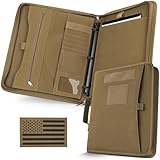
- Easy To Carry : More Larger than A4 size (12 x 13.6 x 1.2 IN), Padfolio ring binder built with multi-functional pockets and a strong handle. Easy to carry all your necessary items, like a portfolio handbag without any mess, ideal for outdoor enthusiasts, field work, office professionals, and college.
- All-in-One Storage : Portfolio organizer offers ample storage space for essentials. Hoop-N-Loop-type exterior pocket for easy access to loose papers. Multiple interior pockets, card slots, and pen loops to keep pens, driver's license, cards, iPad, notepad, and cash neatly organized.
- Customize & Expand Papers : The planner binder comes with a detachable 3-ring metal binder, easily customize and expand. Refill 3–ring loose-leaf paper, like budget /calendar planner, blank / lined /grids paper, or as a notepad, file folder organizer and clear game card binder.
- Secure & Durable Protection : Zip 3-ring binder crafted from durable 1000D fabric tactical notebook cover offers rugged durability and 2 zipper closures, safeguarding your important documents from rain and dust damage.
- Personalized Decoration (Include a US flag patch) : Binder notebook with patches to reflect your personality. Express your uniqueness by decorating the binder according to your preferences, and embrace the spirit of adventure and patriotism.
For accounts displayed through Fidelity’s portfolio summary, refresh an account by going to Accounts & Trade → Portfolio → Summary → Select Action → Refresh. The Last Refresh Date appears in the footnote on the Portfolio Summary screen.
3. Morningstar Investor: best for portfolio analysis
Morningstar Investor is aimed at investors who want to understand what they own, not simply see an account balance. It supports linked or manually entered portfolios, benchmark comparisons, asset-allocation and risk analysis, custom views, and CSV downloads.
Its strongest tools include:
- Portfolio X-Ray: examines allocation, sector exposure, fees, and other portfolio characteristics.
- Stock Intersection: identifies overlapping holdings across funds and individual securities.
- Benchmark charting: compares portfolio performance with selected indexes.
- Portfolio downloads: exports holdings for further analysis.
The current price is $249 per year or $34.95 per month. The annual plan works out to $20.75 per month when paid annually, but it requires the full annual payment.
To create a portfolio, use Portfolio → Create Portfolio. To download holdings, open the portfolio and choose Holdings → Download.
Avoid a common Morningstar setup error
Morningstar’s current consumer product is Morningstar Investor; “Morningstar Premium” is no longer available for purchase. Also, a manually created portfolio and a linked brokerage account are not interchangeable. Linking a brokerage account to a manual portfolio can duplicate holdings. The fix is to unlink the brokerage account from the manually added portfolio rather than deleting the duplicated holdings.
4. Sharesight: best for performance and tax reporting
Sharesight is built for investors who need more than current prices. It calculates performance while accounting for dividends, capital gains, brokerage fees, and currency movements. It supports stocks, ETFs, funds, precious metals, cryptocurrencies, multiple currencies, and global markets.
Its reports cover performance, portfolio diversity, contributions, multi-currency valuation, expected future income, and tax-related information. That makes it particularly useful for investors with several brokers, dividend-paying holdings, international assets, or a need to distinguish deposits from genuine investment returns.
Rank #3

- INCLUDES 5 FOLDER INDEX DIVIDERS - Expanded storage space protects important documents from damage and allows you to display a professional demeanor at all times, making it the ideal choice for document management
- UNIQUE HIDDEN HANDLE - The handle can be used at any time, and can also be folded and hidden. For lawyers and conferences, or business people and business travelers, this is very convenient
- ORGANIZED FOR EFFICIENCY AND LARGE STORAGE - This padfolio features a 13-inch tablet compartment, a phone pocket, multiple card slots, Ample storage space to fulfill all your needs, Keeping your belongings organized
- PREMIUM VEGAN LEATHER - Made from premium vegan leather, this portfolio organizer is sturdy, elegant, and water-resistant, enhancing your business image with elegance and functionality
- GIFT FOR PROFESSIONALS - Whether offices, interviews, doctors, lawyers, or traveling for business. Leathario binder will accompany you as you become a shining person, Leathario will progress with you
Sharesight pricing
| Plan | Price | Limits |
|---|---|---|
| Free | $0 | 1 portfolio, 10 holdings, 1 custom group |
| Starter | $7/month annually or $9.33 monthly | 1 portfolio, 30 holdings |
| Standard | $18/month annually or $24 monthly | 4 portfolios, unlimited holdings |
| Premium | $23.25/month annually or $31 monthly | 10 portfolios, unlimited holdings |
Taxes may apply. The mobile app is a companion rather than a full replacement for the desktop platform. It is read-only: you can view portfolios, returns, prices, and other data, and create watchlists of up to 100 investments. Adding or editing trades, verifying dividend payments, and generating reports require the desktop product.
Sharesight’s tax reports should also be treated as an input to your tax process, not as a guarantee that every tax treatment is correct. Confirm reporting requirements with a qualified tax professional.
Quick wins for a faster PC:
Fix the driver behind crashes, sound loss and screen glitchesFind Drivers →Clear out junk files and repair common Windows errorsFree Scan →Scan for outdated or missing drivers - takes under a minuteDriver Scan →5. Stock Rover: best for research-heavy investors
Stock Rover combines portfolio analytics with stock and ETF research. Depending on the plan, it offers screening, fundamental data, alerts, portfolio modeling, rebalancing analysis, dividend projections, correlation analysis, and Monte Carlo simulations. It can compare actual results with the S&P 500 and other benchmarks.
Plans currently start at $29 per month billed annually for Premium. Premium Plus costs $49 per month, Ultimate costs $79 per month, and the highest Investor/Professional tier costs $149 per month when billed annually. Each plan has a 14-day free trial, with brokerage, screener, data, and portfolio limits increasing at higher tiers.
Brokerage integration is read-only. Stock Rover imports holdings and balances for analysis but cannot place orders or transfer money.
If you import a generic CSV, Stock Rover requires these columns:
Symbol, Buy Price, QuantityEach row represents one security. Fidelity, Schwab, and TD Ameritrade exports have dedicated import support. Stock Rover notes that a TD Ameritrade export may use an .xls extension even when the file is accepted for that import.
Rank #4

- Easy To Carry : More Larger than A4 size (12 x 13.6 x 1.2 IN), Padfolio ring binder built with multi-functional pockets and a strong handle. Easy to carry all your necessary items, like a portfolio handbag without any mess, ideal for outdoor enthusiasts, field work, office professionals, and college.
- All-in-One Storage : Portfolio organizer offers ample storage space for essentials. Hoop-N-Loop-type exterior pocket for easy access to loose papers. Multiple interior pockets, card slots, and pen loops to keep pens, driver's license, cards, iPad, notepad, and cash neatly organized.
- Customize & Expand Papers : The planner binder comes with a detachable 3-ring metal binder, easily customize and expand. Refill 3–ring loose-leaf paper, like budget /calendar planner, blank / lined /grids paper, or as a notepad, file folder organizer and clear game card binder.
- Secure & Durable Protection : Zip 3-ring binder crafted from durable 1000D fabric tactical notebook cover offers rugged durability and 2 zipper closures, safeguarding your important documents from rain and dust damage.
- Personalized Decoration (Include a US flag patch) : Binder notebook with patches to reflect your personality. Express your uniqueness by decorating the binder according to your preferences, and embrace the spirit of adventure and patriotism.
6. Kubera: best for complex, multi-asset wealth
Kubera is designed for people whose balance sheet includes more than brokerage accounts. It can track stocks, crypto, real estate, private equity, art, vehicles, jewelry, and other alternative assets, with connections to financial institutions, blockchains, exchanges, wallets, and platforms such as Carta.
Essentials costs $250 per year. Black costs $2,500 per year and adds nested portfolios, granular access controls, guided onboarding, and VIP support that includes email and one-to-one Zoom calls.
That pricing is difficult to justify for an ordinary portfolio of index funds. It becomes more plausible when you need one net-worth system for liquid investments, private holdings, property, digital assets, and other hard-to-classify wealth.
Do these 3 things before closing this tab:
1Fix the driver behind crashes, sound loss and screen glitches2Repair Windows errors before they cause bigger problems3Scan for outdated or missing drivers - takes under a minuteKubera does not have a native App Store app. On a phone, visit app.kubera.com and choose Install the app to use its Progressive Web App.
Kubera advertises AI-powered portfolio insights and ChatGPT access. Those features should not be confused with regulated discretionary management, fiduciary advice, or an instruction to buy or sell securities. Kubera’s terms describe AI assistants and connected third-party services as third-party services.
Independent reader supportYour contribution helps us test, update, and keep practical guides available for everyone.7. Monarch Money: best when investing is part of the household budget
Monarch Money connects investments with budgeting, spending, cash flow, debts, financial goals, and net-worth tracking. It includes unlimited account connections, investment-performance tracking, custom reporting, and web, mobile, and iPad access.
The listed price is $99.99 per year, displayed as $8.33 per month when billed annually. Monarch is best viewed as a finance-first app with investment tracking. It is convenient for someone who wants to see retirement accounts, checking balances, spending, and goals on one dashboard, but it does not specialize in the deeper holdings, overlap, tax, screening, and rebalancing analysis available from Morningstar, Sharesight, or Stock Rover.
What’s actually slowing this PC down?
Pick the symptom - the matching free tool is one click away.
Best Value

- PREMIUM LEATHER JOURNAL PORTFOLIO - Crafted from high-grade PU leather with elegant stitching and durable construction. This professional leather bound journal features secure metal zipper binder closure and convenient carry handle.
- VERSATILE A5 6-RING BINDER - Features a detachable a5 binder 6 ring mechanism that accommodates all a5 size materials. This portfolio organizer works perfectly with writing journals, leather notebooks, refillable notebooks, legal pads 5x8, and loose-leaf papers. The leather binder portfolio allows you to customize your organization system by adding or removing pages.
- PRACTICAL ACCESSORIES - Multiple dedicated card slots, document pockets, and pen holders keep all essentials neatly arranged. Includes 160 pages of refillable journal paper, 50-page ruled writing pad, clipboard with 6-ring binder, index dividers, bookmark, pen, and zipper pouch/cardholder. Functions as a portfolio folder, notepad holder, and leather folder all in one.
- CONVENIENT CARRY HANDLE DESIGN - Features an integrated carry handle for effortless transportation. The ergonomic design ensures comfortable grip while the durable construction supports your documents and accessories. Perfect for busy professionals using it as a resume portfolio folder or students needing a portfolio notebook. The zipper binder design keeps everything secure.
- MULTI-FUNCTIONAL 2-IN-1 DESIGN - Combines a professional leather notebook and document organizer in one elegant package. The A5 size is perfect for portability while providing ample space for notes and documents. Works perfectly as a business portfolio, padfolio for women, padfolio for men, leather bound notebook, or devotional journal for women.
How to choose a portfolio app
- Decide whether you need aggregation or analysis. Use Empower or Fidelity Full View to consolidate accounts. Pay for Morningstar, Sharesight, or Stock Rover only if you need specialist analysis or reporting.
- Check whether the app can represent your assets. Private equity, property, crypto, foreign securities, and manual accounts are not handled equally by every service.
- Separate tracking from trading. A portfolio app may import a brokerage balance without having any ability to place an order. Confirm this before treating it as a trading platform.
- Review update methods. Connected accounts can break or become stale. Manual accounts require your own updates, and some apps support CSV imports rather than live connections.
- Compare the report you actually need. For retirement projections, Empower is a practical free choice. For overlap and fund analysis, use Morningstar. For total-return and dividend records, consider Sharesight. For screening and modeling, consider Stock Rover.
- Protect your account data. Review the provider’s security practices, connection permissions, and deletion process before linking financial accounts. No dashboard should replace checking statements at the original institution.
What portfolio management apps cannot tell you automatically
A dashboard can organize data without making that data complete or correct. A failed institution connection may leave an old balance. A private holding may remain unclassified. A fund’s apparent allocation may omit assets the service cannot identify. And a performance number can differ depending on whether it accounts for deposits, withdrawals, dividends, fees, and currency changes.
Use the app as an analytical aid, then verify important figures against brokerage statements and tax documents. A tracking service is also not the same as a financial adviser: none of the products above should be treated as automatically providing personalized fiduciary investment management.
FAQ
What is the best free portfolio management app?
Empower Personal Dashboard is the strongest general free option for investment allocation, performance, net worth, fees, and retirement planning. Fidelity Full View is better if your priority is aggregating investments with bank, credit-card, loan, and other household accounts. Both are tracking tools rather than trading services.
Which portfolio app is best for dividend and tax reporting?
Sharesight is the best fit among this group for detailed total-return, dividend, multi-currency, and tax-related reports. Its mobile app is read-only, so trade entry and report generation require the desktop platform. Verify tax treatment with a qualified professional.
Can these portfolio apps place trades?
Generally, no. Fidelity Full View is view-only, Stock Rover’s brokerage connections are read-only, and Sharesight is primarily a reporting platform. Empower, Morningstar Investor, and Kubera are also focused on tracking or analysis rather than executing your investment orders.
Is Morningstar Investor worth the cost?
It can be worthwhile if you regularly use fund research, Portfolio X-Ray, benchmark comparisons, fee analysis, or Stock Intersection. At $249 per year, it is difficult to justify if you only need a consolidated balance dashboard, since Empower and Fidelity Full View are free.
The Bottom Line
Best overall free choice: Empower Personal Dashboard. Best household dashboard: Fidelity Full View. Best research platform: Morningstar Investor for funds and Stock Rover for stock and ETF screening. Best reporting platform: Sharesight. Best for a complicated balance sheet: Kubera. Best finance-and-investing combination: Monarch Money.
Before subscribing, identify the specific job the app must perform: aggregate accounts, measure performance, analyze holdings, forecast retirement, or produce reports. That choice matters more than the app’s marketing label.
The Tool Desk
Outbyte Driver Updater FREEScan for outdated or missing drivers - takes under a minuteDriver Scan →Outbyte PC Repair FREEClear out junk files and repair common Windows errorsFree Scan →Quick Recap
Product prices and availability are accurate as of the date/time indicated and are subject to change. Any price and availability information displayed on Amazon at the time of purchase will apply.




