
Quick wins for a faster PC:
Fix the driver behind crashes, sound loss and screen glitchesFind Drivers →Clear out junk files and repair common Windows errorsFree Scan →Some links on this page are affiliate links: if you buy through them we may earn a commission, at no extra cost to you.
To view items you posted for sale, open Facebook Marketplace and go to the seller area, then select Your listings. On a computer, the most consistently documented path is Marketplace → Selling → Your listings. In the Facebook app, the same destination may be labeled Selling, Your listings, You, or Sell, or may be reached through a person or profile icon.
Facebook previously used the label Your Items, so older instructions may be referring to the same seller-management area. Meta’s current Help Center generally uses Selling and Your listings; the exact mobile layout can change with app updates, device, account, and feature rollout.
As an Amazon Associate I earn from qualifying purchases.
Recommended Free Tools
View your Facebook Marketplace listings on a computer
Use Facebook in a desktop browser if you want the clearest, most consistently documented navigation:
- Sign in to the Facebook account that created the listing.
- From your Feed, click Marketplace in the left-hand menu. If it is not visible, click See more first.
- Click Selling.
- Click Your listings.
- Select a listing to open its details and management options.
Meta documents this route in its instructions for editing a Facebook Marketplace listing and deleting a Marketplace listing.
Popular on Amazon

- Versatile Car Phone Mount: Cell phone car mount boasts premium suction strength and an upgraded air vent clip, allowing for flexible installation options on windshields, dashboards, and air vents wall mounts. Note!3M Dashboard Pad is NOT REQUIRED when using a phone holder on windshield Pads Mats
- Strong Suction Performance: Car phone holder comes with a double-locked suction cup made of heat-resistant TPU material, guaranteeing it stays firmly attached to your dashboard even in extreme heat. Reactivate its sticky power by washing with water and air-drying Pads Mats.
- Fully Adjustable Design: Featuring a 360-degree rotating ball joint and an adjustable extension arm ranging from 3.7 inches to 5.9 inches, this dash-Mounted phone mount for cars allows you to customize your phone's placement to any desired angle or distance, offering maximum viewing flexibility Pads Mats.
- Universal Fit: Engineered to accommodate all smartphones ranging in size from 4.0 to 7.1 inches and devices up to 14mm thick, including GPS devices, this phone stand for trucks includes a one-touch release mechanism for swift and easy phone mounting. It serves as an excellent accessory for drivers requiring constant phone access, enhancing driving stability and safety Pads Mats.
- Comprehensive Safety Features: The car phone mount for iPhone includes a unique hook design fortified with stainless steel and padded with thick plastic, ensuring secure engagement with air vent blades without causing scratches. The robust silicone rubber provides sturdy protection, even on bumpy roads. Note: Not suitable for circular air vents desk mount Pads Mats.
Once a listing is open, look for Options or the listing’s status control. Depending on the listing and your account, you may be able to edit the details, mark the item pending or sold, restore it to available, share it, or delete it.
View your listings in the Facebook app
Facebook does not present the seller controls identically to every iPhone or Android user. Use the labels rather than relying on a particular button location:
- Open the Facebook app and switch to the main profile that created the listing.
- Open Marketplace. If its shortcut is not visible, open the Facebook Menu and choose Marketplace.
- In Marketplace, look for the seller-management area labeled Selling, Your listings, You, or Sell. It may also be behind a profile photo, person icon, or similar seller icon.
- Tap Your listings, if that label appears.
- Tap a listing to inspect or manage it.
Meta confirms that Marketplace is available through the Facebook app on iOS and Android, but its public Help Center listing-management instructions are primarily written around desktop labels. Recent mobile guides and user reports have described several different arrangements, including a profile icon, a Selling button, a Sell tab, and a You page. That means a missing icon in one location does not necessarily mean your listings are gone. Look for the seller-related labels elsewhere inside Marketplace.
If you cannot find the seller area, first open the Marketplace Menu or profile area and look for Selling, Your listings, or You. Then try updating the Facebook app, closing and reopening it, signing out and back in, or using Facebook in a desktop browser. These steps can resolve a loading or interface problem, although they will not fix every account restriction.
How to find an active or specific listing
If by active you mean an item that buyers can currently find and contact you about, look for a listing with the status Available. Open the seller dashboard rather than starting with buyer-style Marketplace search:
- Go to Marketplace → Selling → Your listings on a computer, or open the equivalent seller area in the app.
- Review the status sections or filters that your account actually displays.
- Open the listing itself to confirm its title, photos, price, description, location, category, and current status.
If your account provides a search field inside Your listings, search there by the listing title. If it does not, review the status sections manually. Facebook does not guarantee that every account has identical tabs for drafts, expired listings, archives, or other categories. Meta’s current public help documentation specifically discusses Available, Pending, Sold, and Shipped.
Do not use public Marketplace search as the primary way to locate your own listing. Search results depend on location, category, distance, filters, listing status, approval, visibility settings, and ranking. A listing can exist in your seller dashboard without appearing in the search results you see as a buyer.
Destinations that are easy to confuse with Your listings
| Facebook area | What it shows |
|---|---|
| Your listings | Items you posted for sale and the controls used to manage them. |
| Saved items | Marketplace items you saved, which may belong to other sellers. |
| Marketplace messages | Conversations with buyers or sellers; this is not the listing dashboard. |
| Marketplace profile | Your public-facing seller information and available ratings. |
| Buy-and-sell group posts | Posts in a particular Facebook group, which may have separate approval and visibility rules. |
Understand Marketplace listing statuses
Meta documents several seller statuses. Not every status or status filter is necessarily available for every listing type, country, or account.
| Status | What it generally means | What buyers may see |
|---|---|---|
| Available | The item is currently offered for sale. | Eligible buyers may see the listing and contact you or place an order where Marketplace checkout features apply. |
| Pending | You have agreed to sell the item, but the transaction is not final. | New buyers can see that the listing is pending before messaging you. |
| Sold | The item has been sold. | The listing is no longer visible to other people on Marketplace. Buyers who previously messaged you may receive a sold notification. |
| Shipped | The listing is associated with a shipping transaction or order flow, where that feature is available. | Visibility and management options depend on the applicable shipping and order status. |
Pending does not mean that Facebook is reviewing the listing. In Meta’s seller-status instructions, pending refers to an agreed sale that has not been completed. Policy review or rejection is a separate issue.
Also popular on Amazon

- Never Fall Off-Metal Hook Design: Miracase car phone holder adopts simplified locking design. The steel metal hook(with silicone pad and mat) will catch one of car air vent blades and provide excellent strudiness. It will work well for your car even in extremely harsh environments. NOTE: ONLY Compatible with horizontal and vertical vents. Not suitable for round vents.
- Universal Compatibility: Miracase cell phone stand for car mount is compatible with the smartphones (4.0-7.2 inches) and thicker cases. Note!!The lengh of vent clip hook is MAX 1.4inch(3.6cm), it will be compatible with vent blades less than 1.4 inches (3.6 cm) wide. NOTE:Not suitable for Round Vent.
- One-hand Operation: With quick release button, adjustable clamp arms and foot, Miracase car phone mount makes it very easy to insert and remove your phone with single hand. Provide you with safer driving whether you are talking, navigating or listening to music or charging.
- 360-degree Flexible Rotation: The 360-degree rotatable design will provide you with the best viewing angle to keep secure driving. You can place your phone in any orientation (landscape, portrait and more), Just enjoy the best drving experience
- Professional Support: Please contact us for any product issues, a satisfying solution is promised forever
If you marked an item pending or sold by mistake, Meta says you can change a sold or pending listing back to Available where the control is offered. Previously contacted buyers may receive an availability update, and some sold conversations may be unarchived when the item becomes available again. See Meta’s instructions for marking an item as sold on Marketplace.
Crashes, No Sound, or Screen Glitches?
Random freezes, missing sound and display glitches usually trace back to one bad driver. Find and replace yours safely.Free scan · under a minuteWindows Errors? Fix Them Before They Spread
Repair common Windows errors and clear accumulated junk for a smoother, more stable PC - no reinstall needed.Free scan · no reinstallManage a listing after you open it
| Goal | Where to start |
|---|---|
| Edit the listing | Open the listing → Options → Edit listing → make changes → Update. |
| Mark it pending or sold | Open the listing → use the listing’s status control and choose the applicable status. |
| Restore availability | Open a pending or sold listing → choose Available, when Facebook provides that option. |
| Share it | Open the listing → Share or Options. |
| Delete it | Open the listing → Options → Delete, if deletion is permitted. |
| View buyer conversations | Open Marketplace → Inbox → Selling. |
| View performance data | Open Marketplace → Selling → Seller Dashboard, or open an individual listing and look for Insights. |
Edit a listing
From Your listings, select the item, open Options, and choose Edit listing. Update the relevant details and select Update.
Editing is not always available. Meta notes that listings connected to checkout or shipping may be restricted when they have an active order or certain pending, dispatched, or sold order states. If Edit listing is missing, the order or shipping status may be the reason.
Delete a listing
The documented desktop path is Marketplace → Selling → Your listings → Options → Delete. Deletion depends on factors such as whether the listing is for a single quantity or multiple quantities, whether it has received an order, whether an order is pending, whether a shipping label has been generated, and whether it has already sold. Do not assume that every listing can be deleted immediately.
If a listing is absent from the dashboard because it was deleted, removed, or otherwise made unavailable, Facebook does not establish a universal archive of every listing you have ever created. Treat a deleted listing as potentially unrecoverable unless it remains visible through your account’s current interface.
What’s actually slowing this PC down?
Pick the symptom - the matching free tool is one click away.
Share one of your listings
Open the listing and select Share or the share/options button. Meta documents options that can include:
- Share the listing on Facebook
- Share to a friend’s profile
- Share to a group
- Share to a Page
- Send it in Messenger
- Copy the listing link
Use Copy link when you want to send a direct link to a potential buyer or check the listing outside your normal Marketplace feed. Sharing the link does not override a policy restriction, sold status, vacation mode, or location-based availability.
View messages connected to your listings
Marketplace has a separate selling inbox. Open Marketplace → Inbox → Selling to view conversations with buyers. Where available, filters can include pending offers, accepted offers, payment, shipping, and completed transactions. Meta documents this process in its guide to viewing Facebook Marketplace messages.
Some Marketplace conversations also appear in Messenger. If a conversation was archived after the listing sold, it may not appear in the regular inbox. Look in Messenger’s archived conversations if you need to find it.
The Tool Desk
Outbyte PC Repair FREEClear out junk files and repair common Windows errorsFree Scan →Outbyte Driver Updater FREEFix the driver behind crashes, sound loss and screen glitchesFind Drivers →Also popular on Amazon
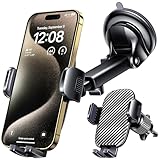
- 3 IN 1 Phone Holders for Your Car: Cell phone GPS navigation holder car is equipped with a suction cup and vent clip, which can be freely mounted on the windshield, dashboard, and air vent for feeding your different usage needs. Cell phone Camera Mounts holder is applied to most cars, pickup trucks, SUVs, taxis. A perfect assistant for Uber, Lyft drivers.
- Enhanced Powerful Suction Cup: Phone GPS navigation holder mount is equipped with double-lock suction cup and uses heat-resistant TPU material , which can provide strong suction power on smooth surfaces, and keep the mount stable in any conditions. To restore adhesion, simply rinse the sticky surface with warm water and wipe dry.
- Perfect Flexibility: Car phone Camera Mounts holder with 360 degree ball joint and adjustable telescopic arm, which can adjust your phone to any ideal angle without obstructing your view. The telescopic arm can be extended from 6.5 inches to 8.1 inches. Easily adjust the distance between you and the car mount.
- Full Protection: iPhone car mount with vacuum silicone rubber and thick panels can provide full protection for your phone from scratches and drops even at high speeds, bumps or turns.
- Easy Operation: Car mount for iPhone has a one-touch release button, you can release your phone with one hand while driving. Adjustable feet accommodate all 4-7 inch phones and most thick cases.
View listing views, saves, shares, and other Insights
Facebook calls listing performance data Insights. Depending on your account, location, listing type, and feature availability, you may see:
- Listing clicks
- Listing saves
- Listing shares
- Marketplace profile follows
For all-listing data on desktop, Meta documents Marketplace → Selling → Seller Dashboard. For an individual listing, use Marketplace → Selling → Your listings, select the listing, and look for its Insights. Available time filters can include the last 7, 14, or 30 days.
Insights are not guaranteed for every seller or listing. Shipping-related metrics and other performance information can also vary by country, account, listing type, and whether the relevant Marketplace feature is available. See Meta’s documentation for accessing Marketplace Insights and its overview of Marketplace Insights metrics.
Why your listing is missing from Your listings
Work through these checks in order.
1. Confirm the account and profile
Make sure you are signed in to the Facebook account that created the listing. Also check which Facebook profile is active. Marketplace is not available for additional Facebook profiles; Meta says users may need to switch to their main profile.
Free tools Windows power users keep installed
One-click scans. No signup required.
Marketplace access is generally limited to eligible adults with active accounts in supported countries. Meta gives age 18 as the example minimum in the United States. New or inactive accounts, policy violations, age restrictions, country availability, and other eligibility issues can limit access. If Meta asks you to verify your age, the available method may include a video selfie or government ID, depending on your region.
If the entire Marketplace area is missing, review Meta’s guidance for Marketplace access problems and who can use Marketplace.
2. Check every status section your account shows
The listing may have moved from Available to Pending, Sold, or Shipped. A listing marked sold is hidden from other Marketplace users, but it may still be represented in the seller area, depending on the account interface. Do not assume an item was deleted simply because it is no longer in the active view.
3. Check for a policy problem
If Facebook displays a message such as There are issues with your product, the listing may not have been approved. Meta says an unapproved listing cannot be seen by other Marketplace users. Review the listing for prohibited items, inaccurate information, misleading claims, or other policy concerns, then follow any review or appeal option Facebook provides. See Meta’s explanation of why Marketplace listings might not be approved.
Do these 3 things before closing this tab:
1Scan for outdated or missing drivers - takes under a minute2Clear out junk files and repair common Windows errors3Fix the driver behind crashes, sound loss and screen glitches4. Check vacation mode
For sellers using shipping, vacation mode can remove listings from search and prevent buyers from placing orders or messaging until vacation mode is turned off. If you enabled it, disable vacation mode and allow the listing to become available again. Meta describes this limitation in its Marketplace vacation-mode guidance.
Also popular on Amazon

- 2025 Robust Clip Hook: With an upgraded metal hook, it can hold the air vent securely and hold your phones firmly even on bumpy roads. Tips: Designed for both horizontal and vertical vents, we recommend not over tightening the holder to avoid damage
- One-handed Operation: With a one-button release system, it enables you to release your phone with just one hand. Simply press the clamping arms on both sides to lock the device. No complicated operations, brings you a safer and better driving experience
- 360° Flexible Rotation: With a 360° rotatable ball joint, it helps you rotate the car mount horizontally and vertically, It doesn't block the view and can be easily adjusted with one hand to give you the best viewing angle
- Full Protection: The clip arms and support feet are equipped with super soft and elastic silicone pads. The thick shockproof design perfectly protects your phone from scratches, bumps and collisions and ensures your device never slip out
- Wide Compatibility: The car phone holder fits for smartphones without removing the case. Our universal car phone holder is compatible with all 4.0-7.0 inch phones, such as iPhone 18/17/17 Air/17 Pro/17 Pro Max/16/16 Pro/15/15 Pro/14 pro/13 pro/12, Galaxy, Google Pixel, and Motorola etc
5. Check public visibility separately from the dashboard
A listing can be present in Your listings but absent from a particular buyer search because of location, distance, category, filters, ranking, status, approval, or audience settings. The Hide from friends setting does not make a listing fully private. Meta says a hidden-from-friends listing can still generally be visible to people outside Facebook or Messenger and may appear in external search results.
To see what buyers may encounter, open the listing from your dashboard, check all of its details, choose Share → Copy link, and open the link in a private or incognito browser window. You can also send it to a trusted person in the relevant location. This is only a practical check, not a perfect reproduction of every buyer’s search results; buyer account status, location, shipping eligibility, policy review, and ranking can all affect visibility.
6. Check whether it was posted in a group
If you also posted the item in a buy-and-sell group, that group placement may have separate approval, moderation, and visibility rules. A group post is not necessarily the same thing as the Marketplace listing. Meta’s listing flow allows sellers to select additional places such as buy-and-sell groups, but the group’s copy can be managed separately.
7. Refresh Facebook
Update the Facebook app, force-close and reopen it, sign out and back in, and try the desktop route. If the listing is still missing, use Facebook’s account and Marketplace support tools. These troubleshooting steps are reasonable ways to rule out a display problem, but Facebook does not guarantee that they resolve every dashboard issue.
Your Marketplace profile is not the same as Your listings
Use Your listings when you want to manage items you are selling. Use your Marketplace profile when you want to see the seller-facing information that buyers may see, including available ratings and other profile details.
On desktop, Meta’s documented route to the profile is Marketplace → Buying → Marketplace profile. The placement under Buying can seem counterintuitive, but it is separate from the Selling → Your listings dashboard. Meta explains this distinction in its guide to viewing a Marketplace profile or ratings.
Independent reader supportYour contribution helps us test, update, and keep practical guides available for everyone.Optional alternative: Seller, a Facebook app
Frequent Marketplace sellers in the United States have another option. Meta says that, as of August 10, 2026, Seller, a Facebook app is available through the U.S. App Store for Marketplace sellers who are at least 18. It is a separate app from the regular Facebook app.
According to Meta, existing Marketplace listings, messages, ratings, and selling history carry over. The app is designed for viewing and editing listings, relisting items, managing inventory, handling buyer messages, and checking performance data. It may be useful if you manage many listings, but you may still need the regular Facebook app for some broader Facebook sharing or Facebook-specific functions.
Meta said Android testing was underway at that time; do not assume that the Seller app is generally available on Android or outside the United States. Check Meta’s Seller announcement and the U.S. App Store listing for current availability.
Also popular on Amazon

- 【Never Falls Off on Bumpy Roads】Tired of magnetic phone holders dropping your phone? Our oversized strong adhesive base delivers an 90 LBS industrial-grade grip. Combined with 20 N55 magnets (3800gf), it securely holds heavy phones like the iPhone 17 Pro Max during sharp turns, sudden stops, or off-road driving. Say goodbye to driving distractions.
- 【Zero Blind Spots & Instant Navigation】The Miracase magnetic phone mount ensures safe driving with its ultra-flexible design. It features a 360° rotating base, 210° zinc alloy arm, and 360° ball joint. Instantly switch between portrait for calls and landscape for GPS navigation. Its foldable profile shrinks by 50% when idle, ensuring an unobstructed windshield view for maximum safety.
- 【Survives Extreme Summer Heat】Worried about suction melting in the sun? The 4-Layer Nano Gel of the magnetic car phone mount withstands extreme temperatures from -20°F to 200°F, ideal for hot climates like Texas or Arizona. Leaves no sticky residue. If suction weakens over time due to dust, simply rinse with water and air-dry to restore 99% of its gripping power.
- 【Universal Fit & No Signal Dropping】The cell phone car mount is designed for seamless integration. It works perfectly with iPhone 18-12 series and MagSafe cases out of the box. For Android or non-MagSafe cases, simply attach the included metal ring. Our closed magnetic field design guarantees zero interference with your cellular signal, GPS connection, or Bluetooth audio.
- 【1-Second Setup & 365-Day Warranty】Skip complicated setups. Install on flat dashboards, windshields, or touchscreens in seconds with true one-handed operation—just snap and go. Backed by 20 years of expertise, every car phone holder mount includes a 365-day replacement guarantee. If you encounter any surface compatibility issues, our team resolves it instantly.
Marketplace listing limits if you are preparing another item
Viewing your listings does not itself create a new-listing limit, but the limit matters if you are checking inventory before posting another item. Meta currently documents monthly limits of:
- 5 vehicle listings
- 5 auto-parts-and-accessories listings
- 5 homes-for-sale-or-rent listings
- 20 total listings
Deleted listings still count toward the month’s creation limit, and the limits reset on the first day of each month. These are limits on new listings, not a promise that the seller dashboard will show every historical item indefinitely. See Meta’s Marketplace listing-limit guidance before relying on the figures for a particular category or region.
Frequently Asked Questions
Why can’t I find my listing in Marketplace search?
First check Marketplace → Selling → Your listings. Public search is affected by location, category, distance, filters, ranking, status, policy approval, vacation mode, and visibility settings. A listing missing from search is not necessarily deleted. If Facebook says There are issues with your product, the listing may not have been approved and other Marketplace users cannot see it.
Where are my sold or pending Marketplace listings?
Open the seller area and inspect the status sections your account displays. Meta documents Available, Pending, Sold, and Shipped. A sold item is hidden from other Marketplace users, while a pending item can show buyers that the sale is not final. Facebook does not guarantee identical status tabs for every account.
Can I view my listings without the Facebook app?
Yes. Sign in to Facebook in a desktop browser and go to Marketplace → Selling → Your listings. A mobile browser may show a different layout, so the desktop site is generally the clearest alternative when the app controls are difficult to find.
Why is Your listings missing?
Confirm that you are using the account and main profile that created the listing. Meta says Marketplace is unavailable for additional Facebook profiles. Also check whether Marketplace access is limited because of age, country, account activity, policy issues, or a required age-verification step. Updating the app and trying Facebook on a computer can help distinguish an interface problem from an account restriction.
Can I see an item posted only in a buy-and-sell group?
Not necessarily in the same dashboard. A group post can have separate approval and visibility rules from a Marketplace listing. Open the relevant group and check your group posts separately. If you selected the group as an additional placement while creating a Marketplace listing, the two placements may still be managed differently.
How do I see views and saves for a Marketplace listing?
Look for Insights. On desktop, Meta documents Marketplace → Selling → Seller Dashboard for all-listing data, or Marketplace → Selling → Your listings, then select an individual item. Depending on your account and location, Insights may include clicks, saves, shares, and Marketplace profile follows, with filters such as the last 7, 14, or 30 days.
How do I restore a listing that I marked sold by mistake?
Open the sold listing in your seller area and choose Available if Facebook offers that status control. Meta says sold or pending listings can be changed back to available where applicable. Previously contacted buyers may receive an availability update.
Is Your Items the same as Your listings?
Usually, yes. Your Items is older Facebook terminology for the items you posted for sale. Meta’s current Help Center more commonly uses Selling and Your listings. Do not confuse either label with saved items, Marketplace messages, or your Marketplace profile.
Quick wins for a faster PC:
Fix the driver behind crashes, sound loss and screen glitchesFind Drivers →Repair Windows errors before they cause bigger problemsFix Now →Scan for outdated or missing drivers - takes under a minuteDriver Scan →The Bottom Line
To manage an item you posted, start with Marketplace → Selling → Your listings on desktop. In the mobile app, look for the equivalent Selling, Your listings, You, or Sell control rather than relying on a fixed icon location. Check the seller dashboard before concluding that a listing is missing from Marketplace, because public search, policy approval, status, location, and account settings can all affect what buyers see.




