
The Tool Desk
Outbyte Driver Updater FREEFix the driver behind crashes, sound loss and screen glitchesFind Drivers →Outbyte PC Repair FREEClear out junk files and repair common Windows errorsFree Scan →Some links on this page are affiliate links: if you buy through them we may earn a commission, at no extra cost to you.
The safest practical setup is layered: keep long-term holdings in a freshly initialized hardware wallet or another carefully designed cold-storage arrangement, keep only a limited working balance in a separate hot wallet, store recovery material offline and privately, use phishing-resistant multifactor authentication on exchange and email accounts, and verify every address, network, contract, approval, and signature before approving it.
A hardware wallet is not a complete security system. It can reduce private-key exposure, but it cannot stop you from revealing a recovery phrase, confirming the wrong address, approving a malicious contract, blind-signing unreadable data, or losing the only backup. The goal is to protect both access to your keys and the decisions that your keys authorize.
As an Amazon Associate I earn from qualifying purchases.
- Use separate cold-storage, hot-wallet, and—if necessary—dapp or “burner” wallets.
- Generate recovery material yourself during official setup; never use a phrase supplied by a seller, website, or supposed support agent.
- Never share or digitally store your recovery phrase.
- Use the trusted screen on a hardware wallet to verify important transaction details.
- Limit token and NFT approvals, and revoke unused permissions separately from disconnecting a dapp.
- If a recovery phrase or private key may have been exposed, create a new wallet and move the assets. Changing a password is not enough.
What a crypto wallet actually secures
Your cryptocurrency is not literally stored inside a wallet application or hardware device. Ownership records remain on the relevant blockchain. A wallet stores or controls the cryptographic material used to prove that you can authorize transactions. The SEC explains the relationship between wallets, private keys, and blockchain-based assets.
- Public address
- The destination to which others can send assets. It is generally intended to be shared, although publishing an address can expose your transaction history and balances depending on the blockchain.
- Public key
- Cryptographic information used to help verify ownership or signatures. Wallet software commonly presents you with an address derived from public information rather than asking you to manage the public key directly.
- Private key
- The secret that can authorize spending from a particular account. Anyone who controls it may be able to move the associated assets.
- Recovery phrase
- Also called a seed phrase, mnemonic, or secret recovery phrase. It is usually the highest-value secret in a self-custody wallet because it can recreate the wallet and its derived accounts. A phrase is not the same thing as a local app password or device PIN. See MetaMask’s explanation of secret recovery phrases.
- Wallet password or device PIN
- A password may decrypt a wallet installation, while a hardware-wallet PIN generally protects access to the physical device. Losing or changing either one does not replace a compromised recovery phrase. The exact recovery model depends on the product.
- Hardware wallet
- A device designed to keep signing keys more isolated from an internet-connected phone or computer. It still requires you to verify what you are signing.
- Dapp connection
- A connection that lets a decentralized application interact with a wallet session. Disconnecting a dapp does not necessarily remove permissions already granted to a smart contract.
- Token or NFT approval
- An on-chain authorization allowing a contract or operator to move specified tokens or NFTs. An approval can remain active after you stop using the dapp.
- On-chain transaction
- An action submitted to the blockchain, such as a transfer or contract call. Once confirmed, it is generally not reversible.
- Off-chain signature
- A message signed by your wallet that may later be submitted by someone else. Some systems, including Permit2-style systems, can use these signatures to authorize a later transfer without an obvious transaction occurring at the moment you sign.
- Smart-account or multisignature authorization
- Some newer wallets use programmable rules, guardians, modules, or several required signers instead of relying on one ordinary private key. These models can improve resilience but introduce additional configuration and recovery risks.
The most important distinction: a compromised recovery phrase, a malicious approval, a suspicious signature, and a merely connected dapp are different incidents. They require different responses.
Popular on Amazon
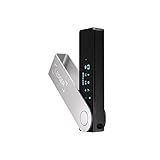
- Effortlessly build your crypto portfolio via the all in one Ledger Wallet app: buy, sell, send, receive, swap, stake and more across popular blockchains. 15,000+ coins & tokens in a single dashboard. Keep a close eye on the market. Compare service providers. Track performance. Get timely alerts. Build your portfolio with confidence.
- Enjoy Bluetooth connectivity, iOS access, and hours of battery use with this mobile-first, secure backup signer. Freedom you can depend on.
- Genuine Check: confirm your signer is authentic during setup with the Ledger Wallet app.
- Protect your signer: keep it in mint condition at all times with a bespoke Pod or Case to avoid scratches and everyday wear and tear.
Choose the custody model before choosing the wallet
“Not your keys, not your coins” is a useful reminder about control, but it is not a complete security analysis. The real question is which risks you can manage reliably.
Self-custody
With self-custody, you control the private keys and approve transactions yourself. You are not dependent on an exchange to authorize a withdrawal. In return, you are responsible for:
PC Slower Than It Used to Be?
A free scan shows the junk files, broken settings and background clutter dragging Windows down - then fixes them in one click.Free scan · Windows 10 & 11Crashes, No Sound, or Screen Glitches?
Random freezes, missing sound and display glitches usually trace back to one bad driver. Find and replace yours safely.Free scan · under a minute- Keeping the recovery phrase or private keys secret.
- Maintaining durable backups and testing recovery.
- Recognizing phishing, malware, fake support, and malicious dapps.
- Checking addresses, networks, fees, contract calls, approvals, and signatures.
- Planning for loss, incapacity, inheritance, and emergencies.
- Accepting that there may be no central party able to reverse a confirmed transaction.
Custodial storage
With custodial storage, an exchange or other provider controls the private keys on your behalf. This may be appropriate for someone who cannot safely manage seed phrases or who values account recovery and customer support. The trade-off is dependence on the provider’s security, policies, withdrawal systems, solvency, and continued operation.
Custodial risks include account takeover, phishing, withdrawal freezes, insolvency or bankruptcy, counterparty risk, and regulatory or platform changes. Self-custody risks include permanent loss through a missing backup and immediate theft if the key is exposed. The SEC’s custody guidance describes these as different risk allocations, not as a simple safe-versus-unsafe choice.
Practical rule: if you cannot reliably store a phrase privately, maintain a durable backup, verify transactions, and follow an emergency plan, a reputable custodian may be safer for at least part of your holdings. That does not make custodians inherently safe; it recognizes that operational mistakes are part of your threat model.
Hot wallet versus cold wallet
A hot wallet is routinely used on an internet-connected phone, computer, browser, or application. It is convenient for spending, trading, NFTs, DeFi, bridges, and experimentation, but its keys and signing environment are closer to malware, malicious websites, browser extensions, and social engineering.
Cold storage isolates signing keys more effectively from ordinary online activity. A hardware wallet is a common form. Bitcoin.org describes hardware wallets as among the strongest options for storing funds, while also warning that a lost device without a usable backup can make funds unrecoverable.
Neither term is an absolute guarantee. A hardware wallet can protect a private key while still allowing a user to approve a malicious transaction. A hot wallet can be reasonable for a small balance whose loss would be tolerable.
A practical two- or three-wallet arrangement
- Cold vault: a freshly initialized hardware wallet for long-term holdings. Keep it away from routine dapp activity.
- Hot working wallet: a software wallet containing only the funds needed for ordinary transactions.
- Dapp or burner wallet: an optional wallet for unfamiliar mints, experimental protocols, airdrops, and activities where the entire balance should not be exposed.
Additional segregation reduces the blast radius of one mistake, but it also creates more addresses, backups, accounting work, and opportunities for confusion. Use separate wallets only when you can document which wallet is for what and recover each one.
| User situation | Reasonable baseline | Main caution |
|---|---|---|
| Small amount and frequent spending | Hot wallet with a limited balance | Phishing, malware, and malicious approvals |
| Beginner holding a meaningful amount | Hardware wallet with a fresh backup | Learning address and transaction verification |
| Active DeFi or NFT user | Cold vault plus separate dapp wallet | Approvals, signatures, and malicious contracts |
| Bitcoin-only long-term holder | Bitcoin-focused hardware or signing setup | Backup compatibility and address verification |
| Family or business treasury | Multisignature arrangement with independent signers | Signer replacement, inheritance, and governance |
| User unable to manage keys | Reputable custodian or professionally managed custody | Counterparty and account-takeover risk |
| High-threat individual | Segregation, multisig, privacy discipline, and physical-security planning | Operational complexity and targeted attacks |
The urgency is real, but statistics need context. CertiK’s H1 2026 industry report recorded more than $1.31 billion in Web3 losses across 344 incidents, including more than $444 million in 33 incidents categorized as wallet compromises. Those figures are an industry-wide incident dataset—not a prediction of an individual holder’s loss probability—and incident methodologies differ across research firms.
How to set up a crypto wallet safely
1. Define its purpose
Decide whether the wallet is for long-term storage, daily spending, dapp interaction, NFTs, business or family funds, or a temporary transfer. Avoid using one unrestricted account for every activity.
2. Obtain software or hardware from an official source
- Type the provider’s address yourself or use a trusted bookmark.
- Do not install wallet software from a sponsored search result, unsolicited email, social-media link, QR code, or direct message.
- Check the application publisher and package before installing.
- Buy hardware through the manufacturer or an authorized reseller.
- Reject a device that arrives preconfigured or with a recovery phrase already supplied.
- Never “activate” a device by entering its phrase into a website.
Use the provider’s authenticity process where available. See Trezor’s device-safety guidance and Ledger’s purchasing guidance.
3. Generate a new wallet
Let the official wallet or hardware device generate the recovery material during setup. Do not select words yourself, use a phrase found online, reuse a phrase from another wallet, or import a phrase that has ever been typed into an internet-connected device if your goal is a fresh cold wallet.
4. Record and verify the backup
- Write each word in the correct order and check the spelling.
- Complete the wallet’s verification test.
- Store the physical backup away from the device.
- Protect it against unauthorized access, fire, water, fading, and accidental disposal.
- If you use a passphrase or threshold backup, document and test the complete recovery procedure.
5. Test recovery before depositing a large balance
- Confirm that the backup can restore the wallet using the product’s official recovery process.
- Confirm that the expected account addresses appear.
- Check that the wallet supports the assets, chains, and account or derivation paths you use.
- Send a small amount to the new address.
- Verify receipt on the correct network.
- Complete a small return transfer only after the full workflow is understood.
A restore may not automatically bring back every imported private key, custom network, token display, account, or account derived from a different recovery phrase. MetaMask’s restoration documentation explains these limitations for its wallet.
Recommended Free Tools
6. Verify the receiving address on a trusted screen
When receiving a significant transfer, display the address on the hardware wallet itself when possible. Compare the complete address, not only its first and last characters. Copy and paste or use a QR code instead of manually typing. Confirm the network on both sides. For a large or irreversible payment, verify the address through a second communication channel.
Ethereum.org recommends avoiding manual address entry and checking network compatibility. Clipboard malware and address-poisoning attacks make abbreviated visual checks unreliable.
7. Transfer a test amount
Before moving a large balance, confirm the recipient address, asset, network, fee, and destination. Send a small test amount, wait for confirmation, and verify that the recipient received it. Then send the remainder. This matters especially for assets such as USDC or USDT that can exist on multiple networks. A transfer on the wrong network may require specialized recovery support and may not be recoverable.
How to protect a recovery phrase
Treat the recovery phrase as the master key to a self-custody wallet. Anyone who obtains it may be able to restore the wallet elsewhere. No legitimate support representative needs it.
Quick wins for a faster PC:
Clear out junk files and repair common Windows errorsFree Scan →Fix the driver behind crashes, sound loss and screen glitchesFind Drivers →Repair Windows errors before they cause bigger problemsFix Now →Never do these things
- Never share it with a person, support agent, exchange, dapp, website, chat, or social-media account.
- Never enter it into a website, support form, email, chat, cloud document, or ordinary wallet pop-up.
- Do not photograph or screenshot it.
- Do not save it in email, notes, cloud storage, browser autofill, or an ordinary computer file.
- Do not type it into a computer or phone because a page claims to be the wallet manufacturer.
- Do not use a phrase printed in a device package or supplied by a seller.
- Do not send crypto to “protect” it or pay a fee to “validate,” “synchronize,” or “recover” a wallet.
MetaMask, Trezor, Ethereum.org, and Ledger all emphasize keeping recovery material private and avoiding unnecessary digital copies.
Choose a durable backup method
| Method | Strength | Weakness |
|---|---|---|
| Paper | Inexpensive and offline | Fire, water, fading, physical theft, and deterioration |
| Metal backup | Better resistance to fire and physical damage | Cost, theft, and discoverability |
| Split backup | Can reduce the risk of one location revealing everything | More complexity; an unsafe split may reduce security |
| Shamir or threshold backup | Uses a cryptographic share-and-threshold design | Compatibility and recovery are more complex |
| Memorization | No physical record to steal | Memory, illness, stress, death, and transcription errors create a single point of failure |
Do not take a 12- or 24-word phrase and arbitrarily divide it into halves. That is not equivalent to a cryptographic threshold scheme and may reveal information or create an unrecoverable backup. Trezor explains the difference between ordinary backups and Shamir-style backups.
Also popular on Amazon

- More than just crypto: confirm your device is authentic with Genuine Check, manage all your logins with Ledger Security Key, detect common scams with Transaction Check and more.
- Industry-defining security: battle-tested by the Donjon's white hat hackers, protected by the Secure Element, and powered by Ledger OS.
- Connect effortlessly with Ledger Wallet: pair your secure Ledger signer with the all in one Ledger Wallet crypto app to manage thousands of digital assets across multiple devices and accounts with Ledger Sync from a single, secure dashboard.
- Playful, user-friendly design: monitor the market, compare rates and Clear Sign all transactions on the secure 2.8'' anti-glare, scratch-resistant touchscreen.
- This is what security feels like: Ledger touchscreen signers all come with a private, offline, PIN-protected backup, Ledger Recovery Key, to never lose access to your assets.
Backup formats are product- and model-specific. Trezor documentation distinguishes BIP39 backups from SLIP39/Shamir backups; some current Safe devices use 20-word SLIP39 backups, while older devices may use 12- or 24-word BIP39 backups. Do not assume that every hardware wallet, replacement device, or software wallet can restore every format. See Trezor’s format documentation and verify compatibility before relying on a backup.
Plan for inheritance and incapacity
A backup that only you understand is not an estate plan. Document the wallet type, supported recovery method, location of instructions, and the people or professionals who should be contacted—without putting the recovery phrase in an ordinary document. Test the plan with trusted participants and consider whether a multisignature or threshold arrangement is more appropriate for family or business funds.
Free tools Windows power users keep installed
One-click scans. No signup required.
How to choose and use a hardware wallet
Do not choose a product solely because an article calls it “the safest.” Compare the device and its operating model with your assets, chains, technical ability, and threat model.
Selection criteria
- Fresh key generation: the device should generate the phrase during setup. Importing an old hot-wallet phrase does not make it cold.
- Trusted on-device display: you should be able to verify the recipient, amount, network, contract action, and approval on a screen not controlled by the computer or phone.
- Clear signing: prefer human-readable transaction intent where supported. A display showing only “data present,” a hash, or unreadable hexadecimal data is not the same as clear signing.
- Authentic software and firmware: use the manufacturer’s official software and understand the update and recovery process. Confirm that your backup is available before a firmware update.
- Recovery compatibility: verify the backup format, supported chains, assets, account types, and wallets you actually use.
- Transparency: consider open-source code, audits, cryptographic libraries, and build processes. Open source improves inspectability; it is not a guarantee that the deployed device or configuration is secure.
- PIN, passphrase, and physical-security model: understand retry limits, device-reset behavior, and whether a passphrase is stored or entered manually.
- Supply-chain and support reliability: use official channels or authorized resellers, and know how genuine-device checks, replacements, and support work.
- Workflow fit: a Bitcoin-only device may be simpler for a Bitcoin-only holder, while a multichain device may add convenience and more complex contract interactions.
The Ledger explanation of clear signing describes blind signing as a situation in which transaction details cannot be decoded into human-readable information. Ethereum’s 2026 clear-signing initiative and ERC-7730 address the broader effort to make transaction intent easier to inspect. Feature coverage remains wallet-, chain-, app-, and firmware-dependent.
Do not import a hot-wallet phrase into hardware
If a software wallet’s phrase has been used on an internet-connected device, treat it as exposed to that environment. The secure migration is:
- Initialize a new wallet on the hardware device.
- Confirm and record its new backup offline.
- Verify receive addresses on the hardware device.
- Send funds from the old wallet to the new addresses, beginning with a test transfer.
- Retire or strictly limit the old wallet.
Ledger and Trezor both distinguish importing an old wallet from creating a fresh hardware-wallet backup and transferring funds.
Verify every transaction and signature
Your private key can be perfectly protected and your funds can still be stolen if you authorize the wrong action. Before confirming anything, check:
- Wallet account: Is the correct account selected?
- Network: Is the transaction on the intended blockchain?
- Recipient: Does the full address match the intended recipient?
- Asset: Are you sending or approving the correct token or NFT?
- Amount: Is the value correct, including decimal places?
- Fee: Is the network fee reasonable and expected?
- Contract and dapp: Is the domain and contract address independently verified?
- Function: Does the action say transfer, swap, mint, approve, set operator, permit, or something else?
- Allowance: Is the approval limited to the amount needed, rather than unlimited?
- Signature type: Is this an on-chain transaction or an off-chain message?
- Display quality: Is the device clear-signing the intent, or asking you to blind-sign unreadable data?
- Reversibility: What happens if the action is wrong? Confirmed blockchain transactions are generally irreversible.
Reject prompts that say you must “verify,” “synchronize,” “validate,” or “upgrade” your wallet, claim an unexplained free airdrop, or send crypto to protect your account. Be especially cautious when the request mentions “permit,” “operator,” “authorization,” “claim,” or “list.” If the wallet cannot explain what will happen, reject the request.
Token approvals, NFT approvals, and dapp permissions
A token approval lets a smart contract move a specified token amount on your behalf. An NFT operator approval such as a setApprovalForAll-style permission can give an operator broad control over a collection. These permissions may remain active after you stop using the dapp.
That creates three separate actions:
| Action | What it changes |
|---|---|
| Disconnect a dapp | Removes or limits the wallet connection or session. |
| Revoke a token approval | Removes a contract’s authority to move the specified token. |
| Revoke an NFT operator approval | Removes an operator’s authority over the relevant NFT collection or assets. |
| Move funds to a new wallet | Uses new keys, but only protects assets moved to the new wallet; it does not itself revoke old permissions. |
Ethereum.org explains that disconnecting is not the same as revoking. Revocation is an on-chain transaction and requires a network fee. Review approvals on each relevant network separately.
Coinbase Wallet approval path
Coinbase’s current help documentation lists the following path in both its browser extension and mobile app:
- Open Coinbase Wallet.
- Select Settings.
- Select Recovery phrase, profile, connections, and more.
- Select Token approvals.
- Select the approval.
- Select Revoke.
- Confirm the transaction and pay the network fee.
Labels may change by app version or region. Use Coinbase’s current approval documentation if the path differs.
MetaMask’s distinction
MetaMask separately documents disconnecting a dapp and revoking token approvals. Use its disconnect instructions to end a connection and its approval instructions to remove contract authority. Disconnecting alone does not revoke an existing allowance.
Off-chain signatures and Permit2
Not every dangerous authorization looks like a normal transaction. A wallet can sign an off-chain message that another party later submits. MetaMask documents signature-phishing attacks in which a user is tricked into signing a message that grants token or NFT permissions. Permit2-style systems may use an off-chain signature to authorize a later transfer, so theft may not occur immediately or appear as an obvious transaction when the signature is created.
What’s actually slowing this PC down?
Pick the symptom - the matching free tool is one click away.
Do not sign an opaque message merely because it is free. Read the domain, inspect the wallet prompt, and reject a signature you do not understand. If a suspicious signature was already provided, inspect and revoke the relevant permissions where possible. If the recovery phrase or private key may have been exposed, do not rely on revocation alone—migrate to a new wallet.
Secure the exchange, email, phone, and computer around the wallet
Wallet security also depends on the accounts used to buy, sell, fund, recover, or communicate about your assets.
Use stronger account authentication
- Use a unique, long password for every exchange and email account.
- Use a password manager where appropriate.
- Prefer a physical security key or passkey that supports phishing-resistant authentication.
- If those are unavailable, prefer an authenticator app over SMS.
- Use a carrier account PIN and enable port-out or SIM-swap protections.
- Review active sessions, API keys, withdrawal addresses, and recovery methods.
- Never approve an unexpected MFA prompt or disclose a one-time code to a caller.
The FTC identifies security keys as the strongest of the common MFA methods it discusses and describes authenticator apps as safer than SMS for many users. CISA identifies FIDO/WebAuthn as a widely available phishing-resistant MFA method.
If your phone suddenly loses service
Unexpected loss of cellular service, a carrier notification you did not initiate, or missing authentication codes can indicate a SIM-swap attempt. Immediately:
Do these 3 things before closing this tab:
1Clear out junk files and repair common Windows errors2Scan for outdated or missing drivers - takes under a minute3Repair Windows errors before they cause bigger problems- Contact the carrier through a known official channel.
- Recover control of the number and add or change the carrier account PIN.
- Change email, exchange, and financial-account passwords.
- Replace SMS authentication with an authenticator app, passkey, or security key.
- Check exchange withdrawal settings and account activity.
- Review bank and credit accounts for unauthorized changes.
See the FTC’s SIM-swap guidance.
Reduce device and browser risk
- Keep the operating system, browser, wallet software, and hardware firmware current.
- Install software only from official sources.
- Use a dedicated browser profile for crypto and minimize extensions.
- Do not install pirated software or unofficial wallet builds.
- Never allow remote-control software during a supposed support session.
- Use screen lock and device encryption.
- Do not allow device backups to copy a recovery phrase.
- Treat public Wi-Fi as untrusted, but prioritize phishing, malware, key exposure, and malicious signing as more direct risks.
An infected computer can still manipulate the address shown in a wallet application, present a fake dapp, or persuade you to approve a malicious transaction. A hardware wallet helps only when you verify the trusted device’s display and understand what you are authorizing. The Ethereum Foundation’s clear-signing initiative addresses this human-verification problem.
Independent reader supportYour contribution helps us test, update, and keep practical guides available for everyone.What to do when something goes wrong
Lost or destroyed hardware device
If the recovery phrase is safe:
- Obtain a compatible replacement through a verified source.
- Restore using the product’s official recovery process.
- Confirm the expected addresses.
- Check balances on the relevant block explorers.
- Set a new device PIN.
Possession of the device is not normally the same as possession of the wallet; the backup is usually the recovery mechanism. If the device was stolen and its PIN or backup may also be exposed, create a new wallet with a new phrase and transfer the funds.
Also popular on Amazon

- Get more for less - This comprehensive kit empowers you to take control of your digital life with ease. It includes a certified secure Ledger Nano Gen5, protective Magnet Folio, Recovery Key, all in one Ledger Wallet app, and Susan Kare Badge.
- Enjoy industry leading security - protect your private keys far from hackers' reach with the EAL6+ certified Secure Element and Donjon tested Ledger OS, verify transaction details on the 2.8" touchscreen to avoid costly mistakes.
- Back up & restore access to your assets with a simple tap & secret PIN code. If your Ledger signer is ever lost, stolen or damaged, you stay in control with this NFC enabled, certified secure, water resistant, durable plastic Ledger Recovery Key.
- Make informed decisions at a glance - with the intuitive Ledger Wallet crypto app. Compare 50+ service providers to buy, swap, stake & spend at the best rates. Monitor the market to spot opportunities & manage 15,000+ assets across 100+ chains.
- Keep your signer looking new wherever your active life takes you - with the custom designed Magnet Folio that hugs your Ledger Nano Gen5 on all sides with durable yet stylish materials. Conveniently flip open and closed anywhere, any time.
Recovery phrase entered into a website, phone, computer, or support form
Treat the wallet as compromised even if no funds have moved. Do not merely change the app password.
- Stop using the old wallet for long-term storage.
- Create a new wallet with a new recovery phrase on a clean device or properly initialized hardware wallet.
- Record and verify the new backup offline.
- Transfer remaining assets to the new wallet, starting with assets most at risk.
- Check every account derived from the old phrase.
- Revoke relevant approvals where possible.
- Do not send additional gas to the old wallet if an automated sweeper may be monitoring it; seek specialized incident help before funding it.
- Scan or rebuild the affected computer or phone.
- Change passwords and MFA credentials that may also have been exposed.
- Preserve evidence and report the incident.
Trezor and MetaMask both recommend moving funds to a wallet created from a new backup when the old backup may be compromised.
Recommended Free Tools
Suspicious token or NFT approval
- Stop interacting with the suspicious dapp.
- Use a trusted approval-management tool.
- Check each relevant network.
- Revoke token allowances.
- Revoke NFT collection or operator permissions.
- Check for Permit2 or other signature-based permissions where supported.
- Move valuable assets to a new wallet if there is evidence of key compromise.
- Monitor the old wallet.
Revocation can prevent future use of a permission; it cannot reverse a transfer that has already occurred. Keep enough native currency for a revocation fee, but do not casually fund a wallet that appears to have an automated sweeper.
Unauthorized transaction
- Verify the transaction on the correct block explorer.
- Record the timestamp, recipient, contract, amount, account, and transaction hash.
- Assume the wallet may be compromised if the transaction was genuinely unauthorized.
- Create a new wallet with a new recovery phrase.
- Move remaining assets immediately, prioritizing transferable assets.
- Stop using the old wallet.
- Revoke approvals if possible.
- Save transaction hashes, addresses, URLs, messages, screenshots, and affected device details.
- Report to the wallet provider, relevant exchange, blockchain explorer, and appropriate authorities.
- Ignore anyone promising recovery for an upfront fee.
Self-custodial transactions generally cannot be reversed by the wallet provider. Ethereum.org warns that confirmed blockchain transactions cannot simply be reversed and that “recovery experts” often target previous victims. For U.S. readers, report fraud to the FTC and internet-enabled crime to the FBI’s Internet Crime Complaint Center. The FBI’s cryptocurrency-kiosk reporting guidance illustrates the useful details to preserve, including transaction IDs, wallet addresses, location information, and information about the suspected subject.
Wrong-network transfer
First identify the exact network, asset contract, destination address, and transaction status. Contact the recipient or exchange only through its official support channel. Recovery may sometimes be possible when the destination is controlled by the same user or a custodian that supports the network, but it is not guaranteed. Do not give a recovery agent your phrase or pay an unsolicited “release” fee.
Forgotten wallet password
The answer depends on the wallet model. In many self-custody wallets, the recovery phrase can restore the wallet after a local password is forgotten. A local password may protect an installation rather than serve as the ultimate recovery secret. Some login-based, seedless, or cloud-assisted wallets depend on both an external account and a wallet-specific recovery method. Use only the provider’s official instructions and never give the phrase to support. MetaMask documents these distinctions for its security model.
What’s actually slowing this PC down?
Pick the symptom - the matching free tool is one click away.
Advanced options: passphrases, threshold backups, and multisig
Optional passphrase or hidden wallet
A passphrase is an additional secret, not a replacement for the recovery phrase. Each unique passphrase creates a different wallet. It is case-sensitive, and even a typo can open a different wallet that appears empty. On supported Trezor devices, the device does not store the passphrase; the exact backup and exact passphrase are both required.
Trezor’s current paths are Settings → Device → Passphrase on desktop and Wallet menu → Device settings → Backup & passphrase on mobile, followed by opening the passphrase wallet from the wallet menu. Labels can change, so verify against the current Trezor documentation.
A passphrase can reduce the risk if someone discovers the ordinary backup, but it creates a second secret that must be stored, tested, and transmitted to heirs correctly. It is usually unsuitable for a beginner who has not already mastered ordinary backup and recovery.
Multisignature wallets
A multisignature wallet requires a minimum number of signatures from a larger group—for example, two of three or three of five—to authorize a transaction. It can reduce dependence on one device, one key, or one person. Hardware wallets and multisignature solve different problems and can be combined.
The costs are substantial: more signers, more backups, more coordination, more complicated recovery, and more difficult inheritance. Multisig also does not protect against all signers approving the same malicious transaction. Smart-contract wallets may additionally have upgrade, module, guardian, or transaction-guard risks.
For a family, company, or treasury, write down procedures for address verification, transaction review, signer replacement, incapacity, succession, and emergency transfers. In Safe, owner and threshold changes are themselves transactions requiring confirmation, so treat them as high-risk governance operations; see Safe’s owner and signature documentation. Ethereum’s smart-contract documentation provides additional context on multisignature accounts.
A maintainable security checklist
At setup
- Define the wallet’s purpose and balance limit.
- Use official software or an authentic device.
- Generate a fresh recovery phrase on the wallet or device.
- Record and verify the backup offline.
- Store the backup separately from the device.
- Test recovery before depositing a large balance.
- Verify a complete receiving address and network on a trusted screen.
Before each transaction
- Confirm the account, network, recipient, asset, amount, and fee.
- Inspect the contract, function, allowance, and dapp domain.
- Distinguish an on-chain transaction from an off-chain signature.
- Reject blind signing if you cannot understand the intended action.
- Use a test transfer for an important or irreversible payment.
Periodically
- Review and revoke unused token and NFT permissions on every network.
- Review exchange sessions, API keys, withdrawal addresses, and recovery methods.
- Update operating systems, browsers, wallet software, and firmware from official sources.
- Check that backups remain readable, durable, and accessible to the intended recovery plan.
- Confirm that family, business, or multisig procedures still work.
- Keep the cold vault disconnected from routine dapp experimentation.
During an incident
- Stop signing and stop interacting with the suspicious website.
- Separate a stolen approval from an exposed private key; they are different problems.
- Use a new recovery phrase if the old one may have been exposed.
- Preserve transaction hashes and communications.
- Use only official support channels.
- Expect confirmed blockchain transfers to be generally irreversible.
- Ignore “recovery” offers that request an upfront payment or your recovery phrase.
Bottom line
Secure crypto custody is a system, not a product purchase. Use custody that matches your ability to manage risk; separate long-term savings from online activity; create and test a fresh backup; keep recovery material offline; verify what your wallet is authorizing on a trusted display; restrict and revoke approvals; harden your email, exchange, phone, and devices; and practice the migration procedure before an emergency. The strongest setup is the one you can operate correctly, recover reliably, and explain to the person who may need to take over.
Frequently Asked Questions
Is a hardware wallet enough to secure my crypto?
No. A hardware wallet can reduce exposure of private keys to an internet-connected device, but it does not prevent phishing, malicious approvals, wrong-address transfers, blind signing, recovery-phrase theft, unsafe backups, or physical coercion. Verify every important transaction on the device’s trusted screen.
What should I do if I entered my seed phrase into a website?
Assume the wallet is permanently compromised. Create a new wallet with a new recovery phrase on a clean device or properly initialized hardware wallet, record and verify the new backup offline, and move remaining assets. Changing the old wallet’s password does not make its phrase safe again.
Does disconnecting a dapp revoke its token approvals?
No. Disconnecting usually ends or limits the wallet connection, while revoking an approval removes a smart contract’s authority to move tokens or NFTs. Review and revoke permissions separately, and remember that revocation requires an on-chain transaction fee.
Should I import my existing hot-wallet seed phrase into a hardware wallet?
Not if the goal is a fresh cold wallet. The phrase has already been exposed to the hot-wallet environment. Initialize a new hardware-wallet wallet and transfer funds to its newly verified addresses.
Is a passphrase safer than a normal seed phrase?
A passphrase can protect funds if someone discovers the ordinary backup, but it creates a separate wallet and a second secret. It is case-sensitive, and losing or mistyping it can make the wallet appear empty or become inaccessible. Use it only if you can securely store, test, and pass it on.
Quick wins for a faster PC:
Fix the driver behind crashes, sound loss and screen glitchesFind Drivers →Repair Windows errors before they cause bigger problemsFix Now →Scan for outdated or missing drivers - takes under a minuteDriver Scan →Can a confirmed crypto transaction be reversed?
Generally no. Contact the wallet provider, exchange, recipient, or authorities promptly, preserve transaction details, and ignore anyone promising guaranteed recovery for an upfront fee.
The Bottom Line
Protect the keys, the backup, and the authorization process. A fresh offline backup, separated hot and cold wallets, phishing-resistant account security, careful transaction review, and a rehearsed emergency migration plan provide substantially stronger protection than relying on a wallet brand alone.




