
The safest crypto-wallet backup is created by the wallet itself, copied by hand or stamped onto a physical backup, checked on the wallet’s own screen, and stored offline in a private, access-controlled place. Do not photograph the words, put them in cloud storage, type them into a computer or phone, paste them into a website, or show them to support staff. The person who has the complete recovery phrase can generally restore the wallet and spend its assets.
This guide explains how to make the backup, verify it without digital exposure, choose paper or metal storage, plan for fire and water, recover after a lost device, and avoid the subtle mistakes that turn a backup into a theft risk.
As an Amazon Associate I earn from qualifying purchases.
What a crypto-wallet backup actually is
A recovery phrase—also called a seed phrase or wallet backup—is an ordered list of words from which a wallet can recreate its keys and accounts. The words are not a password hint or a partial identifier. Their order, spelling, and completeness are all significant. A missing word, transposed word, or word copied from the wrong line can prevent recovery.
Free tools Windows power users keep installed
One-click scans. No signup required.
Wallet systems use different backup standards. Trezor’s current documentation describes BIP39 backups of 12 or 24 words and SLIP39 backups of 20 words. A replacement device or recovery application must support the same standard and configuration as the original wallet. A 12-word BIP39 phrase is not interchangeable with a 20-word SLIP39 backup simply because both are called seed phrases.
#1 Best Overall

- [Indestructible Seed Phrase Steel] ELLIPAL 316 stainless steel metal seed phrase storage is virtually indestructible and fireproof, making sure your mnemonic is safe no matter what. With our waterproof,you can trust that ELLIPAL Seed Phrase Steel will withstand any condition, from a rainy day to extreme environments. Get peace of mind with our crypto seed storage, the ultimate backup solution for your mnemonic, guaranteed to last a lifetime.
- [Safeguard Your Crypto Assets] Are you looking for a product that can offer you extreme security and complete offline protection for your mnemonic codes? Look no further than our Seed Phrase Steel! Permanently back up your mnemonic on our metal seed phrase storage and keep it safe from hackers and malware. With our crypto seed storage, you can fully control your crypto assets.
- [Easy to Use & Support 24 Words] Designed to comply with the BIP39 principle, this phrase cold storage makes it incredibly easy to generate and store your seed phrase. Supporting 12, 15, 18, 21, and 24-word mnemonic phrases. With the crypto seed storage, you only need to remember the first 4 letters of your mnemonic phrase, making it simple and convenient to access your funds. Experience the peace of mind that comes with secure crypto storage.
- [Compatible with BIP39 Hardware Wallets] Designed to complement all ELLIPAL cold wallets, the metal seed phrase storage is the perfect accessory to ensure the safety of your crypto assets. But don't worry if you don't own an ELLIPAL hardware wallet, as the Seed Phrase Steel is compatible with all BIP39 hardware wallets on the market, including popular brands such as SecuX, Ledger, and Trezor. With ELLIPAL take the first step towards securing your asset's future.
- [Pocket-Sized, Take it Everywhere] The ELLIPAL Seed Phrase Steel is a pocket-sized device that provides unparalleled security and convenience. Unlike traditional storage methods that require specialized tools or third-party involvement, this crypto seed storage allows you to securely store your chosen data without any extra hassle. Its compact size makes it easy to carry with you wherever you go, whether you're attending an important meeting or going on a vacation.
The phrase is effectively the master credential for the wallet. Bitcoin.org explains that anyone who obtains it can access the corresponding bitcoins, and Ledger warns that losing the phrase can mean losing the cryptocurrency while anyone who has it can access the accounts. Treat the record as you would treat unrestricted authority over every account derived from it.
Create the backup during trusted wallet setup
1. Let the wallet generate the words
Start setup from the wallet’s own device and its documented, official setup flow. Allow the wallet to generate a new recovery phrase. Do not invent words, select words from a list, reuse a phrase from another wallet, or accept a phrase sent by a person or website. A phrase supplied elsewhere may already be known to an attacker.
Before recording anything, confirm that you are looking at the wallet’s trusted interface rather than a web page, chat message, email, or support session. A legitimate setup process presents the words on the device or another explicitly trusted, offline display and then asks you to confirm them.
2. Record every word in order
Use the supplied recovery card or a purpose-made metal backup plate. Copy each word exactly as displayed and preserve the numbering. Keep the device screen private while writing. Do not dictate the phrase to another person, read it aloud in a room with recording devices, or leave the written record unattended.
Write the complete sequence, not merely the first letters. Some word lists contain similar-looking or similarly spelled words, and a shortened note is not a recoverable backup. If the wallet displays 12, 20, or 24 words, the record must contain that full count in the exact order.
3. Use the built-in verification
Most hardware wallets include a confirmation or recovery-check step. Complete it on the device when offered. This catches a transcription error while the phrase remains off phones, computers, websites, and messaging services. If the check reports a mismatch, stop and correct the physical record from the wallet’s trusted display; do not troubleshoot by typing the phrase into an online form.
Rank #2

- DURABLE AND INDESTRUCTIBLE: Made with grade 304 Steel, it's the long term solution to helping you safely store and backup your wallet’s seed phrase due to its resistance to corrosion. The various screws present in the tablet help protect it against deformation. It is also designed to have a fireproof threshold of house fires.
A successful check confirms that the recorded words match what the device generated. It does not make a digital copy and does not prove that a future replacement device supports the same backup standard, so retain the device documentation and standard information separately from the secret words.
Recommended Free Tools
Store the record so theft and physical damage are both unlikely
Keep it offline and private
Store the phrase only on the physical record. Bitcoin.org specifically advises against storing a recovery phrase as a photo or in a cloud service. Trezor lists screenshots, photographs, email, and Dropbox among unacceptable digital copies. A phone gallery, cloud note, password manager, email draft, printer queue, or ordinary computer file creates another way for malware, account compromise, synchronization, or a repair technician to obtain the words.
Choose a location that is private, access-controlled, and unlikely to be discovered during routine visits. A locked safe, a secured document box, or another place with controlled access can work if you can reach it when needed. Do not label the container with words such as “crypto seed” that advertise its purpose. Keep any description neutral, while ensuring that you can identify the correct record without opening every container.
Plan for fire, water, and accidental destruction
Paper is easy to write and inexpensive, but it can burn, tear, fade, or become unreadable after water damage. Ledger identifies metal backup as protection against the elements. A metal plate or stamped metal tile is designed to preserve the words through hazards that would destroy ordinary paper, although the specific resistance depends on the product and the event. No material eliminates the need for privacy and access control.
Protect the backup from accidental disposal, household moves, children, guests, and unauthorized contractors. Keep it separate from the wallet device so that losing one incident does not remove both the device and its recovery information.
Outdated Drivers Are Slowing You Down
One free scan finds every outdated or missing driver and matches the right update for your exact hardware.Free scan · exact hardware matchWindows Errors? Fix Them Before They Spread
Repair common Windows errors and clear accumulated junk for a smoother, more stable PC - no reinstall needed.Free scan · no reinstallDecide whether a second physical copy is justified
A second copy in another secure physical location reduces the risk that a single fire, flood, burglary, or building loss destroys the only record. It also creates another object that must remain secret. Each additional copy increases the number of places, people, and routines that could expose the phrase.
Rank #3

- 【 DURABLE AND INDESTRUCTIBLE 】: Made with grade 304 Steel, the Keystone Tablet is the long term solution to helping you safely store and backup your crypto seed phrase due to its resistance to corrosion. The various screws present in the tablet help protect it against deformation. It is also designed to have a fireproof threshold of 1399 to 1455°C / 2550 to 2651°F (House fires go up to 649℃ / 1200°F).
- 【 SLEEK AND EFFICIENT DESIGN 】: Slightly bigger than a credit card, the Keystone Tablet is very portable. Easily access the contents of the tablet by sliding it open. You also can make use of the built-in keyhole to secure your mnemonics with a physical lock as well. All alphabetical letters come with anti-tampering stickers and are laser engraved to ensure they are resistant to corrosion.
- 【 SEED PHRASE STORAGE 】: Supports 12, 18 or 24 word seed phrases (Only first 4 letters of each word needed).Suitable for all types of cryptocurrencies (Bitcoin, Ethereum, Ripple, Litecoin, Dogecoin, Cardano, B【 HUGE RANGE OF COMPATIBILITY 】: Compatible with all BIP39 hardware and software wallets (Ledger Nano X, Trezor, Bitbox, KeepKey, Coldcard, MetaMask, Coinbase Wallet, Electrum, Mycelium, Exodus, Wasabi Wallet, Opolo, Cobo, ZenGo, CoinSmart etc.). inance Coin, Shiba Inu, Avalanche, Solana, Terra, Polygon, USDC, USDT etc.)
- 【 WHAT YOU GET 】: 1 Keystone Tablet, 4 sheets of metal alphabetical letters (252 letter tiles in total), 2 anti-tampering stickers, spare screws, a screwdriver, and a guide.
Make a second copy only when you can protect both locations to the same standard. Do not give a copy to a friend, relative, exchange, technician, or storage provider unless you have a carefully considered legal and security arrangement; possession of the complete words gives that person the ability to restore the wallet.
Paper versus metal backup
The choice is a risk trade-off rather than a universal ranking. The guidance below reflects the properties described by Bitcoin.org, Trezor, and Ledger; it does not claim that one product or model is safest without current independent testing.
| Factor | Paper card | Metal plate or tile |
|---|---|---|
| Fire and water durability | Vulnerable to burning, tearing, fading, and water damage unless stored in additional protective housing. | Designed to resist environmental hazards better than paper; Ledger recommends metal storage for protection against the elements. Exact resistance depends on the product. |
| Privacy during creation | Can be written quietly with no tools beyond a pen, reducing setup noise and complexity. | Stamping or engraving may require tools and a more deliberate setup; perform it privately and secure the tools and scraps afterward. |
| Ease of transcription | Usually fastest to write and easiest to replace if an error is found before storage. | Stamping each character or tile takes more time; verify every word and position before sealing the backup away. |
| Cost | Not stated by the cited guidance; use the supplied card or another acid-free, durable card if appropriate. | Not stated by the cited guidance; compare the cost of a suitable metal record with the value and physical risks you are addressing. |
| Adding a second copy | Simple to duplicate, which also makes accidental over-copying more likely. | More deliberate and durable, but every duplicate remains a complete secret that requires separate secure storage. |
Digital actions that expose a seed phrase
Never enter the recovery words into a website, online form, support chat, email, cloud note, screenshot tool, password manager, spreadsheet, or ordinary software wallet. Trezor’s instruction is to enter a wallet backup only when prompted by the Trezor device. Ledger likewise warns never to share a 24-word secret recovery phrase in any form with anyone.
Quick wins for a faster PC:
Repair Windows errors before they cause bigger problemsFix Now →Scan for outdated or missing drivers - takes under a minuteDriver Scan →Clear out junk files and repair common Windows errorsFree Scan →Importing a hardware-wallet phrase into a software wallet is particularly dangerous because it moves the secret into an internet-connected environment where malware, browser extensions, keyloggers, backups, and screen capture can reach it. If you need a software wallet, create a separate wallet with its own newly generated phrase rather than importing the hardware wallet’s phrase.
Do not “test” a backup by typing it into a random recovery checker. A legitimate recovery check is performed by the wallet’s own documented device flow. A site that asks for the words before showing a balance, unlocking an airdrop, fixing a transaction, or validating ownership is asking for the credential that controls the funds.
Keep the backup usable without making it easier to steal
Record the standard and device context separately
You need enough non-secret information to select a compatible recovery path after a loss. Record the wallet manufacturer and model, the backup standard shown in its documentation (such as BIP39 or SLIP39), and any non-secret account derivation details the manufacturer says are required. Keep this reference separate from the words so that finding compatibility information does not reveal the secret.
Rank #4
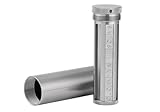
- [Seed Backup] Allows you to securely store your 24-word recovery phrase, providing you with the ultimate protection for your crypto assets. It is compatible with all BIP39 hardware or software crypto wallets, including Ledger, Trezor, KeepKey, and more
- [Durable and Secure] Made from high-quality 304 stainless steel, ensuring durability and resistance to wear and tear. The sturdy design and strong locking mechanism provide added security, making it a reliable tool for protecting your crypto seed phrase
- [Easy to Use] Straight forward setup by just sliding the corresponding letter tiles into the slots, without any third party involvement
- [Portable and Compact] Capsule design, compact and portable, making it convenient to carry with you wherever you go. It is suitable for those who are always on the move and want to ensure that their crypto seed phrase is always safe and secure
- [Gift Option] A thoughtful product for friends, family, or anyone who is interested in cryptocurrency
Do not write a PIN, passcode, or device unlock code on the same card as the recovery phrase. Those controls protect a particular device; the phrase can restore the wallet on a replacement device. Combining all credentials in one place increases the consequences of a single discovery.
Inspect the physical record periodically
At an interval that suits the storage environment, check that paper remains legible and metal marks or tiles have not shifted. Perform the inspection privately, without photographing the record. If a paper copy is fading or damaged, create a replacement by viewing the phrase on the trusted wallet’s documented interface or by using the manufacturer’s secure recovery-check process; never reconstruct it from memory or a partial digital note.
When moving the record, avoid public handling and do not announce its location. Keep a written inventory of the container’s general location, not the words themselves, so that trusted household continuity is possible without creating a copy of the secret.
Independent reader supportYour contribution helps us test, update, and keep practical guides available for everyone.What happens if the hardware wallet is lost, damaged, or reset
The device is replaceable only if the correct recovery backup still exists and the replacement supports the same recovery standard and account configuration. Losing the physical device does not by itself reveal the phrase, but losing the phrase can make the assets unrecoverable.
- Obtain a compatible replacement. Follow the manufacturer’s documented recovery flow and confirm that it supports the original backup type—BIP39 12 or 24 words, or SLIP39 20 words where applicable.
- Use the device’s recovery option. Select recovery rather than creating a new wallet. Enter the words only on the trusted device when its instructions explicitly request them.
- Check the resulting accounts. Confirm that the expected addresses and balances appear. If they do not, stop rather than trying the phrase on random websites or unrelated software. An incorrect word order, wrong word count, incompatible standard, or different account configuration may be responsible.
- Secure the recovered device. Set a new device PIN or passcode, update firmware only through the manufacturer’s documented process, and return the physical backup to its protected location.
Never send the phrase to customer support, even if a person claims to be an employee or says the words are needed to verify ownership. Legitimate support should not ask for the recovery phrase. If someone has seen or copied it, treat the wallet as compromised and move assets to a newly generated wallet using a clean, trusted setup; do not continue using the exposed phrase as the long-term backup.
The Tool Desk
Outbyte Driver Updater FREEFix the driver behind crashes, sound loss and screen glitchesFind Drivers →Outbyte PC Repair FREERepair Windows errors before they cause bigger problemsFix Now →Backup-standard compatibility at a glance
| Standard or format | Word count described in current guidance | Recovery implication |
|---|---|---|
| BIP39 | 12 or 24 words, according to Trezor documentation. | The replacement wallet or recovery software must support BIP39 and the appropriate account configuration; word count alone does not establish compatibility. |
| SLIP39 | 20 words, according to Trezor documentation. | Use a recovery path that supports SLIP39. Do not assume a BIP39-only device can restore it. |
These word counts are documentation values, not a promise that every wallet supports every format. Check the current manufacturer instructions for the exact model and firmware you are using. If documentation is unclear, resolve compatibility before an emergency; do not experiment by entering the phrase into an untrusted application.
Common mistakes and the safer correction
- Photographing the card: Delete the image only if you are certain it has not synchronized or backed up elsewhere; then create and verify a new physical record from a trusted wallet interface. If the image may have been copied, move funds to a newly generated wallet.
- Saving words in cloud storage: Remove every synchronized copy and review shared folders, device backups, and recycle bins. Assume exposure if you cannot prove that no one accessed the file, and migrate assets to a new wallet.
- Writing an incomplete phrase: Do not guess the missing word or rely on a partial list. Use the wallet’s secure verification or recovery process to create a complete, correctly ordered record.
- Mixing up two wallets: Label containers with a neutral identifier and keep non-secret device information separately. Never combine words from different wallets into one record.
- Using a “support” form: Close the page and contact support through the manufacturer’s official channel without disclosing the phrase. A request for the words is a stop signal.
- Storing the only copy with the device: Move the backup to an independent secure location. A theft, fire, or accidental disposal should not remove both recovery paths at once.
A practical safe-backup checklist
- Generate the phrase on the wallet’s trusted device during first-time setup.
- Copy every word, in order, onto a physical card or metal backup while keeping the screen and record private.
- Complete the device’s built-in confirmation or recovery check.
- Record the non-secret wallet model and backup standard separately for future compatibility checks.
- Store the physical record offline in a private place protected against casual discovery, fire, water, and accidental loss.
- Consider a second secure physical location only if you can protect both copies equally.
- Never photograph, scan, email, message, upload, paste, or type the phrase into an internet-connected device.
- Never import a hardware-wallet phrase into ordinary software-wallet applications.
- Ignore anyone—including supposed support staff—who asks for the words.
- If the phrase is exposed, stop using that wallet as a long-term store and migrate assets through a clean, newly generated wallet.
The essential rule
A safe backup is a complete, correctly ordered physical record created by the wallet, verified on the wallet, and protected as a bearer credential. Keep it offline, defend it against both digital theft and physical destruction, and use only a compatible manufacturer recovery process when a device must be replaced. The phrase should never appear on a camera, keyboard, website, cloud account, or support ticket.
Quick Recap
Product prices and availability are accurate as of the date/time indicated and are subject to change. Any price and availability information displayed on Amazon at the time of purchase will apply.




