
What’s actually slowing this PC down?
Pick the symptom - the matching free tool is one click away.
Some links on this page are affiliate links: if you buy through them we may earn a commission, at no extra cost to you.
If you only need an email address today, create a free Gmail or Outlook.com account. If you want an address such as [email protected], you need a domain plus either free mailbox hosting, free forwarding, or a paid email provider.
The distinction matters financially: a free @gmail.com or @outlook.com mailbox can cost nothing, while a custom-domain address usually still requires paying for domain registration and renewal. A custom-domain setup can be configured in about five minutes, but DNS verification and propagation may take longer.
As an Amazon Associate I earn from qualifying purchases.
Free tools Windows power users keep installed
One-click scans. No signup required.
Choose the kind of business email you actually need
There are three common meanings of free business email:
| What you want | Best route | What you receive | Cost reality |
|---|---|---|---|
| An address immediately | Gmail or Outlook.com | A mailbox ending in @gmail.com or @outlook.com |
Free, subject to each provider’s terms |
| A genuine branded mailbox | Zoho Mail’s Forever Free plan, if available in your data center | A mailbox such as [email protected] |
Email hosting may be free, but the domain normally is not |
| Incoming mail at your domain | Cloudflare Email Routing or ImprovMX | Mail forwarded to an existing Gmail, Outlook, or other inbox | Free forwarding plans exist, but this is not a full mailbox |
A mailbox stores, receives, and sends email. An alias is an additional address that delivers to an existing mailbox. A forwarder sends incoming messages elsewhere but may not give you a place to store or send messages. An email client, such as Gmail, Outlook, Apple Mail, or Thunderbird, is simply an app used to access email; it is not necessarily the company hosting your mailbox.
Popular on Amazon

- SLIM & COMPACT DESIGN: Holds 15–25 business cards (depending on card thickness) or a small number of standard-sized cards. Lightweight and slim profile fits easily in your pocket, briefcase, or bag—ideal for everyday business carry.
- PREMIUM PU LEATHER & STAINLESS STEEL: Crafted with a high-quality PU leather exterior and a durable stainless steel interior, offering a professional appearance with enhanced protection and long-lasting use.
- SECURE MAGNETIC CLOSURE: Built-in magnetic flip closure keeps your cards securely stored while allowing quick and easy access during meetings, presentations, or networking events.
- RFID BLOCKING PROTECTION: Integrated RFID blocking technology helps reduce the risk of unwanted wireless scanning for RFID-enabled cards, providing added peace of mind during daily professional use.
- IDEAL GIFT FOR PROFESSIONALS: A practical and stylish choice for business owners, entrepreneurs, sales professionals, and corporate staff—perfect for work, networking, or professional gifting.
For a custom-domain address, you need to own or control the domain and be able to edit its DNS records. You do not need a website. Website hosting and email hosting are separate services; Zoho’s domain setup requirements illustrate that domain ownership and DNS access are the relevant prerequisites.
Fastest option: create a free Gmail business address
A Gmail address can be used for an early-stage business, freelance practice, side project, or temporary venture. It is quick and familiar, but [email protected] is not the same as [email protected]. Google makes this distinction between personal Gmail and its paid custom-domain business email offering, Google Workspace.
Outdated Drivers Are Slowing You Down
One free scan finds every outdated or missing driver and matches the right update for your exact hardware.Free scan · exact hardware matchWindows Errors? Fix Them Before They Spread
Repair common Windows errors and clear accumulated junk for a smoother, more stable PC - no reinstall needed.Free scan · no reinstallGmail setup
- Open the Google Account sign-in page.
- Select Create account.
- Choose For my personal use or Work or business, depending on the option shown.
- Choose an available username.
- Create a password.
- Add recovery information and complete any requested verification.
Your new address ends in @gmail.com. Before using it publicly, send a test message to an unrelated Gmail or Outlook account and reply to yourself. Confirm that the visible From address is the one you intend customers to see.
Choose a professional Gmail username
Use a name that is easy to say, type, and remember. Examples include:
Avoid excessive numbers, slang, random characters, and names that look temporary. If the business name is not final, a simple personal-name address may be more durable than an address tied to a brand you might change.
Alternative: create a free Outlook.com address
Outlook.com is another free personal mailbox option. It is not the same product as a Microsoft 365 business account, and Microsoft’s free personal Outlook service is ad-supported according to its advertising information page.
Outlook.com setup
- Go to Outlook.com.
- Select Create free account.
- Choose an available username.
- Create a password.
- Complete the account-security steps.
New users generally create an @outlook.com address. Microsoft says new users can no longer create new @hotmail.com addresses, although older Hotmail addresses can continue to exist under Microsoft accounts.
Use an address such as [email protected] or [email protected]. Test both sending and receiving before adding it to invoices, a website, or a business directory.
Also popular on Amazon
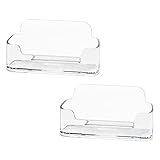
- Each business card holder can fit 40-50 cards, clear business card holder is ideal for creating an organized and professional desktop or countertop.
- For desk has extensive use. Ideal for clinic, offices, travel agencies, leasing offices, retail store, trade show booths, meeting room, hotel, reception center, and more.
- Made of sturdy plastic acrylic
- Light weight, simple and elegant design.
- Package: 2 Pack Business card holders
Best free custom-domain option: Zoho Mail
If you specifically need [email protected] and already control the domain, Zoho Mail’s current Forever Free plan is the clearest route to a genuinely free custom-domain mailbox—provided the plan is offered in your region and data center. The plan name describes Zoho’s current offering; it is not a guarantee that the provider can never change its plans or terms.
What the free Zoho plan includes—and what it does not
Zoho’s current pricing page lists these limits:
- One hosted domain.
- Up to five users.
- 5 GB of mail storage per user.
- No IMAP, POP, or ActiveSync access.
- Availability only in selected data centers.
The lack of IMAP, POP, and ActiveSync means the free plan may not work with Outlook, Apple Mail, Thunderbird, or other third-party mail apps in the normal way. You should expect to use Zoho webmail unless the current plan details say otherwise. Zoho’s business-email guide also lists 25 MB attachments and two-factor authentication for the free plan; check the current feature guide and pricing page before relying on those details.
Do these 3 things before closing this tab:
1Repair Windows errors before they cause bigger problems2Fix the driver behind crashes, sound loss and screen glitches3Clear out junk files and repair common Windows errorsIf you need several domains, more than five users, broader client compatibility, more storage, or a familiar Gmail- or Outlook-style desktop setup, a paid provider may be more practical.
Prerequisites
Before starting, gather:
- A domain you own or control, such as
yourbusiness.com. - Access to the domain registrar or DNS provider.
- A recovery email address and, where requested, a recovery phone number.
- The first mailbox name, such as
firstname,hello, orinfo. - Permission to change TXT, CNAME, MX, SPF, and DKIM records.
Zoho requires domain ownership verification before it will host mail for the domain. If you bought the domain through someone else or cannot access its DNS settings, you will need that person or provider to make the records for you.
Step-by-step Zoho setup
- Open Zoho’s pricing page. Choose the Forever Free Plan and follow its signup link. Do not accidentally begin a paid trial if your goal is a no-cost mailbox.
- Create the organization account. Enter the business or organization details and choose the option to use an existing domain. If the free plan is not shown, stop before entering payment details. Zoho says the plan is restricted to selected data centers, and some regions may require a paid plan after a trial. See Zoho’s subscription and availability documentation.
- Add your domain. In the current admin interface, go to Admin Console → Domains → Add. Enter the domain without
www, for exampleexample.com. Zoho documents this path in its domain setup instructions. - Verify ownership. Zoho may offer TXT, CNAME, HTML-file, or one-click verification for selected providers. TXT is generally the most portable method. Copy the unique TXT value Zoho displays, open the DNS manager for your domain, add it at
@or the provider’s equivalent root-domain field, save it, return to Zoho, and select Verify. Zoho says the record may take an hour or two to propagate; a failed immediate check does not necessarily mean the value is wrong. Follow the official verification instructions. - Create the first mailbox. Create an address such as
[email protected],[email protected], or[email protected]. The part before the@becomes the mailbox username. - Configure MX records. MX records tell other mail servers where to deliver incoming messages. Zoho commonly displays records similar to these:
| Host or name | Mail server | Priority |
|---|---|---|
@ or blank |
mx.zoho.com |
10 |
@ or blank |
mx2.zoho.com |
20 |
@ or blank |
mx3.zoho.com |
50 |
Do not blindly copy this table. Zoho says the exact MX hostnames can vary by data center. Copy the values shown in Admin Console → Tools & Configurations for your account and follow Zoho’s email-delivery instructions. Remove old or conflicting MX records unless you are intentionally setting up an approved migration or dual-delivery arrangement. Conflicting records can send mail to the wrong provider.
- Configure SPF and DKIM. SPF identifies systems authorized to send mail for your domain. DKIM adds a cryptographic signature that receiving servers can validate. Zoho recommends configuring both. Copy the exact SPF and DKIM values generated in the admin console rather than inventing them; use Zoho’s email-hosting setup guide.
- Test the mailbox. Send from the new address to an external Gmail or Outlook account, reply from that external account, and send from the new mailbox to a second external provider. If a message lands in spam, inspect its authentication results and confirm the visible From address.
The signup and initial DNS work may fit into five minutes if you already own the domain and know your DNS provider. Actual activation can take longer while TXT and MX changes propagate.
Receive-only custom email: Cloudflare Email Routing
Cloudflare Email Routing is useful if you want customers to write to [email protected] but are happy to read the messages in an existing Gmail or Outlook inbox. It is forwarding, not a normal mailbox.
What Cloudflare provides
Cloudflare can forward incoming messages addressed to your domain to a verified destination mailbox. Email Routing is available on Cloudflare’s free and paid plans, but the domain must use Cloudflare DNS. Cloudflare’s Email Service documentation explains the requirement.
Also popular on Amazon

- Package includes 3 black mesh business card holders.
- Mr. Pen business card holder is made of premium quality stainless steel with well-painted surface, which is sturdy and great for long-term use.
- Our business card holders, which are stylish and functional, make a great first impression on your clients and associates and help to promote your business by keeping your business cards organized and within reach all the time.
- Mr. Pen mesh business card holder has extensive use and is ideal for clinics, offices, travel agencies, stores, and more.
- You can use it as an everyday business card holder, smartphone holder, small size holder, or sticky note holder.
Setup path
- Move or delegate the domain’s DNS to Cloudflare.
- In the Cloudflare dashboard, go to Compute → Email Service → Email Routing.
- Select Onboard Domain and choose the domain.
- Add and verify the destination address, such as your existing Gmail account.
- Create a routing rule—for example, send
[email protected]to[email protected]. - Test delivery from an unrelated account.
Cloudflare says onboarding automatically adds the relevant MX, SPF, and DKIM records. Review the DNS changes carefully if the domain already has email configured, because changing MX records can redirect incoming mail away from the current provider. Its routing setup guide documents the current dashboard flow.
The important limitation
Cloudflare states that Email Routing does not support sending or replying from the custom domain through the routing service. If a forwarded message arrives in your Gmail inbox, a normal reply will generally come from your Gmail address, not [email protected]. A separate mailbox or sending system may be able to provide custom-domain sending, but that is not included simply because forwarding is enabled. See Cloudflare’s Email Routing limitations.
The Tool Desk
Outbyte PC Repair FREEClear out junk files and repair common Windows errorsFree Scan →Outbyte Driver Updater FREEScan for outdated or missing drivers - takes under a minuteDriver Scan →ImprovMX: another free forwarding option
ImprovMX’s current free plan is designed for forwarding rather than mailbox hosting. It lists:
- One domain.
- Up to 25 aliases.
- Up to 500 forwarded emails per day.
- Seven-day email-log retention.
- No free SMTP sending; SMTP sending is listed under paid plans.
This can be useful when you want addresses such as info@, support@, and sales@ to reach an existing inbox. Categorize it as a forwarding service, not as a standalone mailbox, unless you pair it with a separate service that stores mail and sends through your domain.
What “free” does—and does not—include
A free custom-domain mailbox may still require a paid domain
Zoho hosting or Cloudflare forwarding does not make the domain itself free. Domain registrations normally have registration and renewal charges. Registrars set their own prices, and introductory registration prices can differ substantially from renewal prices, as ICANN’s renewal guidance explains. The amount depends on the registrar and the top-level domain, such as .com, .co, or a country-code domain.
Before buying, check all of the following:
- The regular renewal price, not only the first-year promotion.
- Whether privacy or other domain services cost extra.
- Whether the domain is already connected to a website or another email host.
- Whether auto-renewal is enabled and which payment method will be charged.
Paid website hosting is not free email
Some hosting companies include one or more mailboxes with a paid website-hosting plan. That can be a reasonable bundle if you need hosting anyway, but it is not free as a standalone service. A promotional checkout price may also rise at renewal. Treat it as email included with paid hosting, not as a free mailbox. An example of this marketing model is described in WPBeginner’s guide, which directs readers to a paid hosting offer.
Free trials are not free plans
A trial can provide a full-featured mailbox temporarily and then require payment. Look for a clearly labeled free plan, confirm its user and storage limits, and stop before entering billing details if the available plan is not what you intended.
Troubleshooting custom-domain email
The Zoho free plan is missing
Possible causes include:
- The plan is unavailable in the selected data center or region.
- The signup began a paid trial instead of the Forever Free flow.
- The domain is already attached to another Zoho organization.
- The account is in a region where free plans are unavailable.
Zoho explicitly limits the free plan to selected data centers and notes that some regions may require a paid plan after a trial. Do not add payment details simply to continue unless you have decided to use the paid service. Revisit the Forever Free signup option, contact Zoho if the domain may already be associated with an organization, or use Gmail or Outlook temporarily.
Also popular on Amazon

- 💳 QUICK ACCESS & LARGE CAPACITY HOLD UP 1-12 CARDS: This mens wallet designed with enhanced enjection mechanism button to pop up cards quickly. The aluminum card holder holds 4-6, depends on the number of embossed cards, and the expandable metal backplate holds 5-6 additional cards. The actual capacity depends on the card thickness.
- 💳 ULTRA THIN PROFILE (SLIM WALLET FOR MEN): The minimalist tactical wallet is very thin and can be carried comfortably in a pocket. The aluminum cardholder size is 3.9*2.5*0.5in,weight only 2.6oz. And expandable backplate designed for additional storage. Ditch the bulk, less is more.
- 🔒 RFID & NFC BLOCKING: This smart wallet use advanced aluminium technology to protect your cards from unauthorized and contactless scanning. Stop thieves from cloning your bank cards and prevent data theft.
- 💳 KEEP CARD TIGHTLY: Our pop up wallet with inside silicone strip that keeps your cards to be held tightly compared with normal felt. No worry cards will fall out.
- 🎁 PERFECT PRESENT IDEA: Our minimalist wallets packed with a pretty box. Aluminum wallet for men is a great present for boyfriend, brother, son, husband, dad, or your male friends on christmas, birthdays, anniversaries, and father's Day.
Domain verification fails
Check these items:
- The TXT record was added at the DNS provider that controls the domain’s nameservers.
- The host or name field is
@or the provider’s root-domain equivalent. - The TXT value was copied exactly, without adding or removing characters.
- The domain’s nameservers point to the DNS provider you edited.
- You are checking the current verification record rather than an old one.
Wait for propagation and retry. Zoho says TXT verification may take an hour or two. If you recently changed nameservers, the delay can be longer because the authoritative DNS provider may not yet be the one you are viewing in your registrar account.
Mail is not arriving
Check the domain’s MX records from a terminal:
dig example.com MX +shortCloudflare documents this command for checking whether a domain’s MX records point to the intended mail provider in its email troubleshooting guide.
Also check for:
- Old hosting-provider MX records that were not removed.
- Duplicate or conflicting MX records.
- Incorrect priorities.
- MX records added to
www.example.cominstead of the root domain,example.com. - An expired domain.
- A provider-specific MX hostname copied incorrectly.
MX conflicts can direct different messages to different providers or prevent mail from reaching the mailbox you created. If you still need the old provider, do not delete records casually; determine whether you are migrating, forwarding, or intentionally using dual delivery.
Messages go to spam
Configure SPF and DKIM using the values supplied by your mail host. After confirming that all legitimate sending services are authenticated, add DMARC cautiously—especially if the domain sends through more than one provider. Cloudflare describes SPF, DKIM, and DMARC as the principal DNS records used to authenticate mail and reduce spoofing.
Authentication helps, but it does not guarantee inbox placement. Sender reputation, message content, recipient behavior, forwarding, and the receiving provider’s filters also matter. Do not treat a new free mailbox as a guarantee that every message will reach the inbox.
Forwarded mail fails authentication
Forwarding can interfere with DMARC, particularly when the original sender publishes a restrictive DMARC policy. Cloudflare warns that restrictive policies can cause forwarded messages to fail. If important messages are being rejected, use a direct mailbox or review the forwarding provider’s authentication behavior rather than assuming that forwarding is equivalent to hosting.
Quick wins for a faster PC:
Scan for outdated or missing drivers - takes under a minuteDriver Scan →Clear out junk files and repair common Windows errorsFree Scan →Fix the driver behind crashes, sound loss and screen glitchesFind Drivers →The domain expires
Email depends on the domain continuing to exist. If the domain is not renewed, email can stop working, and an expired domain may eventually be released for someone else to register. ICANN explains these consequences in its domain renewal guidance.
Protect the address you put on business cards and invoices by enabling registrar auto-renewal, using a recovery email that is not hosted only on the domain being renewed, recording the renewal date, and keeping a backup or export of important messages.
Also popular on Amazon

- EXCELLENT QUALITY - The business card holder is made of a combination of cherry and high-quality brass, the wood has the most unique texture, hand-polished by craftsmen. The natural flavor of the original wood, the beautiful luster of brass, low-key luxury, every detail shows the taste of luxury and elegance.
- LARGE CAPACITY - Holds up to 75 business cards depending on their thickness. The cherry business card holder quickly organizes your desk and keeps your business cards organized and protected from loss.
- APPLICABLE PLACES - Ideal for offices, business parties, trade shows, business meetings and places where business cards or other cards with business cards need to be displayed.
- UNIQUE DESIGN - Designed with brass frame and high-grade cherry base, it becomes the highlight of the desktop, which can further display business cards generously and elegantly with less obstruction, and at the same time, it can store a large number of business cards quickly and conveniently.
- FRIENDLY CUSTOMER SERVICE - If you have any questions, please feel free to contact us. Our service team will be happy to serve you. Your satisfaction is our motivation to move forward.
Secure the new address before using it publicly
- Turn on two-factor authentication for the mailbox and domain registrar.
- Add a recovery email address and phone number where available.
- Use a unique, long password stored in a password manager.
- Configure SPF and DKIM from the provider’s generated values.
- Add DMARC cautiously after identifying every legitimate sending service.
- Send test messages to both Gmail and Outlook and check delivery.
- Create a professional signature with your name, business, website if applicable, and contact details.
- Keep an export or backup plan before changing providers.
- Never put the mailbox password in website code, a contact form, or a shared document.
A regular mailbox is also not a substitute for a bulk-email platform. Newsletters, automated transactional messages, and high-volume campaigns require attention to consent, unsubscribe requirements, sending limits, reputation, and applicable law. Use a service designed for that purpose instead of sending mass mail from a free personal or small-business inbox.
When paying is the sensible choice
Free email is appropriate when your needs are small and the limitations are acceptable. Upgrade when the cost of a failed message, inaccessible mailbox, or confusing address is greater than the monthly fee.
Recommended Free Tools
- Choose paid Google Workspace if you specifically want Gmail with your custom domain, centralized administration, collaboration tools, and a conventional business setup. Google’s current pricing page lists Business Starter at $7 per user per month with a one-year commitment and shows flexible monthly pricing separately; prices, promotions, and availability vary by market and date. See Google Workspace pricing.
- Choose Microsoft 365 Business Basic if you prefer Outlook, Exchange-hosted custom-domain email, and Microsoft productivity tools with business user administration. Microsoft’s U.S. page currently lists Business Basic at $6 per user per month with annual billing and displays a lower-priced no-Teams version; regional pricing and plan configurations vary. See Microsoft’s current plan page.
- Choose another paid mail host if you need more storage, multiple domains, IMAP or mobile-client access, migration help, support, or predictable business continuity.
Free plans can be excellent for a solo operator, but the cheapest option is not always the lowest-cost option over time. Consider the domain renewal, the value of your time troubleshooting DNS, the importance of custom-domain replies, and the cost of migrating if your business outgrows the plan.
The practical recommendation
- Need an address right now: create a free Gmail or Outlook.com account.
- Need a real
[email protected]mailbox at no mailbox charge: try Zoho Mail’s Forever Free plan if it is available in your data center, accepting its one-domain, five-user, 5 GB-per-user, web-only limitations. - Only need incoming mail at your domain: use Cloudflare Email Routing or ImprovMX, but remember that forwarding is not full mailbox hosting and does not automatically give you custom-domain replies.
- Need dependable, expandable business infrastructure: budget for Google Workspace, Microsoft 365, or another paid host.
Frequently Asked Questions
Can I use a free Gmail address for my business?
Yes. Google says a personal Gmail account can be used for business. However, an address such as [email protected] does not use your own domain. A custom-domain address such as [email protected] requires a domain and a separate email-hosting or forwarding arrangement. See Google’s distinction between personal Gmail and business email at https://workspace.google.com/solutions/business-email/.
Do I need a website to create email at my own domain?
No. You need to own or control the domain and have access to its DNS settings. Website hosting is a separate service from email hosting.
Is Cloudflare Email Routing a complete free business mailbox?
No. It forwards incoming messages to another mailbox. Cloudflare says Email Routing does not support sending or replying from the custom domain through the routing service, so normal replies generally come from the destination Gmail or Outlook address.
Can I use Zoho’s free mailbox in Outlook or Apple Mail?
Zoho’s current Forever Free plan lists no IMAP, POP, or ActiveSync access. That means third-party email-client access may not be available on the free plan; webmail is the expected access method. Check Zoho’s current pricing page before signing up because plan details can change.
Is a domain included when email hosting is free?
Usually not. Domain registration and renewal are separate charges set by the registrar and affected by the domain extension. Check the regular renewal price, not only a first-year promotional rate.
The Bottom Line
The fastest free option is a Gmail or Outlook.com address. For a genuinely branded mailbox, try Zoho Mail’s free plan if available and accept its restrictions; for receive-only mail, use Cloudflare Email Routing or ImprovMX. In every case, check the domain cost, verify the DNS records, test sending and receiving, and secure the account before publishing the address.




