
The Tool Desk
Outbyte PC Repair FREEClear out junk files and repair common Windows errorsFree Scan →Outbyte Driver Updater FREEFix the driver behind crashes, sound loss and screen glitchesFind Drivers →Some links on this page are affiliate links: if you buy through them we may earn a commission, at no extra cost to you.
To “Apple Pay someone” from an iPhone, use Apple Cash. Open an iMessage conversation, tap + next to the text field, choose Apple Cash, enter the amount, tap Send, and authenticate with Face ID, Touch ID, or your passcode.
Apple Pay is the broader system for paying merchants with cards in Wallet. Apple Cash is the digital card and balance for sending and receiving money from people. Apple Cash person-to-person payments are currently available only in the United States—including the 50 states, Washington, D.C., and Puerto Rico—and the sender’s device must be in the United States.
As an Amazon Associate I earn from qualifying purchases.
Apple Pay, Apple Cash, Apple Card, and Apple Account balance: what’s the difference?
These Apple payment terms are easy to confuse, but they do different jobs:
| Service | What it does |
|---|---|
| Apple Pay | Lets you pay merchants in stores, apps, and websites with eligible cards stored in Wallet. You can also use Apple Cash through Apple Pay at participating merchants. |
| Apple Cash | A U.S.-only digital card and balance for sending, receiving, and requesting money from people. You can spend the balance with Apple Pay or transfer it to a bank account or eligible debit card. |
| Apple Card | Apple’s credit card. You do not need an Apple Card to send or receive Apple Cash. |
| Apple Account balance | Credit used for Apple purchases such as apps, subscriptions, games, music, movies, and other Apple services. It is separate from Apple Cash and cannot be used as a person-to-person cash balance. |
In short: Apple Pay is how you pay merchants; Apple Cash is how you pay people. Apple’s Apple Pay overview explains the distinction between spending with Apple Pay and sending money with Apple Cash.
Popular on Amazon
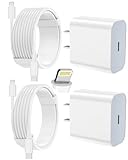
- 【Compatibility】This product is not compatible with all iPhone 15 and iPhone 16 models., Works With foriPhone 14,iPhone 14 Pro,iPhone 14 Pro Max,iPhone 14 Plus,iPhone 13,iPhone13 Pro,iPhone13 Pro Max,iPhone13 mini,iPhone 12 Pro Max,iPhone 12 Pro,iPhone 12,iPhone 12 mini,iPhone 11 Pro Max,iPhone 11 Pro,iPhone 11,iphone x,iphone xr
- 【MFi Certified Cable】Each cable contains a unique, verified serial number and an authorization chip issued by iphone to ensure 100% compatibility with any Lightning device.USB C to Lightning Cord fully supports the iOS version and all future updates.Please note that this charger does not work with iPhone 15 and iPhone 16 models.
- 【3X Fast Charging】The 12W 5V 3A USB-C port PD fast adapter wall charger and 6FT&10FT usb c to lightning fast charging cords,That is,it will charge your iPhone up to 50% power in just 30 minutes,and only takes 1.8 hours to charge your iPhone fully to save 1.5hrs more time for you!
- 【Superior Safety Fast Charging】FEEL2NICE lightning charger has multipotent safety system ensures complete protection for your lightning devices. The ETL certified wall charger built-in over-voltage protection, features a stable voltage. the lightning cable built-in smart chip to match the current required by devices automatically.
- 【What You Get 】2 pack of USB-C iPhone charger and 2 pack of 6FT&10FT USB-C to Lightning charging cable are packed in a box,1 year worry-free refund and replacement guarantee. If you have any questions, don't hesitate to contact us! We promise to solve your problems within 24 Hours!
Before you send Apple Cash
Confirm these requirements before troubleshooting a missing Apple Cash button:
- You are in the U.S. Standard Apple Cash is available only in the United States, including Puerto Rico. The sender’s device must be in the U.S. International or non-U.S. person-to-person transfers are not supported through Apple Cash.
- You are at least 18. People under 18 need an account created and supervised through Apple Cash Family.
- Your device is eligible and current. Use an eligible iPhone or Apple Watch running the latest supported operating system. Apple’s current guidance avoids relying on a permanent old-model cutoff because compatibility can change; check Apple’s current device and Apple Pay requirements.
- Two-factor authentication is enabled for your Apple Account.
- You use the same Apple Account in iCloud and iMessage.
- Apple Cash is set up in Wallet.
- You have a funding source. You need enough Apple Cash, an eligible debit card in Wallet, or both. An Apple Card is not required.
- The recipient is eligible. The other person generally needs an eligible Apple device, compatible software, an Apple Account, and Apple Cash access.
Apple may ask you to verify your identity. A verification review can temporarily limit sending, receiving, adding money, transfers, or purchases. Apple says an account review can take up to two business days, although the functions affected depend on whether the account is under review, restricted, or locked. See Apple’s identity-verification guidance and account restriction guidance.
Free tools Windows power users keep installed
One-click scans. No signup required.
How to set up Apple Cash on an iPhone
- Open Settings.
- Tap Wallet & Apple Pay.
- Turn on Apple Cash.
- Under Payment Cards, tap Apple Cash.
- Tap Continue and follow the onscreen instructions.
You may be asked for personal information or government identification. Complete verification if Apple requests it; some Apple Cash features and limits depend on verification.
Adding an eligible debit card to Wallet gives Apple Cash a way to fund a payment, but it does not automatically mean you have added money to your Apple Cash balance. A payment can normally use your Apple Cash balance first and draw from an eligible debit card for the remainder if the balance is too low. You can also use Wallet’s Apple Cash controls to add money from a supported U.S. debit or certain prepaid cards.
How to send money through Messages
This is usually the fastest way to reimburse a friend or pay someone you know.
- Open Messages.
- Open an existing conversation or start a new one.
- Tap the + button beside the text field.
- Tap Apple Cash.
- Enter the amount using the keypad or amount controls.
- Tap Send.
- Add an optional memo, such as “Dinner” or “February rent.”
- Tap the send or review button shown by your iPhone.
- Double-click the side button.
- Authenticate with Face ID, Touch ID, or your device passcode.
The conversation determines the recipient. Before authenticating, pause and check the displayed name, phone number or email address, amount, memo, and funding source. This is the point at which you should catch a wrong contact or an incorrect amount. Apple’s current send-and-receive instructions cover the available funding options and confirmation steps.
Do these 3 things before closing this tab:
1Clear out junk files and repair common Windows errors2Fix the driver behind crashes, sound loss and screen glitches3Repair Windows errors before they cause bigger problemsApple Cash normally uses your Apple Cash balance first. If it is insufficient, an eligible debit card can fund the remaining amount. Depending on the payment screen and your available sources, you may also be able to select an eligible debit card instead. Ordinary credit-card funding is not the current Apple Cash method.
How to send money from Wallet
Use Wallet if you want to choose a recipient independently of a message thread or review your Apple Cash activity before sending.
- Open Wallet.
- Tap the Apple Cash card.
- Tap Send or Request.
- Select a contact or add the recipient.
- Tap Next.
- Enter the amount.
- Tap Send.
- Double-click the side button and authenticate.
Wallet is also where you can review Apple Cash transactions, manage acceptance settings, set up recurring payments, and transfer a balance to a bank account or debit card.
How to pay someone nearby with Tap to Cash
Tap to Cash is an in-person Apple Cash feature. Two people hold compatible devices near each other to exchange Apple Cash without sharing a phone number or email address. It is different from Tap to Pay on iPhone, which is a merchant-acceptance technology that lets a business accept contactless payments.
PC Slower Than It Used to Be?
A free scan shows the junk files, broken settings and background clutter dragging Windows down - then fixes them in one click.Free scan · Windows 10 & 11Outdated Drivers Are Slowing You Down
One free scan finds every outdated or missing driver and matches the right update for your exact hardware.Free scan · exact hardware matchTap to Cash requirements
- A compatible iPhone running iOS 18 or later, or an Apple Watch running watchOS 11 or later.
- Apple Cash set up on the relevant device.
- Wi-Fi or cellular connectivity on both devices.
- U.S. Apple Cash availability.
Tap to Cash steps on iPhone
- Open Wallet.
- Tap the Apple Cash card.
- Tap Send or Request.
- Tap Tap to Cash.
- Enter the amount and, if desired, a note.
- Tap Next.
- Double-click the side button and authenticate.
- Hold the top of your iPhone near the recipient’s iPhone or Apple Watch.
- Have the recipient tap Accept or Decline.
Tap to Cash has its own $2,000 rolling seven-day send-and-receive limit, separate from the standard Apple Cash limits. Apple’s Tap to Cash instructions include the current device requirements.
How the recipient accepts Apple Cash
The recipient’s acceptance setting determines what happens after you send the payment:
- With automatic acceptance enabled, the payment may be accepted and added to the recipient’s Apple Cash balance automatically.
- With manual acceptance enabled, the recipient sees an Accept option in Messages and must tap it.
- If the recipient has not set up Apple Cash, tapping Accept starts the setup process.
- If the payment is not accepted within seven days, it automatically returns to the sender.
To change the recipient’s acceptance behavior on an iPhone, open Wallet, tap the Apple Cash card, tap the More button, tap Card Details, and choose Manually Accept Payments or Automatically Accept Payments.
Also popular on Amazon

- ●【Quality Service】: If you have any questions about the product, please feel free to contact us. Our service team will provide you with a satisfactory solution within 24 hours.
- ●【iPhone Charger Fast Charging】: iPhone charger cable is made of high purity copper core and intelligent smart chip with overcharge protection, current stabilization protection, automatic switching and battery protection, which can support up to 2.4A fast charging and 480 Mbps transmission speed.
- ●【Apple MFi Certification】: Apple MFi certified Lightning Cable is guaranteed not to pop up warning messages, ensuring your Lightning devices load and charge safely and quickly at the fastest possible speed.
- ●【iPhone Cable Nylon Braided Layer】: The iPhone charging cable is designed with a reinforced connector that has been tested to over 10,000 bends for extra protection and durability. The braided nylon insulation and precision layered welded connectors make this cable more durable and stronger than regular iPhone charger cables, while being flexible and tangle-free. Withstands daily connection needs and long-term use.
- ● 【iPhone Perfect Compatibility】: iPhone charger cable MFi certified with iPhone 13/12/11/11 Pro/11 Pro Max/XS/XS Max/XR/X/8 Plus/8/7 Plus/7/Sync 6s Plus/6s/6 Plus/6/5s/5c/5/Air 2/ mini/mini 2/mini 4 etc. compatible. 3 iPhone charging cables, extra long 10 feet, convenient to charge your device in bedroom, couch, office, back seat of car, travel
Once received, the recipient can spend the money with Apple Pay, send it to another person, or transfer it to a U.S. bank account or eligible debit card.
What’s actually slowing this PC down?
Pick the symptom - the matching free tool is one click away.
How to request money
You can request a specific amount rather than sending it yourself:
- Open a conversation in Messages.
- Tap + beside the text field.
- Tap Apple Cash.
- Enter the amount.
- Tap Request.
- Tap the send button.
The recipient can review the request and confirm or change the amount before paying. Requests are subject to the recipient’s eligibility, account status, and Apple Cash limits.
Sending Apple Cash in a group message
Current Apple documentation supports Apple Cash payments and requests in group conversations when the participants use compatible software and are eligible. In a group conversation, enter an amount, tap Send, choose the recipient, add an optional comment, and authenticate the payment.
This is not necessarily an automatic bill-splitting calculator. Apple Cash lets you send or request money within the group and choose a recipient; calculate each person’s share yourself unless your current interface specifically provides another feature. See Apple’s group-message payment instructions.
How to schedule recurring Apple Cash payments
Apple Cash can handle recurring payments to an individual, which may be useful for an allowance or a regular contribution.
- Open Wallet.
- Tap the Apple Cash card.
- Tap More.
- Tap Recurring Payments.
- Tap New Recurring Payment.
- Select the recipient.
- Choose the amount, start date, and frequency.
- Optionally add a memo.
- Review and authenticate.
Apple’s current iPhone guide lists weekly, biweekly, and monthly frequencies. Recurring payments are not available in a group conversation. Make sure the required balance or eligible funding source will be available when each payment is scheduled.
Apple Cash fees, limits, and transfer speed
There is no fee to send, receive, or request money with Apple Cash. Cashing out is different: a standard bank transfer is free, while an Instant Transfer to an eligible debit card has a fee.
The following are Apple’s current published limits as of February 2026. They use a rolling seven-day period, not a calendar week that resets at midnight on a particular day. Apple or Green Dot Bank may impose lower limits, delay a transaction, or block it for security or regulatory reasons.
Quick wins for a faster PC:
Repair Windows errors before they cause bigger problemsFix Now →Scan for outdated or missing drivers - takes under a minuteDriver Scan →Clear out junk files and repair common Windows errorsFree Scan →| Function | Current published limit or fee |
|---|---|
| Standard send or receive | $1 minimum and $10,000 maximum per message; $10,000 in a rolling seven-day period |
| Verified Apple Cash balance | $20,000 |
| Add money from a supported debit or prepaid card | $10–$10,000 per transaction; $10,000 in a rolling seven-day period |
| Transfer to a bank account or debit card | $1 minimum, unless transferring the entire balance under $1; $10,000 per transfer and $20,000 in a rolling seven-day period |
| Tap to Cash | $1–$2,000 per transaction; $2,000 in a rolling seven-day period |
| Apple Cash Family send or receive | $1–$2,000 per transaction; $2,000 in a rolling seven-day period |
| Apple Cash Family balance | $4,000 |
| Apple Cash Family transfer out | $2,000 per transfer; $4,000 in a rolling seven-day period |
| Send, receive, or request | No fee |
| Standard bank transfer | No fee |
| Instant debit-card transfer | 1.7%, with a $0.25 minimum and $25 maximum |
See Apple’s current Apple Cash limits and requirements before relying on a large transfer, because limits and security decisions can vary by account.
How to transfer Apple Cash to your bank
Standard transfer to a U.S. bank account
A standard transfer generally takes one to three business days and has no transfer fee.
- Open Wallet.
- Tap the Apple Cash card.
- Tap More.
- Tap Transfer to Bank.
- Enter the amount.
- Choose 1–3 Business Days.
- Add or select a U.S. bank account.
- Enter and confirm the routing and account numbers.
- Double-click the side button and authenticate.
Check the routing and account numbers carefully. A wrong number can delay or misdirect a transfer.
Instant Transfer to an eligible debit card
Choose Instant Transfer rather than the standard bank-transfer option. It generally posts immediately but can take up to 30 minutes and requires an eligible U.S.-issued debit card.
Recommended Free Tools
Also popular on Amazon
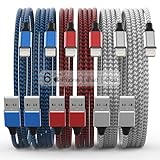
- Durability: iPhone Charger Cable covered with braided nylon sheath. The polished aluminum alloy case not only fits your iPhone, but also prevents physical compression
- Portable: Lightweight and without tangled cables. You can take it with you wherever you want. Our cable is the optimal choice for charging your iPhone
- Fast Charging and Data Transfer: Highly pure and thicker copper wires ensure faster and more stable charging, which has a positive effect on the battery life of the mobile iPhone
- Case Compatible Design: Fits to your charging port, no need to remove the iPhone case, solve tedious troubles, and charge when you want to charge all the time
- Multiple Length Options: Package includes 6 cables in various lengths of 3, 3, 6, 6, 6, and 10 feet, providing flexibility for home, office, car, and travel use
The current fee is 1.7%, with a minimum of $0.25 and a maximum of $25. Apple shows the exact fee before you confirm, so review the net amount before authenticating. “Instant” here describes cashing out to a debit card; it does not mean every bank transfer is immediate.
Apple Cash services are provided by Green Dot Bank, Member FDIC; Apple is not a bank. FDIC coverage and full functionality can depend on identity verification and account eligibility. Apple explains the applicable terms in its Apple Pay and Apple Cash security information.
How to cancel, reject, or recover an Apple Cash payment
Cancel a pending payment
You can cancel a payment only while its status is Pending:
- Open Wallet.
- Tap the Apple Cash card.
- Tap the transaction.
- Tap the transaction again on its detail screen.
- Tap Cancel Payment.
If the status is Completed, the normal Apple Cash flow does not let the sender cancel it.
Reject an incoming payment
- Open Wallet.
- Tap the Apple Cash card.
- Find the payment under Latest Transactions.
- Tap the payment twice.
- Tap Reject Payment.
If Reject Payment is not available, the payment may already have been accepted.
If you sent money to the wrong person
- Pending: Cancel it immediately using the steps above.
- Not accepted: Wait for the seven-day acceptance period to expire; the payment should automatically return.
- Completed: Ask the recipient to send the same amount back. Do not assume Apple can reverse a completed person-to-person payment.
Apple treats Apple Cash person-to-person payments as private transactions between individuals. If the recipient will not return a completed payment, recovery may be difficult. Apple’s transaction and unrecognized-payment guidance explains the available steps.
Why Apple Cash is secure—but not scam-proof
Apple Cash payments require authentication with Face ID, Touch ID, or the device passcode. Apple Pay’s broader card-payment architecture also uses device-specific payment credentials and transaction-specific security codes for card payments. That protects the payment process, but it does not make a completed payment to the wrong person reversible or provide automatic purchase protection.
Apple says Apple Cash information may be handled by Apple, Apple Payments Services, and Green Dot Bank for processing, troubleshooting, fraud prevention, and regulatory purposes. Tap to Cash avoids giving the other person your phone number or email address, but it is not anonymous to the service providers handling the transaction. See Apple’s Apple Cash privacy notice.
Use Apple Cash only with people you trust
- Verify the recipient’s name, phone number or email address, amount, and funding source before authenticating.
- Do not use Apple Cash to pay an unknown seller through an online marketplace. A person who pays for an item that never arrives may not get the money back.
- Never send Apple Cash in exchange for a check from a stranger.
- Never send money to someone claiming to be Apple Support, your bank, the IRS, or another government agency.
- Apple will not ask you to make an Apple Cash payment to fix a device or account.
- Never share your Apple Account password, verification code, recovery key, or device passcode.
- Take an iPhone warning about an outside-contact recipient or risky transaction seriously.
If a payment or debit-card charge was unauthorized, secure your Apple Account and contact an Apple Cash Specialist at Green Dot Bank. Do not follow instructions from a suspicious caller or message claiming to be support.
Apple Cash Family for children and teens
Someone under 18 cannot generally open a standard individual Apple Cash account. An Apple Cash Family account can be created by a Family Sharing organizer for a child or teenager.
The organizer can view activity, receive transaction notifications, limit who the child can send money to, and lock the account. Family accounts have lower limits than standard adult accounts. A child under 13 cannot add a debit card to Wallet for Apple Cash. Teens 13 and older may use eligible debit-card transfers, subject to Apple Cash Family rules and limits. Apple’s Apple Cash Family guide has the current requirements.
Independent reader supportYour contribution helps us test, update, and keep practical guides available for everyone.What to do when Apple Cash does not work
| Problem | Likely cause | What to try |
|---|---|---|
| Apple Cash is missing from Messages | Apple Cash is not set up, iOS is outdated, or the conversation is not eligible | Update iOS, enable Apple Cash in Settings, confirm iMessage is active, and verify both users’ eligibility. |
| The recipient is not eligible | The recipient lacks a compatible device or software, is outside the U.S., or has not met Apple Cash account requirements | Ask the recipient to update software, use the same Apple Account in iCloud and iMessage, set up Apple Cash, and complete identity verification if requested. |
| The payment is declined | The debit-card issuer declined the funding transaction | Contact the bank or card issuer. If available, try sending from your Apple Cash balance instead. |
| The payment says Pending | The recipient has not accepted it or manual acceptance is enabled | Check the transaction in Wallet. Cancel it while pending, or wait for the seven-day automatic return. |
| The payment went to the wrong person | The wrong contact method or recipient was selected | Cancel it if pending. If completed, ask the recipient to send it back. |
| A bank transfer fails | Incorrect routing or account details, an ineligible debit card, outdated software, an identity issue, or a limit | Recheck the information, update iOS, verify your identity, check your limits, and contact Apple Cash support if the problem continues. |
| The Apple Cash account is restricted or locked | Identity-verification failure, suspected fraud, multiple accounts associated with one Social Security number, or a security review | Follow the onscreen instructions. If none appear, contact an Apple Cash Specialist at Green Dot Bank. A review can take up to two business days. |
| The recipient says the money did not arrive | Manual acceptance is enabled or the payment remains pending | Open the payment in Messages and tap Accept, then check Wallet transaction history. |
| Tap to Cash does not work | The devices do not meet the iOS 18/watchOS 11 requirement, Apple Cash is not set up, or connectivity is unavailable | Update both devices, enable Apple Cash, connect to Wi-Fi or cellular, and try again with the devices close together. |
For a broader failure, check Apple’s system status, install the latest supported software, confirm that iCloud and iMessage use the same Apple Account, check the recipient’s eligibility, review account restrictions, and confirm that you have not reached a limit. Apple’s Apple Cash troubleshooting guide lists these checks.
When Apple Cash is—and is not—the right choice
Apple Cash is a good fit when both people use eligible Apple devices, the payment is between trusted friends or family, and you want a built-in option without installing another payment app. The recipient can spend the balance through Apple Pay or transfer it later.
Also popular on Amazon

- 3X iPhone Fast Charger : PD 3.0 20W USB-C charger with 6ft type c to lightning cord, charges iPhone 11 12 13 14 up to 60% in just 30 minutes, which saves more than 1 hour for you, when compared to the 5W original charger.
- Universal Compatibility: 20W PD adapter wall plug to fast charge for iPhone 14/14 Plus/14 Pro/14 Pro Max/13/13 Mini/13 Pro/13 Pro Max/12/12Pro/12 Pro Max/12 Mini/11/11 Pro/11 Pro Max/XS Max/XS/X/XR/8 Plus/8 , iPad Pro/ iPad Air/ iPad, AirPods Pro;Standrad Charging Speed works with iPhone 7/7 Plus/6s/6s Plus/6/6 Plus/SE/5s/5/5c.
- MFi Certified: Made with original Chip, the USB C to Lightning cord full support with iOS versions and all future updates; They are of high quality, pull-resistance, fast charging and 480Mbps high transmission speed certification ensures complete charge and sync compatibility with your iPhone/iPad devices.
- Superior Safety Fast Charging: MAILESI 20W lightning charger has multipotent safety system ensures complete protection for your lightning devices; iPhone fast charge built-in over-voltage protection, features a stable voltage. the lightning cable built-in smart chip to match the current required by devices automatically.
- What You Get :2 Pack of 20W USB-C iPhone charger and 2 Pack of 6FT & 10FT USB-C to Lightning charging cable,1 year worry-free refund and replacement guarantee. If you have any questions, don't hesitate to contact us! We promise to solve your problems within 24 Hours!
Choose another method when:
- The recipient uses Android or cannot receive Apple Cash.
- The payment crosses Apple Cash’s U.S.-only availability boundary.
- You need an international transfer, another currency, or a business payment.
- You are buying from an unknown seller and need marketplace buyer protection.
- You need a completed payment to be easily reversed.
- The amount exceeds Apple Cash’s applicable limits.
For Android users, international payments, business transactions, or marketplace purchases, use a bank transfer or payment service supported by both parties and by the relevant marketplace. Apple Pay itself does not turn into a person-to-person payment service for Android recipients.
Frequently Asked Questions
Can I send Apple Cash to an Android phone?
No. Apple Cash person-to-person payments require an eligible Apple device and Apple Cash setup. Apple Pay itself does not send a person-to-person payment directly to Android. Use a bank transfer or another payment service supported by both people.
Can I use Apple Cash outside the U.S.?
No. Apple Cash person-to-person payments are currently available only in the United States, including the 50 states, Washington, D.C., and Puerto Rico. The sender’s device must be in the United States, and the recipient must also meet Apple Cash eligibility requirements.
Does the recipient need Apple Cash set up already?
Not necessarily. If the recipient has not set up Apple Cash, tapping Accept can begin the setup process. The payment may remain pending until the recipient accepts it, and an unaccepted payment automatically returns after seven days.
Can I send money from a credit card?
Apple Cash uses your Apple Cash balance and/or an eligible debit card. Ordinary credit-card funding is not the current Apple Cash method. You also do not need an Apple Card to send money.
Is Apple Cash free?
Sending, receiving, and requesting money are free. A standard transfer to a U.S. bank account generally takes one to three business days and has no fee. An Instant Transfer to an eligible U.S.-issued debit card costs 1.7%, with a $0.25 minimum and $25 maximum.
How long does the recipient have to accept Apple Cash?
Seven days. If the recipient does not accept the payment during that period, it automatically returns to the sender. Automatic acceptance may add the money to the recipient’s balance sooner.
Recommended Free Tools
Can I cancel a completed Apple Cash payment?
No. You can cancel a payment while its Wallet status is Pending. Once it is completed, ask the recipient to send the money back; Apple does not provide a normal cancellation button for a completed person-to-person payment.
What if I send money to the wrong person?
Open Wallet, select the Apple Cash transaction, and cancel it if it is still pending. If it has not been accepted, it should return automatically after seven days. If it is completed, contact the recipient and ask them to send it back. Do not rely on Apple to reverse it automatically.
How do I transfer Apple Cash to my bank?
Open Wallet, tap the Apple Cash card, tap More, choose Transfer to Bank, enter the amount, and select either 1–3 Business Days for a free bank transfer or Instant Transfer for an eligible U.S.-issued debit card. Instant Transfer has a 1.7% fee and may take up to 30 minutes.
Can a child use Apple Cash?
Someone under 18 generally needs Apple Cash Family, created by a Family Sharing organizer. The organizer can monitor activity, receive notifications, restrict recipients, and lock the account. Children under 13 cannot add a debit card to Wallet for Apple Cash, and Apple Cash Family has lower limits.
What is the difference between Apple Pay and Apple Cash?
Apple Pay is the system for paying merchants with cards in Wallet. Apple Cash is the digital balance and card used to send, receive, or request money from people. You can spend received Apple Cash with Apple Pay, but Apple Pay is not itself the person-to-person transfer feature.
Is Apple Cash safe for online purchases from strangers?
It is not a good choice. Apple Cash requires device authentication, but that does not guarantee purchase protection or reverse a completed payment. Apple advises sending Apple Cash only to people you know and trust and warns against paying unknown marketplace sellers, strangers, or anyone impersonating Apple, a bank, or a government agency.
The Bottom Line
For a normal iPhone-to-iPhone payment, open an iMessage, tap +, choose Apple Cash, enter the amount, verify the recipient, and authenticate. Sending is free, but Apple Cash is U.S.-only and completed payments to the wrong person may not be reversible. Use Tap to Cash for a nearby exchange, and use a standard bank transfer or Instant Transfer only when you are ready to move the Apple Cash balance out of Wallet.




