Quick wins for a faster PC:
Fix the driver behind crashes, sound loss and screen glitchesFind Drivers →Repair Windows errors before they cause bigger problemsFix Now →FXOpen’s MetaTrader 5 access is tied to its ECN offering, but the arrangement depends on which FXOpen legal entity holds the account. FXOpen’s current documentation says that only ECN trading accounts are supported on MT5. A standard or non-ECN account cannot be moved to MT5 simply by downloading the platform.
There is another important distinction: FXOpen UK and FXOpen EU currently list MT5 ECN accounts, while FXOpen Markets Limited lists TickTrader ECN accounts rather than MT5. Check the entity available to you before opening an account or installing software.
As an Amazon Associate I earn from qualifying purchases.
What FXOpen’s MT5 ECN access actually means
FXOpen launched its MT5 ECN service on October 17, 2018. The company said the MT5 ECN conditions were the same as its regular ECN conditions at launch. FXOpen’s current description says MT5 provides market execution, interbank liquidity, real-time quotes, Depth of Market, market and pending orders, and Expert Advisor support.
Free tools Windows power users keep installed
One-click scans. No signup required.
That does not mean every FXOpen account is compatible with MetaTrader 5, nor does “ECN” mean a guaranteed direct connection to an exchange. Foreign exchange is an over-the-counter market. FXOpen describes its ECN pricing as aggregated quotes from banks and other liquidity providers, with the available spread depending on current buy and sell orders.
#1 Best Overall

- Visual Trading Assistant: During trading, frequent reference to charts is essential, but traditional methods are inefficient. This trading mouse pad places the charts within your line of sight so that you can "see them at a glance anytime", thus shortening response time as if an experienced mentor were guiding you.
- Mobile Learning Tool: It transforms complex knowledge into memory points that can be encountered in daily life. Users gradually increase their sensitivity to trading information by repeatedly observing the graphics on the mouse pad. A stock trading gifts for stock market invest day trader.
- Low-Cost High-Return: Compared with expensive technical courses, this mouse pad printed with trading patterns provides continuous knowledge output at a low cost and supports instant review, helping you master trading skills better.
- Professional Material Design: Featuring a non-slip rubber base and smooth fabric, it ensures precise mouse positioning and prevents errors due to slipping during trading. With a 3mm thick design, edge-locking technology, and ergonomically soft rubber, it effectively reduces arm fatigue, making it suitable for those who need to watch the stock market for long periods, also a gaming mouse pad.
- Personalized Pattern Design: The red-green-white color scheme allows you to quickly and accurately find the corresponding stock trend guide. If you have any suggestions or needs, please feel free to contact me, and I will reply within 24 hours.
Which FXOpen entities offer MT5 ECN?
FXOpen’s current comparison is entity-specific:
| FXOpen entity | MT5 ECN | Other listed platform or account access |
|---|---|---|
| FXOpen Markets Limited | Not listed | TickTrader ECN NET and ECN GROSS |
| FXOpen Ltd, United Kingdom | Listed | MT4 and TickTrader |
| FXOpen EU Ltd | Listed | MT4 and TickTrader |
For the UK and EU entities, FXOpen lists EUR, GBP and USD as MT5 account currencies. It lists retail leverage up to 1:30 and professional leverage up to 1:500 for both. These figures are not universal FXOpen terms: the applicable entity, regulatory classification, account type and client status determine the terms you receive.
Before depositing money, confirm the legal entity in your application and read the current account terms. Platform availability can be different even where the brand name is the same.
How to open an FXOpen MT5 ECN account
Live account through the Client Portal
- Sign in to the FXOpen Client Portal.
- Go to
Accounts → Trading accounts → +Add an account. - Select the MT5 / ECN (MT5) option available for your entity.
- Choose the account currency and leverage.
- Submit the form and note the trading-account number and server details.
FXOpen says the new account’s login details appear on screen and are also sent by email. Save them before leaving the page. The account number and server are separate from your Client Portal email and password.
Recommended Free Tools
Demo account
From the Client Portal, use Trading accounts → Demo accounts → +Add a demo account. Select the account type, currency, leverage and starting balance, then click Continue.
You can also open a demo from MT5. In the desktop web-terminal instructions, select:
Rank #2

- ✔【Design Inspiration】It's time for you to make your mark in the stock market. Green picture background draws its unique design inspiration from stock WIN, symbolizing good luck and stock guidance. JIKIOU hopes bring good luck and profession to every customer
- ✔【Stock Market Mouse Pad】Designed for Stock Market Invest. Included candlesticks reversal indicators and some useful charts for selling or stopping, and it was orderly organized in an easy-to-find arrangement, grouped into frequently used operations such as investing beginners, and day trader for trading
- ✔【Clear Stock Analysis】Features an extensive collection of trading chart patterns, indicators, and formation guides, clearly illustrated candlestick patterns, trend lines, support/resistance levels, and so on with color-coded visuals
- ✔【Print Quality】 Stock market at your finger tips, clear print, easy to use and save the effort of looking up stock market operations on web pages or books
- ✔【Durable & Non-slip】Features delicate edges which can prevent wear, deformation and degumming in prolonged use, and the natural rubber base prevents sliding on most surfaces
MetaTrader 5 → FXOpen-MT5Complete the form, select I agree and click Next. A demo is useful for checking symbol availability, order types and platform operation, but it cannot reproduce live spreads, fills or slippage reliably.
Install FXOpen’s MT5 terminal
FXOpen directs users to download its branded installation file rather than assuming that any generic MT5 installation will contain the correct server configuration.
- Visit
PLATFORMS → Trading Platforms → MT5on FXOpen’s website. - Download the MT5 – FXOpen installation file.
- Run the installer.
- Accept the license agreement and click Next.
If you use a generic MetaTrader 5 download and cannot find the FXOpen server, the problem may be the broker-server configuration rather than your account credentials.
Log in to MT5
Windows desktop
In MT5, open:
File → Login to Trade AccountEnter the following:
| Field | What to enter |
|---|---|
| Login | Your FXOpen trading-account number |
| Password | Your Trader password |
| Server | The server named in FXOpen’s registration email |
| Save password | Optional |
The server must match the registration email. If it is missing from the drop-down list, type it exactly as provided. FXOpen gives real3.fxopen.com:443 as an example. If you no longer have the email, contact FXOpen support to confirm the server rather than guessing.
Android
- Open the main menu and tap Manage accounts.
- Tap the add-account icon.
- Search for FXOpen.
- Choose Login to an existing account.
- Enter the trading-account login and Trader password.
- Enable Save password, if needed, and tap Login.
iPhone and iPad
- On the New Account screen, tap Login to an existing account.
- Search for FXOpen.
- Enter the trading-account login and Trader password.
- Enable Save password, if needed, and tap Sign in.
Trader password and Investor password are not interchangeable
FXOpen provides two MT5 password types:
- Trader password: allows you to place and manage trades.
- Investor password: provides read-only access to balances, profit and loss, open positions and account history. It does not allow trading or account changes.
A common failure mode is a successful login followed by a disabled New Order button. If that happens, reconnect through File → Login to Trade Account using the Trader password. A working connection does not prove that you logged in with trading privileges.
Rank #3

- Freestanding Keyboard Cart: Place your keyboard and mouse in a convenient location next to your workstation, gaming chair, sofa, recliner, and more! The main 20.6” x 9.5” tray fits the majority of keyboards on the market
- Tilting Design: Enjoy ergonomic typing angles and a flexible setup with forward and backward tilt for both platforms
- Precise Height Adjustment: The keyboard and mouse trays are independently height adjustable so that you can find the most ergonomic position for each
- Smooth Mobility: Four durable casters (2 are lockable) provide convenient mobility on a variety of floor types
- Comfortable Padding: A wrist pad and mouse pad are both included for maximum comfort while you work
To change either password on desktop MT5, use:
Tools → Options → Server → ChangeCheck a symbol before placing an order
Quotes appear in the Market Watch window. If the instrument you want is not visible, use the Market Watch symbol-management controls to display it, then inspect its properties before trading.
FXOpen identifies several fields that can vary by instrument:
- Minimum and maximum trade volume
- Volume step
- Contract size
- Price precision
- Leverage and margin calculation mode
- Margin and profit currency
- Maximum slippage control
- Trading-session status
- Whether the symbol is currently tradeable
These details can explain rejected orders. For example, an order for 0.015 lots may fail if the symbol’s volume step is 0.01 or 0.10. An order can also be unavailable outside the instrument’s trading session even when quotes remain visible.
Place market and pending orders
FXOpen lists several ways to open the order ticket:
- Click the New Order toolbar button.
- Right-click the instrument in Market Watch and choose New Order.
- Right-click the chart and select Trading → New Order.
- Right-click in the Trade tab of the Terminal window and choose New Order.
MT5 supports market orders, pending orders, Stop Loss, Take Profit and Trailing Stop orders. FXOpen also provides Depth of Market, which displays Level 2 pricing where available. Order entry can be initiated from the New Order window, Depth of Market, One-Click Trading or the chart shortcut menu.
Rank #4

- Comfortable Usage Experience: Ergonomic design release your hand from fatigue; Professional mechanical feeling bring you cool usage experience no matter for working or gaming
- Cool Visual Effects:3-LED backlit for keyboard and 7 color breath light for mouse make the keyboard&mouse combo cool and beauty, allow you use it in dark,gorgeous but practical
- Enhanced durability : Keyboard keys life 5 million click, Mouse keys life 3 million click, 4 DPI (1200/1600/2400/3200 DPI) ,Laser carved characters, non-slip design
- Easy to Install & Widely Used No Driver Needed: Support Windows10,windows 8, Windows 7, Windows Vista, Windows XP.PC Laptop Pad Google Android TV Box HTPC IPTV Smart TV Mac IOS Raspberry Pi all version63+ etc.
- Professional customer service team, all these promise you a happy purchase. We will be appreciated for contacting us seller first when you meet any question
For a pending order, specify the order type, volume and execution price. You can add Stop Loss and Take Profit levels and choose an expiration rule. FXOpen documents these options:
| Setting | Meaning |
|---|---|
| GTD | Good Till Date; expires at the selected time |
| GTC | Good Till Canceled |
| IOC | Immediate or Cancel; FXOpen documents this for Limit orders, with any unfilled portion canceled |
ECN spreads, commission and execution
ECN pricing is not the same as a fixed spread. FXOpen says its aggregator collects available prices from liquidity providers and supplies the best available real-time Bid and Ask. The spread can change as liquidity changes, and the displayed price is not a promise that the entire order will fill at that price.
ECN accounts charge commission. FXOpen says the rate may depend on account equity, trading volume in the previous month and any referring-agent or affiliate arrangement. Check the current TRADING → Commission & Swaps section for the rate that applies to your account. Older examples on review websites may no longer be accurate.
Independent reader supportYour contribution helps us test, update, and keep practical guides available for everyone.Margin call and stop-out levels
FXOpen’s dedicated margin guidance states:
| Event | Margin level |
|---|---|
| Margin call | Below 100% |
| Stop-out | Below 50% |
Margin level is the ratio of equity to used margin. A falling margin level can result from losses, increased margin requirements or both. Do not rely on an older FXOpen FAQ that mentions a 10% stop-out figure; the dedicated current margin article gives the ECN-specific 100% margin-call and 50% stop-out thresholds.
Do these 3 things before closing this tab:
1Scan for outdated or missing drivers - takes under a minute2Clear out junk files and repair common Windows errors3Fix the driver behind crashes, sound loss and screen glitchesTo investigate a possible stop-out in MT5, open Terminal window → Account History and inspect the Comment column. If it is hidden, right-click in Account History and select Comment. Your current margin level appears in Terminal window → Trade.
Best Value
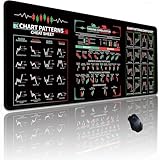
- ALL-IN-ONE TRADING COMPANION: Keep essential knowledge at your fingertips. The printed cheat sheet features clear, easy-to-read diagrams of the most critical candlestick and chart patterns (like Head & Shoulders, Double Tops/Bottoms, Bullish/Bearish Flags, and more), saving you precious time from searching through screens or books mid-trade
- PREMIUM QUALITY & DURABILITY: Built to withstand the rigors of a fast-paced trading environment. The smooth, high-density micro-woven fabric surface ensures precise and fluid mouse tracking, while the robust rubber base guarantees it stays firmly in place through every market move
- ENHANCE WORKFLOW & EFFICIENCY: Its expansive desktop-scale dimensions (31.5" x 11.8") provide ample space for your keyboard, mouse, and even a secondary device. This organized setup allows for seamless switching between charts, order tickets, and analysis tools, significantly enhancing your overall trading efficiency and comfort
- REFINED & PROFESSIONAL DESIGN: Featuring neat, sewn edges, this mouse pad resists fraying and curling over time, ensuring a long-lasting, polished look on your desk. The sleek, professional design with the strategic cheat sheet integration makes it a functional and impressive tool for any serious trader's office or home setup
- ANTI-SLIP & COMFORTABLE: The thick, high-quality rubber base provides a 100% non-slip grip on any desk surface, preventing unwanted movement during crucial moments. The generous 0.12-inch thickness also offers comfortable wrist support, helping to reduce fatigue during long hours of market analysis and trading
What to verify before funding
- Confirm which FXOpen entity will hold your account.
- Verify that the entity offers MT5 ECN, rather than TickTrader-only access.
- Check the current commission, swap, leverage and margin terms.
- Download the FXOpen MT5 terminal or confirm the correct FXOpen server.
- Use a demo to test symbols and order handling.
- Keep the trading-account number, server and Trader password separate from your Client Portal credentials.
- Check contract size, minimum volume, volume step and trading hours before placing an order.
Trading leveraged CFDs and foreign exchange carries a substantial risk of loss. Leverage can magnify both gains and losses, and a stop-out can close positions without waiting for a preferred price.
FAQ
Can any FXOpen account use MetaTrader 5?
No. FXOpen’s current guidance says that only ECN trading accounts are supported in MT5. You must open or use an eligible MT5 ECN account.
Does every FXOpen entity offer MT5 ECN?
No. FXOpen currently lists MT5 ECN for FXOpen Ltd in the UK and FXOpen EU Ltd. FXOpen Markets Limited is listed with TickTrader ECN NET and ECN GROSS instead of MT5.
Crashes, No Sound, or Screen Glitches?
Random freezes, missing sound and display glitches usually trace back to one bad driver. Find and replace yours safely.Free scan · under a minutePC Slower Than It Used to Be?
A free scan shows the junk files, broken settings and background clutter dragging Windows down - then fixes them in one click.Free scan · Windows 10 & 11What credentials are needed for FXOpen MT5?
Use the trading-account number, Trader password and the server specified in FXOpen’s registration email. The Client Portal email and password are separate credentials.
Why is the New Order button disabled after login?
You may have logged in with the Investor password. Reconnect through File → Login to Trade Account and enter the Trader password.
Are FXOpen MT5 ECN spreads fixed?
No. FXOpen says spreads depend on buy and sell orders available from its liquidity providers. ECN accounts also charge commission, with rates depending on the applicable account terms.
What are FXOpen’s MT5 ECN margin thresholds?
FXOpen’s dedicated margin article states that the margin call occurs below 100% margin level and stop-out occurs below 50%.
The Bottom Line
FXOpen does provide ECN trading through MT5, but only through eligible ECN accounts and only where the relevant FXOpen entity lists MT5 support. For most users, the practical checklist is: confirm the entity, open an MT5/ECN account, install FXOpen’s branded terminal, log in with the trading-account number and Trader password, and check the instrument’s trading specifications before risking funds.
Quick Recap
Product prices and availability are accurate as of the date/time indicated and are subject to change. Any price and availability information displayed on Amazon at the time of purchase will apply.




