
Recommended Free Tools
Some links on this page are affiliate links: if you buy through them we may earn a commission, at no extra cost to you.
To convert money, multiply the amount you have by the exchange rate expressed in the direction you need. For example, if the quoted rate is 1 USD = 0.92 EUR, then $250 × 0.92 = €230.
Use the calculator above by selecting the source currency—the currency you are giving up—and the target currency—the currency you want to receive. Before relying on the result, check the currency codes, quote direction, rate source, timestamp, and whether fees or markups are included.
As an Amazon Associate I earn from qualifying purchases.
The displayed result is usually an estimate, not a guaranteed transaction amount. A bank, card issuer, ATM, merchant, cash-exchange bureau, or money-transfer provider may use a different rate, add fees, apply a spread, or convert the transaction at a different time.
What is a currency conversion calculator?
A currency conversion calculator converts a monetary amount from one currency into another using a selected exchange rate. It is useful for checking prices while traveling, comparing salaries or living costs, preparing an invoice, estimating the cost of an online purchase, or comparing a money-transfer quote.
Popular on Amazon
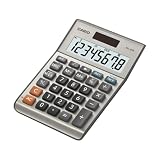
- LARGE EIGHT-DIGIT DISPLAY – Clear and easy-to-read 8-digit display, perfect for everyday calculations and ensuring accurate results in home or office settings.
- TAX & CURRENCY EXCHANGE FUNCTIONS – Effortlessly handle tax calculations and convert home currency to other currencies for easy financial management.
- GENERAL PURPOSE CALCULATOR – Ideal for a wide range of applications, from basic math to business and personal use, with memory keys for quick storage and recall.
- USER-FRIENDLY KEYBOARD – Easy-to-use layout, featuring square root, percent calculation, and simple functions that make it perfect for everyday tasks.
- COMPACT & PORTABLE DESIGN – Space-saving design that fits easily on any desk or in a briefcase, making it ideal for both home and office use.
However, a generic currency converter does not normally exchange money. It displays a reference or market-derived value. The amount you actually pay or receive depends on the provider completing the transaction.
| Tool type | What it is designed to show | Important limitation |
|---|---|---|
| Currency converter | A reference or market-derived conversion between two currencies. | It may not include a provider’s spread, fees, or execution timing. |
| Currency exchange calculator | An estimate for buying or selling currency, sometimes including a cash-exchange spread or fee. | Cash rates can differ from electronic or wholesale rates. |
| Money-transfer calculator | The amount sent, exchange rate, fees, taxes, and estimated amount received. | Recipient-bank, correspondent-bank, or foreign taxes may still affect delivery. |
| Card-network calculator | An indication of how a Visa or Mastercard transaction may convert. | The card issuer may use a different rate or add a foreign-transaction fee. |
| Accounting or tax converter | A date-specific, average, period-end, or otherwise prescribed reporting rate. | The correct convention depends on the jurisdiction, authority, and accounting policy. |
How to use a currency converter
- Choose the source currency. This is the currency of the amount you already have or are paying, such as USD.
- Choose the target currency. This is the currency you want to see, such as EUR.
- Confirm the three-letter codes. Currency symbols can be ambiguous, so verify that USD means U.S. dollars and EUR means euros.
- Enter the amount. A useful converter should allow you to enter either the amount you have or, where practical, the amount you need to receive.
- Read the full rate equation. A result such as
1 USD = 0.92 EURis safer than displaying only0.92. - Check the timestamp and time zone. Determine whether the rate is live, delayed, daily, historical, or based on a card network or provider.
- Check fees and markups. A reference-rate result is not the same as the provider’s final quote.
- For an actual transaction, compare the provider’s final disclosure. Use the amount charged and the net amount received—not the advertised fee alone.
For a quick travel estimate, a reference-rate calculation is often sufficient. For a transfer, card purchase, cash withdrawal, invoice, or tax filing, use the rate and fee information tied to that specific purpose.
What’s actually slowing this PC down?
Pick the symptom - the matching free tool is one click away.
Source currency, target currency, base currency, and quote currency
The source currency is the currency being converted. The target currency is the currency requested in the result.
In a currency pair, the base currency is listed first and the quote currency second. Under the usual pair notation, USD/EUR = 0.92 means:
1 USD = 0.92 EUR
In that equation, USD is the base currency and EUR is the quote currency. Always show the complete equation because the number alone does not identify its direction.
The International Monetary Fund defines an exchange rate as the price of one currency in terms of another. It notes that a rate can be expressed either as domestic currency per unit of foreign currency or as the inverse. See the IMF exchange-rate glossary.
How to calculate currency conversion manually
Multiply when the rate is target currency per source currency
If the quote tells you how many target-currency units equal one source-currency unit, multiply:
Target amount = source amount × exchange rate
Example:
1 USD = 0.92 EUR$250 × 0.92 = €230
At that reference rate, $250 is worth €230 before any fees, spread, or timing adjustment.
Divide when the quoted rate runs in the opposite direction
If the available quote is expressed as source currency per target currency, divide:
Target amount = source amount ÷ exchange rate
Example: Suppose the quote is:
1 EUR = 1.087 USD
To convert $250 into euros:
$250 ÷ 1.087 ≈ €229.99
The small difference from the earlier example comes from using a rounded illustrative rate. In a production calculator, use the full-precision internal rate and round only the displayed result.
Calculate the inverse rate
To reverse a quote, divide 1 by the original rate:
Inverse rate = 1 ÷ quoted rate
If:
1 USD = 0.92 EUR
then:
1 EUR = 1 ÷ 0.92 = 1.0869565 USD
The inverse shown to users should be calculated from the unrounded rate whenever possible. Inverting a number that has already been rounded can introduce an avoidable discrepancy.
Use a cross rate when no direct pair is available
A provider may quote both currencies against a common base. For example:
1 EUR = 1.10 USD1 EUR = 160 JPY
To derive the USD-to-JPY rate:
1 USD = 160 ÷ 1.10 JPY ≈ 145.4545 JPY
Use a direct currency pair when one is available. An unnecessary two-step conversion can introduce additional rounding differences. If a cross rate is used, the calculator should document the common base and the rates used.
What exchange rate does a currency calculator use?
There is no single universal rate that every bank, card network, cash exchange, and money-transfer service must use. Foreign exchange is primarily an over-the-counter market rather than one centralized exchange. The Bank for International Settlements reported approximately $9.6 trillion in average daily OTC foreign-exchange turnover in April 2025, illustrating the scale and decentralized nature of the market.
Different services may use different data sources, update schedules, spreads, markups, and execution rules. A reliable calculator should identify which category its rate belongs to.
| Rate type | What it means | Best use |
|---|---|---|
| Mid-market rate | A benchmark near the midpoint between buying and selling prices in the broader market. | Budgeting, comparison, and estimating the underlying currency value. |
| Reference rate | A published benchmark calculated according to an institution’s methodology and schedule. | Historical comparison, statistics, and some reporting purposes. |
| Provider rate | The rate offered by a bank, transfer service, exchange bureau, or other business. | Estimating an actual transaction, especially when combined with all fees. |
| Card-network rate | A rate used or estimated by a payment network for eligible card transactions. | Estimating a card purchase or cash withdrawal before checking issuer fees. |
| Dynamic currency conversion rate | A merchant or ATM converts the local transaction into the cardholder’s home currency. | A point-of-sale choice that should be compared carefully with local-currency processing. |
| Government or official-purpose rate | A rate published for a particular tax, customs, statistical, or regulatory purpose. | Only when it matches the authority’s stated reporting requirement. |
Mid-market and reference rates
Mid-market and reference rates are useful neutral benchmarks, but they are not automatically available to consumers. The European Central Bank publishes euro reference rates for information purposes and does not recommend using them directly for transactions. Its rates are generally updated around 16:00 Central European Time on working days other than TARGET closing days. The ECB methodology describes the rates as averages of buying and selling rates that may not reflect actual transaction prices.
The Bank of England also describes its published spot rates as statistical data rather than official transaction rates. That is why precise labels such as reference rate, indicative rate, or provider quote are preferable to an unexplained claim that a rate is official.
Popular public converters may also identify their data differently. Wise advertises a mid-market calculator and coverage for 140 currencies; XE describes its converter as covering more than 100 currencies and provides an informational mid-market rate; Forbes attributes its calculator data to the Open Exchange API. Coverage and methodology can change, so neither the number of supported currencies nor the display of a mid-market rate means that every currency or transaction is supported. See the Wise converter, XE converter, and Forbes currency converter for examples of different publisher approaches.
Quick wins for a faster PC:
Clear out junk files and repair common Windows errorsFree Scan →Fix the driver behind crashes, sound loss and screen glitchesFind Drivers →Bank and money-transfer-provider rates
A provider can make money through a visible fee, a percentage fee, an exchange-rate spread, or a combination of these. A transfer advertised as having no separate fee may still offer a less favorable exchange rate than the reference rate.
For that reason, compare the net amount received. The exchange rate by itself is not enough.
Also popular on Amazon

- Ad Free
- Online Currency Exchange Calculator
- 33 Currencies available in the Exchange Calculator
Card-network rates
Visa and Mastercard provide calculators that estimate how a card transaction may convert. Their results are indicative rather than guaranteed. The card issuer may add a foreign-transaction fee, use a different rate, or apply its own terms.
Mastercard says the applicable conversion can depend on when the bank authorizes the transaction. When authorization-time conversion is unavailable, processing-time rules may apply. Mastercard’s rate also does not apply when the merchant or ATM operator performs the conversion instead.
Free tools Windows power users keep installed
One-click scans. No signup required.
Government and institutional reference rates
The Federal Reserve’s H.10 data are released weekly on Monday at 4:15 p.m. Eastern Time and generally cover the previous business week. Its country data include noon buying rates in New York and serve particular statistical, customs, and regulatory purposes; they are not a universal consumer transaction rate.
The IMF publishes representative rates supplied by central banks. They are generally shown as currency units per U.S. dollar, except for currencies identified as U.S. dollars per currency unit. Always inspect the unit convention before using the data; see the IMF representative exchange-rate data.
Why the calculator result can differ from the amount you pay or receive
A mathematically correct conversion can still differ from a transaction because of:
- Exchange-rate movement between the quotation and execution.
- A delayed, stale, or once-daily rate.
- The bid-ask spread.
- A provider markup embedded in the exchange rate.
- A fixed fee or percentage fee.
- A card issuer’s foreign-transaction fee.
- An ATM operator fee.
- A correspondent-bank or recipient-bank fee.
- Merchant-selected dynamic currency conversion.
- Different authorization, processing, and settlement dates.
- Rounding at different stages.
- Cash-exchange limitations, including available denominations or a separate buy and sell rate.
The distinction is simple:
- Mathematical accuracy: the calculator applied the stated rate in the correct direction.
- Transaction accuracy: the calculator predicted the exact rate, fees, timing, and settlement rules used by a specific provider.
A generic converter can usually provide the first. Only a provider’s current, specific quote can reliably provide the second—and even then, check whether the quote is guaranteed and for how long.
How to include fees and exchange-rate markups
Fees must be modeled in the currency and at the stage where the provider applies them. A $7 fee deducted from the source amount is not equivalent to a €7 fee deducted after conversion.
Fee deducted in the source currency
When the fee is taken from the amount being converted:
Net target amount = (source amount − source-currency fee) × offered rate
Example:
Amount = $1,000Source-currency fee = $7Provider rate = 0.91 EUR per USD
The Tool Desk
Outbyte Driver Updater FREEScan for outdated or missing drivers - takes under a minuteDriver Scan →Outbyte PC Repair FREERepair Windows errors before they cause bigger problemsFix Now →($1,000 − $7) × 0.91 = €903.63
Fee deducted in the target currency
When the fee is removed from the converted amount:
Net target amount = source amount × offered rate − target-currency fee
Example:
$1,000 × 0.92 − €7 = €913
Percentage fee
If the fee is a percentage of the source amount, one common calculation order is:
Net source amount = source amount × (1 − fee percentage)
The net source amount is then multiplied by the offered rate. A provider may define the calculation differently, so a fee-aware calculator should follow that provider’s terms rather than assume one universal order.
Do these 3 things before closing this tab:
1Repair Windows errors before they cause bigger problems2Fix the driver behind crashes, sound loss and screen glitches3Clear out junk files and repair common Windows errorsEmbedded exchange-rate markup
To detect a markup, compare the reference result with the provider’s net result:
Reference target amount = source amount × reference rateActual target amount = source amount × offered rate − explicit feesEffective rate = actual target amount ÷ original source amount
Example:
- Original amount: $1,000
- Reference conversion: €920.00
- Provider’s exchange-rate result: €910.00
- Target-currency transfer fee: €7.00
- Estimated amount received: €903.00
The effective rate is:
€903 ÷ $1,000 = 0.903000 EUR per USD
Compare providers using the final net amount received for the same source amount, target currency, delivery method, and timing. A low advertised fee does not necessarily produce the best result.
Travel, cards, and ATMs: local currency versus home currency
When a terminal or ATM asks whether you want to pay in your home currency or the local currency, the home-currency option is usually a dynamic currency conversion offer. Review the displayed rate, converted amount, and fees before accepting it.
Crashes, No Sound, or Screen Glitches?
Random freezes, missing sound and display glitches usually trace back to one bad driver. Find and replace yours safely.Free scan · under a minutePC Slower Than It Used to Be?
A free scan shows the junk files, broken settings and background clutter dragging Windows down - then fixes them in one click.Free scan · Windows 10 & 11Dynamic currency conversion, or DCC, occurs when a merchant, acquirer, or ATM operator converts a local-currency purchase into the cardholder’s home or billing currency. It is separate from allowing the card network and card issuer to process the transaction in the local currency.
Visa explains that a DCC offer may include an exchange-rate markup or additional fees. The offer should show the local amount, home-currency amount, exchange rate, and extra fees. Visa also says cardholders should have the opportunity to process the transaction in local currency. If the required information is missing or you feel pressured, declining the conversion is a reasonable precaution.
Also popular on Amazon

- Check your calculations thanks to the calculator's inbuilt serial impact roller printer that enables you to monitor your inputs and retains ongoing records. This two-color printer with a four-key memory prints red and black ink at up to 2.3 lines per second onto the included roll of paper.
- Printing calculator offers 12-digit LCD display for convenient viewing. 4-key memory keeps often-used figures accessible for faster calculations. Clock and calendar functions help maintain schedules.
- Easy-to-use solution for all of your basic math needs. Streamline financial calculations with currency conversion, tax calculation, and item counter functions. 1-year manufacturer limited warranty.
- Dimensions: 2.2"H x 6.4"W x 9.1"D. Package content: AC adapter, paper roll, user manual.
- Powered by any standard AC outlet, eliminating the need for expensive batteries. Decimal switch, rounding switch, percent, sign change, backspace, double zero, and grand total functions help you solve a variety of mathematical problems.
Paying in local currency generally avoids accepting the merchant’s DCC rate, but it does not guarantee that the transaction has no fees. Your card issuer may still charge a foreign-transaction fee, and the network or issuer’s rate may differ from a public converter.
For card and ATM transactions, remember:
- The purchase date, authorization date, processing date, and settlement date may differ.
- The card network’s calculator may be indicative rather than the exact rate on the statement.
- An ATM withdrawal can include an ATM-owner fee, an issuer fee, and a foreign-exchange spread.
- If the merchant or ATM performs the conversion, the card network’s rate may not apply.
- A card with no foreign-transaction fee can still use a rate different from the public mid-market rate.
For an estimate, use the applicable Visa calculator or Mastercard calculator when the network is known, then review the card issuer’s fee schedule.
Quick wins for a faster PC:
Repair Windows errors before they cause bigger problemsFix Now →Fix the driver behind crashes, sound loss and screen glitchesFind Drivers →International money transfers: calculate the amount received
A transfer calculator should show the entire flow, not just a currency pair:
Amount sent + transfer fee + transfer tax = total charged to sender
Then:
Amount converted at the stated rate − other or recipient fees = amount received
For U.S. consumers, covered remittance providers generally disclose the exchange rate, fees, taxes, total transaction amount, and amount the recipient will receive. The Consumer Financial Protection Bureau’s guidance explains these disclosures. A recipient may still receive less because of a recipient-bank fee or foreign tax.
Recommended Free Tools
Do not substitute a generic mid-market calculator for a transfer provider’s final disclosure. A useful comparison records:
- The exact amount charged to the sender.
- The provider’s exchange rate.
- Every stated fee and tax.
- Whether the recipient or an intermediary bank can deduct another charge.
- The estimated or guaranteed amount received.
- How long the quote remains valid.
Use the word guaranteed only when the provider expressly guarantees the amount for a stated period. Otherwise, label it an estimate.
Historical currency conversions
If you are checking an old purchase, invoice, payment, or accounting entry, a current converter is not enough. Select the exact date and identify the rate convention.
A historical conversion should state:
- The exact date.
- The relevant time zone.
- The source.
- The rate type, such as daily reference, closing, average, or transaction-time rate.
- How weekends and public holidays are handled.
- Whether the rate was available at the time of the transaction.
- How redenominated, discontinued, or suspended currencies are treated.
The ECB provides historical reference-rate files and charts, while the Federal Reserve provides historical H.10 country data. A daily reference rate should not be described as the exact rate used for a transaction unless the source documents that fact.
For weekend and holiday dates, a provider may use the last available business-day rate, but conventions differ. A calculator should state what it does instead of silently reusing an old value.
Tax, accounting, payroll, and reporting conversions
Tax and accounting conversions are different from checking the price of a hotel or estimating a card purchase. The relevant authority, accounting policy, or tax form may require a transaction-date spot rate, a monthly average, a period-end rate, or a specific government source.
For U.S. federal tax purposes, the IRS says it has no official exchange rate and generally accepts a posted exchange rate used consistently. Its general guidance expects foreign-currency income and expenses to be translated into U.S. dollars using the spot rate prevailing when the amount is received, paid, or accrued.
IRS instructions also recognize a transaction-date spot rate or a reasonable convention such as a month-end or monthly average, provided the convention is used consistently. For FBAR reporting, the IRS directs taxpayers to convert foreign accounts into U.S. dollars using the Treasury Bureau of the Fiscal Service exchange rate on the last day of the calendar year. See the IRS guidance on foreign-currency reporting conventions and FBAR reporting.
PC Slower Than It Used to Be?
A free scan shows the junk files, broken settings and background clutter dragging Windows down - then fixes them in one click.Free scan · Windows 10 & 11Outdated Drivers Are Slowing You Down
One free scan finds every outdated or missing driver and matches the right update for your exact hardware.Free scan · exact hardware matchThese are U.S.-specific examples, not a universal rule. For a tax return, payroll record, financial statement, customs filing, or regulated report, document the source, date, rate, and convention required for that jurisdiction and purpose.
Currency codes are safer than currency symbols
Symbols such as $, £, and ¥ can represent more than one currency. A converter should use ISO 4217 three-letter codes in its controls and output:
USD— U.S. dollarEUR— euroGBP— pound sterlingJPY— Japanese yenCAD— Canadian dollarAUD— Australian dollarCHF— Swiss franc
The ISO 4217 standard defines three-letter alphabetic codes, three-digit numeric codes, and minor-unit relationships for currencies, funds, and precious metals.
A clear result looks like this:
250 USD = 230.00 EURRate: 1 USD = 0.920000 EUR
A result such as $250 = €230 is ambiguous unless both currencies have already been explicitly identified.
The Tool Desk
Outbyte PC Repair FREEClear out junk files and repair common Windows errorsFree Scan →Outbyte Driver Updater FREEFix the driver behind crashes, sound loss and screen glitchesFind Drivers →Rounding, decimal places, and currency formatting
A reliable calculator should keep more precision internally than it displays. It should:
- Use decimal arithmetic where money accuracy matters instead of relying on binary floating-point behavior.
- Calculate with the unrounded exchange rate.
- Round at the final presentation or settlement step, according to the provider’s rules.
- Format the result according to the target currency’s conventional minor unit.
- Distinguish display precision from the amount the provider will actually settle.
- Avoid showing excessive decimals as if they were payable amounts.
Two decimal places are common for currencies divided into 100 minor units, but that rule should not be hard-coded for every currency. ISO 4217 includes minor-unit information. Unicode CLDR provides localized symbols, decimal separators, grouping, and currency-formatting data; CLDR is a formatting resource, not an exchange-rate source.
Also popular on Amazon

- Dual power ways: Solar power or 1 AA battery (Battery Included) , energy saving and convenient.
- Adopt Japanese LCD screen, 12 digits, display data clearly.
- Support +/-(negative),%,√ calculation; Rounding off & decimal place setting; CE/C (part/all clear), MC/MR/M+/M- (memory) key.
- Auto shut-down in 8min if no further operation.
- Big ABS plastic button, offer accurate positioning and comfortable texture, support >1 million times press.
For example, the internal result may contain several decimal places while the interface displays 230.00 EUR. That display choice does not mean a bank, card network, or cash provider will settle the same amount.
Unavailable, unsupported, and unusual currencies
Currency data are not universally available. A calculator should handle these situations explicitly:
- The currency code is invalid.
- The data provider does not support the currency.
- The selected historical date predates the currency’s existence.
- The currency was redenominated or discontinued.
- No rate was published for a weekend or holiday.
- The data feed is delayed, stale, or temporarily unavailable.
- A reference-rate provider has suspended publication because the market is not representative.
For example, the ECB suspended publication of its euro/Russian-ruble reference rate because it could not establish a representative rate under prevailing market conditions. A tool should not silently substitute a stale or unrelated rate.
A useful error message is:
No current reference rate is available from this source. Try another source or select a different date.
The tool should also show the age of a rate when the data source is unavailable. Do not label a last-known business-day value as live.
If you are building or evaluating a currency calculator
A trustworthy implementation needs more than an amount field and two dropdowns. At minimum, the output should expose:
- Source currency and target currency.
- ISO codes and currency names, not symbols alone.
- The entered amount.
- The full rate direction, such as
1 USD = 0.920000 EUR. - The inverse rate.
- The source and name of the data feed.
- The rate type: live, delayed, daily reference, historical, card-network, or provider-specific.
- The rate timestamp and time zone.
- The refresh interval and treatment of weekends or holidays.
- Whether fees, spreads, and markups are included.
- An indicative-only notice when the result is not a final quote.
A suggested output is:
250 USD = 230.00 EUR
Exchange rate: 1 USD = 0.920000 EUR
Rate source: [source name]
Rate timestamp: [date and time] [time zone]
Rate type: mid-market/reference rate
Important: This is an indicative conversion. Your bank, card network, merchant, ATM, or money-transfer provider may use a different rate or add fees.
For a fee-aware result, separate the reference conversion, provider quote, explicit fees, estimated amount received, and guaranteed amount received. Do not combine them into one unexplained number.
Data validation should reject an invalid ISO code and flag a missing or stale rate. Cross-currency calculations should identify the common base. The system should use higher internal precision, round only at the correct stage, and use current ISO 4217 and CLDR data for currency metadata and formatting.
Which rate source should you use?
| Your purpose | Most appropriate source | What to verify |
|---|---|---|
| Travel budgeting or a rough price comparison | A reputable public reference or mid-market converter. | Timestamp, source, update frequency, and indicative-rate notice. |
| Estimating a card purchase | The relevant Visa or Mastercard calculator, plus the card issuer’s terms. | Foreign-transaction fee, authorization and processing timing, and whether DCC was accepted. |
| Withdrawing cash | The ATM’s displayed terms and the card issuer’s fee schedule. | ATM fee, issuer fee, exchange rate, and cash-denomination limitations. |
| Sending money internationally | The money-transfer provider’s final quote. | Total charged, provider rate, fees, taxes, recipient deductions, and amount received. |
| Buying or selling physical cash | Quotes from the actual exchange bureau or bank. | Buy/sell direction, spread, commission, and available denominations. |
| Taxes, payroll, or financial reporting | The rate and convention required by the relevant authority or accounting policy. | Date, source, convention, and supporting documentation. |
Reference-rate sources and their limitations
These sources can be useful, but they serve different purposes:
- European Central Bank: euro reference rates published on working days for information and comparison, not as a direct transaction quote.
- Federal Reserve H.10: U.S.-dollar-centered historical and statistical data released on a regular schedule rather than a real-time consumer quote.
- Bank of England: published spot-rate data explicitly described as statistical and not official transaction rates.
- IMF representative rates: central-bank-supplied reference data whose unit direction must be checked.
- Visa and Mastercard: indicative card-conversion estimates subject to issuer, merchant, ATM, and timing rules.
Frequently Asked Questions
What is the best exchange rate to use?
Use a mid-market or reference rate for a neutral estimate, the card-network and issuer information for a card estimate, the provider’s final quote for a transfer, and the prescribed rate for tax or accounting work. There is no single best rate for every purpose.
Is the currency-converter rate the rate my bank will charge?
Not necessarily. A public converter usually shows a reference or indicative rate. Your bank may apply a spread, a separate fee, a card-network rate, a different authorization or settlement date, or its own exchange-rate policy.
Should I multiply or divide when converting currencies?
Multiply when the quote is target currency per source currency, such as 1 USD = 0.92 EUR. Divide when the quote runs in the opposite direction, such as converting dollars using 1 EUR = 1.087 USD.
Do these 3 things before closing this tab:
1Fix the driver behind crashes, sound loss and screen glitches2Clear out junk files and repair common Windows errors3Scan for outdated or missing drivers - takes under a minuteWhy is my card statement different from the converter result?
The card may have used a different rate or date, and the issuer may have added a foreign-transaction fee. If a merchant or ATM performed dynamic currency conversion, the card network’s rate may not have applied at all.
Is it usually better to pay in local currency abroad?
When a merchant or ATM offers to convert a purchase into your home currency, paying in local currency generally avoids accepting that merchant’s or ATM’s DCC rate. It does not guarantee no fees because your card issuer may still charge a foreign-transaction fee.
Does the calculator include fees?
Only if it says so. A basic converter often excludes fees and embedded markups. For a real transaction, compare the provider’s rate, explicit fees, taxes, and net amount received.
Can I use a live converter for taxes?
Not automatically. Tax and reporting rules may require a transaction-date, monthly-average, period-end, or specific government rate. For U.S. tax matters, follow the applicable IRS guidance and document the source and convention used.
Free tools Windows power users keep installed
One-click scans. No signup required.
Why is my currency unavailable?
The data source may not support it, may not have a rate for the selected date, or may have suspended publication. A reliable calculator should explain the problem rather than silently use a stale or unrelated rate.
Are currency symbols the same as currency codes?
No. A symbol such as $ can represent several currencies. ISO codes such as USD, CAD, and AUD identify the currency unambiguously.
How do I compare money-transfer providers?
Enter the same source amount and target currency into each provider’s quote tool. Compare the total charged and the final net amount received, including exchange-rate markups, transfer fees, taxes, and possible recipient or intermediary-bank deductions.
The Bottom Line
Bottom line: A currency converter tells you what an amount is worth at a stated rate; it does not automatically tell you what your bank, card, ATM, merchant, or transfer provider will charge or deliver. Check the direction, source, timestamp, rate type, fees, and net amount received before treating the result as a transaction quote.
What’s actually slowing this PC down?
Pick the symptom - the matching free tool is one click away.




