
Windows Errors? Fix Them Before They Spread
Repair common Windows errors and clear accumulated junk for a smoother, more stable PC - no reinstall needed.Free scan · no reinstallCrashes, No Sound, or Screen Glitches?
Random freezes, missing sound and display glitches usually trace back to one bad driver. Find and replace yours safely.Free scan · under a minuteSome links on this page are affiliate links: if you buy through them we may earn a commission, at no extra cost to you.
The original 2021 Forbes Advisor ranking cannot be verified from the live Forbes page. The URL associated with that article now displays a substantially revised U.S. article, 10 Best Web Hosting For Small Businesses, with a visible publication date of July 15, 2026. Its current providers are AccuWeb, DreamHost, ScalaHosting, Hosting.com, Hostinger, IONOS, CloudAccess.net, InfinityFree, iFastNet and SiteGround—not a verifiable copy of the 2021 ranking.
A public archive of Katherine Haan’s Forbes Advisor work does document a small-business hosting article dated October 13, 2021, but it does not preserve the original provider table, superlatives or prices. That means historical candidates such as HostGator, Bluehost, DreamHost, InMotion Hosting and IONOS should not be presented as confirmed 2021 Forbes picks without a dated Forbes copy, screenshot, syndication or web archive capture. This guide separates what is documented from what remains unresolved, then explains how a small business should evaluate hosting today.
As an Amazon Associate I earn from qualifying purchases.
What’s actually slowing this PC down?
Pick the symptom - the matching free tool is one click away.
The most important historical caveat
If you are researching the Forbes Advisor recommendations specifically, the responsible answer is that the exact 2021 list and its prices are not currently recoverable from the live Forbes page. The page has been rewritten over time, and its current list must not be substituted for the older one.
The third-party Katherine Haan article archive records a Forbes Advisor entry dated October 13, 2021, titled Best Web Hosting For Small Business Of 2024. That establishes the article lineage, but it does not prove which companies appeared in the U.S. 2021 ranking. A later Canadian, Indian or U.K. Forbes Advisor page can show that a provider appeared in a later or regional edition; it cannot authenticate the U.S. 2021 table.
Popular on Amazon

- Compatibility: Fits one laptop or notebook up to 17” and supports weight up to 22lbs. Mount plates detachable and height adjustable. Dual mounting options for laptop or a monitor with mounting holes 75x75mm and 100x100mm
- Multiple Options: Featuring dual mounting options, this laptop mount includes a C-clamp compatible with desks 0.4"-4" thick and a Grommet mount suitable for desks 0.4"-2.2" thick, ensuring easy installation on different surfaces
- Multiple Adjustment: With high-grade arms that extend, retract, and allow for a 16" height adjustment, plus +/-15 tilt, +/-90 swivel, and 360-degree rotation, this Laptop Desk Mount enables you to customize your viewing experience seamlessly
- Cooling Design: Venting holes on laptop tray absorb cooling air from laptop fan. Tray measure 14 x 11 inch (L x W), with a 0.6” protruding bottom lip
- Ergonomic Workspace Solution: Elevate your laptop to the optimal viewing height with the Laptop Mount, reducing neck and eye strain while maximizing desk space for a tidy and organized workspace setup. Enjoy peace of mind with reliable customer support for any product inquiries
Accordingly, this is an archival and buying guide rather than a reconstructed ranking. Where a 2021 fact cannot be verified, it is identified as unresolved instead of being presented as fact.
What Forbes Advisor lists now
The live U.S. Forbes Advisor article currently lists the following 10 providers:
The Tool Desk
Outbyte PC Repair FREERepair Windows errors before they cause bigger problemsFix Now →Outbyte Driver Updater FREEFix the driver behind crashes, sound loss and screen glitchesFind Drivers →- AccuWeb
- DreamHost
- ScalaHosting
- Hosting.com
- Hostinger
- IONOS
- CloudAccess.net
- InfinityFree
- iFastNet
- SiteGround
Forbes says this current edition researched 20 providers and 33 data points across nine weighted categories. It also labels one provider Most Popular, a designation Forbes says is calculated from affiliate-product selections made by Forbes users over a six-month period. That is not necessarily the same thing as the editorial ranking or an independent measure of performance. See the current Forbes Advisor article for the live list.
Forbes has also published a separate web-hosting ratings methodology page that describes a different scope: more than 17 providers, five categories and 23 metrics. The discrepancy is evidence that the methodology and page content have changed. Any Forbes score, list or superlative must therefore be tied to its edition date.
Which companies are associated with the historical coverage?
The names below are useful starting points for archival research because they recur in later Forbes Advisor small-business hosting editions or in contemporaneous coverage. They are not a verified reconstruction of the U.S. Forbes 2021 ranking.
| Provider | What can be supported | 2021 status |
|---|---|---|
| HostGator | Contemporaneous small-business coverage described shared, cloud, WordPress, VPS and dedicated plans, introductory shared pricing below $3 per month, a first-year domain, free SSL and unmetered bandwidth. That coverage was not Forbes evidence. | Possible historical candidate; exact Forbes placement, plan and price unresolved. |
| Bluehost | Long associated with WordPress hosting. WordPress.org currently lists Bluehost among its recommended hosts, but that is a current recommendation and not evidence of a 2021 Forbes ranking. | Possible historical candidate; exact Forbes placement and 2021 plan details unresolved. |
| DreamHost | Appears in later Forbes comparisons. A current Forbes comparison discusses shared, VPS, dedicated and WordPress services, domains and email. | Possible historical candidate; current features and guarantees must not be backdated. |
| InMotion Hosting | Appears in later Forbes small-business material and is associated with migration tools and larger storage allowances, subject to plan details. | Possible historical candidate; exact 2021 plan and price unresolved. |
| IONOS | Appears in later Forbes regional and small-business editions as a low-introductory-price or scalability-oriented option. | Possible historical candidate; exact U.S. 2021 placement and price unresolved. |
| TMDHosting | Appears in later regional or updated Forbes comparison material. | Later-edition evidence only; 2021 U.S. status unresolved. |
| MochaHost | Appears in later regional or updated Forbes comparison material. | Later-edition evidence only; 2021 U.S. status unresolved. |
| InterServer | Appears in later regional or updated Forbes comparison material. | Later-edition evidence only; 2021 U.S. status unresolved. |
| Hostwinds | Appears in later regional or updated Forbes comparison material. | Later-edition evidence only; 2021 U.S. status unresolved. |
| GoDaddy | Appears in later regional or updated Forbes comparison material. | Later-edition evidence only; 2021 U.S. status unresolved. |
The relevant regional pages are Forbes Advisor Canada, Forbes Advisor India and Forbes Advisor U.K. Their currencies, markets, plan availability and rankings differ from the U.S. edition.
Provider-by-provider context
HostGator: a broad, scalable historical option
Contemporaneous coverage from Inc. described HostGator as offering a progression from shared hosting through cloud, WordPress, VPS and dedicated hosting. It highlighted low introductory shared pricing, a first-year domain, free SSL and unmetered bandwidth.
Those features could make a provider with several hosting tiers attractive to a growing small business: a site can begin on shared hosting and move to a stronger plan later. But the relevant question is whether the upgrade is straightforward and affordable, not merely whether a higher tier exists.
Current evidence is less positive. Forbes’ present-day HostGator review criticizes renewal-price increases, slow performance and inconsistent customer service, and says HostGator did not make Forbes’ current best-hosting list. That does not retroactively disprove a 2021 recommendation; it shows why a historical endorsement should not be treated as a current guarantee.
Bluehost: familiar to WordPress beginners
Bluehost has long been associated with WordPress and is currently listed on WordPress.org’s recommended-host page. The current recommendation should not be used as proof that Bluehost appeared in the 2021 Forbes ranking.
Free tools Windows power users keep installed
One-click scans. No signup required.
For a WordPress beginner, the practical questions are whether the plan supports the required PHP and database versions, provides a usable dashboard, makes backups restorable and offers support that can distinguish a hosting fault from a plugin or theme problem. A simple WordPress installer is helpful, but it is not the same as managed WordPress administration.
A current Forbes DreamHost-versus-Bluehost comparison says both companies offer shared, VPS, dedicated and WordPress hosting, along with domains and email. It distinguishes DreamHost’s larger base storage and uptime guarantee from Bluehost’s larger base website allowance and phone support. Those are current comparison facts, not 2021 facts, and plan terms should be checked before purchase.
Also popular on Amazon

- Versatile 2-in-1 Laptop & Monitor Mount - Stable aluminum laptop arm mount is compatible with Laptop, Monitor, Macbook and Chromebook. With the tray, the laptop stand can hold notebooks up to 17". Simply remove the tray to accommodate monitors ranging from 13-32" with VESA pattern 75x75mm and 100x100mm, holds up to 4.4-19.8lbs. 𝐏𝐥𝐞𝐚𝐬𝐞 𝐧𝐨𝐭𝐢𝐜𝐞 𝐭𝐡𝐚𝐭 𝐢𝐭 𝐢𝐬 𝐧𝐨𝐭 𝐜𝐨𝐦𝐩𝐚𝐭𝐢𝐛𝐥𝐞 𝐰𝐢𝐭𝐡 𝟏𝟎𝟎𝟎𝐑/𝟏𝟓𝟎𝟎𝐑/𝟏𝟖𝟎𝟎𝐑 𝐜𝐮𝐫𝐯𝐞𝐝 𝐬𝐜𝐫𝐞𝐞𝐧𝐬
- Full-Motion Adjustment For Comfortable View -The laptop arm mount offers -45° to +90° tilt, 180°swivel, 360° rotation. Raise your monitor up to 16.9” to support a healthy sitting posture. Whether you’re working from home, gaming through the night, or switching between video calls and documents, getting the screens to your natural line of sight helps relieve neck, shoulder and back strain so you can stay focused longer with less fatigue. 𝐍𝐨𝐭𝐞: 𝟑𝟔𝟎° 𝐫𝐨𝐭𝐚𝐭𝐢𝐨𝐧 𝐢𝐬 𝐫𝐞𝐜𝐨𝐦𝐦𝐞𝐧𝐝𝐞𝐝 𝐨𝐧𝐥𝐲 𝐟𝐨𝐫 𝐦𝐨𝐧𝐢𝐭𝐨𝐫 𝐢𝐧𝐬𝐭𝐚𝐥𝐥𝐚𝐭𝐢𝐨𝐧. When you're using the laptop tray, please do not to rotate the tray to a vertical position to ensure safety
- Space Saving & Keep Your Desk Organized - Elevate your laptop or monitor with this laptop desk mount to free up valuable space and creates a clean work environment. Easily switch between laptop and monitor modes to enhance your multitasking abilities and boosting your productivity while preserving desk space. Built-in cable management guides wires along the arms, keeping cords out of sight and out of the way. Enjoying your working, gaming or viewing hours in a tidy and modern workstation
- Heat Dissipation & Secure - The ventilated tray maximizes airflow and keeping your device cool and running efficiently. The tray includes 4 anti-slip pads and Velcro straps your laptop in place, preventing slips or falls during work or gaming. Ideal for home office professionals, office workers, programmer,designer, gaming enthusiasts and students
- Quick & Easy Setup - Assembly is straightforward with the provided tools and visual user manual. Depending on your desk situation, you can choose clamp or grommet mounting (suitable for desks from 0.39" to 2.76" thick). The hole diameter for grommet base should be 0.39" to 2.36". Do not hesitate to relate with us for any pre-purchase or installation questions
DreamHost: compare the guarantee, not just the headline
DreamHost continues to appear in Forbes Advisor comparisons. The current Forbes comparison describes a 100% uptime guarantee and a 97-day money-back guarantee on shared hosting. Whether those terms existed in the same form in 2021, and whether they applied to every plan or billing arrangement, requires an archived plan page.
For a buyer, an uptime guarantee is only useful after checking its exclusions and remedy. A service credit does not compensate fully for lost leads, failed checkouts or missed appointments. Also ask whether the guarantee covers network availability only or excludes application failures caused by WordPress, databases or third-party services.
Do these 3 things before closing this tab:
1Clear out junk files and repair common Windows errors2Fix the driver behind crashes, sound loss and screen glitches3Repair Windows errors before they cause bigger problemsInMotion Hosting: inspect what is actually included
InMotion appears in later Forbes small-business lists and is associated with larger storage allowances and migration assistance. Its current Forbes review warns that plan descriptions can conflict and that automated backups or additional backup storage may cost extra.
This is a useful lesson for reading any hosting comparison. Terms such as unlimited storage, unlimited websites and unlimited bandwidth do not mean unlimited CPU, RAM, simultaneous processes, files, databases or email sending. The plan’s fair-use language and technical limits matter more than the marketing label.
IONOS: low entry price versus the full bill
IONOS appears in later Forbes small-business editions as a low-introductory-price or scalability-oriented option. Because its plan names, pricing and included features have changed repeatedly, a 2021 article should use an archived 2021 price rather than a current checkout page.
For IONOS—or any low-price host—calculate the first-term cash requirement, the renewal bill, domain renewal, email, backup and security costs. A low monthly number may apply only to a long prepaid term or a new-customer promotion.
TMDHosting, MochaHost, InterServer, Hostwinds and GoDaddy
These providers appear in later Forbes regional or updated comparison lists supplied for this research. That makes them reasonable names to investigate when searching for a dated copy of the 2021 article, but it does not establish that they were in the U.S. Forbes Advisor 2021 ranking.
If an archived table confirms one of them, evaluate the exact plan rather than the provider name alone. Check renewal pricing, resource limits, backup retention, email provisions, support channels and the path to a VPS or other higher tier. A company can be a good fit on one plan and a poor fit on another.
What web hosting actually includes
Hosting terminology is easy to blur together, especially when a provider sells domains, hosting, WordPress, email and a site builder in one checkout.
- Domain: the address people type, such as
example.com. Domain registration is separate from the server that stores the site. - Hosting: server space and infrastructure that delivers files, databases and application responses to visitors.
- Content management system: software such as self-hosted WordPress used to create and manage content.
- Website builder: a hosted editing platform that usually bundles templates, hosting and tools. It is convenient but often less portable.
- Business email: mailboxes on the hosting account or a separate service such as Google Workspace or Microsoft 365. It may be included, limited or sold separately.
- SSL/TLS: the encryption that enables HTTPS. It protects data in transit but does not replace backups, malware protection, patching or secure administration.
WordPress.org is not WordPress.com. WordPress.org is the open-source software that the customer installs on hosting. WordPress.com is a hosted service with its own plans and operating model. A host’s one-click WordPress installation does not necessarily mean it provides managed WordPress support.
WordPress.org currently recommends HTTPS and lists PHP 8.3 or newer, MariaDB 10.11 or newer, or MySQL 8.0 or newer among its requirements. These are current requirements at the time of writing and must not be presented as the requirements Forbes used in 2021. See WordPress.org’s current requirements.
Choose the hosting type before choosing the company
| Hosting type | Good fit | Main trade-off |
|---|---|---|
| Shared hosting | Brochure sites, local businesses, low-traffic blogs and early-stage WordPress sites. | Customers share resources. Performance can vary, and CPU, RAM, process, inode or usage limits can constrain growth. |
| Managed WordPress | WordPress owners who want updates, staging, backups and WordPress-focused assistance handled for them. | Usually costs more and may restrict plugins, caching systems or server access. Managed does not mean every plugin or theme problem is included. |
| VPS | Sites that outgrow shared hosting or need more predictable resources, root access or custom configuration. | Greater technical responsibility unless managed; more expensive and easier to misconfigure. A VPS does not automatically include better security or backups. |
| Cloud hosting | Variable traffic, scaling needs or applications that benefit from multiple infrastructure zones. | Pricing can be less predictable, and cloud is used inconsistently in marketing. A cloud plan can still be shared or resource-limited. |
| Dedicated hosting | High-traffic or resource-heavy applications, isolation requirements or businesses with technical staff. | Usually excessive for a normal small-business site and expensive without managed administration. |
| Website builder | Nontechnical owners who want an all-in-one setup for a simple service site. | Hosting is tied to the platform, advanced server-side customization may be impossible and moving to WordPress or a custom application may require a rebuild. |
Contemporaneous small-business guidance described shared hosting as the least expensive option and generally suitable for lower-traffic businesses, while warning that it can eventually constrain ecommerce growth. That remains a useful distinction: a five-page service site and a busy online store have different infrastructure needs.
Also popular on Amazon

- Versatile 2-in-1 Design: This ergonomic laptop mount is designed to support both notebooks and monitors. With the tray, the laptop stand can hold notebooks up to 17”. Simply remove the tray to accommodate monitors ranging from 13-34” (VESA 75x75mm, 100x100mm) with a weight capacity of 4.85-19.8 lbs. The C-clamp fits desks from 0.39” to 2.56” thick, and the grommet mount works with desks up to 2.95”, offering a variety of installation options.
- Full Range of Motion: Effortlessly adjust your laptop or monitor to the perfect angle and height. Tilt it ±45°, swivel ±90°, or rotate it 360°—whatever suits you best. The laptop arm extends up to 18.1” and can reach a maximum height of 17.5”, keeping your screen at eye level and reducing strain for long working hours.
- Quick & Hassle-Free Setup: Set up your workstation in minutes. The VESA mounting plate and laptop arm come pre-assembled, allowing you to easily attach the laptop arm mount to your desk with minimal effort. The C-clamp securely holds it in place, providing a stable, reliable setup without the need for additional tools. Important: The arm may rise when the laptop is removed due to its counterbalance mechanism. Hold the arm securely and remove the laptop slowly to ensure controlled movement.
- Keep Your Notebook Cool and Secure: The 11.8” x 10.4” ventilated tray is designed to keep your notebook cool during extended use with airflow-enhancing ventilation holes. The tray also includes 6 anti-slip pads and a widened bottom guard to hold your laptop securely in place, while Velcro straps ensure the laptop and tray stay firmly together, preventing unwanted movement.
- Maximize on Desk Space: Elevate your laptop or monitor with this laptop desk mount to free up space and create a more organized workspace. Easily switch between laptop and monitor modes to enhance your multitasking abilities, boosting your productivity without sacrificing valuable desk space.
Match the product to the business
| Business need | Likely direction | Verify before paying |
|---|---|---|
| Simple local-business website | Shared hosting or a bundled builder | SSL, backups, email, renewal price and human support. |
| WordPress brochure site | Shared or managed WordPress hosting | PHP and database versions, update policy and the actual restore process. |
| Several small sites | Multi-site shared or managed WordPress plan | Per-account CPU and RAM limits, inode limits, email quotas and migration terms. |
| Online store | Managed ecommerce platform or stronger WordPress hosting | Checkout reliability, database performance, backups, staging, support and PCI responsibilities. |
| Appointment or booking site | Hosting with dependable application support | Cron jobs, email delivery, database performance and recovery procedures. |
| High-traffic campaign | VPS, cloud or scalable managed hosting | Burst capacity, caching, CDN, rate limits, traffic pricing and upgrade time. |
| Nontechnical owner | Managed host or all-in-one builder | Human support, easy restores and whether the site can be exported. |
| Developer-controlled application | VPS or configurable cloud hosting | SSH, Git, staging, monitoring, backups and root access. |
| Email-critical business | Hosting plus a dedicated business-email provider | Mailbox limits, sending limits, SPF, DKIM, DMARC and deliverability support. |
| Compliance-sensitive site | Managed infrastructure with explicit controls | Data location, access logging and contractual commitments. |
Compare total cost, not the promotional number
Hosting advertisements often show the cheapest monthly equivalent rather than the amount charged at checkout. Before comparing Forbes’ historical pricing—or any current offer—record all of the following:
- Promotional monthly price and required billing term.
- Amount due immediately.
- Renewal price and renewal term.
- Domain registration and renewal.
- Domain privacy charges.
- Business email and mailbox storage.
- Automated backup and restore charges.
- Malware scanning or cleanup charges.
- Premium support.
- Migration fees.
- Taxes, refund restrictions and cancellation terms.
Use these calculations:
First-term cost = promotional monthly price × required months
Renewal cost = renewal monthly price × renewal term
Effective cost = total paid over the period ÷ number of months
Illustrative example—not a provider quote: suppose a host advertises $3 per month for a 36-month term, renews at $9 per month, charges $20 per year for the domain after the first year, and charges $6 per month for email and $5 per month for backups. The first 36 months would be $108 for hosting + $40 for two domain renewals + $216 for email + $180 for backups = $544, or about $15.11 per month. The following 36 months would be $324 + $60 + $216 + $180 = $780, or about $21.67 per month. Taxes and any other add-ons are excluded.
The lesson is not that any particular host costs those amounts. It is that a $3 headline price can conceal a long prepayment and a materially higher renewal budget. For a small business, that difference belongs in the annual operating budget.
Uptime and performance are different measurements
A 99.9% uptime guarantee permits 0.1% downtime. Over a 365-day year, that is approximately 8 hours, 45 minutes and 36 seconds. The contract may calculate uptime over a different period and exclude scheduled maintenance, events outside the provider’s control, account suspension or application-level failures.
Read an uptime guarantee as a contractual service-credit policy, not as independent proof that the site will be available 99.9% of the time. Ask:
- What exactly is monitored: network, server, control panel or the customer’s website?
- What outages are excluded?
- What compensation is available?
- How must a claim be filed?
- Does the guarantee apply to the specific plan?
Performance also has several layers:
- Server uptime: whether infrastructure responds.
- Time to first byte: how quickly the server begins responding.
- Full page-load time: how long the visitor waits for the page to finish.
- WordPress execution and database time: how quickly the application generates the page.
- CDN performance: how quickly cached files reach visitors in different locations.
A fast host cannot fix oversized images, excessive plugins, poor caching, a slow database query or a third-party script. Data-center location can affect latency, while a content delivery network can reduce geographic differences.
Recommended Free Tools
Security: HTTPS is only the beginning
At minimum, compare free SSL/TLS, automatic certificate renewal, malware scanning, web-application firewall protection, DDoS mitigation, account isolation, two-factor authentication, automatic updates, backup frequency, backup retention, off-site storage, one-click restoration and malware cleanup.
HTTPS encrypts traffic between a visitor and the site. It does not stop an outdated plugin, stolen administrator password, malicious upload or compromised hosting account. Security is a combination of prevention, detection and recovery.
Email security deserves separate attention. SPF identifies authorized sending servers; DKIM adds a cryptographic signature to outgoing messages; DMARC tells receiving systems what to do when authentication fails and provides reporting. In a Federal Trade Commission study of 11 hosts, 73% integrated SSL/TLS into setup, but only 9% configured SPF by default, 18% configured DKIM and none configured DMARC. The study predates 2021 and does not describe every current provider, but it demonstrates why a hosting comparison that says only free SSL included is incomplete.
Support and ease of use
Compare the support channel available on the exact plan, not just the company’s general promise. Important distinctions include:
Quick wins for a faster PC:
Clear out junk files and repair common Windows errorsFree Scan →Scan for outdated or missing drivers - takes under a minuteDriver Scan →- 24/7 live chat versus 24/7 phone support.
- Ticket support and expected escalation path.
- Infrastructure support versus WordPress, plugin or custom-code support.
- Whether migration help is included.
- Whether backups can be restored by the customer.
- Documentation quality and account-access controls.
- Whether the business owner—not only an agency—can access the account.
24/7 support does not necessarily mean a senior technician is available at all hours, that phone support is included, or that the host will repair an application. Ask who is responsible when the server is reachable but the checkout, contact form or WordPress dashboard is broken.
For usability, look for a familiar control panel such as cPanel or Plesk, or assess whether a proprietary panel supports the tasks you will actually perform: domain and DNS management, one-click installation, file access, databases, staging, email, SSL installation, backups and restoration.
Also popular on Amazon

- ERGONOMIC MONITOR ARM - If you've been working at the computer for long time, your eyes, shoulder and neck will more or less get painful. This monitor arm with laptop tray help relieve these fatigue by allowing you to position your monitor screen at the optimal viewing height, angle, position, and distance.
- MULTIFUNCTIONAL DESK STAND - With the detachable laptop tray, this desk monitor arm can be used for a notebook, venting holes and bottom edge lip prevent overheating and falling. Without the notebook tray, you can use it as a desk monitor mount. With cable and slot management, no worry about desk messing up.
- UNIVERSAL MONITOR STAND - This universal laptop and monitor stand fits for most 13 to 27 inch flat and curved monitors with VESA of 75x75mm or 100x100mm. Laptop tray with size of 400 x 300mm, fits for notebook up to 15.6 inch. Arm of this monitor bracket supports a maximum weight of 10kg.
- ADJUSTABLE DESK MOUNT - The monitor desk stand arm is fully and independently adjustable. Joints on arm can be swiveled 180°. Monitor can be rotated 360°, and tilted ±90°. Height adjustment of 400mm provides you more choices to get a comfortable position.
- 2 MOUNTING OPTIONS - This monitor arm with notebook tray comes with C-clamp and grommet base, you can choose the mounting method for your desk. Option A: C-clamp (for desk thickness 10-80mm). Option B: grommet base (for desk thickness 10-80mm, hole diameter 10-78mm). Includes all necessary accessories and a manual. The installation can be completed in 10 minutes.
Backups and migration: the features that protect your budget
A backup claim is meaningful only when you know how recovery works. Ask:
- How often are backups taken?
- How many restore points are retained?
- Are the copies stored off-site or on the same infrastructure?
- Do they include website files, databases and email?
- Can the customer restore independently?
- Is restoration free?
- Are backups available after account cancellation?
Keep an independent backup regardless of the host. A provider may retain backups for a short period, exclude a database or require a support request for restoration. Test a restore before an emergency.
Before migrating, retain copies of:
- Website files and media.
- Database exports.
- DNS records and current nameservers.
- Email data and mailbox settings.
- License keys, themes and plugins.
- Analytics and Search Console access.
- Domain registrar credentials.
A practical migration sequence is:
- Confirm that the business owns the domain registrar and hosting accounts.
- Take a full backup and export the database.
- Set up the new hosting account without changing live DNS.
- Restore the site and test forms, checkout, redirects, images, SSL, cron jobs and email.
- Reduce DNS TTL before the cutover if the DNS provider allows it.
- Change DNS only after testing the new site.
- Keep the old hosting account active until the website and email work from multiple networks.
- Verify analytics, payment processing, contact forms and mailbox delivery after the change.
Free migration may apply only to one site, cPanel accounts or a particular plan. Confirm whether email, databases, SSL, scheduled jobs and DNS records are included.
Independent reader supportYour contribution helps us test, update, and keep practical guides available for everyone.Special warning for online stores
An online store should not be selected because a plan advertises unlimited bandwidth. Stores depend on database performance, PHP workers, object caching, reliable backups, staging, payment integrations, fraud controls and fast support during failed checkouts.
A hosted ecommerce platform may be a better fit for a nontechnical retailer because the application, payments and infrastructure are integrated. A WooCommerce site may offer more control, but the owner must verify server capacity, update procedures, backups, restore testing and PCI responsibilities. Hosting is only one part of the store’s risk and cost.
Website builders: easier setup, less portability
A website builder can be financially sensible for a simple service business that values speed and does not need custom server-side functionality. It commonly bundles hosting, templates, an editor and support.
The trade-off is dependence on the platform. Before signing up, find out whether the site can be exported, whether the domain can be moved, which features require paid add-ons and whether a future move to WordPress or a custom application would require rebuilding the site. A builder is not automatically a bad choice; it is simply a different portability and customization decision from conventional hosting.
How to decide whether a historical Forbes pick still makes sense
- Identify the original plan. A provider’s shared, managed WordPress, VPS and ecommerce products can have different prices, limits and support.
- Locate the dated terms. Confirm the 2021 price, required commitment, storage, bandwidth, domain offer, support and guarantee from an archived source.
- Recheck the current product. Look for renamed plans, changed control panels, new resource limits, current renewal pricing and changed backup or email policies.
- Calculate total cost. Include the costs that the headline price omits.
- Check the exit route. Confirm that you can export files, databases, email and DNS information.
- Match the risk to the business. A cheap shared plan may be reasonable for a brochure site but inappropriate for a store or booking system.
Historical recommendations can remain useful as evidence of which companies were considered competitive at the time. They are not a substitute for checking current terms. Provider products, support channels, prices, WordPress compatibility, data-center choices and security controls can all change. Specific ownership or corporate-structure changes also require separate current verification; they should not be inferred from a stale recommendation.
A practical buying checklist
Before paying for any small-business hosting plan, answer these questions in writing:
- What is the full amount charged today?
- How many months must be prepaid?
- What will the plan cost at renewal?
- Is the domain included only for the first year?
- What will domain privacy, email, backups and malware cleanup cost?
- What CPU, RAM, process, inode, database and email limits apply?
- What does the uptime guarantee measure and exclude?
- Are backups daily, off-site and independently restorable?
- Does the plan include free SSL with automatic renewal?
- Are two-factor authentication, SPF, DKIM and DMARC supported?
- Which support channels are available on this plan?
- Can the site be upgraded without a migration?
- What exactly does free migration include?
- Can the domain and all site data be moved away?
- Who controls the registrar, hosting, analytics, payment and email accounts?
Bottom line for a small-business buyer
There is no verified basis for publishing a definitive list of Forbes Advisor’s exact U.S. 2021 picks, prices or superlatives from the live page alone. The safest historical conclusion is that Forbes did publish a small-business hosting roundup in 2021, but that edition has since been replaced or substantially revised. The current Forbes list and methodology describe 2026—not 2021.
For a purchase today, choose by scenario and total cost: shared hosting for a modest brochure site, managed WordPress for a hands-off WordPress business, stronger managed or VPS/cloud infrastructure for a growing application, and an integrated ecommerce platform when checkout reliability matters more than server-level control. Whichever provider you choose, budget for renewal pricing, keep independent backups, secure business email and retain the ability to leave.
Frequently Asked Questions
What was Forbes Advisor’s best web host for small business in 2021?
The exact U.S. 2021 ranking cannot be verified from the live Forbes page. The current page has been rewritten and displays a July 15, 2026 edition. A public archive confirms a Forbes Advisor small-business hosting article dated October 13, 2021, but not its provider table or superlatives. Do not treat the current list as the 2021 ranking without a dated archived copy.
Also popular on Amazon
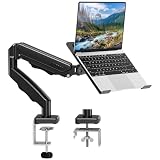
- Universal laptop Mount Desk: Hold one up to 14"-17" laptop. Each arm can hold 4.4-19.8lbs /2-9kg laptop or monitor with 75mm x75mm or 100mm x 100mm VESA mounting holes.
- Full Motion Adjustable Laptop Stand: This monitor desk mount with arms offer a wider range of movement. Single Monitor Desk Mount arms can extend up to 21.5" long, and rise up to 16.9" in height. Easy to find the right viewing angle and position. Supports screen rotates 360° for landscape or portrait orientation, swivels 360° to share your display, and tilts up 90°/down 45° for better viewing.
- Protect Your laptop Monitor Stand: Multiple slots on the tray are designed for heat dissipation. The stopper is positioned in the middle of the bottom to defend your notebook from sliding and falling. In addition, there is a strip and non-slip pads to secure your laptop tightly.Compatible with MacBook Air and MacBook Pro over 14inch.
- Professional Space Saver: Keeps your workspace professional and organized with the cables and wires tucked neatly in the arms. Height adjustable, full motion design lets you work in a more comfortable ergonomic position. You can work comfortably at your desk for long hours without stiff necks or back pain now.
- Two Installation Options: We provide both C-clamp and grommet kits. The C-clamp and grommet base allow for 0.39 to 2.76 inches thick. The dimensions of the hole range from 0.39 inches to 2.36 inches. The clamp laptop stand simplifies assembly. There is no need to worry about assembly, installation can be completed in 10 minutes.
Is shared hosting enough for a small business?
Usually, shared hosting can be enough for a low-traffic brochure site, local-business website or early-stage WordPress site. Check CPU, RAM, process, inode and database limits, and make sure the provider offers a practical upgrade path. A busy store, booking system or traffic-sensitive application may need managed WordPress, VPS, cloud or an integrated ecommerce platform.
Is WordPress hosting different from regular web hosting?
WordPress hosting is hosting marketed or configured for WordPress. Managed WordPress plans may include updates, staging, backups and WordPress-focused support, but they often cost more and can restrict plugins or server access. Self-hosted WordPress.org software is different from the hosted WordPress.com service.
How much should small-business web hosting cost?
There is no useful universal monthly price. Compare the amount due at checkout, required prepaid term, renewal price, domain renewal, email, backups, security add-ons, migration and taxes. A low promotional price can produce a much higher effective cost after renewal.
Is free hosting appropriate for a business website?
Free hosting is generally a poor choice for a customer-facing business because it may provide limited support, weaker resources, advertising, restrictive terms or inadequate backup and recovery options. A business should also consider the cost of downtime and the difficulty of moving away.
Do I need business email separately from web hosting?
Not always, but email-critical businesses should compare hosted mailboxes with dedicated services such as Google Workspace or Microsoft 365. Check storage, sending limits, recovery, spam controls and support for SPF, DKIM and DMARC. Website hosting and business email do not have to be purchased from the same company.
What does a 99.9% uptime guarantee mean?
Mathematically, 99.9% uptime allows about 8 hours, 45 minutes and 36 seconds of downtime in a 365-day year. The contract may use a different measurement period and exclude maintenance or other events. It is a service-credit promise, not independent proof of actual website availability.
Recommended Free Tools
Is unlimited bandwidth really unlimited?
Usually, the word applies only to a particular resource and remains subject to fair-use or technical limits. CPU, RAM, simultaneous processes, files, databases and traffic patterns may still be restricted. Read the plan’s resource policy instead of assuming unlimited bandwidth means unlimited performance.
Should I buy hosting and my domain from the same company?
It can be convenient, but the business should control both accounts and retain the ability to move them independently. Keep registrar credentials, DNS records and renewal information accessible to the business owner rather than leaving them solely with a freelancer or agency.
What should I back up before changing hosts?
Keep website files, media, a database export, DNS records, email data, license keys, themes, plugins, analytics access, payment integrations and domain credentials. Test the restored site before changing DNS, then keep the old account active until the website and email have been verified.
Can I move a website away from a website builder?
Sometimes, but portability varies. Some builders allow content or domain export while others require a rebuild on WordPress or another platform. Check export options, domain-transfer rules, paid add-ons and ownership of images and content before committing.
Free tools Windows power users keep installed
One-click scans. No signup required.
Is a VPS necessary for ecommerce?
Not automatically. A managed ecommerce platform or well-configured managed WordPress plan may be sufficient for a smaller store. A VPS or cloud plan becomes more relevant as traffic, catalog size, integrations or customization increase. Evaluate database performance, PHP workers, caching, staging, backups, payment reliability and support—not just bandwidth.
The Bottom Line
Bottom line: Forbes Advisor’s 2021 small-business hosting article is documented, but its exact U.S. rankings and prices are not currently verifiable from the live page. Treat the historical recommendations as time-specific research, not current buying advice. For a purchase, compare the exact plan’s renewal-adjusted total cost, resource limits, backups, security, support, scalability and exit process.





