The Tool Desk
Outbyte Driver Updater FREEScan for outdated or missing drivers - takes under a minuteDriver Scan →Outbyte PC Repair FREEClear out junk files and repair common Windows errorsFree Scan →YNAB is the best budgeting app for most people who want a real, proactive budget. It makes you assign the money you have to specific jobs before spending it. Monarch Money is the better choice for couples and households that want shared access plus net worth, investment, goal, and reporting tools. Quicken Simplifi is the strongest value for people who want an inexpensive spending plan and cash-flow forecast rather than envelope accounting.
There is no universal winner. The right app depends on whether you want to plan spending proactively or review it afterward, whether you share finances, how much automation you want, and whether you are willing to maintain the system. Prices and availability in this guide use the supplied U.S. snapshot checked on August 9, 2026; promotional prices and bank-support lists can change.
Quick comparison: the best budgeting apps in 2026
This list separates budget-first products from financial dashboards, subscription tools, and spreadsheet systems. A transaction chart is not automatically a budget: the important question is whether the app helps you decide what available money can safely do next.
| App | Best for | Price and trial | Free tier | Platforms and availability | Budgeting model | Main drawback |
|---|---|---|---|---|---|---|
| YNAB | Intentional, hands-on budgeting | $109/year or $14.99/month; 34-day trial | No permanent free tier | Web, iOS, Android; selected U.S., Canadian, U.K., and EU bank imports | Zero-based, envelope-inspired | Costs more and requires regular maintenance |
| Monarch Money | Couples and complete household visibility | Core: $99.99/year; Plus: $199.99/year; 7-day trial | No permanent free tier | Web, iOS, Android; U.S. and Canada | Category or flex cash-flow budgeting | Less rigorous than YNAB for paycheck-to-paycheck budgeting |
| Quicken Simplifi | Simple budgeting and cash-flow awareness | Displayed offer: $3.99/month billed annually; no free trial reported in current comparison coverage | No permanent free tier | Web and mobile; primarily U.S. customers and institutions | Spending Plan and projected cash flow | Not an envelope-style budget |
| Copilot Money | Premium Apple-oriented experience | $95/year or $13/month; one-month trial | No permanent free tier | iPhone, iPad, Mac, and web; U.S. accounts only | Monthly budgets and free-to-spend cash flow | U.S.-only and not designed for strict envelope budgeting |
| Rocket Money | Finding subscriptions and lowering bills | Free core plan; Premium choose-your-own price with 7-day trial; bill negotiation takes 35%–60% of first-year savings if successful | Yes, but important features are Premium | Mobile free tier; full desktop access requires Premium as of April 2026 | Recurring expenses, bills, and basic category budgets | Not as capable as a primary budgeting system |
| EveryDollar | Free, simple zero-based budgeting | Free version; Premium $79.99/year or $17.99/month; 14-day trial | Yes | iOS and Android in supported markets; free web version has broader international availability | Monthly zero-based budget | Bank transaction streaming requires Premium |
| Goodbudget | Manual envelope budgeting | Free; Premium $10/month or $80/year | Yes, with limits | Web, iOS, Android; automatic bank sync is U.S.-only | Manual or synchronized envelopes | Free plan is limited and bank sync costs extra |
| Lunch Money | Desktop power users and multicurrency customization | $10/month; annual pay-what-you-want plan with $60 minimum for new subscribers after March 15, 2026; 30-day trial | No permanent free tier | Desktop web plus official iOS and Android companion apps; 160+ currencies | Flexible category, envelope, or zero-based budgeting | Desktop-first rather than a conventional mobile-first app |
| Actual Budget | Privacy, local control, and self-hosting | Open-source/local-first software; hosting and some bank connections may cost money | Software is open source; infrastructure is your responsibility | Local desktop and self-hosted web; setup-dependent mobile access | Envelope budgeting | Setup, backups, security, and syncing require technical work |
| Empower Personal Dashboard | Free wealth and spending dashboard | Free | Yes | Web and mobile; primarily U.S. financial accounts | Basic spending and planning alongside wealth tracking | Not a rigorous proactive budget |
| Tiller | Spreadsheet-based budgeting | $99/year after a 30-day trial | No permanent free tier | Google Sheets and Microsoft Excel | Custom spreadsheet budgeting | Requires comfort with spreadsheets |
Pricing note: annual totals are more useful than monthly-equivalent advertising. The Simplifi amount above is the current displayed offer, not a promise of its renewal price. Rocket Money Premium is variable rather than a fixed standard price. Monarch’s Core and Plus tiers, and Lunch Money’s changed annual minimum, mean older comparison articles may be out of date.
#1 Best Overall

- 【ACHIEVE YOUR FINANCIAL GOALS】This budget financial planner provides a simple and efficient money management instruments that allows you to plan and track your income, expenses and savings in one convenient place. Take control of your money on a daily, monthly and yearly basis with the budget planner, enabling you to manage your personal finance and make decisions to achieve financial goals.
- 【TRACK SAVINGS, DEBT & BILLS PAYMENTS】Keeping track of savings, debt, and bill payments can help you understand your income and expenses, giving you a clearer picture of your financial situation. In addition, you can identify spending habits and appropriately reduce unnecessary spending.
- 【WELL-DESIGNED】The monthly budget planner is undated and covers 16 months. Every month features a calendar, a budget plan, and 4 pages expense tracker. At the end of the month, review your performance and consider how to improve. Additional sections include 4 savings, 6 debt trackers and more, making it simple to stay on top of your finances.
- 【EASY TO USE】The financial planner notebook cover is made by premium Faux Leather/ Fabric, High quality and durability. A5 size (5.7'' × 8'') is perfect for on-the-go. 100gsm paper has no bleed through. It also comes with an elastic pen loop and pocket. In addition, 2 bookmarks is useful to find any page you need easily.
- 【PERFECT GIFT】A Budget Planner makes for an incredibly thoughtful and practical gift, as it helps individual keep track of their finances, set savings goals, and manage their spending more effectively. Whether for a friend, family member, or colleague, this essential tool fosters financial literacy and encourages responsible budgeting habits.
First choose the budgeting method, not the brand
Zero-based or envelope budgeting
In a zero-based or envelope system, you assign available money to categories before spending it. Categories can represent necessities such as rent and groceries, sinking funds such as car repairs and annual insurance, debt payments, or discretionary goals. When priorities change, you deliberately move money from one category to another.
This approach is particularly useful if you live paycheck to paycheck, have irregular income, need to plan for nonmonthly expenses, or regularly wonder whether money in a checking account is already committed. It focuses on what your money should do, not merely where it went.
YNAB’s four-rule method explicitly centers on giving every dollar a job, preparing for true expenses, adapting the budget, and increasing the time between earning and spending. EveryDollar also describes its system as zero-based. Goodbudget, Actual Budget, and Lunch Money can support envelope-style workflows. The trade-off is maintenance: you need to review transactions, correct categories, and update the plan.
Category or cash-flow budgeting
Category and cash-flow apps generally start with expected monthly income, planned bills, savings, and spending limits. They then show actual spending and estimate what remains. This is easier to adopt if you want a broad view without assigning every currently available dollar.
Outdated Drivers Are Slowing You Down
One free scan finds every outdated or missing driver and matches the right update for your exact hardware.Free scan · exact hardware matchWindows Errors? Fix Them Before They Spread
Repair common Windows errors and clear accumulated junk for a smoother, more stable PC - no reinstall needed.Free scan · no reinstallMonarch supports both category budgets and a flex budget. Its budgeting documentation describes a system based on expected monthly income minus planned expenses and savings. Simplifi’s Spending Plan and projected cash flow serve a similar light-touch purpose. Copilot, Rocket Money, and Empower are also often more useful as spending dashboards than as strict envelope systems.
Expense tracking with a budget attached
An app can automatically import transactions, categorize merchants, and display attractive charts without telling you whether the money in your account is available for a future bill. Empower is the clearest example in this group: it is excellent for seeing net worth, investments, spending, savings, debt, and retirement information in one free dashboard, but it is not the first choice for assigning every dollar before spending.
Rocket Money and Copilot can also work well for people who mainly want awareness and automation. That is not a criticism; it is a different job from proactive budgeting.
1. YNAB: best for intentional, hands-on budgeting
Best for: people who want the strongest dedicated budgeting method, especially those with irregular income, debt goals, or recurring nonmonthly expenses.
Recommended Free Tools
YNAB is the default recommendation when someone asks for a budgeting app rather than a financial dashboard. Its central workflow is to budget money already available, assign it to categories, reserve funds for true expenses, and adjust when real life changes. That makes the app answer a practical question: How much of my current money is safe to spend?
It includes goals, debt planning, reports, bank import, and household sharing. Its credit-card workflow is also a major strength for users who want purchases, category funding, and card payments treated correctly instead of simply treating every card payment as a new expense.
- Price: $109 per year or $14.99 per month after a 34-day trial; there is no permanent free tier.
- Platforms: web, iOS, and Android.
- Bank availability: direct import supports selected banks in the United States, Canada, the United Kingdom, and the European Union. File-based import or manual accounts are important fallbacks where direct import is unavailable.
- Households: YNAB Together allows a subscription to be shared with partners, family, or close-knit groups of up to six people.
Strengths: the clearest proactive method, strong sinking-fund planning, useful debt and goal features, and a workflow that works for irregular income.
Weaknesses: the learning curve is real, and the annual cost is high if you only want automatic spending charts. It also requires consistent transaction review. YNAB supports a selected currency but does not combine multiple currencies in one spending plan.
Free tools Windows power users keep installed
One-click scans. No signup required.
Skip it if: you want a passive dashboard, dislike manual decisions, or mainly need investment and net-worth reporting.
Bottom line: choose YNAB when budgeting behavior—not visual reporting—is the main problem you are trying to solve.
2. Monarch Money: best for couples and complete household visibility
Best for: couples and households that want separate logins, shared financial visibility, flexible budgeting, goals, net worth, investments, subscriptions, and reports.
Monarch is the most balanced all-in-one household finance choice in this comparison. It can combine bank accounts, credit cards, loans, investments, property, budgets, goals, recurring bills, and reports in one view. Its category budget is more detailed, while its flex budget lets a household focus on a broad flexible-spending amount.
Do these 3 things before closing this tab:
1Scan for outdated or missing drivers - takes under a minute2Clear out junk files and repair common Windows errors3Fix the driver behind crashes, sound loss and screen glitchesThat convenience comes with an important methodological difference from YNAB. Monarch’s normal budget is based on expected monthly cash flow. It can be configured to feel more envelope-like, and it supports category rollovers, including negative rollovers in applicable categories, but it is not naturally an account-balance-based paycheck budget. Read the official budget explanation before choosing it for a paycheck-to-paycheck system.
Rank #2

- Effective Budget Plan Book – Take control of your finances with the SUNEE budget account book. This all-in-one budget planner allows you to plan and track your income, expenses, savings, and financial goals. Its intuitive layout and easy-to-use sections help you stay organized and make smart decisions to reach financial success. Our financial planner also included a comprehensive guidebook with valuable tips and instructions to help you get the most out of your budgeting planner.
- Full-Page Calendars – Each month’s full-page calendar provides plenty of space to track paydays, bills due dates, appointments, and important events. No more cramped boxes or tight writing areas, you can easily plan and organize your schedule at a glance.
- Colorful Pages Layout and Tabs – This vibrant budget planner features a user-friendly design for easy navigation and organization. Each month includes dedicated budget pages to set financial goals, track income, and plan expenses. Additional sections like debt trackers, savings goals, and bill payment trackers make managing your finances a breeze. The colorful backgrounds on each page offer clear, instant visibility.
- Bonus 4 Stickers and Convenient Design – This monthly budget planner is built for convenience and durability. Water-resistant cover protects against spills, while the elastic band keeps everything secure, and the dual-sided pocket offers extra storage. Plus, we’ve included 4 adorable sticker sheets to personalize your planner and make budgeting more enjoyable. Experience a budget planner that combines practicality with lasting quality.
- UNDATED DESIGN & 1 YEAR USE - Undated finance books start with 1 page-financial goals, 1 page-Mind Map, 1 page-Financial Strategy, 1 page-Tactics, 2 pages-Important Dates, 4 pages-Bill Tracker, 4 pages-Saving Tracker, 8 pages-Debt Tracker, followed by 12 Months(10 pages per month, 1 unique color for each month). 2 pages-Christmas Budgeting, 2 pages-Yearly Summary, 2 pages-Check Register and 12 pages-Notes(dotted). It is UNDATED, so you could start at any time, suitable for 1 year use.
- Price: Core is $99.99 per year; Plus is $199.99 per year. Both are separate from a 7-day trial. Plus features are currently desktop-focused and add advanced planning, investment, and business-tracking capabilities.
- Platforms: web, iOS, and Android.
- Availability: United States and Canada; documentation recommends U.S. or Canadian dollar accounts.
- Households: members use separate logins under one subscription and can share accounts, transactions, budgets, and goals.
The household limitation matters: according to Monarch’s household documentation, connected accounts are visible to household members. Monarch does not provide a way to hide an individual account or transaction from another member. It is therefore a good fit for transparent shared finances, not for granular permission settings.
Strengths: excellent shared household view, strong reporting, investments and net worth, flexible budget modes, and broad financial aggregation.
Weaknesses: no permanent free tier, a higher-priced Plus tier, and less rigorous handling of available dollars than YNAB for irregular income. Monarch also says it does not have a reconciliation feature, so manually entered transactions can remain alongside matching synced transactions.
Bottom line: pick Monarch over YNAB when the household dashboard and separate partner logins matter more than a strict every-dollar method.
3. Quicken Simplifi: best value for simple cash-flow planning
Best for: users who want low-cost spending awareness, projected cash flow, alerts, reports, and investment tracking without the structure of an envelope budget.
Simplifi’s main idea is a Spending Plan that shows expected income, bills, savings, and spending, alongside a projected cash-flow view. It is approachable for people who want to know what remains to spend or save but do not want to maintain a category-by-category envelope ledger.
- Price: Quicken’s page currently displays $3.99 per month billed annually, with $6.99 per month crossed out. Treat that as a current displayed offer, not a permanent standard or guaranteed renewal price.
- Trial: current comparison coverage reports no free trial, so confirm the checkout terms before paying.
- Platforms: web and mobile.
- Availability: primarily designed for U.S. customers and financial institutions. People elsewhere may be able to enter data manually, but that is not the same as full international bank support.
Strengths: inexpensive annual pricing at the displayed offer, a light-touch workflow, projected cash flow, alerts, reports, and investment tracking.
What’s actually slowing this PC down?
Pick the symptom - the matching free tool is one click away.
Weaknesses: it is less envelope-oriented, so it is not the strongest option for assigning money already received, irregular income, or detailed sinking funds.
Bottom line: Simplifi is the value pick for a user who wants a spending plan rather than a budgeting practice that demands frequent decisions.
4. Copilot Money: best premium Apple-oriented experience
Best for: U.S. users invested in the Apple ecosystem who value a polished interface, automated categorization, and a combined spending, investment, and net-worth view.
Copilot tracks budgets, subscriptions, investments, savings goals, cash flow, and net worth. It automatically categorizes transactions and includes a conversational Money Assistant whose beta AI features should not be confused with regulated financial advice.
Older comparisons may call Copilot iOS-only. That is no longer accurate: Copilot became available on the web in December 2025 and currently supports iPhone, iPad, Mac, and web. Its FAQ still limits the product to U.S.-based accounts.
- Price: $95 per year or $13 per month, with a one-month trial.
- Platforms: iPhone, iPad, Mac, and web.
- Availability: U.S. accounts only.
- Security and privacy claims: Copilot says it does not sell financial data or show ads, does not store bank credentials, and uses secure read-only integrations. These are company statements; review the current privacy policy and aggregator terms before connecting accounts.
Strengths: attractive and low-friction interface, automatic categorization, investment and net-worth tracking, subscriptions, goals, and cash-flow views.
Weaknesses: subscription-only, U.S.-only, not designed for businesses or formal financial advice, and less suitable than YNAB or Actual Budget for a strict account-balance-based envelope method. It is also a less natural choice than Monarch for Android-heavy or multi-person households.
Bottom line: Copilot is the premium Apple pick for automated financial organization, not the best pick for rigorous paycheck-to-paycheck budgeting.
5. Rocket Money: best for subscriptions and bill negotiation
Best for: finding recurring charges, identifying subscriptions, requesting cancellations, receiving balance alerts, and attempting to reduce eligible bills.
Rocket Money is best understood as a subscription and recurring-bill specialist that also offers budgeting tools. Free users can access core subscription, spending, balance-alert, and bill-reminder features. Premium adds important capabilities, including subscription cancellation requests, and full desktop access requires Premium as of April 2026.
Rank #3

- TAKE CONTROL OF YOUR MONEY & ACHIEVE YOUR FINANCIAL GOALS - Are you looking for the best monthly budget planner to keep your finances organized? Clever Fox Budget Book will help you keep your money organized, spend well and start saving.
- FIND THE BEST WAY TO ACHIEVE YOUR FINANCIAL GOALS - This budget organizer is not just a tool; it's a framework for achieving your financial goals. The finance planner helps you develop a strategy and break your ambitious goals into manageable monthly tasks.
- EASILY CONTROL YOUR SPENDING, DEBTS & SAVINGS - This money planner is undated and covers 12 months. Every month features a calendar, a budget plan, and an expense tracker. The budgeting planner also includes 8 savings and 12 debt trackers.
- USER GUIDE & BUDGETING STICKERS - Measuring 5.8 by 8.3 inches, this bill planner features a vegan leather hardcover, thick 120gsm paper, pen loop, elastic band, 3 bookmarks, pocket for receipts, budgeting stickers, and a user guide.
- 60-DAY GUARANTEE - We will exchange or refund your Budget Planner Organizer if you aren’t satisfied with your budgeting workbook for any reason. Reach out to us via message to refund your financial planner.
- Price: the free core plan remains available. Premium uses a variable choose-your-own monthly price and has a 7-day trial; it is no longer accurately summarized by older fixed $6-to-$12 descriptions.
- Cancellation limits: some providers cannot be canceled automatically. A service billed through Apple, Google, or another third party may need to be canceled directly through that billing platform.
- Bill negotiation: if successful, Rocket Money charges 35%–60% of the first year’s savings.
- Sharing: Premium sharing is designed for two people. Both receive unique credentials but can view and manage linked budgets, accounts, transactions, and subscriptions.
Consider the economics before submitting a bill. If a bill falls by $20 per month, first-year savings are $240. At a 40% success fee, Rocket Money would take $96, leaving $144 before any Premium subscription cost. A negotiated bill can also temporarily increase because of prorating or an expired promotion.
Rocket Money’s privacy notice includes information-sharing categories involving affiliates and marketing. Do not give it the same blanket privacy description as a subscription-funded app that says it does not sell financial data; read the current privacy notice.
Quick wins for a faster PC:
Clear out junk files and repair common Windows errorsFree Scan →Scan for outdated or missing drivers - takes under a minuteDriver Scan →Repair Windows errors before they cause bigger problemsFix Now →Bottom line: use Rocket Money to audit recurring expenses and negotiate eligible bills. Pair it with YNAB, Monarch, or Simplifi if you need a primary budgeting system.
6. EveryDollar: best free simple zero-based budget
Best for: someone who wants a straightforward monthly zero-based budget and is willing to enter transactions manually.
EveryDollar’s free version supports a monthly zero-based budget with unlimited budget lines. That makes it one of the clearest ways to try the method without immediately paying. Premium adds bank transaction streaming and other features.
- Price: free version; Premium is $79.99 per year or $17.99 per month after a 14-day trial.
- Platforms: iOS and Android in supported markets; the free web version has broader international availability.
- Budgeting model: monthly zero-based budgeting.
Strengths: simple categories, a useful free manual workflow, and less complexity than YNAB.
Weaknesses: bank transaction streaming requires Premium, and the Premium/mobile product is not international. The free version can become tedious if you have many accounts or transactions.
Bottom line: EveryDollar is a strong free starting point for learning zero-based budgeting. YNAB is generally the more capable paid choice for goals, reports, debt handling, and mature account workflows.
7. Goodbudget: best manual envelope budget
Best for: people who want visible digital envelopes, manual entry, and access from the web, iOS, and Android without handing every account to an aggregator.
Goodbudget translates the physical-envelope idea into digital envelopes. It can be especially useful for cash spending or a couple who wants to agree on shared envelopes and is willing to enter or review transactions manually.
What’s actually slowing this PC down?
Pick the symptom - the matching free tool is one click away.
- Free plan limits: 10 regular envelopes, 10 annual or goal envelopes, one account, two devices, and one year of history.
- Premium: $10 per month or $80 per year.
- Bank sync: automatic synchronization is paid and U.S.-only.
- Platforms: web, iOS, and Android.
Strengths: clear envelope metaphor, manual-control option, useful free tier, and cross-platform access.
Weaknesses: the free limits are restrictive for a complicated household, and automatic bank sync is not an international solution.
Bottom line: choose Goodbudget when the envelope method matters and manual control is acceptable. Choose Actual Budget if you also want local-first data ownership and are comfortable managing technical infrastructure.
8. Lunch Money: best desktop and multicurrency power-user option
Best for: people who want a highly customizable web budget, flexible periods, multicurrency support, rules, CSV/API imports, and rollover control.
Lunch Money supports category, envelope, and zero-based approaches rather than forcing one method. Its custom budget periods can suit weekly, biweekly, twice-monthly, and irregular pay schedules. It also supports 160-plus currencies, although that does not guarantee that every bank or multiple currencies will work together inside one budget exactly as you expect.
- Price: $10 per month. The annual plan uses a pay-what-you-want structure with a $60 minimum for new subscribers after March 15, 2026. The trial is 30 days.
- Platforms: primarily desktop web, with official iOS and Android companion apps.
- Tools: rules engine, custom budget periods, rollovers, CSV/API imports, and customizable categories.
Strengths: flexibility, multicurrency support, custom periods, powerful rules, and import options useful when automatic bank connections fail.
Weaknesses: the desktop-first experience may feel less polished for someone who expects a mobile-first budgeting app. Bank connectivity still needs to be checked institution by institution.
Rank #4
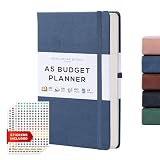
- WHAT'S INSIDE: Our leather budget planner book features 248 pages/124 sheets of 120gsm paper, resistant to ink bleed and ghosting. Includes sections for financial goals, savings tracker, money tracker, and debt tracker. Packaged in a beautiful gift box
- Crafted for Excellence: Our planner, an ultimate budget book and financial planner, boasts durability with secure closure, bookmark ribbon, and lay-flat binding. The deep back pocket adds extra space for your essentials.
- Sophisticated British Design: Immerse in the elegance of our British-designed finance book. Bound in vegan leather, each Beechmore Book undergoes color accuracy testing in our London studio.
- Premium Gift Option: Elevate your gifting with our Beechmore Book. Packaged in our signature box, it's an ideal gift for colleagues, teachers, friends or family members.
- Luxurious Paper Quality: Our budget journal features 248 pages/124 sheets of 120gsm paper, resistant to ink bleed and ghosting. The 5.8 x 8.3 inch size is perfect for all your financial planning needs.
Bottom line: Lunch Money is a strong fit for a power user whose budget does not fit a standard monthly template.
The Tool Desk
Outbyte Driver Updater FREEFix the driver behind crashes, sound loss and screen glitchesFind Drivers →Outbyte PC Repair FREERepair Windows errors before they cause bigger problemsFix Now →9. Actual Budget: best privacy-first and self-hosted option
Best for: technically comfortable users who want local-first envelope budgeting, open-source software, and more control over where financial data is stored.
Actual Budget is local-first and supports self-hosting through Docker. You can use it as a local budgeting system or set up a server for synchronization and remote access. That makes it an important alternative for people who dislike recurring SaaS subscriptions, have unsupported banks, or want manual and privacy-conscious workflows.
The software itself should not be described as cost-free in the practical sense. You may need to pay for hosting, managed services, or bank connections. You are also responsible for:
- server setup and access controls;
- backups and restoration tests;
- security updates;
- remote and mobile access;
- bank connections, if you use them; and
- recovery if the server, storage, or database fails.
Read the project’s download and installation documentation before choosing it. Local-first is a data-control model, not a guarantee that setup will be easy or that every feature will work automatically.
Bottom line: Actual Budget is the strongest privacy and ownership choice for a user who is willing to trade convenience for control.
10. Empower Personal Dashboard: best free wealth-and-spending dashboard
Best for: people who want a free overview of net worth, investments, spending, savings, debt, and retirement information.
Empower is useful when the main problem is scattered financial information rather than a lack of spending rules. It aggregates accounts and presents wealth and spending tools at no subscription cost. That makes it a compelling complement to a budget-first app.
Its limitation is methodological: it is better at showing financial activity and long-term wealth than at telling a paycheck-to-paycheck user exactly which available dollars are reserved for future bills. Automatic categorization and charts should not be mistaken for proactive envelope budgeting.
Recommended Free Tools
- Price: free.
- Platforms: web and mobile.
- Availability: primarily U.S. financial accounts.
Bottom line: choose Empower for free financial visibility and investment tracking; choose YNAB, EveryDollar, Goodbudget, or Actual Budget for a serious spending plan.
11. Tiller: best spreadsheet-based budgeting system
Best for: spreadsheet users who want automated bank feeds combined with complete control over formulas, categories, reports, and templates.
Tiller sends financial data into Google Sheets or Microsoft Excel and provides monthly and yearly budget views and customizable templates. It can be more adaptable than a fixed app, especially for a user who already manages finances in a spreadsheet.
- Price: $99 per year after a 30-day trial.
- Platforms: Google Sheets and Microsoft Excel.
- Strengths: customization, transparent calculations, and the ability to create a system that matches unusual financial needs.
- Weaknesses: setup and maintenance require spreadsheet comfort; it is not the simplest choice for someone seeking a guided mobile experience.
Bottom line: Tiller is a budget system for people who prefer a spreadsheet to a conventional app and are willing to maintain the workbook.
Head-to-head choices
YNAB vs. Monarch
Choose YNAB if the budget itself is the primary tool, you need to budget money already received, and you are willing to review transactions regularly. Choose Monarch if you want a shared household dashboard with investments, net worth, goals, and reporting, and you prefer expected monthly cash flow.
YNAB is generally better for irregular income and assigning available dollars. Monarch is generally better for household visibility and passive monitoring. Neither is simply a superior version of the other because they start with different budgeting assumptions.
Monarch vs. Simplifi
Monarch offers stronger collaboration, flexible budget modes, custom reports, goals, and a broader household picture. Simplifi is cheaper at the current displayed annual offer and has a lighter Spending Plan and cash-flow workflow. Pick Simplifi if you do not need detailed envelopes or extensive household features.
YNAB vs. EveryDollar
Both use a zero-based philosophy. YNAB has deeper targets, reports, debt features, and account handling. EveryDollar is simpler and offers a useful free manual version. If you are already willing to enter transactions manually, EveryDollar Premium’s bank streaming may not justify its price for you.
Do these 3 things before closing this tab:
1Repair Windows errors before they cause bigger problems2Scan for outdated or missing drivers - takes under a minute3Clear out junk files and repair common Windows errorsBest Value

- 【ACHIEVE YOUR FINANCIAL GOALS】This budget financial planner provides a simple and efficient money management instruments that allows you to plan and track your income, expenses and savings in one convenient place. Take control of your money on a daily, monthly and yearly basis with the budget planner, enabling you to manage your personal finance and make decisions to achieve financial goals.
- 【TRACK SAVINGS, DEBT & BILLS PAYMENTS】Keeping track of savings, debt, and bill payments can help you understand your income and expenses, giving you a clearer picture of your financial situation. In addition, you can identify spending habits and appropriately reduce unnecessary spending.
- 【WELL-DESIGNED】The monthly budget planner is undated and covers 16 months. Every month features a calendar, a budget plan, and 4 pages expense tracker. At the end of the month, review your performance and consider how to improve. Additional sections include 4 savings, 6 debt trackers and more, making it simple to stay on top of your finances.
- 【EASY TO USE】The financial planner notebook cover is made by premium Faux Leather/ Fabric, High quality and durability. A5 size (5.7'' × 8'') is perfect for on-the-go. 100gsm paper has no bleed through. It also comes with an elastic pen loop and pocket. In addition, 2 bookmarks is useful to find any page you need easily.
- 【PERFECT GIFT】A Budget Planner makes for an incredibly thoughtful and practical gift, as it helps individual keep track of their finances, set savings goals, and manage their spending more effectively. Whether for a friend, family member, or colleague, this essential tool fosters financial literacy and encourages responsible budgeting habits.
Copilot vs. Monarch
Copilot is better for a design-focused Apple user who wants automated categorization and a polished view. Monarch is better for Android users, couples, broader household collaboration, and flexible budget structures. Copilot now has web access, but it remains limited to U.S.-based accounts.
Rocket Money vs. a primary budget app
Rocket Money can complement YNAB, Monarch, or Simplifi by finding recurring charges and attempting bill reductions. It should not automatically replace a primary budgeting app. Connecting the same accounts to multiple services can create duplicate notifications, overlapping costs, and more privacy exposure.
Goodbudget vs. Actual Budget
Goodbudget is easier to start and works well for manual shared envelopes. Actual Budget provides greater control and local-first ownership, but requires more technical setup. Choose Goodbudget for convenience and Actual Budget for control.
Best app for each situation
- Paycheck to paycheck: YNAB or Actual Budget. Both are better suited to budgeting money already received. Lunch Money is a flexible alternative for unusual pay periods.
- Irregular income: YNAB first; Actual Budget or Lunch Money for users who want more control or custom periods.
- Couples: Monarch for shared household visibility and separate logins; YNAB for a shared proactive budget. Goodbudget works for manual shared envelopes.
- Best free option: EveryDollar for a simple free zero-based budget, Goodbudget for limited free envelopes, Empower for free wealth tracking, or Rocket Money for free subscription and recurring-expense tools.
- Apple users: Copilot if you are in the U.S. and prioritize interface quality; YNAB if the budget method matters more.
- Android users: YNAB, Monarch, Simplifi, EveryDollar, or Goodbudget. Copilot should not be selected solely from older iOS-only descriptions; it now supports the web but not Android.
- Investors: Monarch or Empower for net worth and investment visibility; Copilot is another option for U.S. Apple-oriented users.
- Subscriptions and bills: Rocket Money, preferably used alongside a real budget if you need proactive planning.
- Privacy and data ownership: Actual Budget, with the understanding that hosting, backups, and security become your responsibility.
- International or multicurrency needs: Lunch Money is the strongest candidate in this group because it supports more than 160 currencies. YNAB supports selected U.S., Canadian, U.K., and EU bank imports but does not combine multiple currencies in one spending plan. Monarch is available in the U.S. and Canada, while Copilot is U.S.-only and Goodbudget’s automatic sync is U.S.-only.
- Spreadsheet users: Tiller.
How to choose in five minutes
- Decide whether you need a proactive budget. If you want to assign money before spending, start with YNAB, EveryDollar, Goodbudget, Actual Budget, or Lunch Money. If you mainly want analysis, consider Monarch, Simplifi, Copilot, Empower, or Rocket Money.
- Check the household model. Do both people get separate logins? Can either person hide accounts? Monarch and Rocket Money provide separate credentials but broad visibility into linked information. Do not assume shared access means private personal accounts.
- Check devices, country, currency, and banks before paying. An app can be downloadable in your country while its automatic import is unavailable. Verify each important institution during the trial or before connecting every account.
- Price the renewal, not just the promotion. Compare the annual total after the trial. Separate a permanent free tier from a 7-day, 30-day, 34-day, or one-month trial. Treat displayed promotional prices as changeable.
- Decide how much maintenance you will tolerate. Automatic categorization saves time but still needs review. Manual systems give more control but require entry. Self-hosted systems add backups and security to the job.
- Plan the bank-sync fallback. Keep manual entry, CSV import, or a spreadsheet option available. Do not make your financial records dependent on a single connection working forever.
Bank synchronization: what to test before subscribing
Bank aggregation is convenient, not guaranteed. During a trial, connect the checking account, savings account, credit card, loan, and investment account you actually rely on. A bank may appear in an app’s search and still experience missing transactions, delayed updates, authentication loops, or temporary outages.
Free tools Windows power users keep installed
One-click scans. No signup required.
Test what happens when:
- your bank changes its password or multifactor-authentication process;
- an institution connection is temporarily unavailable;
- a pending transaction later clears;
- a credit-card payment appears both as a payment and a transfer;
- the same account is connected through two data providers;
- cash, checks, reimbursements, or manual transactions need to be entered;
- historical transactions are incomplete; or
- a duplicate transaction must be removed without changing the account balance.
Keep a CSV or manual-entry fallback. This is particularly important for people using a bank unsupported by Plaid or another provider, cash-heavy households, and anyone who needs a complete historical record. A successful first connection does not guarantee permanent real-time synchronization.
Monarch is a useful example of why transaction handling matters: its documentation says it does not have a reconciliation feature, so a manually entered transaction can remain alongside a matching synced transaction. That does not make the app unusable, but it means you need a deliberate review process.
Credit cards: the comparison detail that matters
Every app that says it supports credit cards does not necessarily handle them in the same way. A useful comparison distinguishes four separate events:
- the credit-card purchase, which is spending in the merchant category;
- the payment from checking to the card, which is normally a transfer rather than new spending;
- the existing card balance or debt, which may need a separate payoff plan; and
- rewards, refunds, statement credits, and fees, which can distort category totals if imported incorrectly.
YNAB’s dedicated credit-card workflow is one reason it suits readers who want a rigorous budget. Simpler cash-flow apps may present card activity more like ordinary account transactions, which can be easier to understand at first but can also make it harder to see whether the underlying purchase was funded.
Windows Errors? Fix Them Before They Spread
Repair common Windows errors and clear accumulated junk for a smoother, more stable PC - no reinstall needed.Free scan · no reinstallCrashes, No Sound, or Screen Glitches?
Random freezes, missing sound and display glitches usually trace back to one bad driver. Find and replace yours safely.Free scan · under a minuteNonmonthly expenses and sinking funds
Before choosing an app, create a short test budget for annual insurance, property taxes, holiday spending, vehicle repairs, tuition, quarterly estimated taxes, and medical deductibles. The relevant feature is not merely a goal icon. You need to reserve money over time, carry it forward, and avoid treating a month of underspending as permanent savings.
YNAB and Actual Budget are particularly natural fits for this use case. Lunch Money offers flexible periods and rollovers. Monarch supports category rollovers, including negative rollovers in applicable categories, but the behavior differs by category and flex bucket. Read the product documentation rather than assuming every rollover works like a physical envelope.
Privacy, credentials, and data control
Connecting a bank account to a budgeting app generally involves a third-party data provider, even when the budgeting company itself does not store your bank password. Before connecting accounts, check:
- whether the connection is read-only;
- which aggregation providers are used;
- whether the company sells or shares transaction data;
- what data can be exported;
- how account deletion works;
- what happens to data after cancellation; and
- whether the app can move money or only retrieve information.
Copilot says it does not sell financial data, show ads, or store bank credentials. Monarch says it is subscription-funded, ad-free, does not sell financial data, and does not directly access or move money in connected bank accounts. Lunch Money also says it is subscription-funded and does not sell data to third parties. These are company statements, not a guarantee that no data is processed or shared with aggregators, service providers, affiliates, or authorities. Read each current privacy policy.
Actual Budget offers the clearest data-ownership alternative because it is local-first and self-hostable. The trade-off is that the owner of the server also becomes responsible for security, backups, remote access, and recovery.
Why app-store ratings are not enough
Ratings can provide a secondary signal about usability, but they do not tell you whether your bank will sync reliably, whether the learning curve is manageable, whether the app can handle irregular income, or whether its free tier is genuinely usable. They also rarely reveal how a service handles credit-card payments, duplicate imports, separate household permissions, or cancellation.
This comparison therefore emphasizes budgeting-method fit, maintenance, bank and transaction reliability, cost, household collaboration, planning depth, privacy, and export options. It does not claim personal hands-on testing. Company pages are the best source for current prices and stated features; independent comparison coverage such as Forbes Advisor’s 2026 comparison is useful for reported usability and failure modes but includes products with substantially different purposes.
Frequently Asked Questions
Is a free trial the same as a free budgeting app?
No. A trial is temporary access that may convert to a paid subscription. EveryDollar and Goodbudget have permanent free tiers, while Empower is free. YNAB, Monarch, Copilot, Lunch Money, and Tiller use trials rather than permanent free versions; Rocket Money has a free core plan with important Premium features.
Quick wins for a faster PC:
Clear out junk files and repair common Windows errorsFree Scan →Scan for outdated or missing drivers - takes under a minuteDriver Scan →Repair Windows errors before they cause bigger problemsFix Now →What should I do if my bank will not sync?
Do not choose an app solely because the institution appears in its search list. Test the connection during the trial, then use manual entry, CSV import, or a spreadsheet fallback if needed. This is also important when pending and cleared transactions create duplicates or when your bank changes its authentication process.
Can my partner hide personal accounts in a shared budgeting app?
Not necessarily. Monarch provides separate logins but says household members can see connected accounts and transactions. Rocket Money’s shared Premium access also provides broad visibility into linked information. Confirm account-privacy permissions before connecting personal accounts.
Which app is best if I am paid irregularly or live paycheck to paycheck?
Start with YNAB or Actual Budget because both are better suited to budgeting money already received and reserving funds for future expenses. Lunch Money is a strong customizable alternative for weekly, biweekly, twice-monthly, or other unusual budget periods.
The Bottom Line
Choose YNAB for the strongest actual budgeting method, Monarch for couples and complete household visibility, and Simplifi for inexpensive cash-flow planning. Choose Copilot for a polished U.S. Apple-oriented experience, Rocket Money for subscriptions and bill negotiation, EveryDollar or Goodbudget for free or manual envelope budgeting, Actual Budget for privacy and control, Empower for free wealth tracking, and Tiller for spreadsheets.
Quick Recap
Product prices and availability are accurate as of the date/time indicated and are subject to change. Any price and availability information displayed on Amazon at the time of purchase will apply.




