Crashes, No Sound, or Screen Glitches?
Random freezes, missing sound and display glitches usually trace back to one bad driver. Find and replace yours safely.Free scan · under a minutePC Slower Than It Used to Be?
A free scan shows the junk files, broken settings and background clutter dragging Windows down - then fixes them in one click.Free scan · Windows 10 & 11OpenProject is the best overall open-source project management platform for 2026 because it combines Gantt planning, agile boards, Scrum backlogs, time and cost tracking, documentation, budgets, and multi-project management in a free self-managed edition. It is not the right choice for everyone, though: Plane is better for a modern Jira- or Linear-style product workflow, Redmine for maturity and plugins, Taiga for focused Scrum and Kanban, and ProjectLibre Desktop for traditional Microsoft Project-style scheduling.
Quick recommendations:
- Best overall: OpenProject
- Best for software and product teams: Plane
- Best mature and customizable option: Redmine
- Best for Scrum and Kanban: Taiga
- Best for software ALM and traceability: Tuleap
- Best for small businesses and non-project managers: Leantime
- Best lightweight task manager: Vikunja
- Best traditional project scheduler: ProjectLibre Desktop
Every product below has an open-source or officially open-source position, but “free” does not mean costless. Self-hosting still leaves you responsible for a server, updates, backups, TLS, email delivery, security, and recovery testing.
What counts as open-source project management software?
This list focuses on software whose self-hosted or desktop product is distributed under an open-source license, rather than simply including a free cloud plan. Those are different things:
- A free cloud plan may be useful without giving you the source code or control of your data.
- A self-hosted product may be available for installation while important features remain closed or license-gated.
- An open-core product may have an open-source base but reserve authentication, audit, governance, or collaboration features for a commercial edition.
- A product can be open source and still require paid infrastructure, support, or enterprise services.
Accordingly, the most important questions are not just whether a product has a GitHub repository. Check the license, the exact edition, what remains free, and whether the functionality your team needs is included in the self-managed version.
Do these 3 things before closing this tab:
1Fix the driver behind crashes, sound loss and screen glitches2Repair Windows errors before they cause bigger problems3Scan for outdated or missing drivers - takes under a minute#1 Best Overall

- DRY ERASE PROJECT MANAGEMENT PLANNER: Be made of 250 gsm construction paper, laminated by special formula film that is erasable, make the surface resistant to ghosting or staining. We can erase easily even months later and use this work schedule board over and over again
- PRODUCTIVE PROJECT MANAGEMENT TOOLS: This project management board is a game changer and something physical for managing personal or team projects efficiently. It allows you or members to quickly view and share the status of up to 12 projects at the same time, a very good practical kit of team building
- SCRUM WHITEBOARD FOR OFFICE ESSENTIALS: This project organizer worth the investment for business use. It's easy to use for products development, marketing strategic projects or as a sales goal tracking whiteboard. You can easily measure budget, milestones, resources, inventory and timeline at a glance. It helps you plan, execute, assign tasks efficiently
- MOUNTING IS A BREEZE: This vision board is lightweight and comes with removable mounting stickers. You can mount this program Management Board easily without tools. On the other hand, you can take it down easily too if you need to remount your project board to other place later
- COMPLETE ACCESSORIES INCLUDED: Our huge project manager planner for wall is cost-efficient for daily use in office, home office or family. It comes rolled in a study tube with, premium dry erase eraser, reusable fluorescent colored tabs for entrepreneurs, managers or person working at home
Comparison: the eight best options
The ranking below is a fit-based editorial recommendation, not a laboratory benchmark or a claim that one product is objectively best for every team. Release information reflects the 2026 research snapshot; follow each official release page before installing because versions and edition boundaries change.
| Software | License or open-source position | Best fit | Gantt | Kanban/Scrum | Time, cost, or resource planning | Self-hosting position | Version snapshot |
|---|---|---|---|---|---|---|---|
| OpenProject | GPLv3 Community Edition | Broad project and portfolio work | Strong | Strong | Strongest overall coverage | Free self-managed edition; Enterprise additions are separate | 17.6.0, July 8, 2026 |
| Plane | AGPLv3 Community Edition; separate Commercial and Air-gapped editions | Software and product teams | Available, lighter | Strong product workflow | Not its core strength | Docker Compose and Kubernetes; edition details matter | 1.3.1, May 14, 2026 |
| Redmine | GPLv2 | Maturity, plugins, and customization | Strong | Usually plugin or workflow dependent | Time tracking; advanced planning often needs plugins | Self-hosted and established | 7.0.0, June 30, 2026 |
| Taiga | Open source under MPL-2 | Scrum and Kanban teams | Not its main strength | Strong agile focus | Limited compared with full PM suites | Self-hostable with Docker and documented integrations | 6.10.2, July 2, 2026 |
| Tuleap | Free/open-source Community Edition plus enterprise offerings | Software ALM and regulated traceability | Check the chosen workflow and edition | Agile and lifecycle workflows | Lifecycle-focused rather than generic resource planning | Docker Compose available; production planning is important | 17.5 documented for April 2026 |
| Leantime | AGPLv3 self-hosted edition with a plugin-related exception | Small teams and non-project managers | Available | Available | Timesheets and approachable planning | Free self-hosted version; hosted service is separate | 3.8.0, May 27, 2026; check later releases |
| Vikunja | AGPLv3 core; optional Pro features | Lightweight tasks and personal or small-team work | Available | Kanban; not Scrum-centric | Some organization features require Pro | Simple Docker, package, Kubernetes, and binary options | 2.3.0, April 9, 2026 |
| ProjectLibre Desktop | Officially presented as free and open-source desktop software | Offline scheduling and Microsoft Project users | Strong | Not applicable | Strong resource, cost, baseline, and earned-value tools | Installed locally rather than operated as a web service | 1.9.8, April 28, 2025 |
“Available” means the feature is present or documented at a lighter level; it does not mean feature parity with a dedicated scheduling or agile suite. Verify exact edition and version before committing project data.
How these tools were selected
The comparison weighs the factors that affect ownership and suitability, not just feature-count marketing or GitHub stars:
- License authenticity: the license covering the self-hosted or desktop product, plus any closed or paid modules.
- Project-management depth: tasks, subtasks, dependencies, milestones, Gantt charts, backlogs, sprints, roadmaps, resource planning, time tracking, budgets, costs, baselines, documents, and multi-project reporting.
- Deployment burden: Docker and Compose support, Kubernetes options, databases, CPU and memory needs, ARM support, reverse-proxy requirements, backups, and upgrades.
- Team access: roles, project permissions, external users, LDAP or directory integration, OAuth/OIDC, SSO, audit logs, notifications, and mobile or responsive access.
- Portability: APIs, webhooks, GitHub and GitLab integrations, importers, calendars, and exports.
- Project health: release activity, security fixes, documentation, maintainer activity, issue handling, community support, and roadmap visibility. Stars alone are not a maturity test.
1. OpenProject: best overall
OpenProject is the strongest general-purpose recommendation when a team needs both traditional project planning and modern agile collaboration. Its user guide covers work packages, multiple projects, Gantt charts, agile boards, Scrum backlogs, roadmaps, calendars, documents, wikis, meetings, budgets, time and cost tracking, team planning, and reporting. That breadth makes it suitable for software teams as well as construction, engineering, government, and other non-software projects. See the official user guide for the feature documentation.
Quick wins for a faster PC:
Repair Windows errors before they cause bigger problemsFix Now →Fix the driver behind crashes, sound loss and screen glitchesFind Drivers →License and free edition
The Community Edition is GPLv3-licensed, free to self-manage, and supports unlimited users and projects. OpenProject also sells Enterprise editions with hosting, support, and additional capabilities, so the Community Edition should not be described as containing every feature offered by the company. The Community Edition page and license and FAQ documentation are the appropriate references for that distinction.
Infrastructure requirements
For a small installation, OpenProject documents approximately a quad-core CPU running at 2 GHz or better, 4 GB of RAM, 20 GB of free disk space, and PostgreSQL 16 or newer. These figures are a starting point, not a guarantee for a large team or an attachment-heavy instance. Consult the system requirements before sizing a production server.
Docker is a convenient deployment method, but a public production installation still needs persistent storage, HTTPS, a reverse proxy or TLS termination, backups, and a correctly configured hostname. The all-in-one Docker image is useful for evaluation, but OpenProject does not recommend a one-container deployment for production because it makes component upgrades and operations less flexible. The Docker setup also has more limited repository integration than a package-based installation. See the official Docker guidance.
What OpenProject does better
- Combines Gantt and dependency planning with Scrum and Kanban.
- Handles budgets, time, costs, documentation, meetings, and team planning in one platform.
- Works for several project methodologies rather than forcing every team into an agile-only model.
- Offers a comparatively mature path for organizations that expect to grow beyond a simple task board.
Trade-offs
- It is heavier to install, maintain, and learn than Vikunja, Leantime, or a minimalist Kanban tool.
- The breadth can be excessive for a small team that needs only tasks and a board.
- Some advanced baseline, external-sharing, security, and enterprise capabilities are paid or edition-dependent.
- PostgreSQL administration, backups, upgrades, and server security are part of the real cost of ownership.
Choose OpenProject if you need serious multi-project planning, Gantt charts, budgets, time and cost tracking, documentation, and agile work in the same self-hosted system. Do not choose it merely because it tops a list if your real requirement is a lightweight personal task manager.
Recommended Free Tools
Release snapshot: OpenProject 17.6.0 was released July 8, 2026, according to the official release notes.
2. Plane: best modern option for software and product teams
Plane is the best fit for teams looking for a contemporary Jira- or Linear-style experience. It focuses on projects, work items, cycles, modules, pages, intake, dashboards, estimates, multiple layout views, REST APIs, and webhooks. That makes it especially attractive to software development and product teams migrating away from Jira, Linear, Monday.com, or similar proprietary services.
License and editions
Plane’s Community Edition is AGPLv3-licensed and its official open-source page says it has no user limit. However, Plane has separate Community, Commercial, and Air-gapped self-hosted editions. They are not interchangeable. Commercial editions exist for paid enterprise functionality, and the air-gapped deployment has its own requirements. Read the edition documentation before assuming that a feature shown in a product demonstration is part of Community.
Deployment and integrations
Plane documents Docker Compose and Kubernetes deployment. Its Docker requirements list 2 vCPUs and 4 GB of RAM as a minimum, with 8 GB recommended, and support for x86-64 and ARM64 environments. A small deployment may therefore fit on modest infrastructure, but Plane is still a multi-service application rather than a single binary.
Free tools Windows power users keep installed
One-click scans. No signup required.
Self-hosted GitHub and GitLab integrations require administrator configuration. You may need to create the relevant GitHub App or GitLab Application, set callback URLs and permissions, configure environment variables, and enable webhooks. Plane also documents REST APIs and webhooks for projects, work items, cycles, modules, and comments. Useful starting points are the Docker Compose guide, GitHub integration guide, GitLab integration guide, and webhook documentation.
Important limitations
- Plane is younger and less proven than Redmine and OpenProject.
- Self-hosting requires more administration than a lightweight task application.
- Authentication and integration availability can vary by version and edition. For example, Plane’s community forum reported OAuth login limitations for self-hosted Community Edition 1.3.0; test the exact release you intend to deploy.
- Enterprise identity, governance, and collaboration features should not be assumed to be included in the free Community Edition.
Choose Plane if your team thinks in product backlogs, cycles, modules, work items, and releases and wants a modern interface. Choose OpenProject instead if you need stronger traditional scheduling, budgets, cost controls, or broader non-software project features.
Release snapshot: the Plane GitHub repository lists version 1.3.1 as released May 14, 2026: repository and releases.
Rank #2

- MAGNETIC DRY-ERASE SURFACE — The whiteboard design is permanently printed onto durable, industrial‑quality dry‑erase vinyl that won’t smudge and is resistant to stains and ghosting. Its smooth, long‑lasting writing surface is also magnetic, giving you added functionality for notes, magnets, and accessories
- EASY INSTALLATION — Comes complete with durable mounting brackets and hardware, ensuring a secure and effortless wall‑mounting
- DURABLE ALUMINUM FRAME — Built with a sleek 1" aluminum border and a spacious 2.5" deep aluminum tray to keep markers and accessories neatly within reach
- SPACIOUS WRITING SURFACE — Ample writing space with a usable area that extends nearly edge‑to‑edge, measuring just 2" shy of the board’s total dimensions
- Please inspect your whiteboard upon arrival — If you notice any issues, please contact us through Amazon's Buyer-Seller Messaging system
3. Redmine: best for maturity, plugins, and customization
Redmine is the long-term-stability choice. It is one of the most established open-source project and issue-tracking systems, with multiple projects, role-based permissions, issue tracking, custom fields, roadmaps, calendars, Gantt charts, time tracking, wikis, forums, repository integration, notifications, and a large plugin ecosystem. Its official feature list documents the core capabilities.
Why experienced administrators still choose it
Redmine is a good match for an organization that values predictable ownership, a proven data model, and the ability to adapt the system with plugins and custom workflows. It is particularly useful for software teams that want issue tracking tied to repositories, but it can also coordinate general projects.
Redmine is distributed under GPLv2. The official download page lists 7.0.0 as released June 30, 2026, identifies 7.0.x as the latest stable line, and describes the support status of older branches. Check the download and support page before upgrading.
Trade-offs
- The interface is less modern than Plane, Taiga, Vikunja, or Leantime.
- Plugin compatibility must be checked against the exact Redmine and Ruby versions.
- Installation and upgrades require comfort with a Ruby on Rails application and its dependencies.
- Many advanced features depend on third-party plugins, which can create maintenance and security risks.
- Redmine is more naturally an issue tracker and project platform than a polished all-in-one collaboration workspace.
Choose Redmine if maturity, plugins, custom fields, and control matter more than visual polish. It is not the easiest first self-hosting project for a nontechnical office team.
4. Taiga: best for focused Scrum and Kanban
Taiga is the best choice when agile work is the center of the organization. It is designed for Scrum and Kanban teams rather than trying to be a universal portfolio, cost, and resource-management suite. Its documentation positions it for cross-functional teams, agile developers, and designers.
Features and migration
Taiga documents Docker production installation, a REST API, webhooks, backups and restores, and importers for GitHub, Jira, and Trello. That makes it a practical option for teams moving from a board or issue tracker while retaining control of the deployment. The official documentation is the best place to verify the current installation process and integrations.
The project is open source under MPL-2. The backend changelog lists Taiga 6.10.2 on July 2, 2026, with 6.10.3 shown as unreleased in the research snapshot. Check the current changelog before selecting a version.
What it does not try to be
Taiga is not the strongest choice for detailed resource loading, budget and cost control, earned-value analysis, or complex portfolio planning. If your project manager needs dependencies, baselines, and financial variance reporting, OpenProject or ProjectLibre is a better starting point.
Self-hosting is also more involved than installing a single-container task application. Documentation and hosted-service details have changed over time, so verify current pricing and limits if you are comparing Taiga Cloud with self-hosting.
Choose Taiga if your team already understands Scrum or Kanban and wants a focused agile workspace without the weight of Tuleap or OpenProject.
5. Tuleap: best for software ALM, requirements, and traceability
Tuleap is best understood as an application-lifecycle-management platform, not simply a project board. Its documentation covers requirements, tasks, defects, documents, version control, continuous integration, releases, and collaboration. The key advantage is traceability: an engineering organization can connect requirements, work items, tests, source code, releases, and documentation.
Who benefits most
Tuleap makes sense for software organizations with formal quality processes, complex requirements, regulated development, or a need to show how a release connects back to approved work. It supports project-level permissions, templates, groups, customizable workflows, and data export. Start with the user guide introduction and project administration documentation.
Deployment and edition qualification
The Community Edition can be installed with Docker Compose. The Docker documentation identifies MySQL 8.0 or 8.4 and persistent storage as dependencies and warns that a simple bundled-database setup is for testing rather than recommended production use. See the installation guide, Docker introduction, and Docker Compose instructions.
The Tool Desk
Outbyte PC Repair FREERepair Windows errors before they cause bigger problemsFix Now →Outbyte Driver Updater FREEFix the driver behind crashes, sound loss and screen glitchesFind Drivers →Tuleap’s public documentation needs careful reading because it describes the Community and Enterprise boundary inconsistently. Its introductory documentation says it does not distinguish between Enterprise and Community versions, while the installation documentation says Community Edition is appropriate for non-critical needs and recommends Enterprise for production-class scalability and security. Do not summarize that as “all Tuleap features are free.” Check the chosen edition, support terms, security requirements, and deployment guidance directly.
Tuleap documents a monthly release cadence and lists version 17.5 for April 2026 in its public release notes. Because monthly releases can change the current version quickly, use the release notes immediately before deployment.
Rank #3

- Complete Project Kit – Board, 6 markers, eraser, wall hardware, tray, and 4 rolls of color-coded tape to plan timelines and track task status.
- Instant Project Visibility – Use tape for timelines and status, so teams see progress, deadlines, and delays at a glance.
- Built for Business Use – Magnetic backing, aluminum frame, and smooth dry erase surface designed for daily office use.
- Large Format for Teams – 40"x24" size gives clear visibility in meetings, offices, and project rooms.
- Professional Management Tool – Ideal for business planning, team collaboration, and project management professionals.
Choose Tuleap if requirements traceability, software quality, lifecycle integration, or regulated development is more important than having the simplest possible user interface. It is likely excessive for a small agency that only needs tasks, comments, and a board.
6. Leantime: best for small teams and non-project managers
Leantime is designed for people who need project structure without becoming project-management specialists. It emphasizes goals-focused planning and an approachable experience for non-project managers. The repository identifies project, calendar, Kanban, Scrum, Gantt, timesheet, wiki, and planning functionality.
License and deployment
Leantime is licensed under AGPLv3, with an exception concerning plugins in its /app/Plugins directory. It offers a free self-hosted open-source version, while its hosted product is separate. The official pricing page and repository should be used to distinguish those offerings.
The official Docker deployment uses Leantime with MySQL. Persistent volumes are essential: database files, user uploads, plugins, and logs must survive container replacement. Leantime’s Docker documentation explains the mounts and configuration.
Trade-offs
- It is less mature for enterprise-scale governance and complex software lifecycle traceability.
- MySQL, PHP application administration, backups, and upgrades remain your responsibility.
- Plugins need compatibility and persistence planning.
- Its goals and planning orientation may feel less conventional than a task-first application.
The repository lists version 3.8.0 from May 27, 2026, while the release feed showed a later July entry without enough indexed detail to identify its version. Check the release feed before publication or installation.
Choose Leantime if you run a small business, agency, consultancy, or mixed-discipline team that wants calendars, planning, discussions, and time-related workflows without presenting users with an enterprise ALM system.
7. Vikunja: best lightweight task-centric option
Vikunja is the best choice when the real need is task management with more structure than a basic to-do list. It supports list, table, Kanban, and Gantt views; projects and subprojects; subtasks; labels; priorities; assignees; attachments; task relations; reminders; saved filters; share links; and CalDAV integration. Its feature documentation is available at Vikunja’s features page and views guide.
Why it is easier to operate
Unlike larger suites with many separate services, Vikunja can be deployed as one binary or Docker container. Official installation methods include Docker, packages, Kubernetes, Ansible, FreeBSD, and manual installation. The installation documentation lists the available approaches.
For a test deployment, the official documentation provides this Docker command:
mkdir $PWD/files $PWD/db
chown 1000 $PWD/files $PWD/db

docker run -p 3456:3456
  -v $PWD/files:/app/vikunja/files
  -v $PWD/db:/db
  vikunja/vikunja
This uses SQLite by default. For a public deployment, configure the public URL or CORS settings as documented, and permanently mount the files volume. Otherwise, uploaded attachments can disappear when the container or host is replaced.
What’s actually slowing this PC down?
Pick the symptom - the matching free tool is one click away.
Free core versus Pro
The core application is AGPLv3-licensed. The optional self-hosted Pro product adds an administration panel, time tracking, and audit logs. Therefore, do not promise that free Vikunja includes time tracking or audit logs. The Pro documentation explains the boundary.
The GitHub repository lists version 2.3.0 released April 9, 2026. Vikunja is not a substitute for OpenProject when an organization needs budgets, portfolios, advanced resource planning, or formal governance.
Choose Vikunja if you want a clean, relatively lightweight task application with Gantt and Kanban views. Choose Leantime or OpenProject if you need richer planning, collaboration, or time-and-cost management.
8. ProjectLibre Desktop: best traditional scheduler and Microsoft Project alternative
ProjectLibre Desktop belongs on this list because not every project-management need is a web collaboration problem. It is a locally installed, free, open-source alternative to Microsoft Project for Linux, macOS, and Windows. Its official feature list includes Gantt charts, work breakdown structures, network diagrams, critical-path analysis, resource management, cost management, baselines, earned-value management, and Microsoft Project file support. See the ProjectLibre Desktop page.
Desktop is not Cloud
ProjectLibre Desktop is separate from ProjectLibre Cloud. The desktop application is the local open-source scheduler; the Cloud product is a subscription service with collaboration and enterprise features. Do not treat the Cloud offering as open source merely because it comes from the same company.
Rank #4
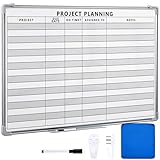
- Functional: the project planning dry erase whiteboard with lines is preprinted with common project planning templates, namely project name, due time, on time, assigned to, notes, to help you plan your project clearly and never miss the detail progress, keeping your business in order
- Easy to Write and Clean: this project planning whiteboard has a smooth and scratch resistant writing surface, allowing you to write smoothly and resist ghosting, it's easy to wipe without leaving stains
- Detail Specifications: our make ready white board with lines is made of quality materials, with aluminum frame, which is durable and sturdy; And it measures about 36x 24 inches in size, provide ample space to fully display project details
- Easy and Convenient to Apply: the large whiteboard planner for wall is equipped with sliding tray, convenient for you to store marker pens and more writing tools or magnetic accessories, keeping your room tidy; And its magnetic surface supports to apply magnetic pins or strips, making it easier to organize and update information
- Clear and Long Lasting Printing: this ruled dry erase white board adopts erasable design, vinyl printed decals, that is clear printing, not easy to fall off and fade, providing you with a long term application
Desktop version 1.9.8 was announced April 28, 2025. No newer desktop release was established in the research snapshot, so check the download page before presenting that version as current. The release announcement is available at ProjectLibre’s official release post.
Trade-offs
- It is not a collaborative web workspace with a shared Kanban board, wiki, team inbox, or live discussion feed.
- Multi-project governance and organization-wide permissions require another product.
- Its slower desktop release cadence may matter to organizations that expect frequent web-platform updates.
- It is excellent for critical-path and resource-loaded schedules but not a replacement for Jira-style software collaboration.
Choose ProjectLibre Desktop if you work offline, plan construction or engineering schedules, need resource and cost analysis, or exchange Microsoft Project files. Choose OpenProject for the same scheduling depth plus web collaboration.
Choose by workflow
Need Gantt charts, budgets, time, and broad project management?
Start with OpenProject. For a single offline schedule with critical-path, resource, baseline, and Microsoft Project compatibility, choose ProjectLibre Desktop. Redmine also has a strong Gantt foundation, but advanced planning may depend on plugins.
The Tool Desk
Outbyte PC Repair FREERepair Windows errors before they cause bigger problemsFix Now →Outbyte Driver Updater FREEFix the driver behind crashes, sound loss and screen glitchesFind Drivers →Need a modern Jira or Linear alternative?
Choose Plane. Its work items, cycles, modules, pages, intake, API, and webhook model are aimed at software and product teams. Verify whether the identity and governance features you need are in Community or require a commercial edition.
Need mature issue tracking and plugins?
Choose Redmine. It is less polished visually but has a long operating history and a large customization ecosystem. Budget time to test plugins during every major upgrade.
Need Scrum or Kanban without a broad enterprise suite?
Choose Taiga. Plane is a better fit if you want a newer product-management experience; Vikunja is better if you want simple task execution rather than formal agile ceremonies.
Need requirements, testing, source-code, and release traceability?
Choose Tuleap. It is the strongest fit for a software lifecycle and regulated-development workflow, although the deployment and edition questions deserve more scrutiny than they would for a basic task tool.
Quick wins for a faster PC:
Clear out junk files and repair common Windows errorsFree Scan →Fix the driver behind crashes, sound loss and screen glitchesFind Drivers →Need something approachable for a small business or agency?
Choose Leantime for goal-oriented planning and a friendlier experience, or Vikunja if you want a simpler task-first application.
Need an air-gapped environment?
Investigate Plane’s air-gapped deployment offering, OpenProject’s offline Docker deployment, and Tuleap’s supported enterprise path. Plane documents a fully air-gapped architecture in which images and integrations are managed internally, but this should not automatically be attributed to the free Community Edition. Review the air-gapped requirements and confirm licensing, update delivery, identity, audit, and support requirements before purchase or deployment.
Independent reader supportYour contribution helps us test, update, and keep practical guides available for everyone.Self-hosting reality: the software may be free, but operations are not
A hosted subscription bundles infrastructure and operational work into a recurring price. With self-hosting, you exchange some of that recurring expense for responsibility. Your real costs may include:
- VPS, on-premises hardware, or a virtual machine.
- Operating-system and database updates.
- Backups and off-site backup storage.
- TLS certificates and reverse-proxy configuration.
- SMTP service for invitations and notifications.
- Monitoring, logs, alerts, and disk-space management.
- Security patching and vulnerability response.
- Migration testing and staff time during upgrades.
- Storage for attachments, exports, and database history.
- Incident recovery when a deployment fails.
Minimum production checklist
- Pin a version. Do not build a production deployment around an unpinned
latestimage. - Use HTTPS. Put a public instance behind a properly configured reverse proxy or TLS terminator.
- Persist everything important. Database files, uploaded attachments, configuration, and plugins need durable volumes.
- Back up before upgrading. Include both the database and uploaded files, not just the container configuration.
- Test restoration. A backup that has never been restored is an assumption, not a recovery plan.
- Restrict exposed ports. Expose only what the reverse proxy and administrators actually need.
- Protect secrets. Use strong administrator credentials and securely managed database and application secrets.
- Configure email deliberately. Notifications and password resets are unreliable until SMTP is tested.
- Review security advisories and release notes. Upgrade planning should include application, database, operating system, and plugin compatibility.
- Document the deployment. Keep the Compose file, environment variables, database version, storage locations, and restore procedure somewhere the team can access.
OpenProject explicitly emphasizes TLS termination, persistent storage, and hostname configuration for public Docker deployments. Leantime warns that an unmounted MySQL volume can result in data loss when a container is replaced, while Vikunja similarly requires a persistent files volume for uploaded content. Those are not edge cases; they are basic self-hosting obligations.
Open-source alternatives worth considering
Huly
Huly combines project management with chat, documents, team planning, virtual-office features, and GitHub synchronization. Its platform repository is licensed under EPL-2.0, and the indexed release snapshot lists v0.7.423 from May 10, 2026. It is not in the main eight because the self-hosting requirements are comparatively heavy: the official self-hosting repository recommends at least 2 vCPUs and 8 GB of RAM, with 4 vCPUs and 16 GB recommended, and warns that smaller servers may become unresponsive. Huly also documents that there is no GUI migration path from a self-hosted instance to its cloud service.
Kanboard
Kanboard is an excellent minimalist Kanban application under the MIT license. It is a good choice for a fast board with swimlanes and plugins, but it should not be represented as equivalent to OpenProject or Tuleap for Gantt scheduling, portfolios, documentation, or enterprise planning. Its release page lists version 1.2.52 from April 4, 2026.
Worklenz
Worklenz is AGPLv3-licensed and offers task management, time tracking, resource management, scheduling, and reporting. Its release page lists version 2.1.7 from February 9, 2026 and describes it as a critical security release addressing multiple SQL-injection vulnerabilities. It is worth monitoring, but check for newer releases, advisories, and maintenance activity before recommending it for production.
Common comparison mistakes
- Treating every open-source product as equivalent: a fully usable GPL or AGPL application, an open-core product, and a free cloud plan have different ownership implications.
- Confusing task management with project management: Vikunja or Kanboard can be excellent at task execution without offering the resource, cost, portfolio, or compliance features of OpenProject or Tuleap.
- Ignoring desktop software: ProjectLibre is a better answer than a browser-based board when the requirement is critical-path scheduling, baselines, resource loading, or Microsoft Project files.
- Ignoring deployment burden: CPU, RAM, databases, containers, storage, backups, ARM support, and upgrade procedures can matter more than an extra dashboard.
- Using stale release information: follow official release notes, especially for fast-moving projects such as Plane, Tuleap, and Leantime.
- Using stars or vendor claims as proof: downloads, user counts, customer logos, and repository stars are not independent usability, performance, or security tests.
- Hiding edition restrictions: check Plane Community versus Commercial, OpenProject Community versus Enterprise, Vikunja core versus Pro, Leantime self-hosted versus SaaS, Tuleap Community versus Enterprise, and ProjectLibre Desktop versus Cloud.
Frequently Asked Questions
What is the best open-source project management software overall?
OpenProject is the best overall choice for most organizations that need a broad suite: Gantt charts, dependencies, agile boards, Scrum backlogs, time and cost tracking, budgets, documents, and multi-project management. It is heavier than a task manager, so Plane, Taiga, Leantime, or Vikunja may be better for narrower workflows.
What’s actually slowing this PC down?
Pick the symptom - the matching free tool is one click away.
Best Value

- Packages Includes: you will receive 1 magnetic task tracking poster with a size of 24 x 36 in, a Flannel blue and yellow wave eraser, 100 pages of arrow sticky notes, 1 Magnetic pen holder, a roll of Nano traceless double-sided tape and 6 colored erasable whiteboard pens
- Reusable and Quality: the full vacation schedule is made of magnetic material( note that the back is magnetic, while the front is less magnetic); With dry-erase design, write and wipe with ease, We can erase easily even months later and use this work schedule board over and over again
- Productive Project Management Tools: this project management board is a game changer and something physical for managing personal or team projects efficiently; It allows you or members to quickly view and share the status of up to 20 projects at the same time, a very good practical kit of team building
- Mounting is a Breeze: this vision board is lightweight and can be attached magnetically or with nano-traceless double-sided tape; ; You can mount this Board or take it down easily without tools; Notice : before use, please place heavy objects at the four corners of the poster and let it sit for 12-24 hours until the poster is flat again
- Practical and Versatile: it's easy to use for products development, marketing strategic projects or as a sales goal whiteboard for daily use in office, home or family; Whatever for entrepreneurs, managers or person working at home, buy the office white board for wall for try
Is OpenProject really free?
OpenProject’s Community Edition is GPLv3-licensed, free to self-manage, and supports unlimited users and projects. The company also offers paid Enterprise editions with hosting, support, and additional features. Self-hosting is not costless because you still provide the server, maintenance, backups, security, and recovery process.
Is Plane fully open source?
Plane’s Community Edition is AGPLv3-licensed, but Plane also has separate Commercial and Air-gapped editions. Do not assume that all features shown by Plane are included in Community. Verify authentication, integrations, governance, support, and air-gapped requirements for the exact edition and version you plan to deploy.
Which open-source tool is closest to Jira?
Plane is the closest modern Jira- or Linear-style option in this list for product and software teams. Redmine is a more mature issue-tracking alternative with extensive plugins, while Tuleap is a better fit when Jira-like work must connect to requirements, tests, source code, and releases.
Which tools support Gantt charts?
OpenProject, Redmine, and ProjectLibre Desktop have the strongest scheduling capabilities. Plane and Vikunja offer lighter Gantt functionality. Leantime documents Gantt support. Taiga is primarily agile-focused, while Tuleap is primarily a software-lifecycle platform, so verify the exact workflow and edition before treating either as a traditional scheduling replacement.
Recommended Free Tools
Which tools are best for Scrum and Kanban?
Taiga is the most focused Scrum and Kanban choice. Plane is strong for product teams using cycles, modules, and work items. OpenProject, Redmine, and Tuleap can support agile workflows within broader platforms. Vikunja offers Kanban views but is task-centric rather than a full Scrum system.
Which open-source project management tool is easiest to self-host?
Vikunja is among the simplest because it can run as a single binary or Docker container. Leantime is also approachable but requires MySQL and persistent application volumes. OpenProject, Plane, Taiga, and Tuleap offer more capability but require more deployment planning. ProjectLibre Desktop is easiest operationally if a local application meets your needs, because it does not require a web server.
Which tool supports Microsoft Project files?
ProjectLibre Desktop is the clearest choice for Microsoft Project-style schedules and file compatibility. OpenProject is better when you also need collaborative web planning, while a task-centric product such as Vikunja is not a substitute for full Microsoft Project scheduling.
Can open-source project management software replace Asana?
It can replace much of Asana’s task, project, board, calendar, and collaboration functionality, but the right product depends on the workflow. Leantime is approachable for small teams, Vikunja is lightweight, Taiga is agile-focused, and OpenProject is broader. You give up some hosted convenience and must operate the infrastructure yourself.
Crashes, No Sound, or Screen Glitches?
Random freezes, missing sound and display glitches usually trace back to one bad driver. Find and replace yours safely.Free scan · under a minuteWindows Errors? Fix Them Before They Spread
Repair common Windows errors and clear accumulated junk for a smoother, more stable PC - no reinstall needed.Free scan · no reinstallIs self-hosting cheaper than SaaS project management software?
It can be cheaper for a stable organization with technical staff, existing infrastructure, and many users, but it is not automatically cheaper. Include hosting, backups, monitoring, email, security updates, upgrade testing, storage, support, and the value of staff time. A hosted plan may be financially sensible when operational simplicity matters more than maximum control.
Do these tools support SSO?
Identity support varies by product, edition, deployment method, and version. Do not infer free-edition SSO from the existence of an OAuth, LDAP, or OIDC setting in another edition. If SSO, Active Directory, audit logging, or an air-gapped identity provider is mandatory, test the exact self-hosted edition and document its integration before migrating users.
What should I back up when self-hosting?
Back up the application database, uploaded files and attachments, configuration and secrets where appropriate, plugins, and the deployment definition. For Docker installations, persistent volumes are essential. Test a restore on a separate instance before an upgrade or production incident.
Which tools are suitable for government or regulated work?
OpenProject can fit organizations needing structured project planning, documentation, budgets, and self-management. Tuleap is especially relevant to regulated software development because of requirements, testing, release, and source-code traceability. Plane’s air-gapped offering may be relevant to isolated environments, but confirm its edition and licensing. Suitability still depends on support, identity, audit, backup, patching, and organizational controls.
Which tools are not full project-management suites?
Vikunja is primarily task-centric, Kanboard is primarily Kanban, and ProjectLibre Desktop is primarily a traditional scheduler. They can be excellent at their intended jobs, but they should not be presented as having the same portfolio, resource, cost, collaboration, or governance depth as OpenProject or Tuleap.
The Bottom Line
Bottom line: Choose OpenProject if you want the broadest free self-hosted suite. Choose Plane for modern product development, Redmine for proven extensibility, Taiga for Scrum and Kanban, Tuleap for software traceability, Leantime for approachable small-team planning, Vikunja for lightweight tasks, and ProjectLibre Desktop for offline, Microsoft Project-style scheduling. Before committing, verify the current release, edition restrictions, backup process, identity integrations, and the operational work your organization can actually support.
Quick Recap
Product prices and availability are accurate as of the date/time indicated and are subject to change. Any price and availability information displayed on Amazon at the time of purchase will apply.




