Some links on this page are affiliate links: if you buy through them we may earn a commission, at no extra cost to you.
Verdict: $89 for a refurbished 12TB enterprise hard drive is a potentially good price for secondary storage, but only if the specific listing identifies a compatible SATA model, offers a usable warranty and return window, and lets you test the drive promptly. That works out to about $7.42 per advertised terabyte; it does not make an unspecified or poorly covered drive a bargain. The exact Amazon offer could not be independently verified from the available evidence, so treat $89 as a price to assess—not a confirmed live deal.
First, verify what the listing actually promises
“12TB enterprise refurb” is a category, not a single product. A listing might refer to an HGST/Western Digital Ultrastar, a Seagate Enterprise Capacity model, or another drive—and versions that look similar can have different interfaces and sector formats. The seller may also reserve the right to ship an equivalent model.
Before ordering, inspect the product details and seller terms for all of the following:
Do these 3 things before closing this tab:
1Fix the driver behind crashes, sound loss and screen glitches2Repair Windows errors before they cause bigger problems3Scan for outdated or missing drivers - takes under a minute- Exact model number: Do not rely on a family name, stock photo, or “12TB SATA or equivalent” description.
- Interface: SATA or SAS. These are not interchangeable for ordinary PC and NAS connections.
- Sector format: 512e or 4Kn. 512e is generally the safer choice for older or mixed hardware; 4Kn requires explicit support from the system, controller, and software.
- Form factor, speed, and recording: Confirm 3.5-inch, 7,200-RPM class, and CMR for the exact model rather than inferring these from “enterprise.”
- Condition and refurbishment: Is it listed as Amazon Renewed, seller refurbished, recertified, a used pull, or simply used? Who inspected it, and what does that process mean?
- Seller and coverage: Check “sold by” separately from “shipped by” or “fulfilled by.” Find the warranty provider, duration, return deadline, return-shipping terms, and any restocking fee.
- Specificity: Does the seller guarantee the model, or reserve the right to substitute a different drive? If substitutions are allowed, ask whether a SAS or 4Kn model could be sent.
- Accessories and packaging: A bare drive may not include a tray, screws, cables, or a compatible power adapter.
For example, Seagate documents the ST12000NM0127 as a 12TB, 7,200-RPM, 512e SATA enterprise drive with a 256MB cache. The Ultrastar He12 HUH721212ALE601 is another 512e SATA example. Those specifications apply to those documented models; they do not identify an unnamed drive in an Amazon listing. Check the full model suffix against the manufacturer documentation.
#1 Best Overall
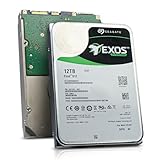
- Model # ST12000NM0127 | 12TB Capacity, Enterprise hard drive, designed for 24/7 operation
- 7200RPM Rotation Speed, 256MB Buffer Size, 3.5in Internal Hard Drive
- Perfect for NAS Network Storage, RAID Storage System, Surveillance System, Servers
- Designed for 24/7, Lower Power Consumption, Heavy Duty & Reliable
Is $89 good value?
At $89, the arithmetic is about $7.42 per raw terabyte. Because drive makers use decimal capacity units, an operating system will show less than 12TB of usable decimal capacity; formatting and file-system overhead reduce usable space further.
Historical deal records show refurbished 12TB Seagate and HGST/Ultrastar drives offered in roughly the $73–$90 range, with seller warranties that varied substantially. Those records make $89 plausible and competitive for this class of refurb, but they do not verify a current Amazon listing or establish today’s lowest price. Compare the all-in cost—including tax and shipping—and, especially, the warranty. An $89 drive with five years of seller coverage and easy returns may be a better risk than a cheaper unit covered for only a year. Historical examples include Seagate 12TB refurbs and Ultrastar HC520 refurbs; both are past offers, not current-price evidence.
Think of $89 as reasonable-to-good for a tested, compatible refurb with meaningful protection—not automatically a steal. A new drive may cost more but brings lower uncertainty and potentially manufacturer-backed warranty coverage. Compare against current new-drive options before buying if the drive will hold important or hard-to-replace data.
Crashes, No Sound, or Screen Glitches?
Random freezes, missing sound and display glitches usually trace back to one bad driver. Find and replace yours safely.Free scan · under a minuteWindows Errors? Fix Them Before They Spread
Repair common Windows errors and clear accumulated junk for a smoother, more stable PC - no reinstall needed.Free scan · no reinstallRank #2

- [ Massive 12TB Enterprise Storage ] Optimized for data centers, cloud storage, RAID, NAS, and surveillance systems requiring high-capacity and scalability
- [ Massive 12TB Enterprise Storage ] Optimized for data centers, cloud storage, RAID, NAS, and surveillance systems requiring high-capacity and scalability
- [ Helium-Sealed CMR Technology ] Advanced 9-disk design improves efficiency, reduces power consumption, and enhances long-term reliability
- [ Enterprise-Class Reliability ] Rated up to 2.5 million hours MTBF with support for 24/7 continuous operation
- [ SATA 6Gb/s Interface 3.5inch ] Seamless integration with servers, NAS systems, and enterprise storage arrays
What “enterprise” does—and does not—tell you
Enterprise drives are designed for server and data-center use. Depending on the exact model, that can mean 7,200-RPM operation, CMR recording, workload and vibration specifications intended for dense systems, and firmware tuned for server behavior. The trade-offs can include more seek noise, vibration, heat, and startup power than a quiet consumer drive.
Manufacturer specifications describe the drive design, not the remaining life of a used unit. For instance, Seagate lists a workload rating below 550TB per year, an AFR specification of 0.35%, and a nonrecoverable read-error specification of one sector per 1015 bits for the documented drive specification. Those figures are based on the manufacturer’s stated conditions; they are not a forecast for a particular refurbished disk that may already have substantial service hours. “Enterprise” does not mean new, quiet, or guaranteed to last.
Marketplace terms also need care. “Renewed,” “seller refurbished,” and “recertified” are not interchangeable proof of manufacturer refurbishment. Ask who performed the work and what testing was done. SMART reports can show useful history and current error indicators, but their contents are not conclusive proof of a drive’s full past: do not assume that a particular seller resets SMART data unless that is established for the listing.
Rank #3

- HIGH-DENSITY STORAGE - 12TB hard disk drive designed for Hyperscale applications/cloud data centers solutions requiring maximum storage efficiency. 3.5-inch form factor for space-constrained data centers. FAST DATA ACCESS - 6Gb/s SATA for high data integrity, scalability and fast data access.
- HIGHEST-RELIABILITY - The industry’s highest-reliability 7200-RPM drive, designed for 24×7 operation with MTBF of 2.0M hours and AFR of 0.44%.
- Bare Drive Only, Single Pack, (No Screws, Cables or Accessories included) -Friendly Reminder- Please FORMAT HDD on system in order to be detected/shows on system.
- Works for Desktop PC/Mac, RAID System, NAS Network Storage, CCTV DVR, Surveillance System
Will it work in your PC, NAS, or enclosure?
SATA versus SAS
This is the first compatibility gate. A SATA drive generally connects to standard desktop SATA ports, SATA-capable NAS bays, and suitable USB-SATA enclosures, subject to the device’s capacity limits and compatibility list. A SAS drive requires a SAS HBA, RAID controller, or SAS backplane; a standard motherboard SATA port cannot operate it. “6Gb/s” or “enterprise” alone does not tell you which interface it is.
Free tools Windows power users keep installed
One-click scans. No signup required.
512e versus 4Kn
A 512e drive presents 512-byte logical sectors while using 4,096-byte physical sectors, and is usually the more compatible option for older PCs, controllers, boot environments, and NAS systems. A 4Kn drive uses native 4,096-byte sectors. Do not assume an older NAS or RAID controller supports 4Kn: check its documentation for the exact model and configuration. Confirm the drive’s sector format in the model datasheet, not just the listing title.
PWDIS, startup current, and physical fit
Some enterprise SATA drives use the 3.3-volt power-disable feature (PWDIS). In certain power supplies or backplanes, that signal can keep the drive from spinning up. Check the exact drive and enclosure documentation, and use a compatible power setup rather than improvising a modification. Also verify that the enclosure or power supply can handle the drive’s startup current—especially in a multi-drive system—and that your bay or tray accepts a bare 3.5-inch drive.
Rank #4
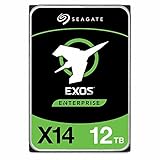
- Factory Recertified, Zero Bad Sectors (As good as new HDD)
Even when the interface fits, check the NAS maker’s capacity and drive-support guidance. Enterprise disks may be noticeably louder during seeks than NAS-branded consumer drives. That can be entirely normal but unpleasant in a bedroom or quiet office.
Who should consider one?
- Reasonable uses: A Plex or media library whose contents can be replaced, homelab storage, bulk files, a secondary backup, or an additional copy in an archival setup.
- Use with a plan: NAS or RAID/ZFS storage can make sense if the system supports the exact disk, you test it, maintain suitable redundancy, and keep a separate backup. RAID can improve availability; it is not a backup against deletion, ransomware, theft, fire, or multiple failures.
- Poor fit: The only copy of family photos or business records, a mission-critical server without a replacement plan, or workloads such as databases and virtual machines that need fast random access. An SSD is generally a better fit for those active, latency-sensitive workloads.
In an array, a 12TB drive also concentrates more data on one disk. Rebuilds after a failure can take many hours or longer depending on the system and workload. Have a recovery plan, monitor temperatures and errors, and consider a tested spare. Several drives pulled from the same retired array may share age and wear, so a cheap batch is not necessarily a safer batch.
The Tool Desk
Outbyte Driver Updater FREEScan for outdated or missing drivers - takes under a minuteDriver Scan →Outbyte PC Repair FREERepair Windows errors before they cause bigger problemsFix Now →Test it while returns are still available
Start testing before putting valuable data on the drive. Photograph the shipping box, packing, drive label, and any visible damage; record the model and serial number. Use hardware known to support the drive’s capacity, confirm that the operating system identifies it as the expected model and interface, and save its initial SMART report.
Best Value

- High Capacity: 12TB hard drive provides ample storage space for your data needs.
- Fast Data Transfer: With a 6 Gb/s data transfer rate, you can quickly move large files.
- Reliable Performance: Spinning at 7200 RPM, this hard drive delivers consistent performance.
- Compact Design: With a 3.5-inch form factor, it's easy to install in your desktop computer.
- Seagate Brand: Known for quality and reliability, Seagate provides a dependable storage solution.
- Check the drive before use. Inspect the connectors and PCB for damage. Listen for clicking, repeated spin-up attempts, or scraping; stop using and contact the seller if you hear abnormal mechanical sounds.
- Read SMART data and save a baseline. Review power-on hours, start/stop count, temperature, reallocated sectors, current pending sectors, offline uncorrectable sectors, reported uncorrectable errors, and command timeouts. CRC errors can also point to a cable or connection problem rather than damaged media.
- Run diagnostics. Use the manufacturer’s short diagnostic where available, then a long or extended SMART test. A passed test only shows that the drive completed that diagnostic at that time.
- Run a surface test if practical. A full read test, or a write-and-verify test on an empty disk, takes time but can reveal problems that a quick check misses. Re-read SMART afterward and compare with the baseline.
- Decide within the return window. Return or contact the seller if the drive has pending or uncorrectable sectors, growing reallocated sectors, unexpectedly high hours versus any listing claim, unexplained abnormal errors, the wrong interface/model, or other signs that conflict with the offer.
Linux example: Identify the device carefully before running commands. Device names such as /dev/sdX are placeholders; the wrong selection can expose or erase another disk.
lsblk -o NAME,SIZE,MODEL,SERIAL,ROTA,TRAN
sudo smartctl -x /dev/sdX
sudo smartctl -t short /dev/sdX
sudo smartctl -t long /dev/sdX
sudo smartctl -a /dev/sdX
Use the last command to review the test result after the drive’s estimated completion time. The smartmontools project documents the SMART utility. On Windows, CrystalDiskInfo or a comparable SMART reader can provide visibility; use a manufacturer diagnostic or full-surface verification tool where supported. Disk Management is for partitioning and formatting, not a health certification.
Destructive test warning: A write test overwrites data. The following badblocks example is destructive and must only be used on the intended, empty drive after confirming its device name:
sudo badblocks -wsv -b 4096 /dev/sdXDo not run it on a disk containing files. No SMART status or burn-in test can guarantee future reliability; testing is evidence for a return decision, not insurance against failure.
How to make the buy-or-skip call
| Listing or use case | Recommendation |
|---|---|
| Known 512e SATA model, reputable seller, meaningful warranty, easy returns, secondary storage | Reasonable buy at $89 if you can test it promptly. |
| Known SATA model but only a short seller warranty or no power-on-hour information | Buy only if the price reflects the uncertainty and returns are straightforward. |
| SAS drive with only ordinary SATA hardware, or 4Kn drive unsupported by the NAS/controller | Skip. |
| Unspecified model, “same or equivalent” substitution, mixed SATA/SAS details, unclear warranty, or no practical return route | Skip or get written clarification before ordering. |
| Only copy of important data or mission-critical storage | Do not rely on a refurbished drive alone; choose a lower-risk setup and maintain an independent backup. |
| Price close to a new drive with a full manufacturer warranty | Compare the new drive carefully; the refurb’s savings may not justify the added uncertainty. |
If the Amazon offer is vague, compare it with a specialist refurbisher whose product page clearly states the model and seller warranty. A longer reseller warranty can be valuable, but it is not the same as manufacturer-backed coverage; confirm who handles a claim and whether shipping is your responsibility. Choose a new NAS-rated drive instead if lower uncertainty and manufacturer support matter more than minimizing cost.
Whichever route you choose, buying one drive first is safer than filling an array with a batch you have not tested. The best case for this $89 offer is inexpensive, replaceable bulk storage—not a promise that a refurbished enterprise disk will behave like a new one.
Quick Recap
Product prices and availability are accurate as of the date/time indicated and are subject to change. Any price and availability information displayed on Amazon at the time of purchase will apply.
Recommended Free Tools



