What’s actually slowing this PC down?
Pick the symptom - the matching free tool is one click away.
Some links on this page are affiliate links: if you buy through them we may earn a commission, at no extra cost to you.
Sometimes—but a notification is not guaranteed every time a bank replaces a payment card. A card issuer may automatically update a saved card in Google Wallet after a card is lost, damaged, stolen, or expired. Separately, Google documents notifications for certain identity passes and other Wallet passes. Check whether the alert names a payment card, ID, or pass, and verify unexpected changes with the bank through its official app or website.
What “card updated” or “new card ready” can mean
The wording can refer to different Wallet items, so first identify what the alert is about:
- A debit or credit card: Your bank may have issued a replacement and updated the card saved in Wallet. This can happen after a card expires or is reported lost, damaged, stolen, or otherwise reissued. The issuer controls whether this is supported; it is not a guaranteed update for every card. Google’s payment-card guidance describes the possibility, not a universal alert policy.
- An identity pass: “Ready” may mean identity verification is complete and an ID pass is available. Google has described notifications for certain identity-pass events; availability depends on the feature and location. Google’s Wallet update announcement discusses this separately from bank-card replacement.
- A ticket, boarding pass, or loyalty pass: The issuer may have changed pass details or sent a message. Wallet supports notifications for certain pass updates, but support depends on the pass and issuer setup. Google’s developer documentation describes these pass notifications; they are not evidence that every payment-card update triggers an alert.
- A bank or account alert: The notification may come from your issuer’s app, Google Play services, or another app—not necessarily Google Wallet. Check the app attribution in the notification details.
Google does not appear to promise a universal push notification whenever a bank automatically updates a payment card. An alert’s wording and delivery can vary by issuer, device, app version, and notification settings.
Recommended Free Tools
Why a replacement card may appear before it arrives
When an issuer supports automatic updating, it can refresh the payment card saved in Wallet after issuing a replacement. That digital card may become usable for contactless purchases before the physical card arrives, if the issuer has completed the update and does not require further verification. It is a possibility, not a guarantee. Google’s help page explains the issuer-dependent update and contactless use.
#1 Best Overall

- SECURE YOUR WALLET FROM e-PICKPOCKETING: Prevent potential identity and financial theft through your contactless cards. Don’t become a victim e-theft in our growing contactless society. This is the simplest and most effective prevention solution! Block all RFID and NFC signal to secure your details and have peace of mind.
- JAMMING CHIP: An antenna and jamming chip makes up the main components of the card. The antenna will sense incoming radio waves and draw power for the chip to create a jamming signal. Lifetime usage as the card does not require battery.
- BROAD WORKING DISTANCE: A large working distance of 2.4” provides complete protection for your whole wallet. Cards 1.2” either side of the card will be fully secure from e-pickpocketing.
- ULTRA-THIN & COMPACT: At the size of a standard credit card and at only 0.03” thick, the card will fit into any wallet, purse or card case. Keep your wallet compact with no added bulk from this card. Best for travel, business, and everyday use.
- TEST THE CARD: Test the card is working at your local supermarket. At the self-service checkout machines, combine the card and a contactless card on the payment reader. Payment with the contactless card will be blocked and an error message should occur on the reader.
The details shown in Wallet or associated with a phone payment may not match every detail printed on the physical card. A digital payment credential can be device-specific; do not assume that a different-looking number means fraud, or that a matching card name proves the physical card is active. Confirm the replacement and its status with your bank.
Verify the alert safely
- Open Google Wallet from your app launcher. Avoid following a link in an unexpected text or email.
- Select the relevant item. Confirm whether it is a payment card, ID, ticket, or other pass. For a payment card, compare the issuer and last four digits with the information in your bank’s official app or website.
- Check with the issuer independently. If the change is unclear, use the bank’s official app, website, or the number on your physical card. Ask whether it issued a replacement and whether the digital card in Wallet is active.
- Do not enter card or account details through a suspicious link. If a message pressures you to “confirm” a card or sign in, navigate to the bank or Google Wallet independently instead.
You can manage some Google Wallet payment-method details at wallet.google.com. Google says the website can be used to edit details such as expiration date, CVC, name, and address; options in the app may differ. Use the official site directly rather than a link in an unsolicited message.
Rank #2
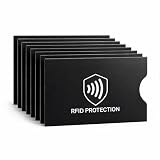
- EVERYDAY RFID PROTECTION FOR CONTACTLESS CARDS: Protect your personal data with high-performance sleeves designed to block unwanted RFID and NFC scans of contactless credit cards, debit cards, and ID cards, adding an extra layer of protection against casual electronic pickpocketing in crowded public places
- SLIM, WALLET FRIENDLY DESIGN: Ultra thin sleeves slide easily into standard card slots in wallets, money clips, and card holders without adding bulk, so you can keep using the wallet you already love
- SUPERIOR TEAR & WATER RESISTANCE: Constructed from high-density, synthetic-reinforced materials, our sleeves are built to withstand the rigors of daily carry and international travel. Unlike standard paper versions, these durable covers resist fraying and moisture, keeping your sensitive documents physically intact
- 8 PACK CARD PROTECTOR SLEEVES: Includes 8 individual RFID blocking sleeves to cover credit, debit, bank, work ID, and transit cards — enough to protect your whole set, share with family, or keep as a backup. A practical, low-cost security gift for travelers, students, and seniors
- SIMPLE, NO SETUP USE: Just slide your card into the sleeve and then into your wallet; open top design makes it quick to remove cards for tap to pay or chip transactions while keeping them protected the rest of the time
Can you pay before the physical replacement arrives?
Possibly. If the bank has updated the card successfully, it may work for tap-to-pay on your phone before the replacement is delivered. The card, issuer, region, and device must support contactless payments, and the issuer may require verification or activation. A card can also be saved for some online or Google payments even when it cannot be set up for contactless use. Google’s card setup guidance covers setup requirements and eligibility.
PC Slower Than It Used to Be?
A free scan shows the junk files, broken settings and background clutter dragging Windows down - then fixes them in one click.Free scan · Windows 10 & 11Outdated Drivers Are Slowing You Down
One free scan finds every outdated or missing driver and matches the right update for your exact hardware.Free scan · exact hardware matchIf the payment fails, check that the card is still visible in Wallet and that any bank verification is complete. Confirm NFC is on, unlock the phone before tapping, and check that the device meets Google’s security and certification requirements. Google lists NFC limitations and issues such as rooted devices, custom ROMs, unlocked bootloaders, or uncertified software among possible reasons contactless setup may not work. If the issuer says the card should be active but Wallet still fails, ask the bank to check its digital-card provisioning before removing and adding the card again.
Rank #3

- Secure Your Information: Simply insert the RFID blocking card into your wallet to protect against digital pickpocketing. Block unauthorized scanning of your contactless cards, including credit/debit cards, passports, driver's licenses - to safeguard your identity and financial security
- Effective Protection: Our RFID blocking card utilizes advanced electromagnetic shielding technology, which features an embedded antenna mesh and chip that instantly detects and scrambles scanning attempts, providing consistent and reliable protection for the entire wallet
- Ultra Slim & Easy to Use: Credit-card-sized and just 0.03 inches (0.76 mm) thick, it slips easily into your wallet, purse or card holder adding no bulk. No charging or batteries needed. It will not demagnetize other cards, nor interfere with your phone signals
- A Thoughtful Gift: Give the practical gift of security. Effortlessly protecting your loved ones from digital theft – offering instant peace of mind, which is a truly meaningful way to show your care
- Test the Card: Test our RFID blocking card at self-checkout: Layer your contactless card with our RFID card on the reader - payment fails instantly, error message pops up
Tap-to-pay updates do not necessarily fix online payments
A replacement card working at a shop does not prove that every online payment has been updated. Merchant subscriptions and saved checkout details are separate from the card stored in Wallet. Google notes that after the physical replacement arrives, you may need to update saved information for online payments. Check recurring bills and merchants directly; do not assume a bank-side updater or Wallet has changed every merchant’s records.
If the notification was unexpected
- You did not request a replacement: Check your bank account and contact the issuer promptly. It may have reissued the card because of suspected fraud, expiration, or another account security action. Confirm through an official channel.
- The alert says a card was added and you do not recognize it: Open Wallet directly and inspect your payment methods. If the card is unfamiliar, contact the issuer and remove it from Wallet. If you suspect Google Account access, review account security activity and change your password using Google’s official account settings.
- The message links to a sign-in or payment page: Do not use the link. Open the relevant app or type the official site address yourself, then check the alert there.
- The card disappeared: Confirm with the bank that it remains valid before re-adding it. If it does, open Wallet, tap Add to Wallet > Payment card > New credit or debit card, scan or enter the details, tap Save and continue, accept the issuer terms, and complete any verification. Google’s card setup help includes troubleshooting for cards that disappear or are reported deleted.
Do not remove and re-add a working card just to make an alert go away. Re-adding can require issuer verification and may interrupt the existing device payment setup. Remove an obsolete or canceled card only after confirming its status with the bank.
Rank #4

- RFID Protection: An electromagnetically opaque layer helps block unauthorized scans, protecting credit card, debit card, and passport information from nearby readers; This RFID blocking card helps prevent digital skimming by shielding your wallet from electronic theft
- Threats Stay Outside: Digital pickpockets use hidden readers to skim contactless cards in crowds, transit and checkout lines; This credit card protector works as an RFID blocker the moment it's placed in your purse or wallet, stopping electronic theft before it occurs
- Invisible Yet Active: Ultra-thin and sized to fit any wallet slot, this rfid blocking card adds no bulk; Invisible protection helps shield your debit cards and IDs from electronic skimming without changing the way you carry your wallet
- One Card Protects All: Forget slipping every card into a separate RFID sleeve, just one RFID blocking card protects every contactless card, passport, and license all at once; Carry it in a purse, travel pouch or cardholder and stay shielded at airports, transit hubs and during daily commutes
- Drop and Defend: Keep the RFID blocking card in your wallet or travel bag, or save it as a backup; Simply insert it alongside your credit and debit cards for immediate protection against identity theft — no charging, no setup
Before relying on the updated card
- Confirm the card is visible in Wallet and the issuer recognizes the digital card.
- Complete any requested bank verification or physical-card activation.
- If appropriate, try an ordinary, low-risk contactless purchase rather than relying on the card for an urgent payment.
- Update online merchants or subscriptions separately if they still use old details.
- Check the local feature and card support: Google Wallet availability and features vary by country or region. See Google’s availability information.
The key distinction is simple: an issuer may automatically refresh a replacement payment card, while Wallet notifications are also used for certain IDs and passes. Treat an alert as a prompt to check the right item—not as proof that every card was changed, activated, or updated everywhere.
Quick Recap
Best Value

- This credit card holder is made of aluminum shells, ABS plastic frame and clasp closure, RFID-blocking will protect your card data from RFID scanners and readers.
- The size is 4.33 x 2.95 x 0.75 inches, Slim and small exterior design, are fit in your front pocket,suitable for travel and business carrying.
- Latches safely and securely when not in use. Rounded corner wouldn't damage on your clothes. With 7 accordion Slots, Capacity for up to more than 10 credit cards or more than 20 business cards.
- There are various patterns to choose from on the aluminum shell, including flowers, animals, and landscapes, to match your versatile style.
- This is an ideal gift that can express your thoughtfulness and kindness. Suitable for any day you want to express love on, such as Valentine's Day, birthdays, Mother's Day, etc.
Product prices and availability are accurate as of the date/time indicated and are subject to change. Any price and availability information displayed on Amazon at the time of purchase will apply.



