Quick wins for a faster PC:
Repair Windows errors before they cause bigger problemsFix Now →Scan for outdated or missing drivers - takes under a minuteDriver Scan →Some links on this page are affiliate links: if you buy through them we may earn a commission, at no extra cost to you.
There is no single best printer for both professional graphics and high-volume typesetting. Choose a pigment-ink graphics printer when color accuracy, proofing and fine-art media matter; choose a laser printer when fast duplex text production matters; and use a commercial press for substantial final runs.
Quick recommendations
| Need | Best-fit class | Models to investigate |
|---|---|---|
| Color-critical proofs, portfolios and art up to 13×19 inches | 13-inch pigment inkjet | Canon imagePROGRAF PRO-310; Epson SureColor P700 |
| Larger proofs and exhibition work | 17-inch professional inkjet | Epson P900, P5370 or Canon PRO-1100 |
| Posters, packaging comps and wide proofs | 24-inch printer | Canon PRO-2600 |
| Contract proofing and production graphics | 44–64-inch wide-format printer with RIP | Epson P9570; Epson P20570; HP DesignJet Z6 Pro or Z9+ Pro |
| Mostly text, reports and duplex typesetting | Business color or monochrome laser | Choose by volume, duplex speed, finishing and operating cost |
What a graphics-design printer must do
Nominal dpi is not enough. Look for predictable color, a wide gamut, dense blacks and neutral grays, ICC profiles, support for coated, matte and fine-art media, accurate paper feeding, repeatability and manageable maintenance. Borderless output, thick-media paths and the correct maximum sheet size may matter more than a headline resolution figure.
Typesetting adds different requirements: embedded-font and transparency handling, reliable PDF rendering, bleed and crop marks, page imposition, duplex registration and, for production environments, PostScript or a PDF-capable RIP. A superb photo printer can still be inconvenient for a 200-page document.
Best compact graphics printers
Canon imagePROGRAF PRO-310
The PRO-310 is a 13-inch pigment printer aimed at graphic artists, photography and fine art. Its nine pigment colors and Chroma Optimizer, two paper paths, skew correction and borderless output up to 13×19 inches make it a strong proofing and portfolio option. Canon also lists panorama output up to 13×70 inches. See the official specifications.
#1 Best Overall
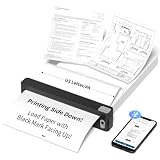
- INKLESS & COST-EFFECTIVE PRINTING - Powered by direct thermal technology, this portable printer requires no ink, toner, or ribbons. Print documents, notes, worksheets, images, and everyday materials without the mess or recurring ink costs. Notice:Only Compatible With JADENS JD-166 US Letter Thermal Paper!!
- BLUETOOTH PRINTING WITH A POWERFUL APP - Connect iOS and Android devices through the Jadens Printer app to print documents, spreadsheets, images, and more. Create custom designs with AI image generation, AI erasing, and AI translation tools. A versatile mobile printer for work, school, travel, and creative projects.
- ULTRA-COMPACT & RECHARGEABLE FOR PRINTING ON THE GO - Designed in an exceptionally small and lightweight body, this portable printer easily fits in a backpack, briefcase, or small bag. The built-in 1800mAh rechargeable battery provides up to 3 hours of continuous printing and up to 360 sheets per charge.
- 203 DPI CLEAR BLACK-AND-WHITE PRINTING - With 203 DPI resolution, this wireless thermal printer produces sharp, easy-to-read text and clear images for everyday documents, forms, worksheets, graphics, and learning materials. Black-and-white printing only; no color printing.
- PRIVATE LOCAL PRINTING FOR HOME, SCHOOL & TRAVEL - Print directly from your connected device without uploading files to the cloud, helping keep personal and sensitive documents private. Ideal for early learning materials, flashcards, worksheets, homework, business documents, contracts, travel, and home office printing.
Canon’s pages have shown conflicting promotional, availability and discontinued notices, so verify stock and regional support before buying. It is not a substitute for a fast duplex office printer.
Epson SureColor P700
The P700 is a compact 13-inch pigment model with dedicated Photo and Matte Black channels, advanced black-and-white output, ICC support and professional layout software. It suits designers who need controlled color and fine-art media but rarely print larger than 13×19 inches. Its limitation is throughput: it is a graphics printer, not a document-production engine.
Rank #2

- 【Portable & Vintage】The 1500mAh B21 Pro label printer weighs 322g, lighter than a bottle of water, and measuring a compact 130×94×61mm, so you can take it anywhere and print labels whenever and wherever you need. It features a vintage design with an elegant shape, available in a variety of colors, many choices for you
- 【Picture & Dual-Color Printing】Newly-upgraded labeler with 300DPI, making it the perfect choice for anyone who wants crisper labels. B21 Pro supports grayscale image printing, and can print both red and black colors at the same time. NOTICE: photo printing and dual-color printing require the use of special label paper
- 【Powerful APP】The NIIMBOT APP have various functions like scanning, image recognition, and batch printing. The APP offers free symbols and templates, 20+ languages, 100+ fonts, 100+ borders, and 1000+ icons. For users who want exclusive templates and specialized symbols, a VIP subscription is available
- 【Thermal Printing Technology】No ink and no ribbon—just use the label roll and print directly. This inkless label printer makes printing cleaner, faster, and more convenient. Save your money and effort. The B21 Pro label maker comes with 1 roll of 2''x1.2'' labels in the machine
- 【Widely Use】B21 Pro label maker is good ideal for stores, supermarkets, small business, office, clothing boutiques, jewelry shops, and home organizatlon. Good choice for gifting on occasions like Valentine's Day, Halloween, Thanksgiving, Christmas, wedding and parties to your loved one
Best 17-inch professional printers
The Epson SureColor P900 and P5370 extend the workflow to 17-inch media, useful for larger artwork, spreads and presentation proofs. The Canon imagePROGRAF PRO-1100 occupies a similar high-end desktop role. Compare current regional availability, ink-set cost and paper support rather than assuming one is universally best. All remain poor choices for high-volume duplex typesetting.
24-inch and larger graphics production
Canon imagePROGRAF PRO-2600
The PRO-2600 is a 24-inch model with 11 colors plus Chroma Optimizer, designed for posters, fine-art reproductions and graphic-design output. Optional second-roll or take-up-reel configurations can improve production handling. Its footprint, capital cost and consumables are excessive if oversized work is occasional.
Rank #3

- Graphic Design Print design. This T-shirt is for any graphic designer who wants a reference for their CMYK based artwork for apparel. It makes a great gift for any designer, printer, or artist.
- Is graphic design your passion? This front printed tee includes CMYK hues, values, and saturation. With artwork to test the bleeds, point size, typography, and colors. Now you can have confidence in your next design.
- Lightweight, Classic fit, Double-needle sleeve and bottom hem
Epson SureColor P9570
The 44-inch P9570 targets professional proofing, photography, fine art and graphics production with Epson’s UltraChrome PRO12 system. It makes sense for a studio regularly producing large proofs, posters or exhibition graphics, not for a designer who outsources those jobs.
Epson SureColor P20570 and HP DesignJet Z6/Z9+ Pro
The 64-inch P20570 is production equipment: 12-channel PrecisionCore printing, 1.6-liter ink packs, Epson Edge Print PRO and an Adobe PostScript 3-based engine are listed in Epson’s specifications. Epson claims up to 99% PANTONE PLUS FORMULA GUIDE solid-coated coverage under specified conditions. That is a manufacturer claim dependent on ink, paper, driver and measurement conditions—not a guarantee of every spot-color match.
Rank #4

- CES Imaging is a Canon Platinum Reseller
- 1 roll of CES Imaging 7mil Gloss Photo Paper included
- Turnkey solution. Ink, Printhead and Photo paper all included!
- 1 Year on-site warranty
- L-COA PRO control engine performs high-speed processing of image data, generates printing data, and controls the optimal ink layout for creating high-resolution prints
HP’s DesignJet graphics range includes Z6 Pro and Z9+ Pro models. Check the exact configuration: PostScript/PDF support may be an optional upgrade rather than standard. These machines require suitable space, service planning and meaningful production volume.
Inkjet versus laser for typesetting
| Factor | Pigment inkjet | Color or monochrome laser |
|---|---|---|
| Best use | Color proofs, photos, fine art, posters | Fast reports, books, brochures and duplex pages |
| Color | Broad gamut, smooth gradients and deep blacks | Usually less nuanced for fine-art imagery |
| Text throughput | Slower; duplex often limited | Fast pages, larger trays and routine duplexing |
| Media | Fine-art, canvas, coated and heavyweight options | Depends heavily on model; glossy and thick stock vary |
| Maintenance | Nozzle checks, cleaning and regular use required | Generally better for intermittent document work |
Many studios should use two printers: a pigment inkjet for color-critical pages and a laser for everyday typesetting. For hundreds of finished books, brochures or bound documents, compare a commercial digital press or print service with the cost of ink, paper, labor, trimming and maintenance.
Best Value

- REAL CMYK - Design Swatch is a realistic representation of straight CMYK industrial printing. With Design Swatch, you'll know what to expect when using a certain color from the deck.
- DESIGN-FOCUSED - Instead of filling up the deck with nonsense colors or colors that Graphic Designers or Small Business owners will never use, we filled up our deck with design-focused colors. 300 CMYK colors, all of which are perfectly usable in design.
- PRINT-READY ACCURACY – Every swatch is tested against real-world CMYK printers, so what you see in the deck is what you'll get on paper.
- COST-EFFICIENT – Professional color tools are often overpriced. Design Swatch delivers premium quality at a fraction of the cost—perfect for freelancers and growing brands.
- CMYK TO HEX - With Design Swatch, you can convert CMYK to Hex (and vice versa) easily and effortlessly by using the Hex codes on each card. It also doubles as a color palette planner for your design or web project.
Color management and PDF workflow
- Calibrate the monitor and keep brightness realistic.
- Install the exact ICC profile for the chosen paper.
- Soft-proof in the design application where possible.
- Decide whether the application or driver/RIP manages color; disable duplicate conversion.
- Export a press-quality PDF with embedded fonts, bleed and crop marks.
- Check transparency, overprint, clipping masks and page scaling at 100%.
- View the print under neutral, consistent lighting.
Spot colors can be outside a printer’s gamut, and paper changes the achievable color. Even a published PANTONE-coverage percentage applies only to its specified setup. Canon describes paper-specific media configuration and soft-proofing tools in its PRO-1000 workflow information.
Ownership costs and maintenance
Budget for the full ink set, paper, cleaning consumption, calibration waste, printhead or service costs, warranty coverage and storage conditions—not just the printer. Pigment systems are generally the safer choice for long-lived professional work; dye systems can be vivid but belong to a different production-photo category. Epson identifies its P-Series as professional pigment systems and its SureLab D-Series separately as dye-based.
Run nozzle checks and a small maintenance print when the machine is idle for long periods. Store media flat and within the manufacturer’s humidity and temperature guidance. Repeated cleaning cycles, expired ink and unsuitable paper can raise costs quickly.
Free tools Windows power users keep installed
One-click scans. No signup required.
Common problems
- Colors differ from the screen: calibrate the display, select the exact profile, avoid double color management and compare under neutral light.
- Brand colors miss: the spot color may be out of gamut, or the paper/profile may be wrong; no desktop printer reproduces every spot color exactly.
- Fine text is soft: leave draft mode, verify fonts and PDF scaling, and use stock that does not spread ink.
- Output is too slow: proof color-critical pages on the inkjet and print routine pages on a laser or outsource the run.
- Nozzles clog: use the printer regularly and follow the specified cleaning and storage procedure.
Decision guide
- Need premium color up to 13×19 inches? Start with a P700 or PRO-310-class pigment printer.
- Need 17-inch artwork regularly? Consider the P900, P5370 or PRO-1100.
- Need 24 inches or more every week? Evaluate the PRO-2600 or a wide-format Epson/HP system.
- Need hundreds of sharp duplex text pages? Choose a laser or outsource.
- Need contract-grade proofing? Require approved media, ICC profiles, a suitable RIP and a measurement workflow.
The Bottom Line
Buy for the workflow, not the dpi number: pigment inkjet for color-critical graphics, laser for fast typesetting, wide-format equipment for regular large work, and commercial printing for substantial final runs.
Quick Recap
Product prices and availability are accurate as of the date/time indicated and are subject to change. Any price and availability information displayed on Amazon at the time of purchase will apply.



