Some links on this page are affiliate links: if you buy through them we may earn a commission, at no extra cost to you.
The best remote-job search usually combines one broad site, one or two remote-focused boards, and direct checks on employers’ career pages. For most developers, start with LinkedIn Jobs, We Work Remotely, and a specialist that fits your goals, such as Wellfound for startups or Remote OK for technical listings. No board guarantees a legitimate opening, worldwide eligibility, or an interview; confirm the role, location, and terms with the employer before applying.
Compare the 10 best websites for remote developer jobs
These sites serve different purposes rather than forming a universal best-to-worst ranking. General job boards offer breadth but need more filtering; remote-focused boards can offer stronger remote-job signal but fewer openings. Browsing and applying are generally free on the sites below, with FlexJobs as the paid job-seeker service and LinkedIn Premium Career as an optional upgrade. Employer posting fees are separate from candidate costs.
| Website | Best for | Candidate cost | What to watch |
|---|---|---|---|
| LinkedIn Jobs | Overall search, networking, and recruiter discovery | Free; optional Premium Career | Noise, duplicates, and restricted or hybrid roles |
| We Work Remotely | Remote-focused employers | Free browsing and applications | Country and timezone limits still apply |
| Remote OK | Developer-heavy browsing | Free browsing and applications | Freshness and listing quality vary |
| Wellfound | Startup roles and equity context | Free browsing and applications | Startup risk and uneven listing freshness |
| Arc | Developers open to screening and matching | Candidate access is presented through matching; no job-seeker price stated | Screening is not a placement guarantee |
| Remotive | Curated remote tech roles | Free browsing and applications | Smaller inventory; verify location and employer |
| Himalayas | Structured filters and company information | Free browsing and applications | Smaller market footprint; some company details are self-reported |
| FlexJobs | Job seekers willing to pay for a screened service | Paid membership; check current price | Paid access does not guarantee fit or hiring |
| Indeed | Broad coverage, contracts, and regional roles | Free browsing and applications | Duplicates, agencies, and ambiguous remote labels |
| Hacker News “Who Is Hiring?” | Experienced engineers seeking direct hiring posts | Free | Monthly, unstructured threads require manual checking |
Which job site should you use for your situation?
- Entry-level: Try LinkedIn, Indeed, and Wellfound, then check promising employers’ own career pages. Apply to roles whose requirements genuinely match your experience; a remote label does not make an unsuitable role a better fit.
- Mid-career engineer: Pair We Work Remotely with LinkedIn and one technical board such as Remote OK, Arc, or Remotive.
- Senior or staff engineer: Use LinkedIn for networking, We Work Remotely for remote-focused listings, and Hacker News threads for direct posts with technical context. Arc is another option if you are willing to be screened.
- Startup candidate: Start with Wellfound and Hacker News, then use LinkedIn to research the company and its team. Treat equity as uncertain upside, not cash compensation; ask about vesting, dilution, benefits, and funding runway.
- Contractor or freelancer: Arc, Indeed, and LinkedIn can surface contract roles. Confirm whether the engagement is employment, temporary work, or independent contracting; dedicated freelance marketplaces are a different category from full-time job boards.
- DevOps, cloud, data, or ML candidate: Search LinkedIn, Indeed, Remote OK, and Arc using the discipline and stack, such as “platform engineer,” “AWS DevOps,” or “data engineer.”
- International candidate: Explore We Work Remotely, Remote OK, Remotive, Himalayas, Wellfound, and Arc, but confirm each listing’s eligible countries and hiring arrangement.
- U.S.-based candidate: LinkedIn, Indeed, Wellfound, We Work Remotely, and FlexJobs cover a mix of broad, startup, remote-focused, and paid-screening approaches.
What “remote” means—and what to check before applying
Remote is not a synonym for work from anywhere. A role may be fully remote but limited to one country, particular states, a region, or set working hours. LinkedIn’s employer guidance requires a valid geographic location for remote jobs; a remote filter therefore does not establish global eligibility (LinkedIn remote-job guidance).
- Fully remote: No regular office attendance, though travel or occasional onsite meetings may still be required.
- Country- or region-limited: Work can be remote only if you live in specified countries, states, or regions.
- Timezone-limited: The employer expects overlap with particular working hours, even if your country is eligible.
- Work from anywhere: A broad claim that still may be constrained by payroll, tax, immigration, security, or timezone requirements.
- Remote-first versus remote-friendly: A remote-first company is designed around distributed work; a remote-friendly company permits some remote work without making it the default.
- Hybrid mislabeled as remote: Some listings use remote language but require regular office attendance or relocation. Read the description and ask directly.
Before investing time in an application, establish your eligible location, required timezone overlap, travel or onsite expectations, employment classification, and any residency or equipment requirements. These details affect both whether you can take the job and what the compensation means after taxes and work expenses.
#1 Best Overall

- Electric Height Adjustable Standing Desk for Comfortable Work - Switch effortlessly between sitting and standing with this electric standing desk. The smooth height adjustment from 28.35" to 46.46" helps promote a more comfortable working posture and keeps your energy flowing throughout the workday. Ideal for home offices, gaming setups, and productivity workspaces.
- Powerful Motor with Memory Presets - Equipped with a quiet, powerful lift motor, this sit stand desk allows seamless adjustments at the touch of a button. Save up to 4 preferred height settings so you can instantly return to your perfect working position every time.
- Exceptional Stability Steel Frame - Built with a heavy-duty alloy steel frame and aerospace-grade lifting columns, this adjustable desk remains stable even at maximum height. Tested for 100,000 lift cycles, it delivers long-lasting durability for daily work, studying, or gaming.
- Easy Assembly & Low-VOC Materials - Designed with low-VOC materials to help reduce indoor emissions and create a healthier workspace. With simplified assembly and included tools, you can set up your new adjustable standing desk workstation quickly and start working comfortably.
How to use each website
1. LinkedIn Jobs: best overall for search and networking
LinkedIn combines job search with company research, recruiter discovery, profiles, and alerts. Its search recommendations can use role, location, location type, employment type, profile information, and alerts (LinkedIn job preferences and alerts). That breadth comes with noisy results: a remote-software search can include irrelevant posts, so raw result counts are not a reliable measure of developer openings.
- Open LinkedIn’s remote job search and enter a specific title or technology.
- Set your location, then use available filters for experience level, employment type, salary, and date posted.
- Create an alert for the search. LinkedIn documents remote, hybrid, and onsite preferences and job alerts in its job-preferences guidance.
- Review the employer, poster, location restrictions, and application destination. Apply on the company site when available, and message a relevant employee or hiring manager only when you have a specific reason to contact them.
A basic account supports job searching and applications. Premium Career is optional; LinkedIn lists applicant insights, InMail, profile tools, advanced search features, and Learning among its features. Its official page showed a U.S. starting price of US$39.99 per month or US$239.88 per year, updated April 20, 2026; prices can vary by country, device, tax, promotion, and billing context (LinkedIn Premium Career). Job-seekers who only need alerts and can reach employers through free channels may not need it.
2. We Work Remotely: best for remote-focused employers
We Work Remotely centers its listings on remote work and has programming and software-related categories, making it a useful alternative to filtering a general-purpose board. Browse remote programming jobs or search for developer listings. A remote-focused board reduces the need to exclude ordinary onsite jobs, but it does not mean every opening is worldwide. Check geography, posting date, compensation details, and the employer’s own careers page.
Free tools Windows power users keep installed
One-click scans. No signup required.
Rank #2

- One-Touch Height Adjustment: Easily adjust the FEZIBO electric standing desk from 28.3" to 46.5". With 3 customizable memory presets, switch seamlessly between sitting and standing. Ideal for home offices, gaming setups, study areas, and productive workspaces
- Outstanding Stability: Built with a reinforced steel frame, this 47.2" x 23.6" standing desk supports up to 176 lbs, providing a sturdy and wobble-free workspace at any height
- Powerful Motor: Uprated lifting performance with reliable long-term operation, tested for up to 50,000 lift cycles, with lower noise levels under 45dB during running
- Multiple Sizes & Colors: Crafted from FSC-certified wood for a sustainable choice, the splice desktop comes in a range of sizes to fit small spaces or larger setups. Multiple color options make it easy to match your home office, bedroom, or workspace style
- Effortless Assembly: Most components come pre-assembled for quick, hassle-free setup. With a detailed manual and video guide, you can setup in just about 30 minutes and start working comfortably
3. Remote OK: best for developer-heavy browsing
Remote OK offers a technical-job focus and role or technology tags. Start with its remote developer jobs or software development listings. Some employers provide salary information, but disclosure is not universal. Check whether a listing is current, whether it is duplicated elsewhere, and whether “worldwide” is qualified by timezones, legal hiring limits, or contractor status.
4. Wellfound: best for startups and equity context
Wellfound is geared toward startup jobs, with compensation and equity fields and company context where employers provide them. It can suit developers who want early-stage work and direct exposure to smaller teams. Equity is not equivalent to salary: its eventual value depends on company outcomes and grant terms. Ask about vesting, dilution, benefits, runway, and the hiring manager’s expectations, and verify that a listing is still active. Browse Wellfound jobs.
5. Arc: best for candidates open to screening and matching
Arc is developer-focused and offers a screening or matching route to remote technical opportunities. That may reduce some search effort for candidates who fit the process, but screening is a barrier for applicants seeking instant, unrestricted applications; it also does not guarantee a match or job. Availability and geographic eligibility vary. Explore Arc for developers and its remote jobs.
Rank #3
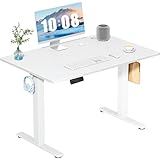
- Spacious Desktop for Productivity: Maximize your workflow with our 40" x 24" dual-panel desktop. This electric standing desk offers an expansive, sturdy surface for multiple monitors, laptops, and accessories, supporting an organized and efficient workspace for professionals and gamers seeking an ergonomic upgrade to enhance focus and output
- Quiet Electric Height Adjustment: Effortlessly transition between sitting and standing with our near-silent motor (under 55 dB). This standing desk adjusts smoothly from 28.7" to 46.5", ensuring seamless, disruption-free movement ideal for focused work, shared home offices, and important video calls, promoting comfort without noise distractions
- Programmable Memory Presets: Customize your ergonomic comfort with 3 smart memory presets. The intuitive LED controller allows you to save and recall your preferred heights instantly, eliminating repetitive adjustments. This key feature for the electric standing desk encourages consistent posture changes, aligning with behaviors that drive long-term user satisfaction
- Sturdy & Durable Construction: Experience rock-solid stability with a reinforced steel frame and wide T-leg base. This electric desk reliably supports up to 176 lbs, ensuring your dual-monitor setup or gaming gear remains secure even at maximum height. Rigorously tested for 50,000+ cycles, it delivers the trusted durability that influences purchase decisions
- Quick, Tool-Free Assembly: Get your standing desk ready in under 30 minutes with our hassle-free, tool-free assembly system. Pre-labeled parts and clear, step-by-step instructions mean you can start enjoying the health benefits of an electric standing desk immediately, removing a common barrier to purchase and enhancing customer satisfaction
6. Remotive: best for a focused remote-tech search
Remotive organizes remote roles into categories that include software development, alongside community and remote-work resources. Its smaller, focused inventory can be useful as one channel in a broader search, rather than as your only source. Verify location rules, posting freshness, and the employer independently; community resources are not proof that a company or individual vacancy has been verified. See software-development roles.
Do these 3 things before closing this tab:
1Repair Windows errors before they cause bigger problems2Scan for outdated or missing drivers - takes under a minute3Clear out junk files and repair common Windows errors7. Himalayas: best for structured filters and company context
Himalayas provides a modern remote-job search with role and location filters and company details on some listings. Treat these as useful screening information, not proof of better hiring outcomes; company-provided material may be self-reported, and market coverage is smaller than on broad general boards. Use it as a supplemental source and verify openings on the employer site. Browse engineering jobs.
8. FlexJobs: best for job seekers willing to pay for screening
FlexJobs is a paid service covering remote, flexible, part-time, freelance, and contract work, including software-development roles. Its screening model is intended to reduce some low-quality listings, not to guarantee that every posting fits or that a member will be hired. Compare the current membership price with how long you expect to search and whether the listings add value beyond free sources.
Rank #4

- 【Built-in Power Outlet & Cable Manager】This standing desk with outlets features a built-in charging station (4 AC, 1 USB, 1 Type-C), allowing you to power up to 6 devices at once—laptop, monitor, phone, lamp, all in one convenient spot. Paired with an integrated cable management system, it keeps cords neatly organized for a more efficient workspace
- 【Height-adjustable with Digital Screen】From focused work to quick stretches, switch positions effortlessly. With a height range of 28.7"–46.5" and 3 memory presets, you can save your perfect sitting and standing positions. The LED display keeps every adjustment precise—just one tap and you're exactly where you need to be
- 【Ultra-Quiet Performance】No more noisy interruptions during meetings or late-night work. Powered by an upgraded motor operating under 35 dB, this adjustable standing desk adjusts smoothly and silently—quiet enough for shared spaces, Zoom calls, or even early mornings without waking anyone
- 【Rock-Solid Stability, Even at Full Height】Worried about wobbling desks? Don’t be. Built with a 2.6" thick reinforced steel frame, T-structure support bar, and adjustable feet, this work desk for home office stays stable at any height—tested over 60,000 lift cycles and supporting up to 220 lbs. Whether you're typing, gaming, or running dual monitors, it stays steady and secure
- 【Safety You Can Trust/Easy Setup】Equipped with anti-collision technology, the bedroom desk automatically rebounds when it detects obstacles—protecting your equipment and surroundings. Plus, with a clear instruction guide, you’ll have it set up in about 30 minutes—no stress, no hassle, just plug in and start working
9. Indeed: best for breadth and contract work
Indeed’s broad database can uncover regional employers, temporary work, and contract roles not found on remote-specific boards. Begin with remote developer jobs or remote software-engineer jobs, then narrow by title, stack, seniority, and employment type. Expect to filter out duplicates, agencies, hybrid roles, and listings with unclear end clients. Treat the company’s current career page as the freshness check.
10. Hacker News “Who Is Hiring?”: best for direct technical posts
Hacker News hiring threads can include posts from founders, engineers, or hiring managers with useful detail on stack, team, location, compensation, and working arrangements. They are unstructured and change monthly, so search the Who Is Hiring? submissions, read the current thread, and track promising roles yourself. Verify the employer and opening; posts may be brief, incomplete, or outdated. This format is better suited to engineers comfortable evaluating a role without conventional job-board filters.
Search more precisely and build a manageable routine
Search by role and stack rather than relying only on “remote developer.” Useful queries include:
Best Value

- Extra Usage Space: This OffiGo U shaped standing desk features a dual corner design that provides more workspace for your essentials. The spacious desktop allows you to place more items and provides more ideas for studying, working and gaming
- Electric Height Adjustment: The height adjustable U shaped stand up desk allows you to customize height from 28.3" to 46.5" by using the 3 preset electric buttons for optimal comfort. It equipped with 3 Outlets & 2 USB ports, providing convenient charging options for devices at work or play
- Large Monitor Stand: The U shaped desk with a full size monitor stand not only conforms to ergonomic design, but also saves space on your desktop. The spacious monitor stand easily accommodates 2 monitors for a superior viewing experience
- Multi-functional Design: The LED light strip has 10 light colors and 10 dynamic modes, catering to your need for color, brightness, and speed changes. The keyboard tray to help you use keyboard and mouse more comfortable. Two hooks can provide additional storage options
- Easy Assembly & Heavy-Duty 154 lb Capacity: Our computer desk comes with detailed instruction, all parts are clearly labeled, and you only need to follow instruction step-by-step. And engineered with a sturdy steel frame, this electric standing desk delivers exceptional stability and supports up to 154 lbs. Easily accommodate dual monitors, laptops and other work equipment
remote React engineerremote TypeScript developerremote Python backend engineerremote platform engineerremote DevOps AWSremote data engineerremote machine learning engineerremote staff software engineerremote Java engineer United Stateswork from anywhere software engineer
A practical starting mix is LinkedIn plus We Work Remotely and Wellfound for many U.S. developers; Remote OK, Remotive, and Himalayas for international searches; and LinkedIn, Hacker News, and Arc for senior engineers. Adjust the mix to your specialty and geography. Check alerts daily or on a regular schedule, and track the source, role URL, employer, date found, eligibility, compensation, application status, and follow-up date. A short, relevant list makes it easier to spot duplicates and follow through than opening accounts on all ten boards.
Use a consistent application process
- Discover: Search two specialist boards and one broad board for each target role.
- Validate: Find the same vacancy on the employer’s official careers page or confirm it with a verifiable company contact.
- Classify: Record employee, contractor, freelance, temporary, or other status, plus expected hours and term.
- Check geography: Confirm eligible countries or states, timezone overlap, travel, and onsite requirements.
- Compare compensation: Separate base salary, bonus, equity, hourly rate, and benefits; note currency and location.
- Tailor and apply: Match your résumé headline and project evidence to the role’s actual stack and responsibilities.
- Track and follow up: Record the application and contact a hiring manager only when your message adds useful context.
How to check a listing before you share personal information
A job board is a discovery channel, not a substitute for verifying an employer. Before applying, check these points:
- Employer identity: Does the company have a functioning website, and does the vacancy appear on its careers page?
- Application domain: Does the application destination match the employer or a credible recruiting system it identifies?
- Role specificity: Is the stack, technical responsibility, team, and interview process plausible and specific, rather than generic or copied?
- Terms: Are location eligibility, employment type, compensation, and expected hours clear enough to evaluate?
- Recruiter identity: Can you verify the recruiter’s connection to the company, preferably through a company domain or another credible channel?
- Job substance: Is the work genuinely software development, rather than data entry, labeling, loosely described “AI training,” or commission-based sales presented as engineering?
Stop if an employer asks you to pay for a job, send cryptocurrency or gift cards, buy equipment from a specified vendor, or provide banking credentials. Be wary of interviews conducted only through encrypted chat, unverifiable domains, pressure for passport, Social Security, tax, or financial details before a legitimate hiring process, implausibly high pay without a credible technical interview, or descriptions that mash together unrelated roles. Do not send sensitive identity or financial information until you have verified the employer and reached an appropriate stage of hiring.
Quick wins for a faster PC:
Clear out junk files and repair common Windows errorsFree Scan →Scan for outdated or missing drivers - takes under a minuteDriver Scan →Repair Windows errors before they cause bigger problemsFix Now →Quick Recap
Product prices and availability are accurate as of the date/time indicated and are subject to change. Any price and availability information displayed on Amazon at the time of purchase will apply.



